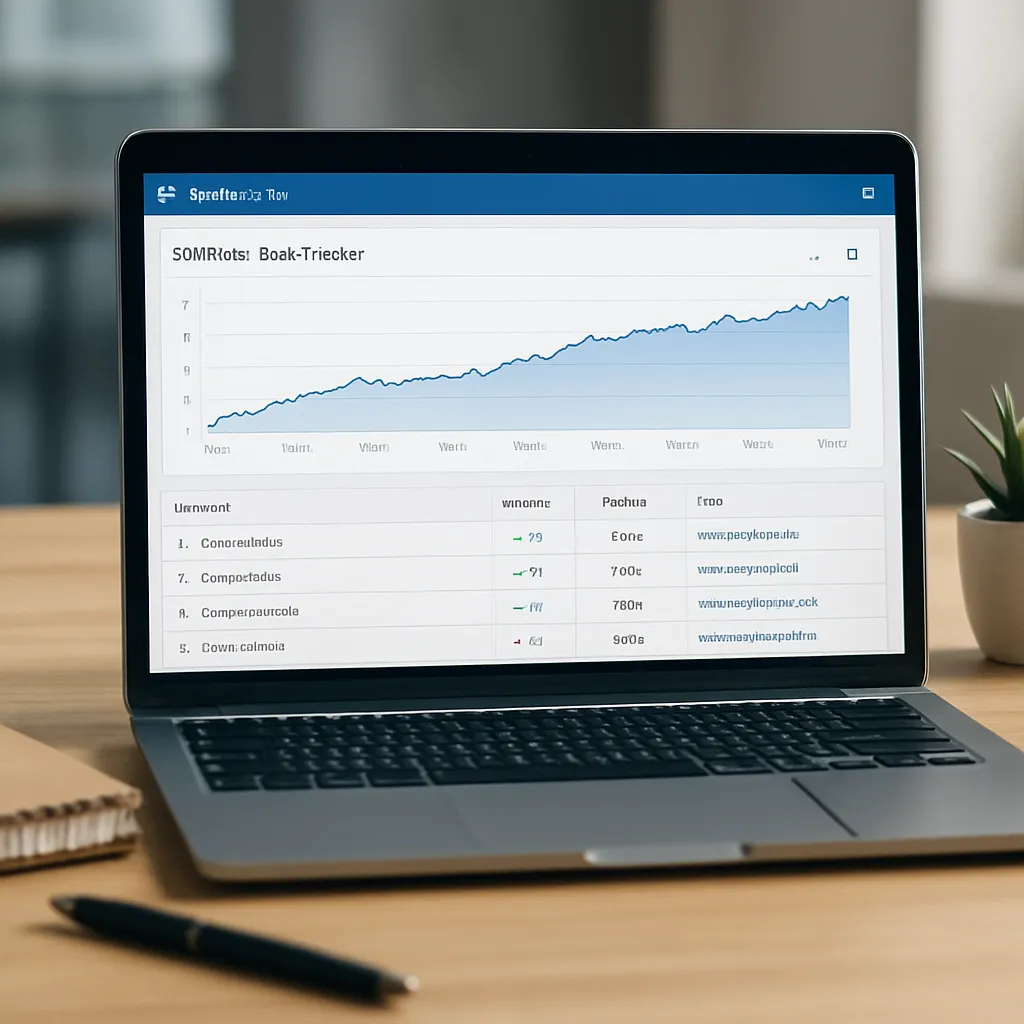
SERPstat Rank Tracker
Serpstat Rank Tracker is one of the most recognizable modules inside the broader Serpstat SEO platform. It promises to turn raw ranking data into actionable insight: where your pages stand in search results, which competitors are gaining ground, and how algorithm updates influence your visibility. For marketers, agencies, and in‑house SEO teams, it can function as a central panel for monitoring organic performance across search engines and regions. Understanding what Rank Tracker actually does, how it helps in everyday SEO work, and whether it is worth adopting requires a closer look at its features, data quality, and user experience.
What Serpstat Rank Tracker Is and How It Works
At its core, Serpstat Rank Tracker is a component of the all‑in‑one Serpstat toolkit dedicated to monitoring organic and paid positions for chosen keywords. Instead of checking rankings manually, users define a list of target terms, select a location, search engine, and device type, and the tool collects data on a regular schedule.
Serpstat supports major search engines, with a primary focus on **Google**, but also coverage for Yandex and certain regional engines, depending on your plan and project settings. You can track rankings on desktop and mobile, which matters because mobile‑first indexing and differing SERP layouts often create discrepancies between the two. This dual‑device view is particularly useful for teams optimizing for Core Web Vitals, mobile UX, or local intent queries.
Rank Tracker works on a project basis. For each website you create a project, then add keywords manually, import them via CSV, or pull them from other Serpstat modules like Keyword Research or Site Audit. Once configured, the tracker runs automatically according to your chosen frequency: daily, weekly, or custom intervals. You can manually trigger updates for crucial campaigns, for example when you ship a significant on‑page optimization or new content cluster.
An important aspect of Serpstat’s approach is the blend of **organic** and paid data. For many keywords, the SERP includes both standard blue links and ads or special features. Rank Tracker not only shows where your organic listing appears, but can also indicate if the keyword has ads, featured snippets, image packs, or other SERP features. This context matters when evaluating click‑through potential: being number three below four ads is not the same as being number three above the fold with no ads.
Data is accessible both via a visual dashboard and detailed tables. Dashboards show visibility scores, average position, distribution of rankings by top 1, top 3, top 10, and top 100, while tables give a granular view of each keyword, its position history, landing page, and competitive environment. These interfaces are designed to allow both a quick snapshot of overall performance and deep dives into problematic keywords or landing pages.
Key Features and SEO Use Cases
Serpstat Rank Tracker has a range of features aimed at daily SEO operations. While some overlap with competing rank trackers, others integrate tightly with Serpstat’s wider suite, making it particularly attractive if you already use the platform for audits or keyword discovery.
Keyword Position Monitoring and History
The primary feature is continuous **keyword** position monitoring. For each tracked term, you can see:
- Current position on selected search engines and devices
- Position changes compared to the previous period
- Visibility and estimated traffic share for that keyword
- History of position changes plotted over time
- Associated landing page on your site
This historical data is central to diagnosing SEO performance. A sudden drop across many keywords might signal a technical issue, such as an indexing problem or misconfigured canonical tags. Gradual improvement over months often reflects successful content and link‑building strategies. Being able to overlay Google algorithm updates or release dates of major site changes on position graphs helps you tie cause to effect with greater confidence.
Serpstat also provides a project‑level **visibility** index that aggregates rankings for all tracked keywords into a single metric. While no visibility score is perfect, it offers a compact way to assess overall progress, especially for large accounts where manually reviewing hundreds of keywords is impractical. Agencies often use this metric in reports to show long‑term trends.
Competitor Tracking and SERP Analysis
Another important function is competitor analysis directly within the Rank Tracker interface. For each project, you can identify competing domains either automatically (Serpstat suggests domains that frequently appear for the same queries) or manually. Then you can track how those competitors rank for your keyword set, comparing visibility, average position, and distribution of rankings.
This competitor view helps with strategic planning. For example, if a consistent rival suddenly jumps above you for many commercial keywords, you can examine their landing pages to uncover content structure, internal links, or UX changes that might explain the shift. Conversely, if you outpace competitors after implementing a content hub or schema markup, the data becomes evidence that your approach is working.
Serpstat’s SERP analysis also surfaces features like featured snippets, People Also Ask blocks, local packs, and other enhanced results. Seeing whether a keyword supports a featured snippet or rich result can inspire content changes: structuring answers in clear paragraphs, adding FAQ sections, or including structured data to compete for those enhanced positions.
Local and Regional SEO Tracking
For businesses focused on local SEO—restaurants, clinics, service providers—or international companies targeting multiple markets, localized tracking is crucial. Serpstat Rank Tracker allows you to specify geography down to country, region, or city level, depending on the search engine and configuration.
This means a keyword like “dentist” can be tracked separately in Warsaw, Berlin, or London, reflecting the vastly different SERPs in each market. You can create separate projects or groups of keywords for each location, allowing you to measure the impact of localized content, Google Business Profile optimizations, and local citation campaigns.
Local rank tracking is especially useful when combined with Google My Business (now Google Business Profile) metrics. While Serpstat doesn’t replace GMB insights, it gives an external check on how your website appears in standard organic listings alongside local packs. Tracking changes in maps pack inclusion after you earn local reviews or citations can help refine your local SEO roadmap.
Segmentation by Tags and Groups
One of the more practical features for larger projects is the use of tags or groups. Instead of a flat list of hundreds or thousands of keywords, you can group them by:
- Topic or content cluster (e.g., “link building guides”, “technical SEO”, “product category A”)
- Search intent (informational, commercial, transactional, navigational)
- Sales funnel stage (awareness, consideration, decision)
- Brand vs non‑brand queries
With these segments, you can see how a particular part of your site is performing. For example, if your informational cluster on a certain topic gains visibility but transactional pages lag, you might decide to improve internal linking from high‑traffic guides to your conversion‑focused landing pages. Tag‑based reporting makes these patterns visible at a glance.
Alerts, Reports, and Collaboration
Serpstat supports scheduled reports sent via email, making it easier to keep stakeholders up to date without constant manual exports. You can set up weekly or monthly summaries including visibility changes, top winners and losers, or competitor movements. Customizable filters and date ranges help tailor reports to different audiences: executives might prefer high‑level visibility graphs, while SEO specialists need detailed tables with keyword‑level data.
For agencies, multi‑user access and permission controls are useful. Team members can be assigned to particular projects, with limits on what they can edit. White‑label reporting, available on higher plans, allows agencies to present ranking data under their own branding, which is often expected in client communication.
Integration with other Serpstat modules also improves collaboration. For example, from Rank Tracker you can jump to Site Audit results for the same project to investigate whether technical issues correlate with ranking drops. The interconnected design reduces context switching between tools and spreadsheets.
How Serpstat Rank Tracker Helps SEO Strategy
A powerful toolkit only has value if it contributes meaningfully to SEO outcomes. Serpstat Rank Tracker supports multiple phases of the SEO lifecycle: research, planning, implementation, measurement, and optimization. Its real contribution lies in how it structures data to guide decisions rather than simply display numbers.
From Data to Insight: Identifying Opportunities
One of the main benefits is the ability to spot untapped opportunities. When you see keywords ranking on the second page or just outside the top 10, but with decent search volume, these become prime candidates for targeted optimization. They often require fewer resources to push into the top positions compared to trying to rank for entirely new keywords.
Rank Tracker’s filtering options allow you to isolate such opportunities quickly: for example, show only keywords with positions between 11 and 30, search volume above a certain threshold, and no recent downward trend. You can then evaluate those keywords individually, examining competing pages and your current landing page to decide what kind of improvement—content depth, title tag refinement, internal links, or external outreach—would be most effective.
Similarly, seeing which keywords perform well on mobile but not desktop (or vice versa) can reveal UX or intent mismatches. A page that ranks strongly on mobile might offer a more concise or task‑oriented experience, suggesting that similar design principles could benefit desktop users.
Measuring On‑Page and Technical SEO Changes
When you implement on‑page optimizations—reworking headings, adding structured data, improving meta descriptions—it is crucial to know whether those changes correlate with better rankings and traffic. Serpstat Rank Tracker provides a before‑and‑after context for each keyword and landing page.
By annotating major changes in your own documentation and comparing them with ranking graphs, you can refine your future actions. For instance, if adding a comprehensive FAQ section and improving page speed leads to a clear upward trend in positions and organic clicks across a group of related queries, that becomes evidence to adopt the same pattern across other parts of the site.
For technical SEO work, such as fixing crawl errors, improving structured data, or adjusting canonical and hreflang tags, rank tracking helps validate that corrections had the intended effect. While rankings alone don’t prove causality, consistent improvements across many keywords after resolving technical issues strengthen the hypothesis that your changes worked.
Monitoring Algorithm Updates and Market Dynamics
Google and other search engines regularly update their algorithms. These updates can dramatically reshape the SERPs, rewarding certain types of content or penalizing low‑quality tactics. Without systematic rank tracking, you might not notice the full impact until analytics data shows a drop in sessions, which can lag behind ranking changes.
Serpstat Rank Tracker gives a near‑real‑time signal of such shifts. If you see broad drops or gains starting on a specific date, you can cross‑reference industry discussions about algorithm updates. This helps you decide whether to revisit content quality, E‑E‑A‑T signals, link profiles, or spammy patterns that might have triggered a negative reassessment.
Beyond algorithm updates, Rank Tracker highlights industry competition. New entrants to the SERP for your core keywords, or abrupt improvements from established competitors, can indicate changes in market strategy. Perhaps a competitor launched a major content marketing push, invested heavily in **backlinks**, or significantly improved site performance. Recognizing these patterns early allows you to adapt rather than reacting months later when traffic is already lost.
Supporting Reporting and ROI Demonstration
For agencies and in‑house SEO leaders, demonstrating ROI is one of the most persistent challenges. Organic search growth is often gradual and influenced by many factors. Serpstat’s historical graphs, visibility scores, and segment‑based reports make it easier to connect SEO work to measurable outcomes.
You can show a timeline indicating when certain initiatives started—like a blog relaunch, category page redesign, or link‑building campaign—and overlay that with improved average positions or expanded visibility in the top 10. Combined with analytics and conversion data, these visuals help stakeholders see SEO as an investment with tangible returns rather than a vague cost center.
Because Serpstat aggregates data at multiple levels—keyword, page, group, project—you can craft different narratives for different audiences. Executives may only need to see that branded and non‑branded visibility has increased in key markets, while SEO practitioners may dive into specific keyword clusters to plan next iterations.
Data Quality, Interface, and Limitations
No rank tracker is perfect, and Serpstat is no exception. Evaluating its value requires looking at data accuracy, speed, and usability, as well as recognizing scenarios where another solution might be better suited.
Accuracy and Frequency of Updates
Rank tracking accuracy depends on how closely the tool can emulate real user queries, including personalization, location, and device effects. Serpstat does a reasonably good job by allowing precise location and device settings, but like all tools, it cannot fully replicate the personalized SERPs an individual user might see based on history or account data.
For SEO analysis, this limitation is acceptable, because the goal is to approximate the general ranking landscape rather than predict each user’s exact experience. However, some users notice small discrepancies when manually checking Google results, especially for low‑volume or highly personalized queries. These are not unique to Serpstat and appear with most third‑party trackers.
Update frequency is tied to your subscription and project settings. Daily tracking provides the most detail and is recommended for active campaigns or volatile niches, such as news, finance, or aggressive e‑commerce verticals. Weekly or bi‑weekly tracking may suffice for slower‑moving B2B or content‑driven sites where rankings evolve more gradually. Serpstat offers flexibility here, which helps control costs for projects that do not require daily data.
User Interface and Learning Curve
The Serpstat interface is structured but dense. Users coming from single‑purpose rank trackers might find the array of menus and modules initially overwhelming. Rank Tracker is integrated alongside Keyword Research, Site Audit, Backlink Analysis, and other tools, which is helpful once you are familiar with the ecosystem but can create a steeper learning curve at the beginning.
On the positive side, dashboards are customizable, and table views include filters, sorting, and saved views. This allows power users to tailor the environment to their workflow—for example, by saving a view that only shows transactional keywords in a specific region with positions between 4 and 15. Visual charts of visibility, position distribution, and competitor comparisons are clear and exportable.
Documentation and support materials, including tutorials and webinars, assist with onboarding. For larger teams, dedicating some time to internal training on Serpstat can yield long‑term efficiency gains, as people learn to interpret the data consistently.
Pricing and Project Limits
Serpstat is positioned as a mid‑range, all‑in‑one SEO platform. Its pricing usually compares favorably with separate subscriptions to standalone rank trackers, keyword tools, and site audit solutions, especially for agencies that need multiple functions under one umbrella. However, lower‑tier plans come with limitations on the number of projects, keywords, and update frequency.
For small businesses or freelancers managing a handful of sites with modest keyword sets, those limits may be perfectly adequate. Larger agencies or in‑house teams aiming to track tens of thousands of keywords across many regions will need higher‑tier plans, which can become significant line items in the marketing budget. It is therefore important to map your expected keyword volume and project count to Serpstat’s plan tiers before committing.
One potential drawback is that Serpstat’s strength lies in being a generalist. Some specialized rank trackers may offer more advanced features in specific niches, such as ultra‑granular local pack tracking or deep SERP feature extraction tailored for certain industries. Organizations with highly specific needs might supplement Serpstat with additional tools for those use cases.
Opinion: Strengths, Weaknesses, and Who Should Use It
From a practical standpoint, Serpstat Rank Tracker delivers substantial value, especially when embraced as part of the wider Serpstat ecosystem. Its major strengths include:
- Integration with keyword research, site audit, and **backlink** tools in a single platform
- Flexible location and device tracking for both global and local SEO efforts
- Historical data visualization and segment‑based reporting for nuanced analysis
- Competitor tracking that highlights shifts in market dynamics
- Reasonable pricing relative to buying several separate SEO tools
Users who benefit most tend to be:
- Agencies managing many clients and needing consolidated reporting
- In‑house SEO and content teams that want a unified **SEO** toolkit
- Growth marketers in startups and SMEs who need reliable ranking data without enterprise‑level costs
- International sites requiring multi‑region keyword tracking in a central dashboard
On the downside, Serpstat Rank Tracker may feel like overkill for very small projects with only a few key terms, where manual checks or lightweight rank tracking plugins might suffice. The interface, though powerful, can seem complex at first, and some advanced local SEOs might prefer ultra‑specialized tools for tasks like map pack ranking snapshots or reputation monitoring tied to reviews.
Another consideration is that Serpstat’s data, while generally accurate and competitive, is still subject to the same inherent limitations as any third‑party rank tracker: it offers a strong approximation, not a perfect mirror, of real‑time, personalized search results. Users should treat it as a decision‑support system, combining it with analytics, server logs, and qualitative user research to form a complete picture.
Overall, Serpstat Rank Tracker stands out as a solid, well‑rounded component of a comprehensive **analytics** and optimization workflow. It supports the core tasks of measuring visibility, discovering opportunities, and validating the impact of SEO initiatives. For teams willing to invest a bit of time into configuring segments, reports, and integrations, it can become a central control panel that transforms ranking data into concrete, repeatable actions.
Practical Tips for Getting the Most from Serpstat Rank Tracker
To maximize the tool’s value, it helps to adopt a deliberate approach rather than just dumping a random list of keywords into a project. A few best practices can significantly improve both insight quality and day‑to‑day usability.
Define a Clear Keyword Strategy First
Before you start tracking, clarify which keywords truly matter to your business. Use Serpstat’s Keyword Research module—or your existing research—to identify:
- Primary money keywords directly tied to conversions or sales
- Supporting informational queries that feed the top of your funnel
- Branded keywords related to your company and product names
- Competitor brand terms you want to monitor (not necessarily target)
Tracking every vaguely related keyword can inflate costs and clutter reports. Focus instead on strategically significant terms that align with your content roadmap and revenue model.
Use Tags and Groups Aggressively
As your keyword list grows, organization becomes essential. Assign tags based on intent, topic, and funnel stage. Then create saved views and reports based on those segments. This lets you answer targeted questions like:
- How are awareness‑stage blog topics performing in the UK versus Germany?
- Which transactional keywords in Category X improved after the last landing page redesign?
- Are branded queries holding stable, improving, or declining over the past quarter?
Tags transform Rank Tracker from a static table into a strategic insight engine by structuring data in a way that reflects your business model.
Establish a Regular Review Cadence
Set specific times to review ranking data: weekly for active campaigns, monthly or quarterly for stable properties. During each review, focus on:
- Biggest winners and losers in terms of rank change and potential traffic
- Keywords entering or leaving the top 10 and top 3
- New competitors or sudden competitive surges
- Segments (e.g., by topic or region) that show consistent trends
Combine this with notes about content publishes, technical updates, or campaigns you have launched. Over time, you’ll build an internal understanding of which types of actions typically move the needle.
Connect Rank Data to Real Outcomes
Rankings are a means, not an end. To avoid optimizing purely for vanity metrics, regularly correlate Serpstat data with traffic and conversions from your analytics platform. For example, create a list of keywords where you moved from positions 11–20 into the top 5, and examine how organic sessions, sign‑ups, or revenue changed on the associated landing pages.
This practice keeps your team focused on outcomes, ensuring that time spent crafting content, building links, or improving UX translates into measurable business results. It also helps you create stronger internal case studies demonstrating the value of ongoing **optimization**.
Conclusion
Serpstat Rank Tracker occupies a strong position in the SEO software landscape as a feature‑rich, integrated solution for monitoring search visibility. Its capabilities go beyond simple position checking, incorporating competitor intelligence, segmentation, local tracking, and historical analysis that together provide a robust foundation for strategic decision‑making.
While it shares the common limitations of all third‑party rank trackers—approximate rather than perfectly personalized data, and some complexity for new users—it compensates with broad functionality, tight integration with other Serpstat modules, and flexible reporting options suitable for agencies and in‑house teams alike. When embedded thoughtfully in an SEO workflow that values both rankings and real‑world outcomes, Serpstat Rank Tracker can play a central role in guiding content planning, technical improvements, and broader digital marketing strategy.