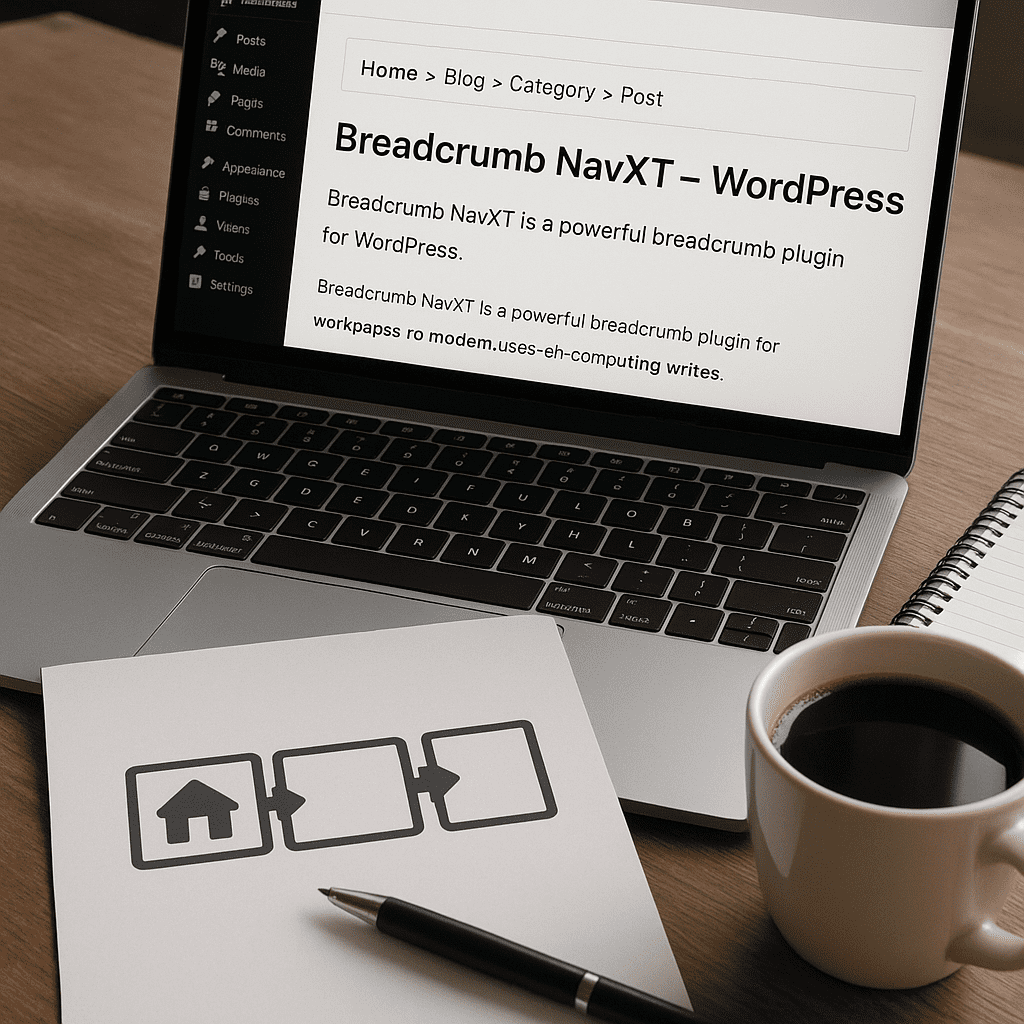
Breadcrumb NavXT
Breadcrumb NavXT is one of the most established WordPress plugins for creating breadcrumb trails—those compact, contextual navigation paths that help visitors understand where they are on a site and how to go back. Beyond orientation, a well-implemented breadcrumb system improves findability, reduces friction on large content libraries, and communicates hierarchy to search engines. This plugin’s strength lies in the balance between ease of use for non-technical editors and deep configurability for developers who need to fine-tune templates, conditions, and behavior across post types, taxonomies, and archives.
What Breadcrumb NavXT Does, in Practical Terms
At its core, Breadcrumb NavXT calculates the shortest, most logical path from a site’s home to the current resource and prints it using customizable templates. It supports hierarchical pages, posts with categories, custom post types and taxonomies, author and date archives, search results, and even 404 pages. You can choose whether a post’s breadcrumb should prioritize a category or a parent page; whether attachment pages inherit the breadcrumb of their parent; how deep to traverse hierarchical taxonomies; and how separators, wrappers, and links are rendered.
There are three primary integration methods: a widget for sidebars and classic widget areas, a shortcode for block and classic editors, and direct PHP functions for theme developers. Because the plugin exposes output templates and logical fallbacks for each content type, it can serve everything from simple blogs to sprawling documentation portals and enterprise catalogs.
Why Breadcrumbs Matter for UX and Search
Breadcrumb trails provide a gentle, consistent orientation layer that complements main navigation. They answer questions like: Where am I? What’s the parent category? What else is nearby? For readers, this reduces cognitive load and accelerates content discovery. For search engines, breadcrumbs are a machine-readable representation of information architecture. They show how you group content, which taxonomies carry meaning, and the relative importance of pages. In SERPs, many engines replace long URLs with a compact breadcrumb path, improving scannability and click confidence.
While breadcrumbs alone do not guarantee higher rankings, they support internal linking and clarify topical clusters, which can indirectly help SEO. Breadcrumb NavXT also outputs markup that can be understood as breadcrumb data, giving search engines a clear signal for how to display your trails below titles in search results. Combined with consistent taxonomy use and careful placement near the top of the page, this becomes a user-first enhancement with measurable behavioral benefits like lower bounce and higher page-per-session.
Getting Started: Installation and First Output
After installing and activating Breadcrumb NavXT from the WordPress repository, you’ll find its settings screen under Settings → Breadcrumb NavXT. Without touching anything, the plugin can already produce a sensible default trail: Home → Parent → Child. To display it without editing theme files, insert the shortcode into a block (Shortcode block in the block editor) or use the “Breadcrumb NavXT” widget in any legacy widget area. Developers integrating at the theme level typically call the plugin’s display functions inside header.php or relevant template files so breadcrumbs appear site-wide in a consistent slot.
Start by verifying a few core things: that the home crumb goes to your public home page (or a static front page if set), that the separator matches your design system (›, /, or an SVG), and that posts use your preferred taxonomy for the parent crumb—categories are a common choice, but some sites prefer a custom taxonomy like “Topics” or “Sections.”
Understanding the Settings: Templates, Taxonomies, and Special Cases
Breadcrumb NavXT’s power lives in its flexible templates. Each content type—front page, blog home, single posts, custom post types, pages, categories, tags, custom taxonomies, authors, dates, search results, 404—has two templates: one for linked items (ancestors) and one for the current item (usually unlinked). Templates use placeholders for the title and link, so you can control attributes like title attributes, classes, or microdata. Default templates are practical, but meticulous teams often add consistent CSS classes, ARIA labels, and wrapper elements to fit their design and accessibility standards.
For hierarchical post types like Pages, the plugin follows parent-child relationships. For non-hierarchical post types like Posts, it relies on taxonomy terms, ordered by your priority list. This is critical for editorial workflows: a single post can have multiple categories. Set a deterministic priority—e.g., primary category first (if your editorial team uses a primary category feature in another plugin), followed by a sequence like Topics → Category → Tag. The result is a canonical breadcrumb path, not a random one.
Home and Blog Crumbs
Sites with a static front page and a separate posts page often want both “Home” and “Blog” as root-level crumbs. Breadcrumb NavXT exposes templates for the front page and for the posts index, so you can title and link them exactly as your brand dictates. If your front page is also your blog home (classic blog structure), the plugin collapses this to a single crumb.
Post Types and Taxonomies
Custom post types and custom taxonomies are first-class citizens. You can decide whether a CPT uses a breadcrumb path via parent pages, via taxonomy ancestry, or a hybrid. Deep hierarchical taxonomies (e.g., Product Category → Subcategory → Subsubcategory) can produce long but meaningful trails, and the plugin offers controls for trimming, linking, or capping depth when needed. This is where disciplined taxonomy design pays off: the clearer the hierarchy, the more useful and compact the trail.
Archives, Search, and 404
Author, date, and search result pages often get neglected in navigation plans. NavXT lets you craft distinct templates for each—perhaps “All posts by [Author]” or “Results for [Query].” Even the 404 template can include a helpful cue like “Page not found” with a link back to a category or the home page, giving lost users a path forward.
Markup and Schema: Balancing Flexibility and Semantics
Good breadcrumbs are semantic but unobtrusive. Many teams prefer an ordered list with a subtle separator; others use lightweight spans and a chevron. Breadcrumb NavXT’s wrapper and item templates let you implement either pattern. Additionally, it can include attributes that map to Schema.org’s BreadcrumbList specification so search engines can parse your trail as formal data. Because different ecosystems evolve, you should occasionally validate markup in Search Console to ensure that your schema remains compliant after major WordPress or plugin updates.
As a general best practice, place your breadcrumb block above the main heading and below the global navigation. That makes the trail immediately visible without overshadowing the title. If your layout uses a sticky header, ensure the breadcrumb doesn’t collapse or hide behind it on smaller screens.
Output Methods: Widget, Shortcode, and Theme Integration
Non-developers typically rely on the widget or shortcode. The shortcode supports parameters for linking behavior and optional separators, making it viable inside the block editor. For block themes, a Shortcode block or a reusable block containing the shortcode can propagate breadcrumbs across templates. Theme developers prefer function calls in template files—this guarantees the trail renders consistently on every relevant view and reduces editorial risk from accidental removal. Whichever method you choose, treat breadcrumbs as part of the site’s global chrome, not as ad hoc content.
Design and Styling Considerations
Bread crumb styling needs to be subtle and consistent. Here are practical tips:
- Use a compact separator (› or /) and a modest font size so the trail doesn’t compete with the H1.
- Truncate overly long titles with CSS, but preserve the full title in a title attribute for hover or in accessible names for screen readers.
- Ensure sufficient color contrast. Non-critical links often get subtle colors; still meet accessibility contrast guidelines.
- Make touch targets large enough on mobile—especially the last two ancestors where users frequently tap.
- Add logical focus states for keyboard navigation.
Accessibility and Inclusive Design
Breadcrumbs should work for all users. Use a landmark wrapper (such as a nav with an appropriate label if you manage templates at the theme level) and an ordered list so assistive tech can convey structure and sequence. Breadcrumb NavXT’s templating system lets you add roles and aria-labels, making conformance straightforward. Pay attention to link text: avoid generic labels like “here” or “category”—use the actual term name so screen readers announce meaningful destinations. This is one of the plugin’s unsung strengths: because output is fully editable, you can bake accessibility in rather than bolt it on. Improving accessibility often improves clarity for everyone, not just assistive tech users.
Structured Data and Search Appearance
Most sites benefit when search engines replace raw URLs with breadcrumb paths in results. NavXT can emit attributes recognizable as breadcrumb data. Validate your output in Google’s Rich Results tests; confirm that every item in the trail resolves to a crawlable URL and that the last item is unlinked (or clearly marked as the current page). When themes or other plugins also inject breadcrumb data, you risk duplication; prefer a single source to avoid conflicting signals. In complex stacks, coordinate with your SEO suite to ensure only one component outputs breadcrumb data.
WooCommerce and Complex Catalogs
Storefronts often need precise breadcrumb behavior across categories, products, and brand or attribute taxonomies. WooCommerce ships with its own breadcrumb function, but many teams migrate to NavXT for deeper control. The typical approach is to disable the native WooCommerce crumbs and place NavXT’s output in the same theme hook. Then set taxonomy priority so the product breadcrumb chooses the most meaningful path—usually Product Category rather than Tag or Brand, unless your IA emphasizes brand browsing. Large catalogs benefit from shorter crumb titles; consider editing taxonomy names or adding template logic to abbreviate. Because product matrices can be deep, test how mobile truncation behaves and whether paths remain tappable. The plugin is capable, but your architecture must be intentional to make the most of WooCommerce contexts.
Multilingual, Multisite, and International Considerations
Breadcrumbs must reflect language boundaries. On multilingual sites using tools like WPML or Polylang, ensure that your breadcrumb templates and term selection logic respect the current language context and that translated taxonomies preserve the same hierarchy. NavXT plays well in these environments because it builds trails using the same WordPress APIs translation plugins hook into. On multisite networks, each site manages its own breadcrumbs independently; cross-site trails are typically avoided to prevent confusion, though you can craft custom solutions if you maintain a centralized taxonomy.
Performance Notes and Caching
Breadcrumb generation is lightweight compared to most content queries, but large hierarchies and deep category chains add overhead. You can mitigate this by:
- Leveraging WordPress object caching or full-page caching, which stores the rendered trail for repeated requests.
- Keeping taxonomy hierarchies intentional and avoiding unnecessary depth.
- Minimizing dynamic path changes triggered by conditional logic that would defeat caching.
From a practical perspective, Breadcrumb NavXT is quiet and efficient, and it rarely registers on profiling traces unless something else is already strained. If you benchmark, test worst-case pages like deeply nested categories with many ancestors. Good performance hygiene elsewhere (queries, assets, caching) usually makes breadcrumb cost negligible.
Plugin Architecture: Templates, Hooks, and Developer Control
One reason developers gravitate toward NavXT is its combination of display functions, templates, and extensibility. You can adjust templates for each context without writing PHP, or you can intercept the trail programmatically. For example, you might:
- Force certain terms to appear (or be skipped) based on page metadata.
- Shorten long titles for specific sections while leaving others untouched.
- Resolve a “primary term” when multiple categories exist in a defined priority order.
- Inject a pseudo-crumb representing a curated landing page that sits above sections.
The plugin offers numerous hooks to modify the trail before render, alter individual crumbs, or replace title text from custom fields. If your editorial model requires bespoke logic, you can implement it cleanly while leaving the admin templates usable for day-to-day changes. This is where judicious use of filters and careful documentation shine—future you will thank present you for keeping breadcrumb rules explicit.
Block Themes, Classic Themes, and Editor Workflows
In the block era, many teams use the Site Editor to place global elements. Breadcrumb NavXT works in classic and block themes alike. You can drop a Shortcode block into a template part (like header or a section beneath it) and export that as part of your theme. Editors then inherit breadcrumbs without having to remember to insert them on each page. Developers who prefer code-level control still use template functions. Either way, it’s simple to make breadcrumbs a first-class citizen in modern Gutenberg workflows.
Comparing Breadcrumb NavXT to Alternatives
Several SEO suites ship with built-in breadcrumbs, and some themes include their own. Why pick NavXT?
- Independence: Breadcrumbs are decoupled from your SEO or theme stack; switching tools won’t break trails.
- Granularity: Templates per context, with deep control over CPTs and custom taxonomies.
- Stability: A long-maintained codebase used by hundreds of thousands of sites.
- Flexibility: Hooks, filters, and a straightforward settings UI that accommodates both editors and developers.
Integrated breadcrumb features can be convenient, but they often stop at simple blog-like hierarchies. If your site is straightforward, either approach works. If you manage complex hierarchies, internationalization, or extensive CPT usage, NavXT’s specificity tends to win out.
Common Pitfalls and How to Avoid Them
- Duplicate breadcrumbs: Disable theme or SEO plugin breadcrumbs when NavXT is active to prevent double rendering and duplicate structured data.
- Inconsistent taxonomy choices: Establish a documented priority order for category-like terms and stick to it.
- Overlong trails: Cap depth or shorten titles to avoid wrapping that pushes content below the fold on mobile.
- Broken links: Ensure all terms in the trail are public, not no-indexed for logged-out users, and not accidentally redirecting.
- Ignoring archives: Style and template search, date, and author archives—users do land on them and appreciate context.
Editorial Best Practices for Content Teams
Technical configuration only goes so far; content hygiene matters. Train authors to choose a primary category or the most specific term that matches the editorial intent. Avoid tagging sprawl that creates multiple equally valid breadcrumb paths. Write concise, descriptive taxonomy names that read well inside a trail. For FAQs, documentation, or long-form series, consider reusing a consistent sectional taxonomy so trails feel predictable. A disciplined taxonomy vocabulary is a force multiplier for both user comprehension and structured data quality.
Security, Reliability, and Maintenance
Breadcrumb NavXT has a long history of maintenance and compatibility with recent WordPress releases. It follows WordPress coding standards and uses core APIs for querying ancestors and terms. Because it’s widely used, regressions tend to surface quickly and get patched. From a security posture, breadcrumb output is mostly presentation-level, but you should still validate titles and attributes in your templates and keep the plugin updated alongside WordPress core. When changing templates, test on a staging environment to ensure you don’t unintentionally break markup or introduce invalid HTML.
A Measured Opinion: Strengths and Weaknesses
Strengths:
- Highly configurable templates that let you meet brand, semantic, and accessibility standards.
- Robust support for custom post types and taxonomies, including hierarchical paths.
- Multiple output methods that fit editors and developers alike.
- Solid defaults that produce a useful trail with minimal setup.
Weaknesses and caveats:
- The deep templating system can feel intimidating at first; small misconfigurations may lead to inconsistent output.
- Sites that rely on non-standard or bespoke routing may need developer time to align breadcrumbs with perceived hierarchy.
- If another plugin already injects breadcrumb structured data, you must coordinate to avoid duplication.
Overall, NavXT is the “do it once and do it right” option. It rewards teams that take information architecture seriously and want sustainable control independent of a monolithic SEO suite. If your site demands precision, NavXT is an easy recommendation.
Real-World Scenarios
- Newsroom: Use categories for sections (World, Business, Culture) and subcategories for beats. Prioritize section over tags in the breadcrumb to avoid noisy paths.
- Documentation: Model parent-child pages for guides and reference docs; include a Docs landing page as a deliberate root before page parents for clear progression.
- E-commerce: Tie products to a single canonical product category branch; abbreviate long category names in crumb templates; ensure brand taxonomy only appears where it’s truly navigational.
- Higher education: Represent Colleges → Departments → Programs with hierarchical taxonomies; provide a consistent “Academics” landing crumb above them.
Placing Breadcrumbs within a Design System
In design systems, breadcrumbs occupy a defined component tier, often under secondary navigation. Treat them like a reusable component with tokens for spacing, color, and typography. Establish clear truncation rules (e.g., ellipsize middle crumbs first on narrow viewports), define interaction states (hover and focus), and write QA steps. The plugin maps neatly onto this mindset because you can encode structure and classes directly into templates, then let CSS do the heavy lifting.
Using the Plugin Alongside an SEO Suite
Many teams pair NavXT with an SEO plugin for titles and sitemaps. This pairing works well when roles are clearly defined: NavXT handles breadcrumb display and the SEO suite manages meta. Confirm that only one component outputs breadcrumb structured data; if the SEO suite insists on doing so, either disable that part or disable schema in NavXT. Align naming conventions so the trail’s wording mirrors titles and menu labels. Coordination minimizes confusion and maximizes the credibility of your breadcrumbs in search.
Testing, Validation, and Analytics
Before shipping, verify three layers:
- Visual: Responsive behavior, truncation, color contrast, and click targets.
- Semantic: Correct order, current item unlinked, logical fallbacks when a term is missing.
- Machine-readable: Rich results tests and Search Console validation.
Post-launch, measure interactions: Do users click over to parent categories? Are they using breadcrumbs as a home shortcut? These micro-interactions often correlate with reduced pogo-sticking. If you see little engagement, test alternative taxonomy priorities or adjust placement. Small changes—a clearer first crumb name, a slightly larger touch target—can meaningfully move engagement metrics and indirectly support SEO outcomes.
Frequently Asked Implementation Questions
- Can I hide breadcrumbs on the home page? Yes—set a conditional in your theme or use display settings to omit output on specified templates.
- What if my post belongs to multiple categories? Establish a canonical order and pick the first match; consistency is more important than trying to represent every path.
- How do I ensure titles aren’t too long? Edit taxonomy names, add truncation in CSS, or shorten via the plugin’s templates and hook-based title filters.
- Is it compatible with headless or decoupled setups? The plugin renders server-side HTML. For fully headless sites, replicate its logic in your front-end stack or expose a server-rendered slot in your theme.
Final Thoughts: A Small Component with Outsized Impact
Bread crumbs are a deceptively modest feature that touch nearly every discipline: information architecture, content strategy, design, accessibility, performance, and schema hygiene. Breadcrumb NavXT brings maturity and depth to this space. It scales from plug-and-play defaults to finely tuned enterprise implementations, keeps control in your hands, and separates breadcrumb logic from broader suites so you’re never trapped by a single vendor. For teams who care about clarity and control, it’s an easy, durable win.
Quick Implementation Checklist
- Place breadcrumbs in a consistent location above the main heading.
- Choose a separator and style that matches your design system.
- Define taxonomy priorities for posts and custom post types.
- Customize templates for archives, search, and 404 pages.
- Validate rich results and avoid duplicate structured data.
- Test mobile truncation and keyboard navigation.
- Coordinate with your SEO suite and disable overlapping features as needed.
- Monitor engagement and refine placement or priorities based on user behavior.
Verdict
Breadcrumb NavXT is a dependable, flexible solution for breadcrumb navigation in WordPress. It meets beginner needs out of the box, yet offers the depth power users demand: meticulous templating, developer hooks, and compatibility across classic and modern workflows. Implemented thoughtfully, it enhances user understanding, clarifies site structure, and reinforces search visibility without bloat. Whether you’re running a minimalist blog or a layered enterprise taxonomy, NavXT gives you the tools to do breadcrumbs properly—and keep them that way as your site evolves.