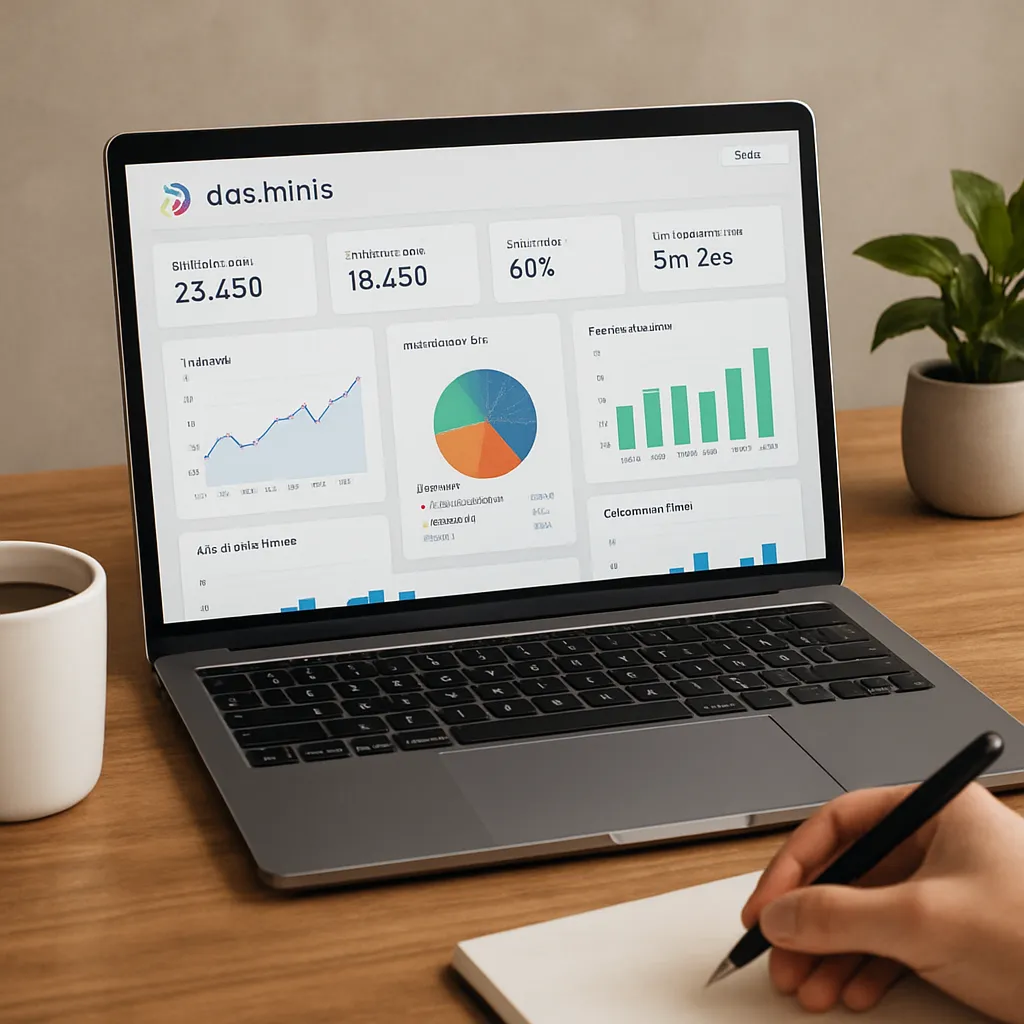
DashThis
DashThis is a popular reporting platform that has become a go‑to solution for marketers who want to centralize data from multiple tools and present it in a clear, visual way. Although it is not a keyword research tool or a crawler in itself, it plays a crucial role in **SEO** workflows by automating reporting, consolidating metrics from different sources, and giving both agencies and in‑house teams a better overview of organic performance. Understanding where DashThis fits in the martech stack helps you decide whether it can genuinely enhance your search strategy or simply duplicate functionality you already have.
What DashThis Is And How It Works
DashThis is a cloud‑based reporting tool designed to simplify the process of creating marketing dashboards. Instead of manually exporting data from Google Analytics, Google Search Console, SEO platforms and advertising tools, you connect these data sources once and build dashboards that update automatically on a chosen schedule.
The core idea is simple: marketers spend less time copy‑pasting numbers into spreadsheets and more time interpreting data and optimizing campaigns. For SEO specialists, this means faster access to the metrics that matter and an easier way to demonstrate value to stakeholders.
DashThis offers a range of native integrations with platforms used daily in digital marketing. From an SEO perspective, some of the most relevant are:
- Google Analytics (including GA4), for traffic, engagement and conversion data.
- Google Search Console, for impressions, clicks, CTR and average position.
- Google Business Profile, useful for local SEO visibility and actions.
- Backlink and rank tracking tools via CSV imports or custom data connectors.
- Advertising platforms like Google Ads and Meta Ads, helpful when combining organic and paid search reporting.
Dashboards are created using a drag‑and‑drop interface. Users can select widgets, apply filters, group metrics and choose visualizations such as tables, line charts or bar graphs. Once a dashboard is ready, it can be shared via a URL or scheduled as an automatic email report in PDF or link format.
Because DashThis is fully hosted, there is no installation process. All configuration is done inside the browser. This makes it particularly attractive for agencies that need to roll out dashboards across many clients quickly, without investing in custom development or complex BI systems.
DashThis And SEO: Use Cases And Practical Benefits
DashThis is not a traditional **SEO** tool. It does not crawl your website for technical issues or suggest keywords to target. Instead, its role is to centralize the results of your SEO work and present them in a format that is easy to monitor and easy to understand. In practice, that leads to a number of concrete use cases.
Centralizing Your SEO Metrics
An SEO strategy typically relies on a combination of data sources. Google Search Console provides insights into search queries and indexing issues, Google Analytics tracks user behavior and conversions, rank trackers show keyword positions, and backlink tools reveal link growth and authority. Manually piecing these together every week is time‑consuming and error‑prone.
With DashThis, you can combine:
- Organic sessions, bounce rate and goal completions from **Google Analytics**.
- Impressions, clicks and average position for key queries from Search Console.
- Keyword rankings pulled from external tools via spreadsheets or APIs.
- Backlink counts and referring domains from link intelligence platforms.
This consolidated view highlights how improvements in rankings correlate with traffic and, more importantly, with business outcomes such as leads or revenue. Having everything in one place makes it much easier to identify trends or spot anomalies that might require deeper investigation in your specialist tools.
Client And Stakeholder Reporting
One of the biggest strengths of DashThis is client‑facing reporting. SEO data can be complex and overwhelming, and many stakeholders do not need a raw export of every metric. They want clarity: is performance improving, what caused the change, and what should be done next?
DashThis helps by allowing you to design dashboards that focus on KPIs aligned with business goals. You might create dedicated sections for:
- Overall organic visibility and branded vs non‑branded traffic.
- Top landing pages from organic search and their conversion performance.
- Priority keyword groups, showing trends in rankings and traffic.
- Technical health indicators pulled from other tools via custom data.
Because the interface is visual and relatively intuitive, clients can log into their dashboard at any time and see up‑to‑date results without waiting for monthly reports. For agencies, that reduces the volume of repetitive “how are we doing?” questions and adds transparency to the collaboration.
Time Savings And Workflow Efficiency
From a workflow perspective, the main benefit of DashThis for SEO is automation. Instead of spending hours each month assembling PowerPoint presentations or Google Sheets, you build the reporting structure once and then maintain or refine it as needed.
This time saving becomes significant when managing many websites. An agency SEO with 20 clients may currently spend a large part of every month on reports. By switching to DashThis, that time can be reallocated to tasks that actually move the needle: technical audits, content optimization, link building and experimentation.
The efficiency increase is not only about time. Reporting consistency improves as well. When dashboards are standardized across clients, you can compare performance between projects more easily, benchmark results and identify which strategies are working best in similar industries or markets.
Data Storytelling And Decision‑Making
DashThis also supports better decision‑making by enabling clearer data storytelling. SEO teams can highlight the connections between activities and outcomes in a way that resonates with non‑technical audiences.
For example, you could show:
- A timeline of technical fixes, such as page speed improvements or indexation corrections, matched with changes in organic traffic.
- A view of new content published against organic entrances and conversions from those pages.
- A correlation between improved rankings for strategic keywords and increased revenue from specific channels.
When stakeholders see these relationships visually, it becomes easier to secure budgets for SEO initiatives, justify experiments or argue for additional technical resources from development teams. DashThis becomes a communication layer between raw data and business strategy.
Features That Matter Most To SEO Professionals
Although DashThis does not include crawling or keyword research functionality, it offers several capabilities that are particularly relevant for SEO work. Understanding these helps evaluate how well it fits into an existing toolset.
Customizable Dashboards And Templates
DashThis provides both pre‑built templates and full customization. Templates can be useful starting points for agencies or marketers who are new to structured reporting. However, most SEO professionals eventually tailor their dashboards to reflect their unique approach and KPIs.
Customization options include:
- Choosing from different widget types (tables, line charts, bar charts, pie charts, single KPI blocks).
- Applying filters to segments such as organic traffic only, a specific device category, or a geographic region.
- Grouping data by landing page, query, campaign, or custom dimensions from integrated tools.
- Adding text boxes to explain results, annotate algorithm updates or describe experiments.
This level of flexibility makes DashThis suitable for both high‑level executive dashboards and detailed SEO performance boards focused on granular metrics.
Integration With Key SEO Data Sources
The value of DashThis depends heavily on its integrations. For SEO professionals, support for **Google** **Search** **Console** and GA4 is crucial, as these are the authoritative sources of organic search and on‑site performance data.
Beyond native connectors, DashThis offers options to import external data, usually via CSV or custom APIs. This is essential when using specialized SEO software that may not yet have a direct integration. By exporting ranking positions or backlink metrics from those platforms and feeding them into DashThis, you can still view all core KPIs together.
The ability to blend SEO data with other channels is also a strength. For instance, you can create a unified view of how organic, paid search, social and email contribute to overall traffic and conversions. That context helps demonstrate the broader value of SEO within the marketing mix.
White‑Label Capabilities For Agencies
Agencies often want to present reports under their own brand. DashThis includes white‑label options that allow you to customize logo, colors and even domain (depending on the plan). This can make dashboards feel like a native part of your service offering rather than a third‑party tool.
From a client perspective, the experience is more cohesive. From an internal process standpoint, agencies can standardize their entire reporting framework across SEO, PPC, social and email services, while preserving a unified visual identity.
Automated Reporting And Scheduling
Automation is fundamental to DashThis. Users can configure dashboards to refresh data on a set schedule and automatically send them as links or PDFs to specific recipients. Monthly, weekly or even daily reporting becomes a background process rather than a manual task.
For SEO teams, well‑timed automation has several benefits:
- Monthly executive summaries can be distributed without extra effort.
- Weekly operational dashboards keep the team aligned on performance.
- Alerts or rapid checks after algorithm updates become easier when up‑to‑date data is always available.
While DashThis is not an alerting tool in the strict sense, access to fresh metrics supports faster reactions to sudden ranking drops or traffic spikes, especially when combined with notifications from other platforms.
Does DashThis Really Help With SEO?
To evaluate whether DashThis helps with SEO, it is important to distinguish between direct and indirect impact. DashThis will not optimize your site automatically, find new keywords or build backlinks for you. Its benefits are indirect but meaningful, particularly in environments where reporting consumes a large part of the SEO team’s time.
Indirect Impact Through Better Visibility And Focus
By consolidating metrics and simplifying access to them, DashThis can improve the way an SEO team prioritizes work. When key performance indicators are visible at a glance, it is easier to spot problems early and allocate efforts where they matter most.
For example:
- If a dashboard shows a significant drop in organic conversions from a particular landing page, you can investigate content changes, technical issues or SERP shifts.
- If rankings improve but revenue does not, DashThis helps surface that disconnect, prompting a deeper look at user intent and on‑page conversion optimization.
- If a new content strategy correlates with rising impressions but flat clicks, you can focus on improving titles and meta descriptions.
This type of insight does not replace specialized SEO analysis, but it guides it, ensuring that analysts spend their time investigating the right signals instead of hunting for data.
Stronger Communication And Strategic Alignment
SEO success often depends on collaboration with other teams: developers, content creators, management and sometimes sales. DashThis supports this collaboration by providing a shared, easily understandable reference point for performance.
When everyone sees the same metrics, discussions about priorities become more grounded. Developers can understand why a particular fix is urgent, content teams can see which topics perform best, and executives can track progress against revenue or lead generation goals.
In this way, DashThis indirectly helps SEO by reducing friction around communication and alignment. Projects are more likely to receive sustained support when their impact is clearly visible and regularly reported.
Limitations To Keep In Mind
There are, however, clear limits to what DashThis can do for SEO. Some key points:
- It does not replace technical audit tools, crawlers or on‑page optimization platforms.
- It does not provide keyword suggestions, competitive gap analysis or content optimization recommendations.
- Data accuracy depends entirely on the connected sources; if GA4 or Search Console are misconfigured, DashThis will faithfully report incorrect metrics.
- Very advanced data manipulation or complex statistical analysis may still require BI tools or code‑based solutions.
In short, DashThis helps you see and communicate results, but the work of diagnosing issues and crafting strategy remains in your primary **SEO** instruments and in the expertise of your team.
Opinions, Strengths And Weaknesses
Among marketers and SEO professionals, DashThis generally has a positive reputation, especially in agency environments and for teams that manage multiple clients or brands. Still, like any tool, it has both advantages and drawbacks that you should weigh carefully.
What Users Tend To Appreciate
Commonly highlighted strengths include:
- Ease of use – The drag‑and‑drop interface and templates shorten the learning curve, even for non‑technical users.
- Time savings – Once dashboards are set up, recurring reporting becomes largely automatic.
- Visual clarity – Charts, tables and KPI widgets present data in a clean, understandable way.
- White‑label features – Agencies can customize the look and feel to match their branding.
- Multi‑channel view – The ability to combine SEO with PPC, social and email metrics improves strategic oversight.
For SEO specialists, these strengths translate into more focused use of their core tools and reduced time spent on routine reporting, which can be a significant productivity gain.
Critiques And Potential Drawbacks
On the other hand, some users point out limitations such as:
- Cost relative to alternatives – For very small teams or solo consultants, the subscription price may feel high compared with manual reporting in free tools.
- Integration gaps – While DashThis integrates with many platforms, some niche SEO tools still require manual CSV uploads or custom workarounds.
- Limited advanced analytics – It excels at visualization and consolidation rather than deep data modeling or complex segmentation.
- Dependency on source tools – If there is a data delay or API issue with a source like Google Analytics, dashboards may temporarily show incomplete information.
These weaknesses do not necessarily disqualify DashThis as an option, but they highlight the importance of matching it to your specific context: number of clients, need for branding, complexity of analysis and budget constraints.
When DashThis Makes Sense In An SEO Stack
To decide whether DashThis is a good fit, consider your current reporting process and the broader environment in which your SEO operates.
Ideal Scenarios For Using DashThis
DashThis is particularly well‑suited for:
- Agencies with multiple SEO clients who need consistent, branded reports.
- Marketing teams that handle both organic and paid channels and want unified dashboards.
- Organizations where stakeholders require regular, visual summaries but do not have time to log into multiple analytics platforms.
- SEOs who want to free themselves from repetitive spreadsheet work and focus more on analysis and experimentation.
In these cases, the time savings, transparency and professional presentation can justify the investment, and the tool becomes a central piece of the reporting layer in the marketing stack.
Situations Where It May Be Less Necessary
DashThis might be less critical if:
- You manage only one or two small websites with minimal reporting needs.
- Your organization already uses a powerful BI platform with custom dashboards and technical support.
- You are comfortable building your own reporting system in tools like Data Studio (Looker Studio) or spreadsheets.
- Budget is extremely tight and manual reporting remains manageable given the volume of work.
In such scenarios, you may still benefit from DashThis, but the cost‑benefit ratio is more nuanced and depends on how much you value automation and ease of use compared to DIY solutions.
Summary: Role Of DashThis In Modern SEO Workflows
DashThis occupies a clear, if specialized, place in the **SEO** ecosystem. It is best understood as a reporting and visualization layer that sits on top of your analytics, search and rank‑tracking tools. It does not replace them and does not perform core SEO tasks, but it enhances the way their data is used and communicated.
For agencies and larger in‑house teams, the benefits are substantial: reduced reporting time, better transparency, improved stakeholder communication and a clearer connection between SEO activity and business outcomes. For smaller teams or individual consultants, the decision depends on whether these advantages offset the additional subscription cost and whether alternative solutions already serve similar needs.
Ultimately, DashThis helps SEO professionals turn scattered metrics into coherent stories. When deployed thoughtfully, it can strengthen strategy, align teams and showcase the real impact of search optimization, making it not just a convenience, but a strategic ally in the ongoing effort to grow organic visibility and performance.