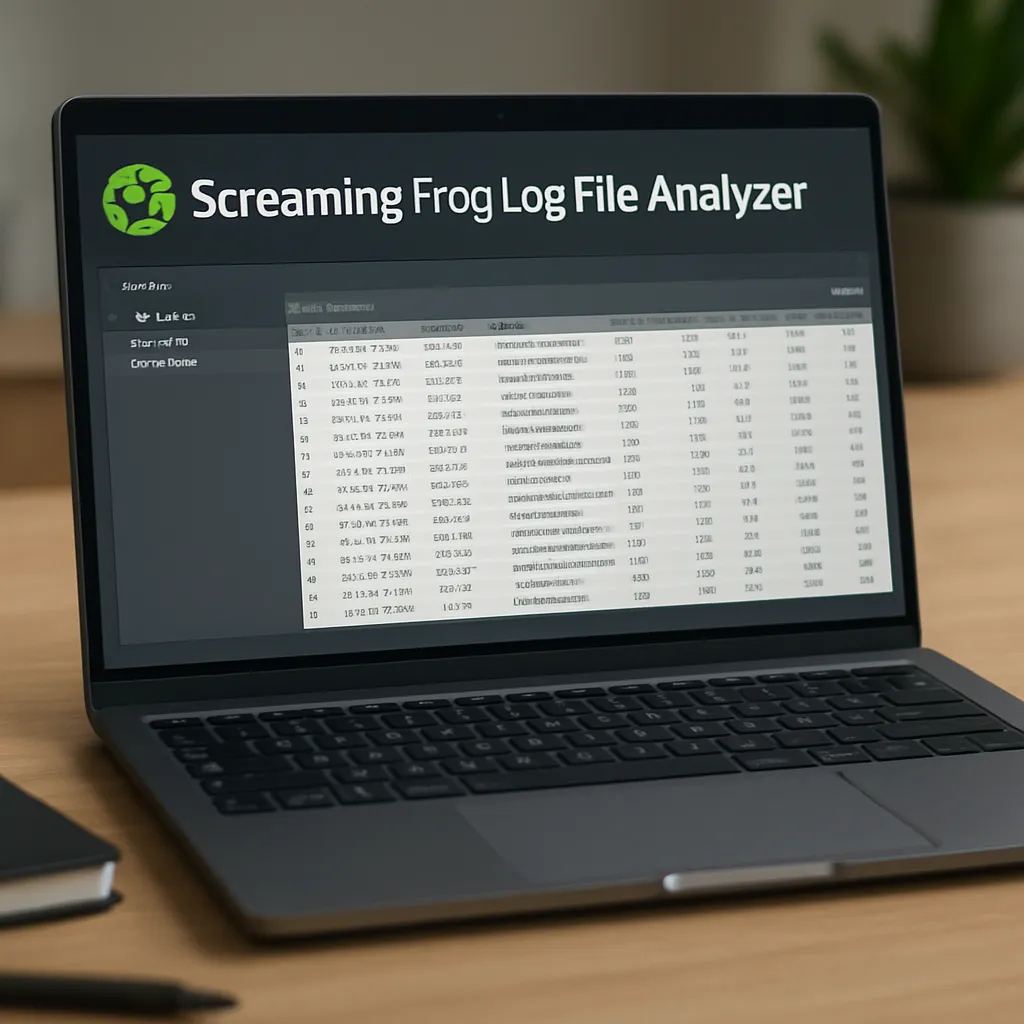
Screaming Frog Log File Analyzer
Screaming Frog Log File Analyzer is a specialized tool created by the team behind the well‑known Screaming Frog SEO Spider. Instead of crawling your site from the outside, it focuses on analyzing raw server log files to show how search engine bots, especially Googlebot, actually behave on your website. For many SEO professionals this is a missing piece of the puzzle, because it reveals what really gets crawled, how often it is visited, and which URLs waste or benefit your crawl budget.
How Screaming Frog Log File Analyzer Works
The core idea of Screaming Frog Log File Analyzer is extremely simple: it takes the raw HTTP access logs from your web server, parses them and turns them into a structured, filterable dataset focused on search engine activity. Under the hood, the tool performs several actions that would be very time‑consuming to reproduce manually.
First, you export log files from your hosting environment or content delivery network. These can come from Apache, Nginx, IIS or many popular proxies and CDNs. The Log File Analyzer supports common log formats and allows you to map custom fields when necessary. After you import logs into the application, it identifies user‑agents like Googlebot, Bingbot or other crawlers and separates them from regular users.
Once the data is processed, you can see which URLs have been hit by bots, with details such as HTTP status codes, response times, and the date and time of each visit. The interface is similar to the Screaming Frog SEO Spider: there are tabs for URLs, events, and summary views, with filters to quickly isolate patterns. This design makes it approachable for users who already rely on the Screaming Frog ecosystem.
The real strength appears when you connect the Log File Analyzer with a crawl exported from the SEO Spider. By combining both datasets, you can see not only what exists on your website from a structural perspective, but also which of those URLs actually receive crawler attention. This cross‑referencing helps uncover **orphan** URLs, discover content that search engines never fetch, and reveal crawl waste on low‑value pages.
Key Features Relevant to SEO
Screaming Frog Log File Analyzer focuses on insights that directly impact **technical** SEO. It does not try to be a full analytics suite; instead, it highlights crawl behavior and indexing potential. Several features stand out for everyday SEO work.
Crawl Budget Analysis
For large websites, crawl budget can be a serious limitation. The tool shows how many times individual URLs and directories are crawled within a specified time frame. You can sort by hits from Googlebot, filter by status code, or break down data by response type. This quickly reveals whether your most important pages receive sufficient crawler attention, or whether bots repeatedly hit low‑value, faceted or dynamically generated pages.
For example, an e‑commerce site with tens of thousands of URLs may discover that Googlebot spends much of its budget on filtered category pages rather than core product URLs. Armed with this information, SEOs can adjust internal links, canonical tags, robots.txt directives or parameter handling to guide bots toward content that matters most for **rankings** and organic visibility.
Identification of Orphan and Ignored URLs
Orphan URLs—pages not linked from anywhere in the internal structure—are difficult to find with standard crawling alone. When you import a crawl from Screaming Frog SEO Spider and compare it with log data, the Log File Analyzer highlights orphan pages that are still being crawled by search engines. Conversely, it shows pages that exist in your crawl but have never been visited by Googlebot in the analyzed period.
This contrast is invaluable: if a critical landing page is fully optimized but does not appear in logs, you might have internal linking or crawlability issues. On the other hand, orphan pages that receive recurring bot visits may be using up crawl budget without contributing value, suggesting the need for redirects, canonicalization or deindexation.
HTTP Status Code and Error Monitoring
The application provides aggregated reports on HTTP response codes seen by bots. You can quickly spot spikes in 4xx or 5xx errors that only affect crawlers, even if users do not frequently encounter them. This is crucial because persistent server errors can erode trust from search engines, and large volumes of 404 or soft 404 responses can waste crawl resources.
Log File Analyzer allows you to filter by status code and segment by user‑agent. You may find that Googlebot is getting 301 and 302 redirects chains that users never trigger, or that old XML sitemaps are still being requested and returning errors. Fixing these technical issues improves site hygiene and contributes to a more efficient crawl profile.
Monitoring Mobile vs Desktop Crawlers
Since Google has moved to mobile‑first indexing, understanding how the mobile crawler behaves compared with the desktop Googlebot is increasingly important. Screaming Frog Log File Analyzer distinguishes between these user‑agents, allowing you to see whether both versions hit similar resources or whether one of them faces more errors, slower response times or blocked content.
If the mobile bot encounters more 404s or blocked CSS and JavaScript files, this can explain discrepancies between mobile and desktop rankings or rendering issues in the search results. The tool enables you to diagnose and correct these mismatches before they impact performance in **SERPs**.
Performance Insights from Server Response Times
Logs contain response time information, which Screaming Frog visualizes to show how quickly your server responds to bots. Even if Google’s Page Experience metrics primarily rely on real user data, slow responses and timeouts can still affect crawling efficiency. When certain sections of the site or specific file types show high latency, it may indicate hosting problems, heavy scripts or poorly cached resources.
Optimizing performance where bots struggle can indirectly support indexation. Faster responses mean more URLs can be crawled within the same time window, especially for sites already close to their practical crawl budget limit.
Practical Use Cases in Everyday SEO Work
Screaming Frog Log File Analyzer finds its place in various real‑world workflows. It is particularly useful on larger or more complex sites, but even small projects can gain insights by examining how search engines interact with their infrastructure.
Evaluating Impact of Site Migrations
After a domain migration, protocol change (HTTP to **HTTPS**), or substantial redesign, understanding how search engines adapt is crucial. Log File Analyzer lets you see whether Googlebot discovers new URLs, follows redirects correctly, and gradually reduces crawling of old addresses.
You can monitor whether any legacy subdomains or directories are still being requested and whether they return proper 301 responses. If bots continue to hammer deprecated URLs with 404 errors, you might need additional rewrite rules or updated internal links. Watching the evolution of crawl patterns over weeks or months is one of the safest ways to validate migration success beyond what you see in search console graphs.
Cleaning Up Low‑Value Pages and Parameters
Sites with faceted navigation or session parameters often generate vast numbers of URLs that deliver little unique value. By examining which parameters receive frequent bot hits, you can identify where to apply robots meta tags, block query strings, or use pattern‑based rules to stop wasteful crawling.
Log File Analyzer makes it clear when Googlebot loops around paginated or filtered pages excessively. Over time, you can measure whether changes in robots.txt or noindex directives reduce activity on these sections and increase hits on core pages. This iterative process is far easier when you have concrete evidence from server logs.
Prioritizing Technical Fixes and Content Updates
When you know which URLs search engines visit most often, you can prioritize technical and content improvements effectively. Frequently crawled pages should be the first to receive structured data enhancements, updated copy, or schema refinements, because changes there are detected and reflected in the index faster.
At the same time, if key pages with strategic keywords receive very few bot hits, you might rework internal linking, sitemaps or navigation to highlight them. Screaming Frog Log File Analyzer surfaces these discrepancies so you can align development resources with actual crawler behavior.
Does Screaming Frog Log File Analyzer Really Help SEO?
The short answer is yes, but not in a direct or magical way. It does not guarantee higher rankings on its own; instead, it delivers a detailed view of how search engines crawl your site. This visibility enables you to make informed technical decisions, and those decisions can materially impact indexation, crawl efficiency and ultimately organic performance.
One of the main advantages is that it provides data‑driven evidence. Instead of guessing whether Googlebot sees certain pages or how it reacts to status codes, you can look at real activity. This allows SEOs to move from hypothesis to diagnosis, then to measurable actions. For agencies and consultants, this also means more convincing reports for clients and clearer justification for recommended changes.
Another strength is the alignment with best‑practice technical SEO. Focusing on crawl budget, error reduction, and proper handling of redirects and canonicals is consistent with guidance from major search engines. Although Google often claims that crawl budget is not a concern for most small sites, it is undeniably critical for large e‑commerce platforms, media portals and international projects. For these websites, Log File Analyzer fills a gap left by Search Console’s limited crawl stats interface.
That said, the tool does have limitations. It requires access to log files, which not every SEO can easily obtain, especially when working with external clients or locked‑down enterprise environments. Interpreting logs also demands some familiarity with infrastructure and server behavior. Without a basic understanding of HTTP status codes, user‑agents, and caching layers, users may struggle to translate findings into action.
Moreover, Screaming Frog Log File Analyzer is not a substitute for analytics or conversion tracking. It focuses on bots, not human visitors. A robust **SEO** strategy should still incorporate keyword research, on‑page optimization, content quality, user experience and link acquisition. The Log File Analyzer is a specialized tool that strengthens the technical pillar of SEO, rather than an all‑in‑one solution.
Opinions and Community Perception
Within the professional SEO community, Screaming Frog Log File Analyzer is generally regarded as a highly practical and trustworthy application. Many technical SEOs appreciate that it is built by the same team that created the Screaming Frog SEO Spider, a tool that has effectively become a standard desktop crawler for thousands of practitioners. The interface feels consistent, and the development team has a reputation for frequent updates and helpful support.
Users often highlight the relatively low barrier to entry compared to custom log parsing with command‑line tools or complex scripts. While advanced specialists can always rely on raw grep and custom dashboards, the Log File Analyzer offers a visual, user‑friendly alternative that still provides enough depth for serious analysis. Being a desktop app also means sensitive log data stays local, which some organizations consider an important security aspect.
On the critical side, some point out that licensing costs may be excessive for very small sites or occasional log analysis. Because access to server logs can be complicated in shared hosting environments, certain freelancers and in‑house marketers rarely use it despite owning a license. Others argue that for small sites with a few hundred URLs, the incremental benefit over Search Console’s crawl stats is relatively modest.
Nevertheless, for mid‑sized and large projects, most seasoned SEOs consider Screaming Frog Log File Analyzer almost essential for serious technical audits. It has become a standard recommendation in conference talks, training courses and advanced SEO guides, particularly when discussing crawl management and large‑scale site hygiene.
Interesting Technical Details and Use Tips
Several implementation details make this tool particularly versatile. It supports multiple projects and large data sets, so agencies can manage separate log analyses for different clients. You can configure how user‑agents are grouped, which is helpful when distinguishing between genuine bots and scrapers or fake Googlebot traffic. The ability to import and overlay crawl data from the SEO Spider is arguably one of its most powerful capabilities.
Another interesting aspect is the time‑based visualization. You can chart bot hits across days or weeks, spotting patterns such as crawl spikes after publishing new content or deploying technical changes. Unexpected drops in bot activity can signal configuration errors, such as accidental blocking in robots.txt, firewall rules or rate‑limiting policies. Without log analysis, these problems might go unnoticed until rankings slip.
For advanced use, some practitioners integrate Log File Analyzer into a broader workflow. They might first aggregate logs in a centralized system, then export subsets for in‑depth analysis in Screaming Frog. Others use it in combination with **indexation** reports and XML sitemap validation to ensure full coverage of vital pages. In each case, the tool acts as a bridge between back‑end server behavior and front‑end search performance.
It is worth noting that handling large log files can be resource‑intensive. Users analyzing millions of log events should run the application on a machine with sufficient memory and processing power. Careful filtering by date range or by directory keeps the interface responsive and focuses attention on the most relevant segments.
Conclusion
Screaming Frog Log File Analyzer occupies a specific but highly valuable niche within the broader world of **SEO** tools. By transforming raw server logs into actionable insights about how search engine bots navigate your website, it gives technical specialists the visibility they need to optimize crawl efficiency, detect errors and validate complex changes such as migrations.
It is not a tool for everyone: very small sites may see limited benefit, and users must be able to access and manage log files. However, for medium and large websites, especially those that depend heavily on organic traffic, it can reveal hidden problems and opportunities that standard analytics and search console data never fully expose. When used in conjunction with the Screaming Frog SEO Spider and a solid understanding of technical best practices, Log File Analyzer becomes a dependable ally in building a cleaner, more crawlable, and more resilient web presence.