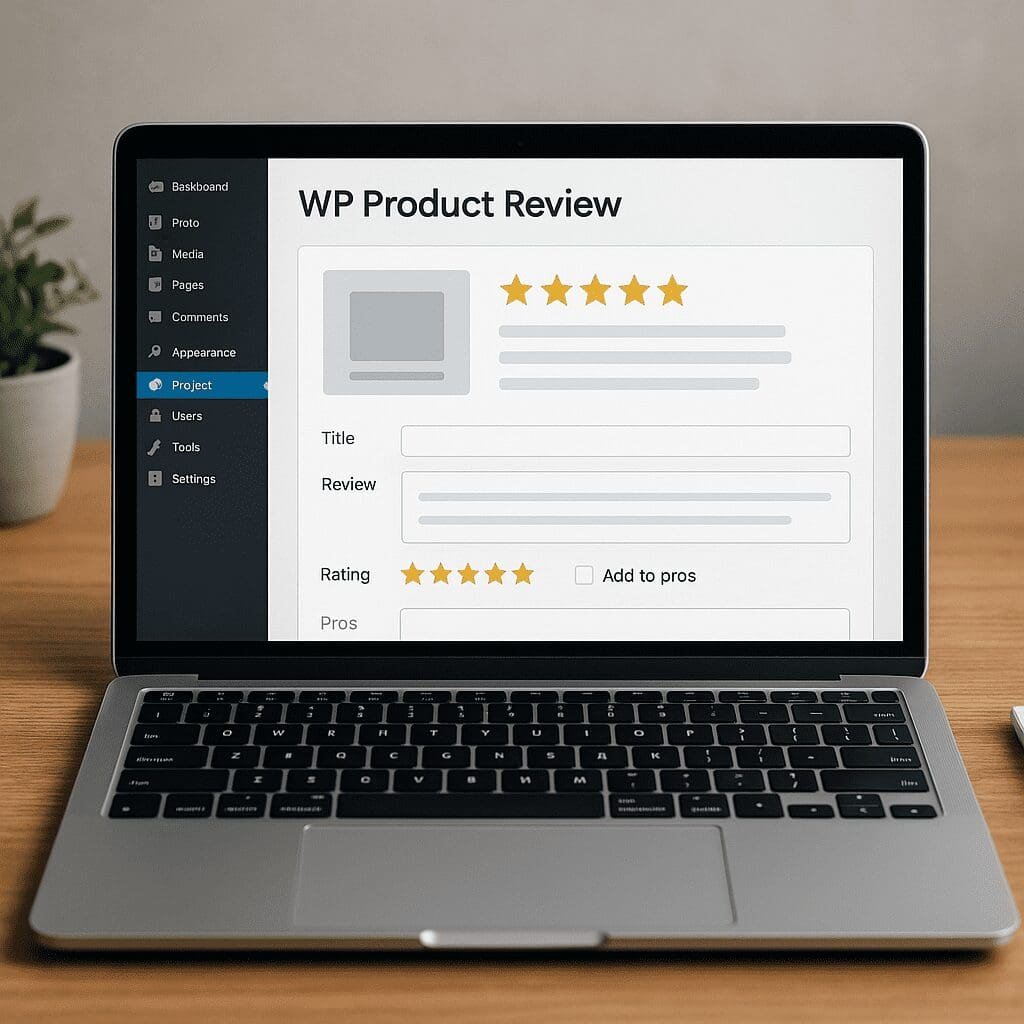
WP Product Review
WP Product Review is a long-standing WordPress plugin built to streamline how bloggers and publishers publish product evaluations, add ratings, and display persuasive buy buttons without writing custom code. It sits between a full ecommerce stack and a plain blog post, giving you a structured way to present verdicts, pros and cons, feature breakdowns, and calls-to-action that are consistent across your site. For niche websites, tech blogs, travel gear roundups, culinary equipment reviews, or any content strategy that relies on clear product recommendations, it can become the engine that turns research into revenue while keeping the reading experience clean and trustworthy.
What Is WP Product Review and How It Fits Into a Modern Review Workflow
At its core, WP Product Review adds a reusable review box to your WordPress posts. You can define product attributes (for example, Build Quality, Value, Battery Life), assign ratings per attribute, list pros and cons, attach a summary verdict, and place customizable action buttons. The plugin then outputs a unified layout so every review looks familiar to readers, and it can also generate machine-readable data for search engines.
Historically, the plugin has been popular because it strikes a balance: it offers enough structure to keep your review pages consistent and informative, but it still lets you write long-form editorial content around that structure. It is not a replacement for WooCommerce, and it’s not trying to be a full marketplace solution. Think of it as a specialized content component for editorial sites that compare, rate, and recommend products.
Beyond visual presentation, the plugin typically supports features that matter in real-world publishing: user-submitted ratings, color customization, reusable criteria templates, and lightweight output that doesn’t get in the way of your theme. Many reviewers also appreciate its attention to data portability—your ratings and criteria are stored in post meta, so you can migrate or even rebuild layouts later if you switch themes.
Key Features That Make Review Publishing Faster and Clearer
Criteria-Based Ratings With Weights
The primary feature is the criteria matrix. You choose categories that reflect what matters for the product: comfort, speed, sustainability, customer support, or anything else. Many setups allow you to assign weights so that, for instance, “Accuracy” counts more than “Packaging.” The final score is calculated automatically from your inputs and displayed as a score, bar, or star rating, depending on your settings.
Pros and Cons Lists
Readers look for quick takeaways. The plugin’s pros and cons panel makes that easy: punchy bullet points appear near the top of the review, helping scanners decide whether to keep reading. This also encourages you to summarize honestly, which has a positive effect on reader trust and perceived credibility.
Verdict, Pricing, and Buy Buttons
Most implementations let you add a one-sentence verdict and one or more buttons to merchants. You can label buttons, set colors, and position them for maximum visibility without resorting to custom HTML. When linking to partner stores, remember to add rel=”sponsored” and rel=”nofollow” where appropriate, and disclose commercial relationships to meet regulatory requirements.
User Ratings and Community Feedback
Some versions include visitor ratings. You can let readers score the product themselves or vote on helpfulness. When moderated, these signals create social proof, reduce friction for undecided readers, and often increase time on page. Use anti-spam tools if you enable user input, and be prepared to moderate to keep the dataset clean.
Reusable Templates and Global Defaults
If you review similar products repeatedly, you can save a criteria set and reuse it across posts. This consistency pays off later when you want to create comparison tables or category “best of” roundups. It also accelerates editorial work because you don’t reinvent the scoring framework for each article.
Integration Pieces: widgets and shortcodes
To surface your best content, the plugin often provides homepage or sidebar components to feature top-rated items, latest reviews, or category-specific highlights. Complementing that, shortcodes allow you to place review elements inside page builders, Gutenberg blocks, or legacy editors without editing theme files. Together, these pieces let you build review hubs and internal funnels that guide readers to products you recommend.
Search-Engine-Friendly Structured Markup
WP Product Review can output structured data so crawlers understand your review. Properly implemented, this can power rich results, such as aggregated ratings in search listings. The format often used is JSON-LD describing the Product and Review entities. If your theme or an SEO plugin also outputs markup, ensure you do not duplicate the same entities; choose one source of truth and disable the other where necessary.
Does WP Product Review Help With SEO?
A review plugin does not magically guarantee higher rankings, but it can improve the way your pages are interpreted and presented by search engines. The biggest boost comes from clean information architecture and machine-readable data. If your pages add valid schema for products and reviews, they become eligible for enhanced presentation, which may improve click-through rates.
Beyond eligibility for special results, structured reviews encourage a better on-page experience. Clear criteria, scannable pros and cons, and a concise verdict make readers stick around, often improving behavioral signals like dwell time and scroll depth. That improved engagement can indirectly support your goals, even if it’s not a direct ranking factor. More importantly, well-structured reviews tend to answer user intent more completely, which is central to sustainable search performance.
To maximize benefits:
- Validate structured data using Google’s Rich Results Test, and fix warnings like missing brand, SKU, or review author.
- Avoid marking up pages that are not actually single-product reviews (for example, listicles without full evaluations).
- Ensure that rating values in markup match what users see on the page.
- Link out to multiple sellers where it makes sense, and add original images and test notes to differentiate from manufacturer copy.
- Keep review dates updated when you refresh content to reflect new models or firmware changes.
Finally, be mindful of overlap with SEO suites. If you use Yoast, Rank Math, or AIOSEO for product markup, configure them to avoid double-injecting data. One consistent, valid representation beats two conflicting ones.
Setup and Configuration: From Install to First Published Review
Getting started is straightforward. After installing and activating the plugin, you’ll typically find a settings panel where you can set defaults: rating scale (for example, out of 5 or 10), color palette for bars and buttons, and whether user ratings are enabled. If you plan to reuse criteria, create a template for your category—say, “Wireless Earbuds Criteria”—with weights assigned ahead of time.
When writing a review post, you fill in the product name, add the criteria scores, write a summary verdict, list pros and cons, and paste URLs for buy buttons. Place the review box at the top or after your introduction depending on your editorial style. Some themes look better when the review box appears after the first two paragraphs; others benefit from placing it immediately under the title for quick scanning.
Before publishing, preview the post to ensure the layout matches your theme’s typography and spacing. If the buttons are too loud or the rating bars feel cramped on mobile, tweak the spacing, border radius, and color intensity. If you’re using caching and minification, purge cache to ensure the CSS is not out of sync.
Design, UX, and customization Options
Good review content deserves a layout that respects the reader’s flow—from overview to details to action. WP Product Review typically gives you control over colors, icons, typography scale, and placement of elements. Use this to create gentle visual hierarchy: the product title, hero image, and rating summary should lead; detailed criteria and long-form analysis can follow below.
Mobile experience matters. Make sure bars and stars are finger-friendly, pros and cons lines wrap neatly, and buttons are not so tall that they push content below the fold. Consider microcopy on buttons to set expectations: “See Current Price,” “Check Fit & Sizing,” or “Compare Retailers.” If you allow user ratings, display how many ratings contributed to the average to avoid misleading impressions based on one vote.
Accessibility should be part of your design pass. Provide sufficient color contrast for rating bars and button text, ensure focus states are visible for keyboard users, and add descriptive alt text to product images. Semantic headings help screen readers navigate your review just as much as they help search engines parse it.
Monetization, Disclosures, and Turning Readers Into conversions
Many review sites rely on affiliate programs; this plugin helps by placing buy buttons where they are most persuasive. Pair the structure with clear editorial standards and transparent disclosures. Place your disclosure near the top for legal clarity, and tag outbound links as rel=”sponsored” and rel=”nofollow.” Use link cloaking only if it does not violate a merchant’s terms.
To improve conversions without resorting to dark patterns, focus on clarity. The verdict should briefly state who the product is for and why. Pros and cons should be balanced; mention deal-breakers as well as highlights. If you cover seasonal price drops, add a note on historical pricing to set expectations.
Segment your calls-to-action. A primary button might lead to a preferred merchant; a secondary link can say “See Alternatives” and lead to a comparison page. Track events with your analytics stack to understand which placements perform. If you run experiments, test button text, the presence of a rating near the button, and placement relative to your hero image.
Remember international audiences. If your site draws traffic from multiple regions, consider geo-aware links or parallel buttons for different markets. Balance revenue with reader experience; crowds of buttons with identical destinations can reduce trust.
When working with affiliates, keep an editorial wall between your scoring and your payouts. The long-term business value of a review site is trust; make criteria and verdicts independent of commissions. Readers can tell when a “review” is just an advertisement.
Structured Data Deep Dive: Getting Markup Right
The promise of structured data is simple: clarity for machines leads to better presentation for humans. A robust setup will include Product, Review, and AggregateRating entities with properties like name, brand, description, reviewRating, bestRating, worstRating, author, and datePublished. If you use pros and cons, consider adding that information in a compliant way so search engines can display it where supported.
Common pitfalls include:
- Marking up a “best-of” roundup as a single Product review. Each product on the list should have its own structured representation, and the list page might use ItemList markup.
- Using ratings on a page without a visible rating on screen. The data must reflect what users see.
- Combining user and editorial ratings into a single number without clarity. If you display both, label them clearly or use separate aggregates if your plugin supports it.
- Duplicate markup from multiple plugins. Decide which plugin controls structured data for review posts, and disable it elsewhere for those post types.
After publishing, validate and keep an eye on Search Console for warnings. As standards evolve, revisit your templates and update how you populate fields like brand and SKU, especially for electronics and consumer goods.
Performance, Security, and Technical Hygiene
A smooth site experience underpins trust and monetization. Review boxes and style sheets add minimal overhead compared to large page builders, but you should still audit. Combine and minify CSS where safe, defer non-critical scripts, and lazy-load large media. Ensure that your caching plugin plays nicely with any dynamic rating components; if user ratings are enabled, exclude the rating endpoint from cache or use AJAX that respects nonce validation.
Security considerations include sanitizing user inputs for ratings and comments, using CAPTCHAs for open forms, and keeping the plugin updated. Run on modern PHP versions, and audit error logs after updates. If your theme overrides plugin templates, document those overrides so a future redesign does not silently break review layouts.
Accessibility testing belongs in this section, too. Keyboard navigation, ARIA labels for stars, and descriptive link text on “Buy” buttons reduce friction for all users and avoid compliance headaches later.
Strengths, Limitations, and Who Will Benefit Most
WP Product Review’s strengths are speed of publishing, consistency of layout, and the incentives it creates for clear editorial judgment. If your team reviews similar products repeatedly, criteria templates, pros/cons boxes, and easy buttons save hours per month. It’s also friendly to non-technical writers; no one has to touch HTML to create a polished review page.
Limitations usually show up in edge cases. If you require complex product data like multiple SKUs, live stock, or price comparisons from APIs, you’ll need additional tools. Some themes may require CSS tweaks to get spacing and typography perfect. And as with any specialized plugin, long-term viability depends on maintenance status; check changelogs and support forums to make sure it remains compatible with the latest WordPress releases.
For single-author blogs and small teams, the plugin often hits a sweet spot of capability vs. complexity. For large media companies with custom design systems, it can still serve as a fast prototype or fallback method for standardized review widgets before investing in bespoke blocks.
Alternatives and Migration Paths If Your Stack Changes
The WordPress ecosystem offers several alternatives. If you primarily want structured data, some SEO plugins can generate Product and Review markup without adding visible review boxes. If you want more design flexibility, block-based solutions or custom fields with a page builder can replicate the layout, though you’ll have to wire up schema yourself.
Full-fledged alternatives include plugins that focus on ratings, comparison tables, or Amazon integrations. When evaluating, weigh three things: quality of markup, ease of authoring, and control over design. Migration is feasible because most review data lives in post meta. If you switch, export your criteria and scores, map them to the new plugin’s fields, and test a handful of posts before flipping the site. Keep URLs the same, avoid changing slugs, and update internal links and widgets to the new system.
Plan for temporary overlap: disable markup in one system while the other takes over, then remove the legacy plugin once you’re confident. A test environment is invaluable for catching mismatches in ratings, color schemes, and mobile behavior.
Editorial Process Tips and Team Workflows
Even the best plugin benefits from a reliable review checklist. Define your criteria per category before coverage begins; this keeps scores consistent and reduces arguments late in the editing cycle. Ask reviewers to log original photos and test notes in a shared folder and attach at least one image that shows your own measurement or usage, not just manufacturer renders.
Use a style guide for pros and cons: keep each bullet under one line, start with active verbs, and avoid duplicates between sections. Calibrate your scale: if most products land between 4.2 and 4.7 stars, consider renormalizing so your scores are meaningful. Add a maintenance schedule; for volatile categories like smartphones or routers, revisit top reviews quarterly to check for firmware updates or price changes that alter your verdict.
Advanced Customization and Developer Hooks
If you have developer resources, you can go further. Common enhancements include adding brand logos next to product names, injecting price history graphs from external APIs, or extending the criteria set dynamically based on category. Many review plugins expose hooks and filters to alter output—use them to append trust badges, adjust microcopy, or add vendor-specific badges like “Made in USA.”
For structured data, you can inject fields that a generic plugin might miss, such as gtin13, sku, or additionalProperty for niche specs. Where pros and cons are supported, map your visible bullets to the appropriate properties so search engines can surface them. Always serialize your customization in a child theme or a mu-plugin so future updates remain safe.
Real-World Results and Measurable Outcomes
When implemented with care, teams often report tangible improvements: faster editorial throughput, clearer information scent for readers, and better CTR from SERPs when rich results appear. On-page behavior improves because readers recognize the structure and jump straight to what they need—verdict, and then details if they want to dig deeper. Over time, the compounding effect of consistent, high-quality reviews supports a healthy internal linking architecture, where category hubs direct traffic to individual reviews and vice versa.
Treat analytics as a feedback loop. Track scroll depth to see where readers drop; move or duplicate the verdict accordingly. Compare button placements across posts to identify winning patterns. If you see spikes in exit rate near buy buttons without corresponding outbound clicks, test clearer labels or add merchant trust indicators such as return policy highlights.
Final Verdict
WP Product Review delivers exactly what review-driven publishers need: a dependable, structured way to present evaluations that blends editorial freedom with standardized components. Its strongest value lies in helping you say the right things, in the right order, with the right emphasis—so readers understand your judgement and can act on it. Paired with thoughtful content and ethical monetization practices, the plugin can support sustainable growth in trust, readership, and revenue. Keep an eye on compatibility, validate your structured data, and refine your templates as your categories evolve. Do those things well, and this plugin becomes more than a box on a page—it becomes the backbone of a review system that’s fast to produce, transparent to readers, and friendly to search engines.