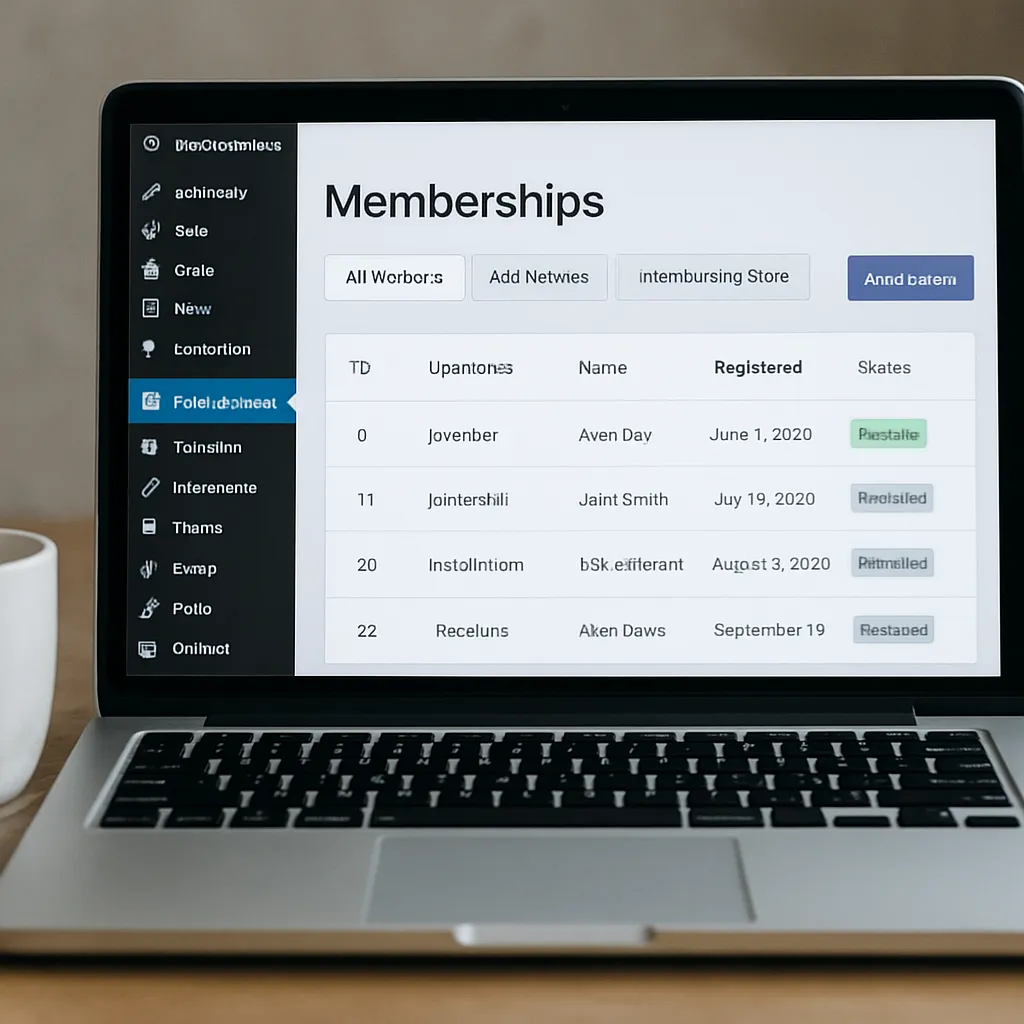
WooCommerce Memberships
Building a sustainable digital business often means selling more than one-off products. It means packaging know-how, perks, and access into a structure that customers value over time. That is precisely the niche the WooCommerce Memberships extension fills: it adds a membership layer to a store so you can control access to pages, products, and perks, all inside WooCommerce on WordPress. Whether you are launching a private community, a training library, or a wholesale program, Memberships provides the building blocks to sell access, organize benefits, and keep members engaged beyond a single checkout. It integrates with subscriptions (via a companion extension) to create recurring revenue, and it can be tuned to run a soft paywall that encourages discovery while protecting premium content. Done well, it can improve SEO outcomes, lift customer retention, streamline onboarding, and power targeted automation across your stack.
What WooCommerce Memberships actually does
At its core, WooCommerce Memberships introduces a membership plan model. A plan defines who gets access, to what, and for how long. You can grant access when someone buys one or more products, when an administrator manually assigns it, or through an import. Access can be time-limited (e.g., 30 days, 1 year), perpetual, delayed by a start offset, or set to begin on a fixed calendar date. Members see a dedicated area in My Account that summarizes their plans, expiration, available content, and eligible discounts.
The extension is an official WooCommerce.com product (originally by SkyVerge), which means it follows WooCommerce conventions for data structures, admin UI, and extensibility. That matters for maintainability, compatibility with payment gateways, and long-term updates.
Key capabilities and how they work
Content and product access control
- Restrict pages, posts, and custom post types: You can lock entire items, specific taxonomies, or even show partial teasers while keeping the full body for members. Teasers are helpful when you want search engines and humans to understand the topic, but reserve the value for members.
- Members-only products: Limit visibility or purchasing to certain plans. This is common for limited-run merchandise, wholesale catalogs, or add-ons that only make sense for active members.
- Member discounts: Attach percentage or fixed-amount discounts to a plan. Discounts can apply storewide, to categories, or to individual SKUs and can stack or not with coupons based on your policy.
- Purchasing and viewing restrictions: Hide products entirely or display them but disallow add-to-cart for non-members with a customizable message that nudges signups.
Drip schedules and benefit timing
Memberships supports dripping assets over time. Instead of dropping your entire course library on day one, you can release lessons weekly or unlock resources at set delays after activation. Drip logic reduces overwhelm, improves completion rates, and extends perceived value over the life of a membership. Drip schedules also pair well with email campaigns, where each unlock triggers a message guiding the member to the next step.
Plan structure and management
- Multiple plans per user: Someone can belong to more than one plan simultaneously, allowing you to stack privileges (e.g., “Gold” + “Certification Track”).
- Grant access on product purchase: A single product can grant one or several plans; likewise, one plan can be granted by multiple products (useful for bundles or promotional SKUs).
- Expiration and renewals: Memberships by itself handles access windows. If you want automatic renewals, trials, and proration, you add the WooCommerce Subscriptions extension to process those payments while Memberships governs access.
- Member import/export: Admins can bulk-import members from a CSV with start and end dates, or export current rosters for reporting and offsite processing.
- Member notes and status: Keep internal notes, pause/cancel access manually, or re-grant when invoices are paid (if paired with Subscriptions for automated flows).
Integrations that extend the model
- WooCommerce Subscriptions: The canonical pairing. Sell recurring memberships, free trials, introductory offers, and handle failed payments that automatically suspend access until recovered.
- Teams for Memberships: A companion extension that lets organizations buy seats and manage access for a group (corporate training, family plans, clubs).
- AutomateWoo and marketing tools: Trigger sequences on lifecycle events—new member joins, drip unlocks, approaching expiration, lapsed user—connecting to email, SMS, or CRM via AutomateWoo, Zapier, or native integrations.
- LMS and learning tools: Pair with Sensei LMS, LearnDash, or TutorLMS to gate courses by membership and drip curricula while using WooCommerce for checkout.
- REST API and webhooks: Programmatically create or update memberships, sync status with external systems, or build dashboards.
Conditional display with blocks and shortcodes
You can render conditional fragments for members vs. non-members without writing PHP. Editors can include blocks or shortcodes that display a message, button, or snippet only for specific plans. It keeps marketing pages flexible while honoring access controls.
Popular use cases and implementation patterns
Publishing and soft paywalls
Media sites use Memberships for metered or soft paywalls. Public posts show introductions, images, and key takeaways; members get the full analysis, downloads, and data tables. Combine category-level restrictions, teaser settings, and a consistent call-to-action component so non-members always know what they’re missing and how to upgrade.
Education and knowledge libraries
Course creators often sell a one-time “lifetime access” plan that unlocks a growing library, or a recurring plan that drips lessons weekly. You can attach downloadable assets (workbooks, code, templates) to membership plans while selling add-on coaching calls as members-only products.
Communities and perks
Run private forums or Discord communities where only active members receive the invite link. Offer perks like monthly office hours, partner discounts, and early product access—all tracked as benefits under a plan so the value proposition is clear.
B2B and wholesale
For wholesale, restrict pricing and purchasing to approved accounts. Gate the catalog, show bulk pricing tiers via member discounts, and build order forms just for members. You can keep a public-facing catalog for SEO while hiding checkout for non-approved users.
Events and season passes
Sell season access that unlocks a bundle of event tickets, streams, or replays. Set the access period to align with your season dates, and drip replays after each event to keep engagement alive.
Does WooCommerce Memberships help with SEO?
Gating content can both help and hinder findability. The trick is to decide which parts are discoverable and which are reserved. Here’s how Memberships can contribute positively to search performance without starving crawlers.
- Use teasers, not total lockouts: Let non-members and bots see an intro, outline, and key questions. Teasers build topical authority while preserving premium value. Avoid blank pages for restricted posts; always provide context.
- Map public vs. member content: Create a content architecture where pillar pages are public, and deeper assets (full reports, downloads, calculators) are members-only. Internal links from pillars to gated pages with clear CTAs can improve engagement and funnel depth.
- Noindex fully gated URLs: If you must hard-gate entire posts with no teaser, set those URLs to noindex to prevent thin-content flags. Pair with an XML sitemap that only lists indexable pages.
- Maintain speed for logged-in users: Members are always logged in, so caching gets trickier. Use object caching and fragment caching to keep Core Web Vitals strong. Minimize query-heavy widgets in headers and footers.
- Localize smartly: If you run multilingual sites (e.g., with WPML or Polylang), mirror plan rules across languages. Keep slugs consistent and interlink localized pillars so each locale can rank independently.
- Demonstrate E‑E‑A‑T: Members-only assets can substantiate expertise. Publish public-facing abstracts, author bios, references, and update notes to show freshness and authority even when the full asset is gated.
Bottom line: Memberships is not an SEO tool, but it supports a model that attracts qualified traffic with public value and then converts it with premium depth. If you implement teasers, proper indexing rules, and fast logged-in experiences, your search performance can improve while revenue grows.
Performance, security, and scale considerations
Database and caching
Each access check adds lookups against membership tables. On a small site this is negligible; at scale you should:
- Use persistent object caching (Redis or Memcached) so repeated checks are cheap.
- Avoid global restrictions on every product if only a subset needs gating.
- Cache fragments of templates that are the same for all logged-in users and bypass only the personalized areas (cart, account menu).
- Keep your membership ruleset tidy; overlapping rules are harder to compute and debug.
Security model
Memberships does not replace WordPress user roles; it adds a parallel concept of plans and access capabilities. That separation is useful. Keep admin/editor roles minimal and let plans govern visibility for customers. If you integrate third-party page builders, ensure their dynamic widgets respect the_content filters and do not bypass restrictions.
Checkout and payment reliability
If recurring billing matters, pair with WooCommerce Subscriptions and a gateway that supports tokenization and automatic renewals. Configure dunning (retry rules, timeout windows) so access is suspended only when truly unpaid, then reinstated on recovery.
Compliance and privacy
Memberships works with WordPress’s personal data exporter and eraser tools. Document what you collect (billing, activity timestamps), set sensible retention, and surface terms and cancellation policies clearly in your plan pages and transactional emails.
Pricing, licensing, and ecosystem alternatives
WooCommerce Memberships is a paid extension sold on WooCommerce.com under an annual license that includes updates and support for one site. The exact price can change; historically, it sits in the premium range relative to the ecosystem. Teams for Memberships and WooCommerce Subscriptions are separate paid add-ons if you need group access or recurring billing.
Alternatives include MemberPress, Restrict Content Pro, and Paid Memberships Pro. Those are full-stack membership systems with their own ways to handle payments and access. If your storefront revolves around WooCommerce products, coupons, and reporting, Memberships tends to integrate more cleanly than standalone membership plugins. If your site is primarily a course platform or community with light commerce, a dedicated membership suite may be simpler. The best fit depends on what drives revenue: product SKUs and orders, or pure access.
The admin experience
Admins manage plans in a familiar WooCommerce-style interface. You assign products that grant access, add restriction rules for posts, categories, or products, and define drip schedules. The members list shows status, start and end dates, related orders or subscriptions, and notes. Bulk actions allow expiring, cancelling, or exporting. The My Account area for members is prebuilt but customizable via templates and hooks, so you can display benefits, upcoming drips, and discount summaries in a brand-consistent way.
Email, lifecycle, and automation ideas
Because Memberships records lifecycle events (granted, expiring soon, cancelled, benefit unlocked), it’s perfect fuel for lifecycle marketing. A few proven flows:
- First-week activation sequence: Welcome, orientation, and a “quick win” action to reinforce value.
- Drip unlock alerts: When a module unlocks, send a short email highlighting outcomes and linking to the lesson.
- Engagement reactivation: If members haven’t logged in for 14 days, send a nudge with a curated path.
- Win-back: When access lapses, send a limited-time renewal offer with social proof.
- Milestone recognition: Celebrate 100 days, course completion, or community contributions to deepen loyalty.
AutomateWoo hooks, REST webhooks, or your ESP’s WooCommerce integration make these flows low maintenance once designed.
Implementation checklist and best practices
- Define value first: List concrete benefits per plan—content, discounts, events—so the sales page is crystal clear.
- Plan your taxonomy: Use categories and tags intentionally so you can restrict in bulk and keep rule sets manageable.
- Design teasers intentionally: Write intros that answer “why this matters,” saving the “how-to” and templates for members.
- Make upgrading obvious: Place upgrade CTAs at consistent spots—below teasers, in sidebars, inside product pages.
- Protect downloads: Store assets in non-public paths or use expiring links; don’t rely solely on post-level gating.
- Harden emails: Set SPF/DKIM and use branded templates so onboarding and dunning emails reach inboxes.
- Measure what matters: Track conversion from teaser views to membership checkout, member activation rates, churn, and LTV. Use cohorts to see which acquisition channels produce sticky members.
- Stage before production: Because restrictions touch many templates, test in staging with users in each plan.
- Performance test logged-in flows: Load-test My Account and common member pages; optimize queries and assets.
Opinion: strengths, weaknesses, and fit
WooCommerce Memberships is one of the most coherent ways to add access control to a commerce-first WordPress site. Its biggest strength is how it treats access as a product-adjacent concept: you sell a thing, and that thing grants privileges. That maps naturally to retailers launching VIP clubs, educators bundling courses, and B2B stores gating wholesale catalogs. The admin flows are predictable, the templating is hook-friendly, and the integration surface across the WooCommerce ecosystem is wide.
Weaknesses mostly appear at the margins: reporting is functional but not analyst-grade; large, complex rule sets can become hard to reason about; and logged-in performance needs deliberate caching strategies. If your business is purely a membership community with minimal commerce needs, a purpose-built membership suite might feel simpler out of the box.
Who should choose it? Stores already invested in WooCommerce, teams that want tight control of discounts and product visibility, publishers building soft paywalls, and educators who monetize both products and access. With Subscriptions added for renewals and a bit of automation, it forms a robust recurring-revenue engine.
Frequently asked questions
Does WooCommerce Memberships replace subscriptions?
No. Memberships governs access. If you want automatic recurring billing, free trials, and proration, you add WooCommerce Subscriptions. Together they create a complete access-and-billing stack.
Can I sell one-time and recurring access side by side?
Yes. A one-time product can grant a plan that expires after N days or never expires; a subscription product can grant ongoing access as long as billing is active. Both can target the same plan or different plans.
Can I offer free trials?
Use Subscriptions to create a product with a free trial period. During the trial, Memberships grants access; if the first renewal fails, access is suspended automatically until resolved.
Will it work with my page builder?
Most major builders that honor WordPress’s content filters and WooCommerce templates work fine. Always test conditional content widgets to ensure they don’t bypass restrictions.
Can I migrate from another membership plugin?
Usually, yes, by exporting a roster with user IDs/emails and start/end dates, then importing into Memberships and remapping plans. Content rules must be recreated. Test in staging before cutting over.
What about teams or corporate accounts?
Use the Teams for Memberships extension to let a buyer purchase seats, invite teammates, and manage seat allocation while you keep plan-level rules intact.
Practical examples of rule design
- Magazine model: Public category “Analysis” shows intros; the “Premium” plan unlocks full posts in that category plus a monthly members-only webinar product.
- Course catalog: “Starter” plan unlocks Modules 1–3 immediately and drips 4–8 weekly; “Pro” plan adds downloadable templates and office hours products.
- Wholesale: Only customers in the “Trade” plan can see B2B categories and purchase case packs; they receive 20% off plus net-terms checkout via a dedicated payment gateway.
- Community: “Club” plan members get a hidden product for coaching calls, a private forum page, and a quarterly discount on new releases.
Measuring success and optimizing over time
Launch is step one. Sustained success comes from iteration:
- Map funnel leaks: Where do teaser readers drop? Improve CTAs, add social proof, and clarify benefits.
- Shorten time-to-value: The first session should deliver an obvious win—use a guided checklist in My Account.
- Watch churn cohorts: If month-two churn spikes, add a new drip item at day 28 and an email that frames what’s next.
- Refine pricing: Test annual vs. monthly, bundle discounts, and founding-member promises that cap future increases.
- Curate benefits: Retire low-use perks and double down on sticky ones based on click and redemption data.
Conclusion
WooCommerce Memberships turns a standard store into an access-driven business without abandoning WooCommerce’s strengths in checkout, catalog, and extensibility. Its plan model is flexible enough for publishers, educators, communities, and B2B sellers, while integrations with Subscriptions, Teams, and marketing tools round out the lifecycle. Approach it as both a product and a strategy: design clear benefits, deliver value quickly, keep the experience fast for logged-in users, and use data to iterate. When those pieces connect, you get a membership engine that compounds revenue and deepens relationships with your best customers.