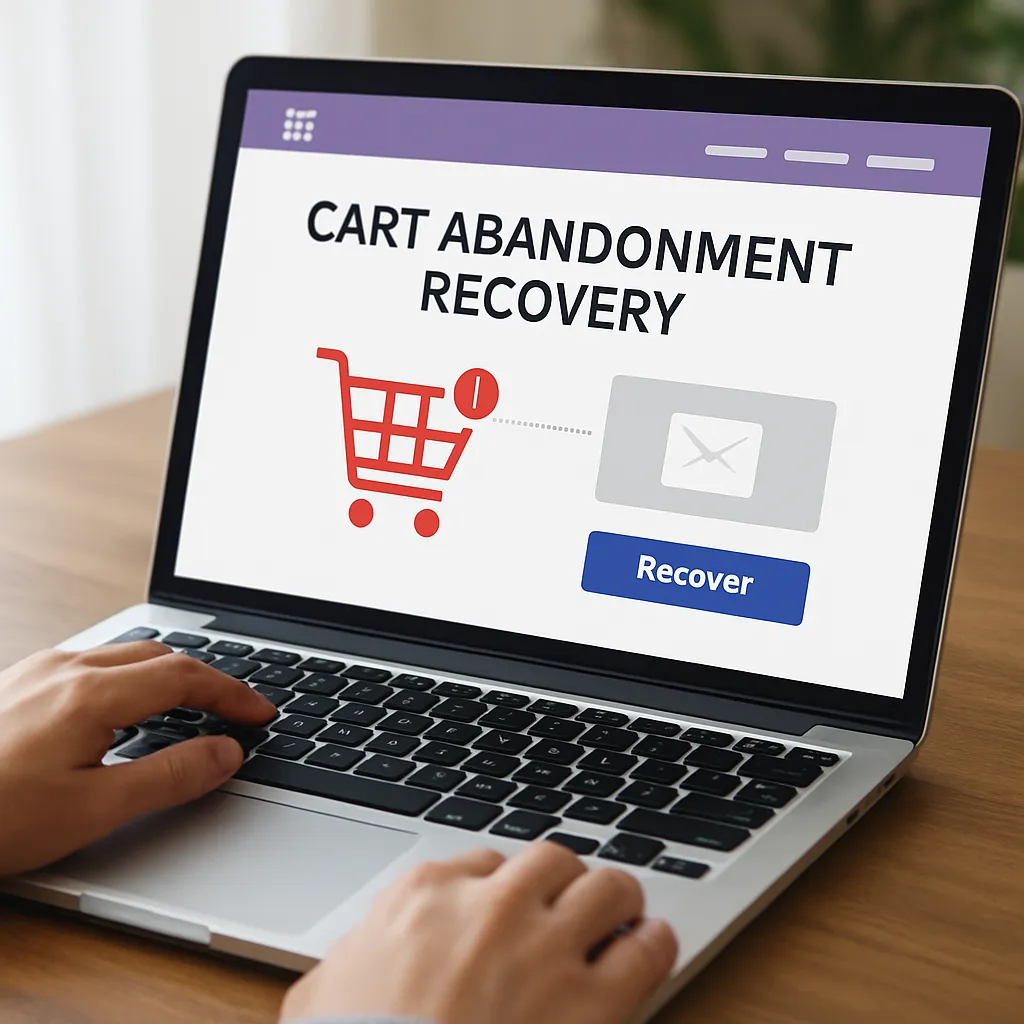
WooCommerce Cart Abandonment Recovery
Cart abandonment is one of the most persistent leaks in any WooCommerce funnel: people browse, add products, head to checkout, then disappear. WooCommerce Cart Abandonment Recovery is a focused WordPress plugin that helps you plug that leak by capturing contact details during checkout and sending well-timed reminders that return shoppers to their pre-filled cart. The result, when configured thoughtfully, is a measurable lift in conversions and incremental revenue without redesigning your store or adopting an entirely new marketing stack.
What WooCommerce Cart Abandonment Recovery Is and Why It Matters
WooCommerce Cart Abandonment Recovery is a lightweight plugin created by the team behind CartFlows. It’s designed to detect when a shopper starts checkout but doesn’t complete the order, then follow up via email with a secure link that restores the customer’s cart and checkout data. It can inject a one-time coupon, schedule multiple reminders, and attribute recovered orders to your campaigns so you can see concrete results instead of guessing.
Unlike full-scale marketing suites, this plugin focuses on one thing: getting would-be customers back to the finish line. That narrow scope is a strength. It’s easier to implement than complex marketing automation platforms, it works within native WooCommerce flows, and it relies on the data you’re already capturing at checkout. With thoughtful setup, it offers a fast path to ROI and is well-suited to small and midsize stores that need a dependable abandoned-checkout sequence without monthly SaaS costs.
How It Works Under the Hood
Checkout data capture
The plugin captures a shopper’s email address as soon as it’s entered at the checkout step (before payment). If the session stalls or the tab closes, you still have a contact point for re-engagement as long as you’ve configured consent appropriately for your jurisdiction.
Abandonment detection
You set a time threshold—commonly 15 to 60 minutes—after which an incomplete checkout is marked as “abandoned.” This timing is important: too short and you’ll pester people who are still paying; too long and you’ll miss the window of intent.
Automated reminders and recovery link
The plugin sends one or more emails on a schedule you define (for example: 1 hour, 12 hours, 48 hours). Each message contains a secure, tokenized link that returns the shopper to their checkout with items and details intact. You can also embed dynamic content such as the cart summary, subtotals, and a limited-time coupon.
Coupon incentives
Incentives can be powerful, but they’re optional. You can generate single-use coupons with rules (expiration date, minimum spend, exclusions) to motivate return visits without teaching customers to wait for discounts. Most stores find that a modest percentage off or free shipping is enough when paired with urgency and clear value.
Attribution and reporting
The plugin ties recovered orders back to the original abandoned session, so you can see the number of recovered carts, the value of recovered orders, and the emails that drove them. When combined with storewide reporting, you can calculate the marginal lift from your abandoned-checkout program and decide whether to refine cadence, content, or incentives.
Installation and Configuration: A Practical Guide
Getting started is straightforward, but a few best practices will save hours later.
- Install and activate the plugin from the official WordPress repository. Confirm compatibility with your WooCommerce and PHP versions on a staging site first.
- Set the abandonment window (start at 30–45 minutes), timezone, and maximum number of reminders (often 2–3 emails).
- Customize the email templates. Reflect your brand voice, add product thumbnails or names, clarify shipping/returns, and include a single, clear call to action.
- Create a dedicated coupon strategy. Use single-use codes with realistic expirations (24–72 hours) and exclusions for low-margin items.
- Configure your sending method. Use a reputable SMTP service so your messages actually arrive (see deliverability notes below).
- Add UTM parameters to recovery links so traffic and sales appear in your analytics platform under a dedicated campaign.
- Preview and test thoroughly. Trigger test abandonments with multiple email providers (Gmail, Outlook, Yahoo) and devices, ensuring the recovery link behaves predictably.
Does It Help With SEO?
Directly, no—this plugin does not change your rankings. It doesn’t alter meta tags, sitemaps, schema, internal linking, or the crawlability of your site. Search engines won’t rank you higher because you send reminder emails.
Indirectly, it can support your search strategy by improving the business fundamentals that fund SEO. A reliable abandoned-checkout program increases cash flow that can be reinvested into content, technical fixes, and link building, and it may reduce the perceived need to chase unprofitable traffic to make ends meet. It also encourages improvements to checkout performance and user experience, which overlap with Core Web Vitals—an area that does influence search. But from a pure ranking perspective, treat this plugin as a conversion tool, not an SEO tool.
Use Cases and Playbooks That Work
High-AOV retail
For big-ticket items, customers often need time to compare or discuss. Use a longer cadence (e.g., 2 hours, 24 hours, 3 days) with educational content: unique value, warranty terms, reviews, and a concierge contact option. A small incentive or bonus accessory can tip the balance without eroding margin.
Everyday essentials
For lower-priced, frequently purchased goods, move faster: a reminder within 30–60 minutes with a clear path back to checkout often suffices. Emphasize speed, free shipping thresholds, or bundle savings rather than percentage discounts.
Digital products
Highlight instant access, updates, and support. For software licenses, include brief setup expectations and links to documentation in the reminder email to reduce uncertainty.
Seasonal or limited stock
Lean on urgency honestly: if an item is likely to sell out, say so. An expiring coupon can work here, but ensure that inventory systems are accurate so you don’t disappoint returning shoppers.
Crafting Effective Abandonment Emails
- Subject lines that earn attention: “You left something behind,” “Your cart is waiting,” or “Still thinking it over?” Avoid spammy phrasing and excessive punctuation.
- Lead with clarity: Restate what’s in the cart with thumbnail images and prices. Provide a single, prominent “Return to checkout” button.
- Reduce friction: Include reminders about returns, warranties, shipping times, and support to address common objections.
- Use light personalization: Name, product names, and cart total go a long way. Don’t over-collect sensitive data you won’t use.
- Consider gentle segmentation: New vs. returning customers, high vs. low cart value, or category-based messaging. Keep the logic simple so it’s maintainable.
- Timing matters: Start with 1–2 reminders. If you add a third, make it meaningfully different (e.g., social proof, FAQ, or limited-time shipping upgrade).
Measurement, Analytics, and Forecasting Recovery Impact
To understand whether the plugin pays for itself, track these metrics:
- Abandonment rate: Abandoned checkouts divided by initiated checkouts.
- Recovery rate: Recovered orders divided by abandoned checkouts.
- Recovered revenue: Gross value of recovered orders minus incentives.
- Incremental lift: Compare periods with and without the program (or use holdout groups) to isolate the true effect beyond what would have converted anyway.
- List quality: Bounce rate and spam complaints over time; these are leading indicators of deliverability health.
Two practical tips: First, append UTM parameters to recovery links so you can see traffic and sales attribution in Google Analytics or another platform. Second, measure coupon redemption separately from recoveries to avoid over-crediting discounts that customers applied without clicking an email link.
Deliverability and Legal Considerations
Email deliverability is critical. If messages land in spam, the best copy won’t help. Configure SPF, DKIM, and DMARC for your sending domain, and route mail through a reputable SMTP/transactional provider. Keep images lightweight, avoid URL shorteners, and throttle volume if you’re warming up a new domain.
On the legal side, compliance isn’t optional. Depending on your market, GDPR, ePrivacy, CAN-SPAM, and CASL may apply. Include a clear consent mechanism at checkout if you intend to send marketing messages; offer easy unsubscribe; and respect regional rules for silent vs. explicit opt-ins. The plugin provides basic tools (such as consent text and unsubscribe links), but your policies, copy, and jurisdictional configuration are up to you.
Compatibility and Store Health
Because the plugin operates at checkout, it needs to play well with your theme, payment gateways, caching, and security layers. Before deploying to production, test:
- Checkout page caching: Exclude checkout and cart pages from page caching and CDN HTML caching to prevent token/link issues.
- Payment gateways: Ensure that completed orders are immediately flagged so follow-up emails aren’t sent to customers who just paid.
- Cron and scheduling: WordPress Cron must run reliably. If your site has low traffic, use a real server cron to trigger wp-cron.php.
- Multilingual/multi-currency: Verify that localized templates and currency displays match the shopper’s context when they return.
- Accessibility: Buttons and text alternatives should be screen-reader friendly; don’t hide essential actions behind images alone.
Strategy: Incentives Without Margin Erosion
Many merchants default to a discount in every reminder. That can work, but it trains customers to wait. Consider tiers:
- Reminder 1: No discount; focus on clarity, reassurance, and the saved cart link.
- Reminder 2: Add light social proof, FAQs, or a customer review.
- Reminder 3 (optional): A small incentive or perk (e.g., free expedited shipping) with a firm expiration.
Whatever you choose, align with your unit economics. If your average order value barely covers acquisition and fulfillment, permanent discounting isn’t a strategy, it’s a slow leak.
Performance and Security Considerations
The plugin is relatively small, but anything attached to checkout deserves scrutiny. Monitor page weight, third-party scripts, and server response times after activation. If you add product thumbnails and dynamic content to emails, ensure images are optimized and hosted efficiently. For data handling, confirm that tokenized recovery links don’t expose PII and that user data in logs is handled per your privacy policy. Regularly audit access controls so only trusted roles can export abandonment lists.
A Balanced Opinion: Strengths, Trade-offs, and Who Should Use It
Strengths:
- Focused, purpose-built tool that does one thing well.
- Native WooCommerce integration with minimal setup time.
- Clear attribution for recovered orders, helping you prioritize efforts.
- Works with your existing stack; no need to migrate to a new ESP to start.
Trade-offs:
- Less flexible than full marketing platforms for advanced branching logic or long-term lifecycle campaigns.
- Email-only by default; if you want SMS or push, you’ll need separate tools and careful orchestration.
- Requires deliberate consent and careful list hygiene to avoid spam complaints.
Who benefits most: stores with steady traffic and an average order value high enough that a few dozen recovered carts a month make a meaningful difference. For extremely low AOV businesses, focus first on optimizing checkout friction, shipping thresholds, and site speed before layering reminders.
Proven Copy Elements You Can Reuse
- Reassurance: “Free 30-day returns. No restocking fees.”
- Urgency (honest): “Sale ends tonight” or “Limited stock in your size.”
- Value echo: “Complete your order in 2 clicks. Your items are still in your cart.”
- Social proof: “Over 2,000 five-star reviews. Rated 4.8/5 for durability.”
- Clarity: “Estimated delivery: Wednesday–Friday.”
Troubleshooting Checklist
- No emails are sending: Verify SMTP credentials, test a transactional email, and check WordPress Cron. Look for plugin conflicts by enabling only WooCommerce and the abandonment plugin.
- Emails land in spam: Authenticate domain (SPF/DKIM/DMARC), reduce image-to-text ratio, avoid spammy phrases, and prune unengaged contacts.
- Wrong customers receive reminders: Confirm order status mappings and ensure “Completed” or “Processing” orders are excluded immediately.
- Recovery link doesn’t restore cart: Exclude checkout/cart from caching, test with incognito windows, and confirm that token parameters persist through redirects.
- Coupons not applying: Check priority of auto-applied coupons, exclusion rules, and conflicts with other discount plugins.
- Reports look off: Ensure UTM tags are consistent, server time matches store time zone, and that test orders are excluded from analytics.
Advanced Tactics for Mature Stores
- Progressive profiling: Ask for only the minimum at checkout, then use post-purchase emails to fill gaps. This reduces friction while still enabling reminders.
- Micro-experiments: Try small variations to discover what matters—layout, button text, proof placement. You don’t need complex suites to test a few hypotheses.
- Lifecycle tie-ins: Feed the recovered-customer segment into your post-purchase flows—care guides, cross-sells, and loyalty incentives—to build long-term retention.
- Payment clarity: If customers often abandon at payment, highlight available methods (PayPal, Apple Pay, Klarna) earlier on the page and mention buyer protections in reminders.
Ethical and Customer-Centric Considerations
Abandoned-checkout reminders are most effective when they’re helpful rather than pushy. Use a respectful tone, provide a real opt-out, and avoid endless sequences. If a shopper returns and buys a different product, count that as a success and ensure they don’t continue receiving “you left something” messages. Goodwill is compounding; treat reminders as service, not pressure.
Where This Plugin Fits in a Broader Growth Stack
Think of WooCommerce Cart Abandonment Recovery as the layer that addresses near-term intent leakage. Surround it with foundational pieces: a fast, trustworthy checkout; clear shipping and returns; on-site trust signals; and a strong post-purchase experience. If you later add more sophisticated channels (e.g., a CDP, advanced flows, or server-side tracking), the abandoned-checkout data remains valuable fuel for cohort analysis, creative iteration, and forecasting.
The Bottom Line
WooCommerce Cart Abandonment Recovery is a practical, high-leverage plugin that targets one of eCommerce’s most fixable problems. It won’t improve search rankings or replace a marketing platform, but it can deliver outsized gains with modest effort. Configure it carefully, respect consent, shore up email infrastructure, and iterate on copy and cadence. Done well, it becomes quiet, dependable automation that compounds results month after month—measurable, brand-safe, and aligned with the fundamentals that drive sustainable growth.