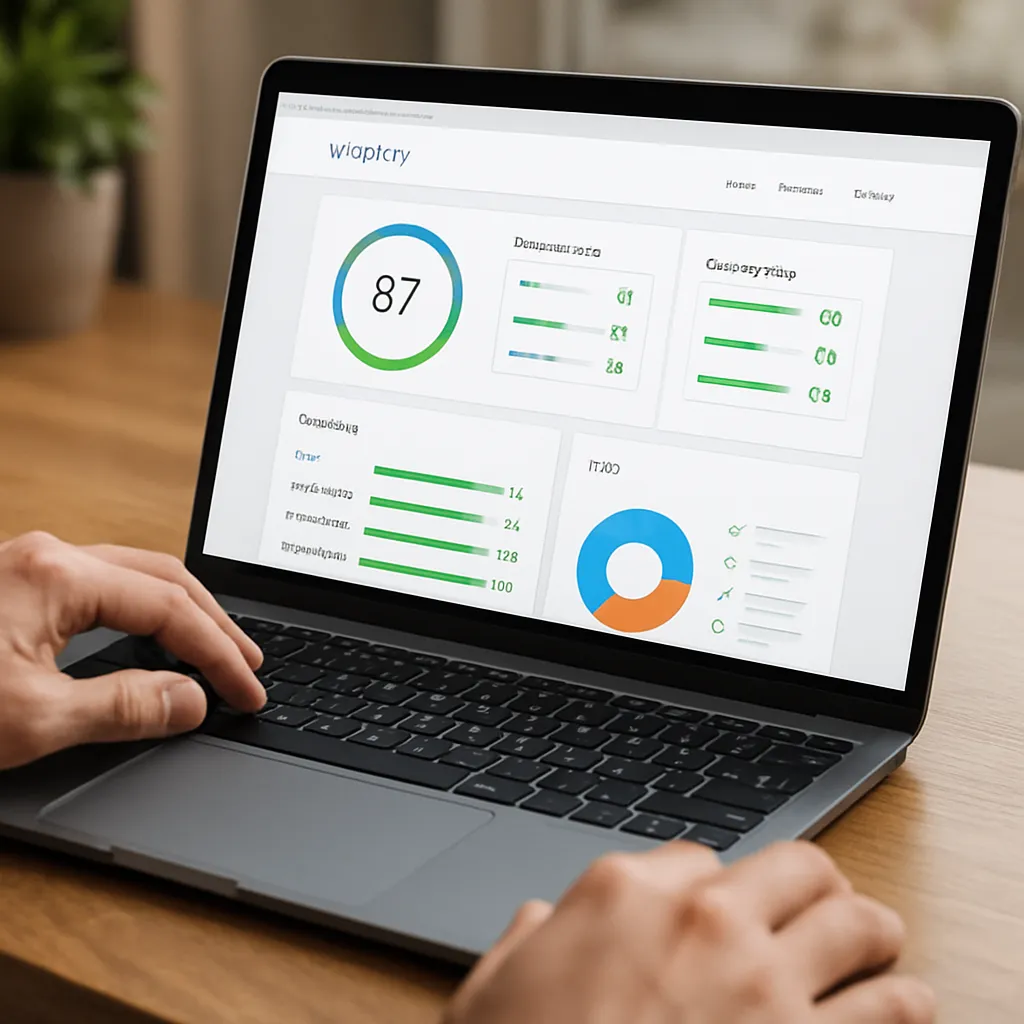
Varvy SEO Tool
Varvy SEO Tool has long been a favorite among practitioners who want a fast, readable health check for a single URL without paying for heavyweight suites. Built with Google’s public recommendations in mind, it turns a complex list of best practices into actionable items a site owner or developer can understand. Whether you’re troubleshooting a drop in visibility, preparing a site for launch, or teaching the fundamentals of technical SEO, Varvy offers a clear, opinionated snapshot that helps you move from question to fix in minutes.
What is Varvy SEO Tool?
Varvy SEO Tool is a free, web-based analyzer created by Patrick Sexton, known for his educational work on Google-friendly site building and for earlier tools that made optimization approachable. Varvy’s core idea is simple: test a single page against widely accepted guidelines, emphasize what matters most for search and user experience, and present the results in a way that non-specialists can act on immediately.
Rather than replacing full-scale crawlers or enterprise platforms, Varvy plays the role of a precise stethoscope. It listens to one page carefully and reports on foundational factors: access and crawlability, mobile presentation, page speed hints, JavaScript and CSS loading, resource blocking, titles and headings, security basics, and more. It is intentionally narrow: you provide a URL, Varvy runs a battery of checks, you get a prioritized report.
Availability of specific checks can vary as the web evolves and Google updates its guidance. Still, the tool’s ethos remains the same: translate best practices into a quick diagnostic that any site owner can understand.
How it works and what it measures
At its core, Varvy fetches your page as a crawler would, examines HTTP status codes and headers, notes redirects, parses the HTML, and attempts to retrieve linked resources such as CSS, JavaScript, and images. It also looks at signals that influence search engines’ ability to understand and serve the page correctly, including indexation cues and mobile rendering hints. Depending on the version and configuration, Varvy may simulate a rendered view of the page or rely on static parsing to flag likely problems.
The report is typically organized into thematic sections with pass/fail indicators and explanatory notes. It prefers brevity over verbosity: you see what is broken, why it matters, and what to do next. That clarity makes it an effective first pass before you invest time in deeper audits.
Key features you’ll find in a Varvy report
Access, robots, and resource loading
Varvy focuses strongly on access. If your robots.txt blocks important resources—say, a global CSS file or a critical JavaScript bootloader—the page may render poorly to search engines. Varvy surfaces these cases by listing blocked resources and calling out directives that might inadvertently prevent crawling or indexing. It also checks for HTTP errors and redirect chains that could dilute signals or waste crawl budget.
Mobile presentation and rendering
Most modern search indexing is mobile-first, so Varvy pays attention to viewport configuration, mobile accessibility, and how dependent content is on scripts that might not be crawled or executed reliably. If a layout depends on blocked CSS or delayed scripts, the tool can highlight that so you can address it early. Clear notes help you separate cosmetic issues from critical rendering problems that impede understanding of the page.
Speed-related hints
While Varvy is not a replacement for Lighthouse or dedicated performance testing, it flags common slowdowns—heavy images, render-blocking CSS/JS, caching hints, compression, and server response characteristics. Many of these recommendations overlap with PageSpeed-style guidance and, when implemented, nudge your site toward better perceived and real performance. This, in turn, supports improved engagement and the performance portion of Core Web Vitals.
On-page SEO basics
Varvy checks whether you have a unique, descriptive title tag, an appropriate meta description, a sensible heading structure, and properly marked images with alt text where useful. It also looks for duplicate content hints and misconfigurations like multiple canonical tags or contradictory directives. Clean on-page fundamentals help search engines extract meaning and present your content accurately in results.
Security and protocol hygiene
Expect gentle nudges toward HTTPS, HSTS, and consistent URL patterns. If your site serves both HTTP and HTTPS or mixes content insecurely, Varvy will alert you. These checks are small but vital: the goal is to prevent trust-breaking warnings and consolidate authority to a single, stable URL scheme.
Signals for structured understanding
Varvy encourages the use of structured data where appropriate. Markup won’t guarantee rich results, but validated, relevant schema types often improve how search engines interpret entities and relationships on a page. Varvy’s guidance can point you to missing opportunities, though full validation still benefits from Google’s Rich Results Test.
What can you use Varvy for?
- Quick pre-launch QA for a new page or landing experience
- Smoke tests during a migration or redesign to catch regressions
- Rapid triage when a URL suddenly loses visibility
- Teaching junior marketers and developers the “why” behind SEO rules
- Client demos: show, in plain English, what needs fixing and why
- Periodic spot-checks of key revenue pages after code deployments
In short, Varvy is an excellent “is anything obviously wrong?” lens before you graduate a page into more intensive tooling or a full crawl of the site.
Does Varvy actually help with SEO?
Yes—within its intended scope. Search performance is multifactorial, but pages that are accessible, fast, and semantically clear tend to rank and convert better. Varvy pushes you toward those fundamentals. Fixes driven by Varvy often lead to more reliable discovery and better user engagement, which indirectly support improved rankings.
It’s important to understand what Varvy is not. It is not a rank tracker, a keyword research suite, a log analyzer, or a sitewide crawler. It does not measure everything Google measures, nor can it replicate proprietary search systems. What it does do is spotlight structural impediments that, if left untreated, can cap your potential no matter how strong your content is.
Strengths and limitations
Strengths
- Clarity: findings are explained in everyday language, not jargon
- Speed: single-URL checks complete quickly, ideal for iterative work
- Focus: emphasizes issues that commonly block discovery and comprehension
- Education: great for training and building shared understanding
- Cost: historically free to use, lowering the barrier to solid diagnostics
Limitations
- Scope: analyzes one URL at a time, not a full site crawl
- Depth: high-level performance hints; use Lighthouse for lab detail, CrUX for field data
- Modern apps: heavy client-side rendering frameworks may need specialized testing and server logs
- False positives/negatives: any automated tool can misinterpret edge cases
- Availability: features may change; some checks can be temporarily paused as the ecosystem evolves
How to read and act on a Varvy report
Use a triage-first mindset. Address the highest-impact, lowest-effort items early, then iterate.
- Start with access: 2xx status? No loops or long redirect chains? If 4xx/5xx occur, fix them immediately.
- Check canonicalization: pick one URL pattern (protocol, host, trailing slash) and enforce it.
- Review robots and meta directives: ensure nothing essential is blocked; keep staging rules off production.
- Resolve resource blocking: unblock CSS/JS needed for above-the-fold layout or critical interactions.
- Validate mobile basics: correct viewport meta tag, responsive sizing, tap targets, and font legibility.
- Apply performance wins: compress images, defer non-critical scripts, enable caching and compression.
- Strengthen on-page semantics: unique titles, accurate descriptions, logical headings, descriptive alt text.
- Security hygiene: serve HTTPS everywhere; fix mixed content and standardize redirects.
- Enhance understanding: add appropriate schema; ensure it matches on-page content.
After each fix, rerun the URL. The feedback loop is fast, and seeing errors disappear is motivating for teams.
How Varvy complements other tools
- Google Search Console: use URL Inspection to verify live indexing status and coverage insights; pair with Varvy for fix ideas.
- Lighthouse/PageSpeed Insights: deep performance diagnostics and Core Web Vitals lab metrics; Varvy gives directional guidance.
- Screaming Frog/Sitebulb: crawl entire sites to surface patterns at scale, then spot-check individual URLs in Varvy for clarity.
- Analytics and logs: confirm impact by tracking engagement and observing how bots actually crawl.
- Ahrefs/Semrush: research demand and links; use Varvy to ensure your pages are technically ready to capitalize on that demand.
Think of Varvy as the quick, opinionated assistant that sits between your browser and your heavier artillery.
A practical workflow that includes Varvy
- Draft or update a page with clear intent and audience.
- Before publishing, run the URL through Varvy on a staging domain with proper access (or after going live behind a short window).
- Fix critical items: access, directives, blocked resources, HTTPS consistency.
- Harden performance basics: compression, caching, media sizes, script loading order.
- Validate semantics: titles, headings, internal links, and any relevant schema.
- Run Lighthouse for performance and accessibility confirmation.
- Ship, request indexing in Search Console if appropriate, and monitor analytics.
- Recheck with Varvy after significant code or infrastructure changes.
Tips, nuances, and common pitfalls
- Mind the difference between blocking crawling and blocking indexing. “Disallow” in robots affects crawling paths; “noindex” affects inclusion. Don’t mix them casually.
- Beware of staging rules leaking into production. Old Disallow lines or authentication walls can cripple discovery.
- Don’t overinterpret a single test. If Varvy flags something odd, corroborate with the browser, cURL, and server logs.
- For SPAs and hydration-heavy frameworks, ensure essential content is visible to crawlers. Server-side rendering or pre-rendering may be necessary.
- Respect cache and compression. Small, cumulative wins on assets add up to real gains in page speed and satisfaction.
- Keep redirects predictable. Collapse long chains and avoid mixed protocols or hosts that fragment signals.
- Use meaningful internal links. Clear anchor text aids understanding and helps distribute authority.
- Update sitemaps after big changes, but remember: a sitemap is an invitation, not a guarantee of crawling.
Who benefits most from Varvy
- Agencies and freelancers who need fast diagnostics during discovery calls
- Developers shipping features who want a quick “SEO smoke test” after code merges
- Small businesses that can’t afford enterprise platforms but want trustworthy guidance
- Educators teaching foundational SEO concepts through concrete examples
- Product managers seeking shared, non-technical language to align stakeholders
Interesting background and philosophy
Varvy’s lineage traces back to a movement in the SEO community that favors education and transparency over mystique. By aligning checks with Google’s public best practices, the tool helps practitioners focus on what’s broadly durable rather than chasing fads. Its presentation style—simple, direct, and often visual—encourages teams to fix the root cause instead of treating symptoms.
Another interesting facet is how Varvy exposes the importance of details that often hide in plain sight: caching headers, compression, indexation cues, and small configuration errors in headers or HTML. Many “mysterious” ranking issues have mundane, technical causes. Varvy’s greatest service may be reminding teams that fundamentals matter and are within reach.
Caveats about availability and maintenance
As with any free tool operating in a changing web ecosystem, particular tests or endpoints may evolve. Occasionally, features may be paused or updated to reflect platform changes or to adjust to how resources are fetched and rendered. If you encounter a temporary limitation, pair Varvy with alternative tests for continuity, then return when the feature is restored or updated.
Frequently asked questions
Is Varvy enough for a full audit?
No. It’s a sharp single-URL diagnostic. For a full audit, you’ll also want a crawler, performance lab/field data, Search Console coverage reports, analytics, and possibly log analysis.
Does a green result guarantee rankings?
No tool can guarantee rankings. Clean execution removes barriers and improves user experience, which increases your odds of earning and keeping visibility.
Is it safe to use on production?
Yes. It performs standard fetches that mimic a crawler. For authenticated or sensitive content, use staging responsibly.
What about JavaScript-heavy sites?
Varvy can surface blocked resources and hints about critical rendering paths, but deeply dynamic apps may require server-side rendering, pre-rendering, or specialized crawling to ensure essential content is discoverable.
Opinion: Where Varvy shines—and where it doesn’t
Varvy shines as an educator and a first responder. If you give it a messy page, it hands you a prioritized to-do list and just enough explanation to convince a skeptical stakeholder. That combination shortens the path from problem to fix, which is often the biggest hurdle in real-world projects. It also reduces the intimidation factor for newcomers: concepts like robots directives, security headers, and caching are presented in approachable language rather than arcane specs.
Where it doesn’t shine is breadth. You won’t map your entire site, visualize complex internal link graphs, or debug deep field performance anomalies with Varvy alone. Nor should you expect exhaustive checks for every microformat or edge-case header. Treat it as a specialist in fundamentals rather than a generalist in everything.
On balance, Varvy earns a place in modern toolkits as a quick, credible compass. Pair it with sitewide crawls, Lighthouse tests, and Search Console for coverage, and you’ll have end-to-end visibility from template to SERP. For many teams—especially those without enterprise budgets—that combination is more than enough to win.
Getting the most value, step by step
- Integrate into PR checks: make a Varvy pass part of your deployment checklist for key templates.
- Set guardrails: document your preferred directives, redirect patterns, and caching policies to prevent regressions.
- Build a shared lexicon: align your team on terms like crawlability, rendering, and canonicalization so fixes move faster.
- Measure outcomes: tie each Varvy-inspired fix to metrics—index coverage, engagement, conversions—to prove ROI.
- Iterate: re-run after big changes to catch unintended side effects early.
Final takeaway
If you need a fast, opinionated snapshot of a page’s readiness for search—spanning access, semantics, speed, and security—Varvy SEO Tool is a pragmatic choice. It’s not a substitute for comprehensive crawls or deep performance analysis, but it shortens the distance between detection and resolution. Used consistently, it keeps teams honest about the basics that quietly drive outcomes: clean access, solid markup, fast delivery, and intelligible signals. Get those right, and everything else—from content quality to links—has a stronger foundation to succeed.