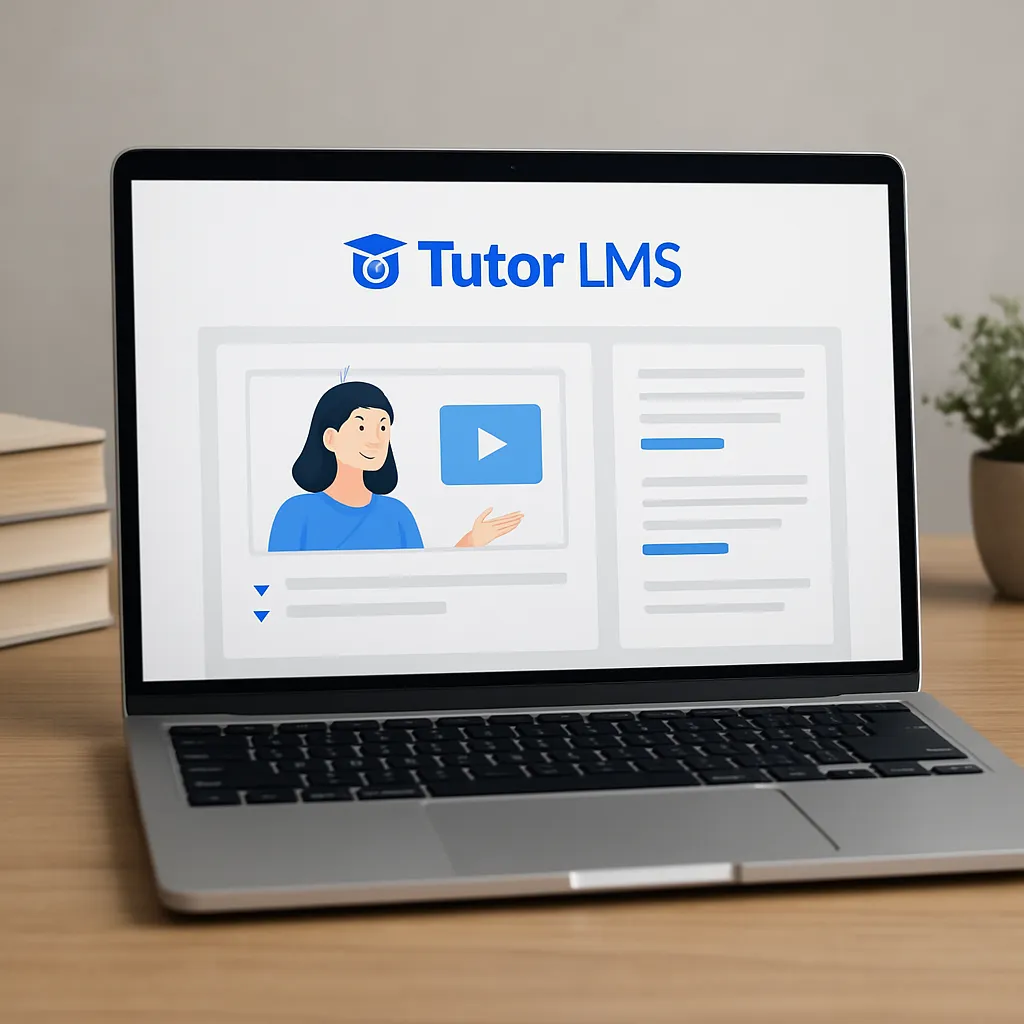
Tutor LMS
Tutor LMS is a WordPress learning management system designed to turn a website into a complete online school, training hub, or multi-instructor marketplace without leaving the familiar WordPress dashboard. Built by Themeum and actively developed for years, it blends a visual course builder, flexible enrollment and payment options, student and instructor dashboards, assignment and quiz tools, and extensive reporting into a single plugin that can grow from a solo instructor’s course to a full-scale academy serving thousands of learners. It is approachable for non-technical site owners yet extensible enough for agencies and developers who want to tailor every step of the learning journey.
What Is Tutor LMS?
Tutor LMS is a plugin that installs on top of a standard WordPress site and introduces the essential entities you need for education: courses, lessons, topics, quizzes, assignments, and certificates. It provides a drag-and-drop course builder, front-end submission options for instructors, and user-facing areas for students to track progress, download certificates, and interact through Q&A. The free version covers the basics—course creation, simple quizzes, and enrollment—while the premium version unlocks advanced quiz types, content drip, course prerequisites, multi-instructor revenue sharing, detailed reports, and integrations for payments and live classes.
Unlike hosted course platforms that abstract away control, Tutor LMS allows site owners to own the tech stack, database, and design. This has strategic benefits: you can implement custom branding, configure your own hosting resources, integrate with the broader WordPress ecosystem, and keep complete control over pricing and student data. It also reduces platform risk; if you outgrow one hosting plan or theme, you can move without losing your catalog or audience.
Key Features and How They Work
Course builder and content hierarchy
The course builder splits curricula into topics and lessons, enabling you to organize long programs into digestible sections. Lessons can include rich media from YouTube, Vimeo, cloud storage, or self-hosted video, plus attachments, reading lists, and embeds. The builder supports reordering via drag-and-drop, lesson previews for marketing, and estimated completion times to set expectations for learners.
Quizzes, assessments, and assignments
Tutor LMS supports a wide range of quiz question types in the premium edition, including multiple choice, true/false, short answer, matching, and image-based questions. Question banks, randomized delivery, time limits, retake rules, and pass marks give instructors granular control over difficulty and pacing. For deeper evaluation, assignments allow file uploads and manual grading. These tools help validate learning outcomes and reduce passive consumption.
Progress control: prerequisites, content drip, and course expiration
Prerequisite courses ensure learners have the baseline knowledge to succeed, while content drip unlocks lessons over time to prevent binge-watching and reinforce spaced repetition. In addition, course expiration or access windows can create urgency and keep cohorts moving through the material together, improving completion rates.
Instructor management and marketplace capabilities
In single-instructor setups, you can keep all revenue in-house and manage one catalog. For marketplaces, Tutor LMS introduces instructor registration and verification, commission rules, and payout management. Instructors can manage their own courses and track earnings through a front-end dashboard. Review workflows and messaging channels facilitate oversight and collaboration.
Certificates and credibility
Certificate templates help you add a tangible reward at the end of a course or track. You can customize branding, signatures, and fields like completion date and grade. For professional or compliance training, this is critical to demonstrate achievement and fulfill HR, continuing education, or licensing requirements.
Notifications, email templates, and Q&A
Automated email notifications keep learners informed about enrollments, quiz results, assignment feedback, and certificate availability. Q&A under each lesson opens a feedback loop that benefits the entire class, reduces repeat support requests, and surfaces improvements for future cohorts.
Payments and e-commerce
Payments in Tutor LMS are typically handled via integrations rather than proprietary checkouts, which is a strength because it lets you use existing e-commerce workflows. You can connect with WooCommerce or Easy Digital Downloads to accept Stripe, PayPal, and a wide array of regional gateways. That means coupons, taxes, invoicing, refunds, and subscriptions can piggyback on tools you already know. For subscriptions and bundles, pairing Tutor LMS with membership plugins or WooCommerce Subscriptions provides recurring revenue and access control across multiple courses.
Installation, Setup, and Best Practices
Getting the basics right
Installation follows the normal WordPress flow: install the free plugin from the WordPress repository, run the setup wizard to generate core pages (dashboard, instructor registration, course archive), and pick a theme designed for course layouts. Themeum’s Tutor Starter theme is optimized for the plugin, but you can also use a well-coded multipurpose theme. For the editor, Tutor LMS works cleanly with the native Gutenberg block editor and major page builders; the choice depends on your design preferences and team workflows.
Structuring your catalog
Start with a clear information architecture. Group courses into categories aligned to learner goals, not internal departments. Use descriptive slugs and consistent naming conventions. When adding lessons, keep each unit short enough to complete in a single sitting. Add transcripts to videos to support accessibility and search, and provide downloadable resources for offline reinforcement.
Enrollment and pricing models
Decide early on whether a course is free, one-time purchase, subscription-based, or included in a membership. Map these to e-commerce products and ensure your tax and receipt settings comply with your jurisdictions. If you plan to expand globally, test multiple currencies and payment methods, and confirm that confirmation emails, welcome lessons, and onboarding steps are localized.
Testing before launch
Create test student and instructor accounts to validate every milestone: enrollment flows, quiz attempts, assignment uploads, certificate rendering, and email notifications. Check mobile layouts on real devices and throttle your connection to simulate slower networks. Confirm that caching plugins bypass caching for logged-in users to avoid stale or mixed content issues in dashboards.
Does Tutor LMS Help with SEO?
No plugin can guarantee rankings, but Tutor LMS can support strong discoverability when you pair it with a thoughtful content strategy. Course, lesson, and instructor pages become indexable URLs with customizable titles, descriptions, and permalinks. You can integrate with leading SEO plugins to manage metadata, sitemaps, breadcrumbs, and canonical tags. Properly structured curriculum pages create a crawlable hierarchy where internal linking is logical and user-friendly.
Where Tutor LMS adds indirect benefits is engagement. Longer on-site dwell times, returning visitors, and genuine student reviews can contribute to positive behavioral signals. Public lesson previews act as content marketing assets that earn backlinks and demonstrate expertise. When appropriate, adding course review snippets as structured data can enable rich results; coordinate this using your SEO plugin’s features and consider basic schema for courses and organizations if it aligns with your setup.
To maximize SEO impact, optimize media and ensure your caching, image compression, and lazy loading are tuned for logged-out visitors so that catalog pages load quickly. Use descriptive headings in lessons, add transcripts to videos, and link between related courses to surface more of your catalog. Lastly, think beyond keywords: authoritative tutorials, case studies, and public-facing mini-lessons demonstrate topical depth and make your school worth referencing.
Design, UX, and Learning Experience
Great course design balances instruction and motivation. Tutor LMS helps by offering progress bars, lesson completion states, and drip schedules that prevent overwhelm. You can attach short quizzes after each module, mix videos with text to accommodate different learning styles, and enable lesson-level comments or Q&A. Clean navigation and predictable patterns matter: keep course headers simple, repeat key actions at the top and bottom of pages, and ensure learners can resume where they left off with one click from their dashboard.
Motivation thrives on milestones. Badges, certificates, and progress emails are lightweight nudges. Consider small stakes like end-of-week summaries, streaks, or public showcase projects. Community elements—forums, private groups, or live office hours—turn a static course into a cohort experience. While Tutor LMS is not a community platform by itself, it plays well with forum or community plugins and adds the scaffolding for a cohesive learning path.
On mobile, prioritize legibility, tap targets, and concise lesson pages. Use captions in videos, provide downloadable audio for commuters, and test video players across devices. Even if your audience is desktop-heavy, mobile compatibility will catch traveling learners and reduce friction.
Integrations and Ecosystem
Tutor LMS integrates with payment and e-commerce stacks (notably WooCommerce and Easy Digital Downloads), making it straightforward to accept global gateways through those systems. For memberships and bundles, popular membership plugins can control access to course categories or levels, enabling Netflix-style catalogs or tiered academies. Marketing tools like Mailchimp, ConvertKit, or FluentCRM can subscribe students to onboarding sequences and segment them by course enrollment.
For live instruction, Zoom integrations let you add live classes to lessons and track attendance. Video hosting can be external via Vimeo or specialized platforms to preserve bandwidth and add DRM-like protections. For interactive content, H5P blocks can inject activities and quizzes beyond the built-in options. Automation tools like Uncanny Automator or Zapier-like connectors can trigger workflows when students enroll, complete lessons, or pass quizzes—handy for issuing badges, updating a CRM, or notifying a Slack channel.
On the developer side, Tutor LMS exposes hooks and filters that allow customization of templates, enrollment logic, certificates, and instructor dashboards. This enables agencies to deliver bespoke experiences, from corporate portals with SSO to purpose-built marketplaces that blend editorial curation with instructor autonomy.
Performance, Security, and Scalability
Course platforms are dynamic by nature: logged-in dashboards, progress tracking, and graded interactions. That makes caching and database tuning crucial. Configure full-page caching for anonymous pages like catalogs and sales pages, and rely on object caching and query optimization for logged-in areas. Offload media to a CDN, compress images and video thumbnails, and test TTFB from regions where your learners live. Proactively plan for spikes during enrollment windows or marketing campaigns by using autoscaling or server-level caching that plays nicely with WordPress sessions.
Database growth comes from quiz attempts, comments, and logs. Set sensible retention policies, archive stale data, and schedule cron tasks during off-peak hours. Monitor slow queries and consider indexing high-traffic tables. Security-wise, follow standard WordPress hardening: limit login attempts, enforce strong passwords, use role-based capabilities for instructor permissions, and keep plugins updated. If you run a marketplace, establish a clear content policy and moderation workflow to protect your brand and learners.
As your user base grows, so does the importance of performance and scalability. Shard media across buckets, separate the database from the web server, and use background processing for certificate generation or bulk enrollments. Load test before large launches, and monitor real user metrics, not just lab tests, to catch regressions that affect actual students.
Accessibility and Compliance
Education should be inclusive. Tutor LMS works within the WordPress theming system, so accessibility outcomes depend on your theme and content practices. Aim for WCAG 2.1 AA where feasible: sufficient color contrast, keyboard operability, focus states, and screen-reader-friendly labels. Provide transcripts and captions, avoid autoplaying audio, and design quizzes that do not rely solely on color or images. Test with real assistive technologies. A commitment to accessibility not only broadens your reach but also improves usability for everyone.
Data privacy and compliance vary by region. Be transparent about what you collect—enrollments, quiz scores, certificates—and why. Add consent checkboxes where needed, provide a way to export or erase personal data, and minimize data retention. If you teach minors, consult legal requirements like COPPA equivalents in your jurisdiction. Corporate clients may ask for audit logs, uptime reports, or data processing addendums; be prepared with documented processes.
Pricing and Value
Tutor LMS follows a freemium model. The free plugin is generous enough to test your idea, publish basic courses, and validate demand. The premium tiers unlock advanced quiz features, drip content, prerequisites, detailed reporting, certificates, assignments, multi-instructor marketplaces, and priority support. Licenses are typically available for single or multiple sites on annual terms, which is standard for professional WordPress plugins. Compared to hosted platforms that take a revenue share or impose per-student fees, owning your stack can become more cost-effective as you scale, especially when combined with open-source add-ons.
Real-World Use Cases
- Solo creator academy: A language teacher sells a flagship course, an upsell workbook, and a membership with weekly live sessions. Tutor LMS manages the curriculum while the membership plugin gates community forums.
- Corporate training portal: An HR department rolls out onboarding modules, annual compliance courses, and role-based playlists. Single sign-on connects employees, and reporting exports help managers track completion for audits.
- University extension: Non-credit continuing education programs run seasonal cohorts. Content drip, assignments, and certificates support pedagogical rigor, while Stripe subscriptions handle installment plans.
- Marketplace for experts: Multiple instructors publish under one brand, with editorial review and revenue sharing. The platform offers curated paths that mix courses from several instructors, reinforcing a unified student experience.
Comparison with Alternatives
LearnDash is a popular alternative that emphasizes enterprise-grade features and has a vast add-on ecosystem; it shines for complex assessment logic and has been battle-tested at scale. LifterLMS offers a strong core with membership and e-commerce built in, which some prefer for an all-in-one approach. LearnPress is free-first and deeply integrated with themes, though it can require more configuration for reliability at high scale. Sensei, from the team behind WooCommerce, integrates neatly into the block editor paradigm.
Tutor LMS’s strengths include an approachable UI, competitive pricing, native multi-instructor marketplace tools, and modern reporting. The trade-offs depend on your needs: if you require SCORM out of the box or specialized accreditations, you may need external tools; if you value out-of-the-box marketplace mechanics and a builder-friendly experience, Tutor LMS is compelling. Because these plugins run on WordPress, theming and hosting choices heavily influence outcomes regardless of the LMS you pick.
Common Pitfalls and How to Avoid Them
- Caching conflicts: Ensure logged-in pages bypass full-page caching. Most caching plugins have a rule for this; verify student dashboards update in real time.
- Permalink mismatches: After installing, visit Settings → Permalinks and save once to regenerate rules, preventing 404s on course and lesson pages.
- Unclear enrollment logic: Document whether a course enrolls via product purchase, direct signup, or membership. Misaligned settings lead to access support tickets.
- Video hosting overload: Avoid serving large videos from shared hosting. Use specialized video platforms or object storage with a CDN.
- Overlong lessons: Attention wanes beyond 8–12 minutes for video. Break lessons into smaller units and use frequent low-stakes quizzes.
- Ignoring mobile: Test on small screens, landscape and portrait. Fix sticky headers that obscure quiz buttons or navigation.
- Email deliverability: Authenticate your domain (SPF, DKIM, DMARC) to keep automated notifications out of spam.
- Data sprawl: Archive stale logs, prune old quiz attempts where policy allows, and monitor database size to avoid degraded queries.
Reporting and Analytics
Tutor LMS offers dashboards for revenue, enrollments, completion rates, and quiz performance. Instructors can drill into individual student progress, while admins can compare courses by conversion and retention. To expand insights, pair the plugin with event tracking in Google Analytics or privacy-friendly alternatives. Track meaningful milestones—course view, add to cart, enroll, lesson complete, quiz pass—and feed them into funnels for optimization. With consistent tagging and UTM discipline, you can tie marketing channels to outcomes, not just pageviews, and iterate faster.
As you mature, connect analytics to automation: if a student stalls on a module, send a helpful nudge; if a cohort breezes through, offer an advanced elective. Move beyond vanity metrics and focus on learning impact and revenue efficiency.
Marketing Your Courses
Launches thrive on narrative and social proof. Use lesson previews and mini-courses as lead magnets, collect testimonials with a structured form, and showcase quantifiable outcomes where appropriate. Bundles and tiers help price-anchor; money-back guarantees reduce risk for first-time buyers. Affiliate programs expand reach—WooCommerce-compatible affiliate plugins make it easy to track referrals and payouts. For organic reach, publish excerpts or companion blog posts that answer real learner questions, and link to the relevant course sections.
Retention is as valuable as acquisition. Offer alumni discounts, invite graduates to advanced workshops, and establish a rhythm of updates so students feel the program is alive. Build a cadence of webinars, office hours, or alumni spotlights to keep the community engaged between product releases and new cohorts.
My Opinion: Strengths, Weaknesses, and Fit
Tutor LMS strikes a pragmatic balance between usability and power. The course builder is intuitive, the student and instructor dashboards are thoughtfully laid out, and the free tier lowers the barrier to entry. Its marketplace features reduce reliance on external vendor code, and the integration-first approach to payments keeps you in control of checkout experiences. Documentation and tutorials are solid, and the plugin’s tempo of updates suggests an active roadmap.
On the downside, the flexibility of WordPress cuts both ways: real success depends on your theme quality, hosting, and plugin discipline. If you install too many overlapping tools or skimp on hosting, you will feel the pain in slow pages and brittle interactions. For extremely specialized compliance training or legacy content packages, you may need third-party extensions. Even so, for most small to mid-sized academies—and many large ones with deliberate architecture—Tutor LMS delivers excellent value.
Tips to Squeeze More from Tutor LMS
- Adopt a cohort model for premium programs: drip content weekly, run live sessions, and create peer feedback loops to boost completion.
- Implement micro-credentials: award certificates for short sprints that stack into a capstone; learners love visible progress.
- Bundle wisely: pair a flagship course with a community and monthly Q&A to justify recurring revenue and increase LTV through monetization tactics.
- Build internal linking: add related lessons and prerequisite pathways in sidebars to keep learners exploring your catalog.
- Automate nudges: reminders at 25, 50, and 75 percent completion lift finish rates; celebrate milestones with small rewards.
- Use adaptive quizzes: easy early wins build confidence; gradually increase difficulty and show rationales for wrong answers.
- Invest in gamification: lightweight badges, points, or leaderboards can energize cohorts when done tastefully.
Roadmap, Support, and Community
The Tutor LMS team maintains a public changelog and regularly releases updates that improve stability, broaden integrations, and refine the UI. The user community—forums, groups, and agency networks—shares templates, code snippets, and optimization tips. For site owners without in-house developers, certified partners or experienced freelancers can help design custom course templates, migrate content from other platforms, and audit infrastructure before big launches. Because this is WordPress, you are never isolated; there is always a path to iterate on design, content strategy, and technology at your own pace.
Conclusion
Tutor LMS turns WordPress into a durable foundation for digital education. It empowers creators to build structured curricula, monetize flexibly, and deliver polished learning experiences without surrendering control to a closed platform. With careful attention to design, content quality, SEO fundamentals, and site health, it can support everything from a single course to a global academy. The plugin’s balance of features, extensibility, and cost makes it an attractive choice for instructors, institutions, and businesses ready to teach at scale and on their own terms.