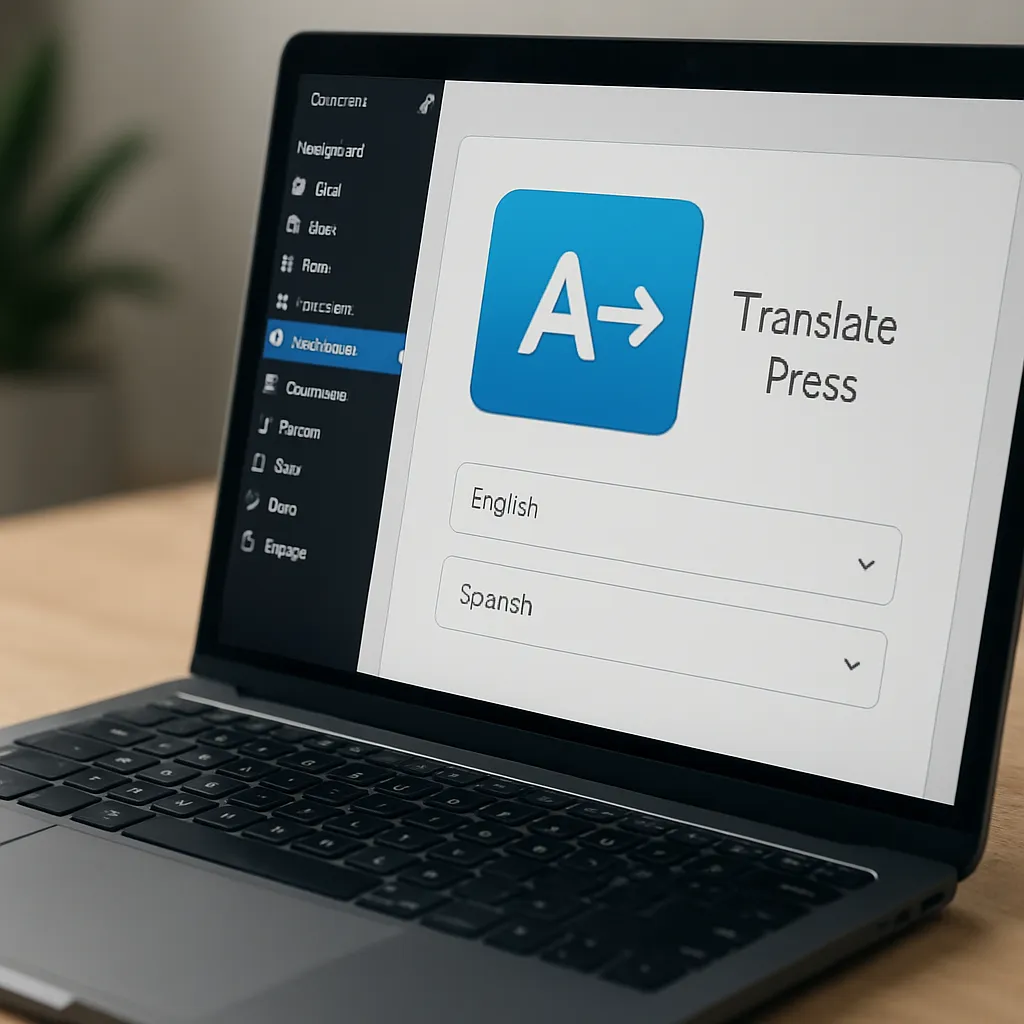
TranslatePress
For site owners who want complete control over how their content appears across languages without leaving the comfort of the WordPress dashboard, TranslatePress offers a compelling approach: translate visually, publish confidently, and keep everything self-hosted. Instead of relying on external dashboards or proprietary content layers, it lets you browse your site as a visitor and translate strings in context—menus, buttons, product data, forms, and even dynamically generated fragments—then saves those translations directly in your database. Because it sits natively inside WordPress and works with themes, builders, and most plugins out of the box, it has become a popular choice for creators who need a fast route to a truly multilingual experience.
What TranslatePress Is and Why It Matters
TranslatePress is a translation plugin designed to make page-by-page localization feel as intuitive as editing a post. Once enabled, it adds a front-end translation interface that overlays your live site. You pick a text, type or auto-generate its translation, and save. Each language you add can live on its own URL structure—commonly subdirectories like /es/ or /fr/, subdomains, or even separate domains—so search engines and users see each language as a first-class citizen. That matters because every translated page becomes directly indexable, linkable, and shareable.
Three ideas underpin its appeal:
- Visual editing in context, which reduces guesswork for where strings appear.
- Compatibility with most themes, page builders, and custom post types without lock-in.
- SEO-ready architecture—unique URLs, metadata translation, and proper signals to crawlers—so your localization effort can compound in organic growth.
The plugin supports both manual and automatic translation. Manual control is invaluable for accuracy, tone, and brand voice. Automatic translation accelerates coverage for large sites or first drafts. In its premium tiers, you can plug into Google Translate or DeepL and then refine text manually. This “machine-then-human” workflow is particularly efficient for content-heavy websites, product catalogs, and support documentation.
How TranslatePress Works Under the Hood
Language URLs and Indexable Pages
Each language you register is bound to its own URL format. The most common setup is path-based (example.com/es/), but advanced users sometimes prefer subdomains (es.example.com) or entirely separate domains (example.es) if they want stronger geographic signaling. TranslatePress ensures the language switcher points to the equivalent page across languages and updates internal links accordingly.
Database-Backed Translations
Translations are stored in your WordPress database in dedicated tables. This has two consequences: your content remains on your server (no dependency on third-party CDNs for text), and exports/backups are straightforward. It also means translations are portable across environments if you manage them via familiar WordPress migration tools.
String Granularity and Dynamic Content
Beyond page content, TranslatePress captures strings from menus, widgets, shortcodes, forms, and even some AJAX-rendered elements. It hooks into WordPress internationalization functions to catch gettext-based strings from themes and plugins. If your site mixes server-rendered and JS-rendered UI, you’ll typically still see the text in the visual editor and can translate it inline. Edge cases—complex SPAs or custom REST-driven interfaces—may require additional configuration or mapping.
Getting Started: Setup and Key Features
Initial Configuration
- Install the plugin, choose your default language, and add one or more target languages.
- Pick your URL strategy (subdirectory is the simplest for most sites).
- Place the language switcher via menu, shortcode, or a floating selector.
- Open the visual translation editor from the WordPress toolbar and start clicking elements to translate.
Manual and Automatic Translation
Manual translation shines when you need editorial precision. For scale or speed, enable automatic translation to seed initial content, then have editors polish headlines, CTAs, and nuanced copy. You can set daily character limits to control API costs and decide which post types or routes should be auto-translated.
SEO Pack and Metadata
TranslatePress premium adds a specialized SEO feature set that lets you translate slugs, titles, meta descriptions, and alt attributes. It also cooperates with popular SEO plugins to ensure each language variant is discoverable, with sitemaps that reference localized URLs. The result is a full-fledged multilingual structure that can rank independently for queries in different markets.
WooCommerce and E‑commerce Scenarios
For stores, TranslatePress covers product titles, descriptions, variations, attributes, checkout labels, and transactional copy. Because each language lives on a distinct URL, it’s compatible with typical e-commerce caching and analytics patterns. Cross-linking between product variants in different languages helps shoppers switch context seamlessly, while custom fields and attribute slugs can also be translated so filters and search behave intuitively across languages. If your catalog is large or updated frequently, combine automatic translation for first pass and human review for critical pages to balance accuracy with throughput. This is one area where WooCommerce compatibility carries real revenue implications.
Does TranslatePress Help with SEO?
Yes—when configured thoughtfully. Multilingual SEO has a few pillars, and TranslatePress checks most boxes:
- Separate, crawlable URLs per language (e.g., /de/, /it/), not just JavaScript swaps.
- Translated metadata (titles, descriptions, slugs) and image alt text.
- Language annotations (hreflang) that point search engines to the correct language/region variant.
- Clean linking between language versions so crawlers can discover the entire localized network.
- Sitemap support that enumerates translated URLs for faster discovery.
Just as important as the setup is the editorial process. You’ll rank better by translating intent—not just words. That means adapting keywords, headlines, and FAQ schema to how users search in each language, and avoiding literal translations that miss cultural nuance. Because TranslatePress keeps everything in WordPress, your SEO team can run the same audit routines—content quality checks, internal linking improvements, schema markup—on each language silo. Finally, remember that snippet-worthy assets (structured data, FAQ blocks, product structured data) should be localized too; TranslatePress lets you reach those fields where they surface in your content editor or theme.
User Experience, Accessibility, and Trust
Internationalization is more than language. Keep a consistent currency format, date formats, and number separators across languages, and be mindful of right-to-left scripts if you expand beyond Latin alphabets. TranslatePress won’t auto-redesign your theme for RTL, but most modern themes that declare RTL support will render correctly and allow the visual editor to capture text direction. Make your language switcher obvious and predictable, place it in the primary navigation, and preserve users’ choices across sessions. Clear language labeling, especially for region-specific variants (Português—Brasil vs. Portugal), reduces friction.
Don’t overlook accessibility. Translate image alt attributes, aria-labels, and form error messages. A consistent, accessible language switcher that’s navigable via keyboard helps visitors and aligns with legal compliance in certain regions. TranslatePress exposes these attributes so you can localize them alongside visible copy.
TranslatePress vs. Alternatives
The WordPress ecosystem offers multiple paths to multilingual. Here’s how TranslatePress typically compares:
- WPML: Robust and widely used, with deep integration into many themes and plugins. Its backend workflow can feel more complex; TranslatePress emphasizes visual editing.
- Polylang: Lightweight and flexible; good for developers who prefer minimal overhead. TranslatePress is often easier for non-technical editors because translations happen inline.
- Weglot: SaaS-first approach with rapid setup and strong machine translation out of the box. TranslatePress keeps translations self-hosted; Weglot offloads storage and some control to an external platform.
If you want fast visual control inside WordPress, TranslatePress leads. If you need enterprise-grade translation memory, team workflows across dozens of locales, or tight integrations with external translation management systems, you might compare it against SaaS offerings or WPML’s broader compatibility matrix. The sweet spot for TranslatePress: small-to-mid businesses, content marketers, and e-commerce teams who want speed plus ownership of their data.
Performance, Caching, and Scalability
Because each language has its own URL, full-page caching works well—both plugin-based and at the edge via CDNs. This isolates localized responses so returning visitors see instant page loads. Ensure your cache configuration keys on the language path or host so variants don’t collide. For dynamic fragments (cart totals, logged-in bits), rely on your theme’s native fragment caching or your platform’s edge rules. TranslatePress doesn’t try to reinvent server architecture; it plays within existing caching patterns.
A common question: what’s the impact on performance? Translation adds some overhead: extra database lookups for strings, additional pages in your sitemap, and a larger code path to manage language routing. On most sites, this is negligible and offset by proper page caching. Where you might notice cost is at large scale—tens of thousands of URLs multiplied by many languages—where crawl budgets, build times, and editorial workflows become the limiting factor. Tackle that by localizing strategically (prioritize high-value pages first), pruning thin content, and monitoring crawl stats per language in Search Console.
Security, Backups, and Staging
Because all translations live in your database, your existing backup routine already covers multilingual data. If your deployment flow includes staging, install TranslatePress in staging and push changes once you validate the translations and the language switcher. For automatic translation, don’t expose API keys publicly; keep them in wp-config or secure options. When you change slug translations, ensure redirects preserve users and link equity. A 301 from old language slugs to new ones is as essential as it is on monolingual sites.
Pricing, Licensing, and Add‑Ons
The free plugin gets you started with core functionality and typically one additional language. Premium tiers unlock unlimited languages and capabilities such as translating URL slugs, advanced SEO features, automatic user language detection, translator accounts, and enhanced machine translation providers like DeepL. Plans are licensed per site count, with updates and support included for the subscription duration. If your site is modest, the free tier can be enough to test the waters; as soon as SEO and full-site coverage matter, the premium SEO pack becomes a practical necessity.
Editorial Workflow Tips
- Triage content: translate evergreen, high-traffic pages first (home, top categories, top products).
- Adopt a “machine-then-human” process for speed, but never skip human review on conversion-critical copy.
- Localize CTAs and value propositions; literal translations often underperform in new markets.
- Use glossaries for brand terms, product names, and regulated language.
- Schedule periodic audits for metadata, internal links, and schema in each language.
Technical Best Practices for Clean Multilingual Architecture
- Prefer path-based or subdomain language structures for simplicity unless ccTLDs are part of your brand strategy.
- Confirm canonical tags are language-specific and avoid cross-language canonicals.
- Ensure your sitemap lists localized URLs; resubmit in Search Console by property when using subdomains or separate domains.
- Translate image file names only if your media workflow supports it; always translate alt text.
- Avoid mixing language content on a single URL; keep each page single-language to reduce indexing confusion.
Real‑World Use Cases
Content Hubs and Blogs
Editorial teams appreciate the visual editor to fix headlines, captions, and callouts in context. Integrations with popular page builders mean you can translate hero sections, sliders, and reusable blocks without hunting through back-end lists. Because authors stay in familiar workflows, adoption is quick.
E‑commerce and Product Catalogs
Merchandisers manage seasonal campaigns across languages and keep product data aligned. TranslatePress helps align category pages, filters, and attribute slugs so browsing feels native. Price displays, tax labels, and legal paragraphs can be localized alongside front-facing content, minimizing checkout drop-offs.
SaaS Marketing and Documentation
Marketing pages benefit from fast iteration and A/B testing across languages, while documentation teams can localize high-traffic help articles first, using analytics to decide where to invest deeper editorial time. Auto-translation can cover long-tail docs that would otherwise remain English-only.
Common Pitfalls and How to Avoid Them
- Overtranslating low-value content: start with your 80/20 pages to show ROI quickly.
- Ignoring metadata: translated body text without localized titles and slugs leaves search opportunity on the table.
- Inconsistent terminology: enforce a glossary to prevent brand drift across locales.
- Unclear language switcher placement: keep it in predictable locations and on every page.
- Forgetting structured data: localize FAQ, product, and event schema where relevant.
Balanced Opinion: Strengths, Drawbacks, and Who It’s For
TranslatePress excels at usability and control. The live, in-context editor reduces friction and speeds up iteration. Its SEO features are practical rather than ornamental, and the self-hosted model keeps your translations portable and under your governance. For many small and medium organizations, that combination is precisely what they need to validate new markets without overhauling their stack.
Trade-offs exist. Very large sites with aggressive publishing cadences may find database tables growing quickly and editorial coordination across many languages challenging. Automatic translation costs can add up if you translate everything indiscriminately. Certain edge cases—JS-heavy components, proprietary builders, or niche plugin strings—might require extra care to surface in the editor. These are solvable, but they are considerations when planning scale.
In short, if your team values speed, clarity, and ownership, TranslatePress is easy to recommend. It’s particularly strong for marketing sites, documentation hubs, and e-commerce catalogs that rely on accurate, on-brand language. For organizations that prefer off-platform translation management or need deep enterprise workflows, evaluate alternatives alongside it.
FAQ‑Style Quick Answers
- Can I start free and upgrade later? Yes; your translations remain intact when you switch tiers.
- Will it work with my theme or builder? Most likely; the visual editor is theme-agnostic and captures most front-end strings.
- How does it impact analytics? Each language has its own URLs, improving segmentation by language in your analytics suite.
- Does it support right‑to‑left languages? It respects RTL if your theme supports it; translations themselves handle direction appropriately.
- What about custom post types and taxonomies? You can translate them, including slugs in premium.
Practical Checklist Before You Launch
- Decide on URL structure and stick to it for long-term consistency.
- Translate high-value pages and metadata first; confirm internal links switch to localized equivalents.
- Enable sitemaps for each language and verify in your search tools.
- Test form errors, checkout flows, and transactional messages in every language.
- Load-test after enabling languages and confirm that page cache keys isolate locales.
Final Thoughts
A multilingual presence is both a growth lever and a credibility signal. TranslatePress lowers the barrier by letting teams translate what matters, when it matters, right on the page where the content lives. With the essentials—unique URLs, robust metadata controls, and proper search directives—your localized pages can earn their place in search results while delivering a polished, culturally tuned experience. Pair the tool with disciplined editorial standards, smart prioritization, and ongoing measurement, and you have a repeatable framework for expanding into new markets from a single, familiar dashboard.