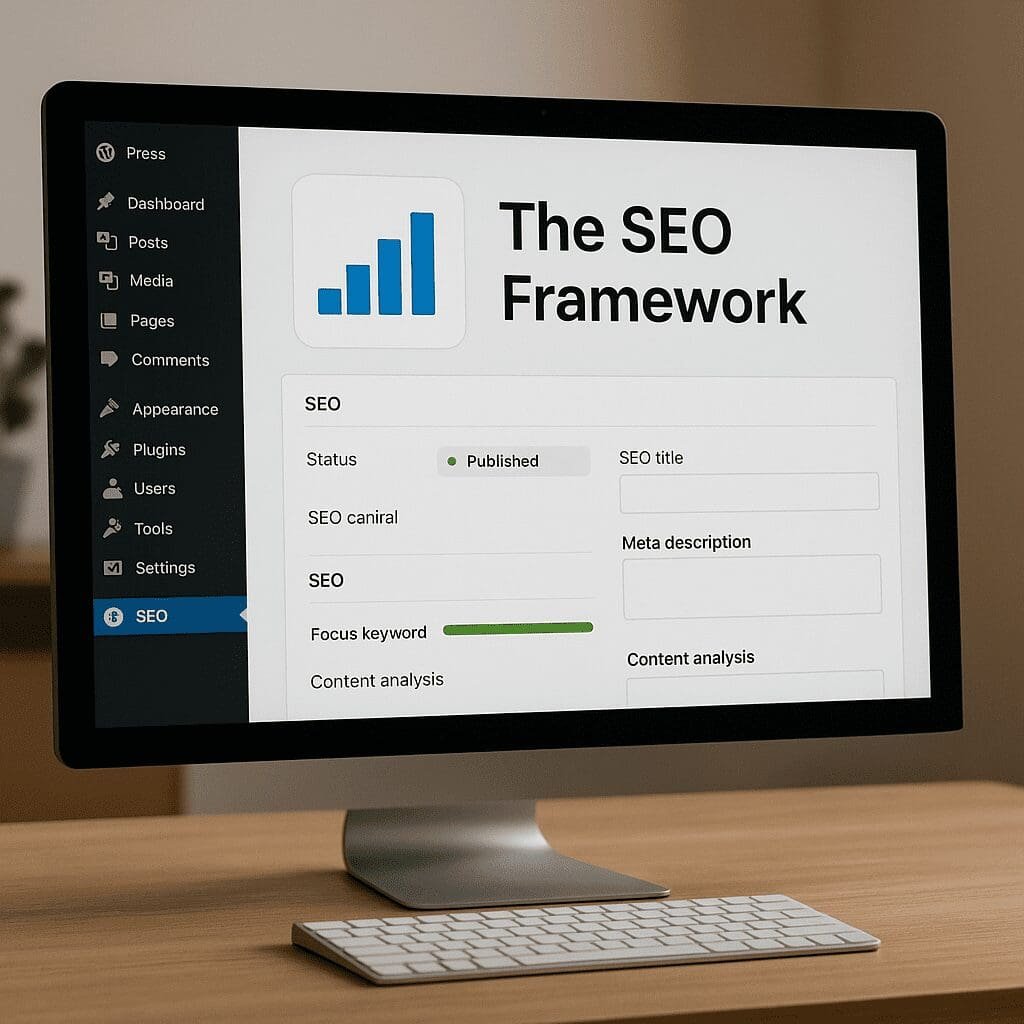
The SEO Framework
The SEO Framework is a lean, reliable WordPress plugin built to take care of the essential search engine groundwork with minimal fuss. Instead of chasing trends or covering your dashboard with alerts, it focuses on clean metadata, technically correct output, and tuned defaults that save time on every page and post you publish. That combination—paired with excellent SEO hygiene and smart defaults—makes it a dependable choice for creators, developers, and agencies who want results without bloat. If you’ve felt overwhelmed by feature-heavy suites or you manage high-traffic sites where stability matters, The SEO Framework (TSF) is designed to keep your site fast, organized, and ready for search engines, while respecting privacy and editorial control. It concentrates on the fundamentals: titles, descriptions, canonical links, sitemaps, social metadata, and consistent schema—all with an emphasis on performance and predictable behavior. In practice, it delivers tangible wins through automation, smart indexing controls, and safe defaults that scale from a small blog to a complex multilingual installation, packaged in an interface that favors clarity and usability.
What The SEO Framework is—and what it isn’t
The SEO Framework is a WordPress plugin created with a “do the essential things right” philosophy. It avoids advertising and nag screens, keeps the interface compact, and prioritizes technical accuracy over gimmicks. You install it, configure it once, and let it automatically generate the metadata and markup search engines expect. Most of its features live inside existing WordPress interfaces—post editors, taxonomy screens, and the Settings area—so it feels native and unobtrusive.
TSF is free at its core and offers an extension system for optional capabilities, including more advanced analysis and specialized schema. This approach allows the base plugin to stay exceptionally fast and stable, while users who need more can add only what’s necessary. Compared to larger SEO suites, TSF deliberately ships fewer marketing extras, preferring correctness, speed, and a straightforward setup that fits with any theme or builder.
Importantly, its design is privacy-first. It does not send your content to third-party services for scoring or tracking, and it avoids embedding scripts that gather user data. For many site owners—especially in regulated environments—this makes TSF attractive on compliance grounds alone.
Core capabilities that make a difference
Automated titles and meta descriptions
Titles and descriptions are the bedrock of discoverability and click-through rate. TSF generates both automatically based on site-wide rules you define. You can control title separators, branding placement, and the logic for how posts, pages, archives, and custom post types should render. For meta descriptions, TSF can create context-aware summaries from your content while letting you override the output on any post or term.
What stands out is how predictable and consistent the results are. The character and pixel-length indicators help you avoid truncation, and the fallback logic keeps even neglected archives from becoming blank or repetitive. If you delegate publishing to editors or contributors, this consistency maintains a professional baseline without extra training.
Canonical URLs and robots controls
Duplicate content and thin archives quietly erode search performance. TSF automatically adds canonical tags to point search engines to the preferred URL; it also lets you fine-tune robots directives, including noindex, nofollow, and nosnippet. You can globally set rules for search-result pages, date archives, author archives, and media attachment pages, then override them per post or taxonomy when needed.
The benefit is fewer index bloat issues, fewer duplicate URLs competing with one another, and a clear signal to crawlers about how your site should be explored. Think of it as an insurance policy for your content structure—one that keeps your “crawl budget” focused on pages that matter.
Open Graph and Twitter Cards done right
TSF outputs social metadata for platforms like Facebook, LinkedIn, and X (Twitter). It picks up featured images, summaries, and titles automatically, then gives you per-post overrides. This ensures that shared links look intentional and on-brand, which tends to improve user engagement and social referral quality. Because the markup follows platform conventions, you’re less likely to see broken previews or missing images.
Structured data you can trust
Schema.org markup helps search engines understand the meaning of your pages beyond the visible text. TSF includes a curated set of JSON-LD schema types aimed at common WordPress use cases—sitewide identification, posts and pages, and basic breadcrumbs—while avoiding overly aggressive markup that could conflict with your theme or third-party schema plugins. If you need more specialized markup, TSF’s extensions provide targeted additions for content types like articles or local businesses without overloading the base plugin.
XML sitemaps that stay in sync
TSF’s built-in sitemaps are generated dynamically and reflect your index settings. If you noindex a taxonomy or exclude a post type, the sitemap does not advertise it. This alignment reduces confusion for crawlers and helps keep coverage reports clean in tools like Google Search Console. The sitemaps work well with caching layers and handle pagination and media gracefully, so you spend less time resolving mismatches between settings and submitted URLs.
SEO Bar and smart guidance
Within the post list and editor screens, TSF adds an unobtrusive “SEO Bar” that uses color-coded indicators to highlight potential issues: missing descriptions, mismatched titles, blocked indexing, and other hygiene checks. Unlike gamified scoring systems, these checks do not encourage keyword stuffing or formulaic writing. They simply surface the technical tasks that affect discoverability and presentation, so you can author content naturally and fix the details that matter.
Multisite and multilingual awareness
TSF is well-suited for WordPress multisite networks and pairs smoothly with multilingual plugins. It helps keep canonicalization and metadata coherent across languages and sites, reducing the common pitfalls of duplicate or incorrectly linked translations. If you run regional variants or language-specific sections, TSF’s disciplined approach to metadata makes it easier to keep everything consistent.
Designed for speed and stability
Because TSF is compact and optimized, it adds minimal overhead to page rendering and the WordPress admin. It avoids heavy background processing and plays nicely with page caching, object caching, and CDN layers. For teams sensitive to TTFB or who run large content libraries, this frugality pays dividends in reliability and maintainability.
Security and privacy-first defaults
TSF avoids admin ads and third-party calls, providing a quieter environment for editors and fewer privacy implications for site owners. Settings are guarded with appropriate permissions and nonces, and the plugin is architected to reduce conflicts with other tools, minimizing the need for workarounds or custom code.
Does The SEO Framework actually improve SEO?
Yes—when judged by what an SEO plugin can control. No plugin can write your content, earn backlinks, or make your brand authoritative. But TSF excels at the aspects of technical on-page SEO that influence indexing, relevance signals, and how your pages look in search results and social feeds.
Specifically, it improves or safeguards the following:
- Clean, descriptive titles and meta descriptions that raise click-through rates for existing rankings.
- Correct canonical links and robots directives that prevent duplicate content and index bloat.
- Accurate, consistent structured data that helps search engines interpret your site and may unlock rich-result enhancements where applicable.
- Sitemaps aligned with your index settings, which makes crawling more efficient and reduces coverage errors.
- A fast, stable admin experience that encourages editors to follow best practices because the tools are simple and always available.
If you migrate from a setup with missing or inconsistent metadata, or from a plugin that allowed index bloat, you will often see cleaner coverage in Search Console, fewer duplicate title/description issues, and better presentation in SERPs and social shares. Those improvements translate into visibility and incremental traffic gains, especially on sites with many archives and post types.
Opinion: strengths, trade-offs, and who should use it
The SEO Framework is ideal for site owners who value predictability, speed, and a tidy admin interface. Its strongest traits are attention to the fundamentals and a philosophy that resists clutter. The result feels like a “quiet professional” that does the work behind the scenes and rarely needs intervention.
Strengths include:
- Excellent defaults and set-it-and-forget-it automation for titles, descriptions, and indexing controls.
- No upsell popups, no nagging notices—just a focused workspace for editors and developers.
- Lightweight output and minimal footprint, which helps page speed and overall stability.
- Consistent, standards-based metadata that plays well with themes, builders, and caching strategies.
Trade-offs to consider:
- Fewer built-in marketing extras (such as content scoring gamification or bundled 404/redirect managers). You’ll use dedicated plugins for those tasks if you need them.
- Fewer wizards and tutorials visible in the dashboard. TSF assumes you appreciate concise settings rather than step-by-step onboarding.
- Some specialized schema types and deeper analysis require extensions. The modularity keeps the core lean but may add decisions for power users.
Who should choose TSF? Developers and agencies managing multiple sites, publishers with large archives, privacy-conscious organizations, and any team that prefers a stable baseline over an ever-expanding feature set. If you want a distraction-free approach that stays out of your way after setup, TSF is a great match. If you need an all-in-one marketing suite with email integrations and keyword research inside the dashboard, you may prefer a different tool—or augment TSF with separate plugins designed for those tasks.
Recommended setup and best practices
Getting the most from The SEO Framework is straightforward. After installing and activating it, follow a quick checklist to align your site structure with search best practices.
Site identity and global templates
- Define your site title format and separators. Decide whether brand comes before or after the page title, and keep it consistent.
- Set up global meta description rules so unattended archives still get meaningful summaries.
- Configure homepage and blog page settings explicitly, because these URLs often carry extra weight in search results.
Indexing policies that prevent clutter
- Noindex low-value archives (search results, date archives, or thin author archives) unless you truly need them indexed.
- Review custom post types and taxonomies. If a type exists only to support layout or reusable content blocks, noindex it and remove it from sitemaps.
- Ensure media attachment pages redirect to the parent content or are noindexed to avoid orphan low-quality URLs.
Social presentation
- Set a default social image for pages without featured images to avoid empty previews on shares.
- Provide your organization’s logo and social profiles where applicable.
- Override titles and descriptions on key landing pages to tailor messaging for social networks.
Sitemaps in harmony with your structure
- Confirm that only indexable content types appear in your sitemaps; TSF aligns this automatically, but double-check after initial configuration.
- Submit the sitemap index to Google Search Console and Bing Webmaster Tools, then monitor coverage reports for a few weeks after launch or migration.
Editor workflow and quality control
- Encourage authors to check the SEO Bar before publishing: make sure there’s a descriptive title, a compelling meta description, and the correct index status.
- For cornerstone content, write custom summaries that highlight differentiators and match search intent; TSF’s fallbacks are strong, but hand-crafted copy can lift CTR.
Multilingual and multisite care
- In multilingual setups, keep titles and descriptions native to each language variant, and ensure internal links connect the correct translations.
- On multisite networks, establish a base configuration and export/import settings to maintain consistent policies across sites.
Performance considerations
- Use page caching and a CDN. TSF is compatible with popular caching plugins and does not fight them for control.
- Keep your theme’s head markup clean; avoid duplicate schema or Open Graph tags from multiple plugins.
Advanced options and extensions
Beyond the essentials, TSF’s extension system enables extra capabilities without bloating the core. Notable additions include more granular schema for specific content types (for example, article-centric details) and features that assist with content targeting. If you need local business markup—addresses, opening hours, geo-coordinates—or deeper editorial assistance for optimizing on-page copy around specific topics, extensions provide those layers in a controlled way.
Developers will appreciate TSF’s hooks and filters, which allow programmatic customization of titles, descriptions, and schema. If you run a headless setup or build custom post types for complex editorial models, you can tailor the output with code while keeping the core plugin’s logic intact. This is particularly useful for enterprise workflows that rely on CI/CD or WP-CLI automation to enforce consistency at scale.
Common misconceptions
Because TSF is calm by design, some users worry it isn’t doing enough. In practice, the “quietness” is a feature: if you’ve configured titles, descriptions, and indexing policies, TSF works in the background and rarely needs attention. A few clarifications help set expectations:
- It won’t replace quality content, speed optimization, accessibility, or link-building. Those remain separate disciplines.
- It doesn’t try to be a redirect manager or analytics suite. Use specialized tools for those tasks to keep responsibilities cleanly separated.
- It favors conservative schema to avoid conflicts; you can extend it where advanced types are justified.
- It provides guidance instead of content “scores,” which discourages keyword stuffing and formulaic writing.
Real-world impact: where it shines
Consider a magazine-style site with thousands of articles, multiple taxonomies, and frequent updates. Without disciplined metadata and indexing, these sites tend to generate vast numbers of thin archives and near-duplicate URLs. TSF’s canonicalization, archive policies, and sitemap alignment contain the sprawl. Editors can focus on stories, knowing that the technical scaffolding is consistent across authors and sections.
Or think about a portfolio site managed by a small team. The team wants polished social shares and credible search snippets, but not a heavy tool that distracts from creating. TSF’s automated output ensures every new project page generates clean metadata. Over time, those better-formed snippets lift CTR even at the same rank, translating into more leads with zero extra maintenance.
Agencies that maintain dozens of client sites often choose TSF to minimize surprises. It’s easy to standardize, fast to train editors on, and resilient during theme changes. When a client rebrands, titles and descriptions update predictably through global templates, avoiding weeks of manual cleanup.
Practical tips for ongoing success
- Review Search Console monthly. If you see spikes in excluded URLs, confirm your archive index settings and taxonomy structure.
- Refresh meta descriptions for high-impression pages a few times a year to test new messaging and improve CTR.
- Audit your Open Graph images for key pages before campaigns or product launches—social previews are free advertising.
- Keep an eye on theme or builder updates that add their own metadata; duplicate tags are a common source of confusion.
- Document a short editorial checklist so new team members follow the same publishing practices.
Bottom line
The SEO Framework is a mature, disciplined take on WordPress SEO. It solves the problems an SEO plugin should solve—consistently and quickly—without dragging extra weight into your stack. If you want a trustworthy foundation that respects your time, your visitors, and your site’s long-term health, it’s an excellent choice. Pair it with fast hosting, a well-built theme, and a sensible content strategy, and you’ll have a platform that scales from your first post to your ten-thousandth without drama.