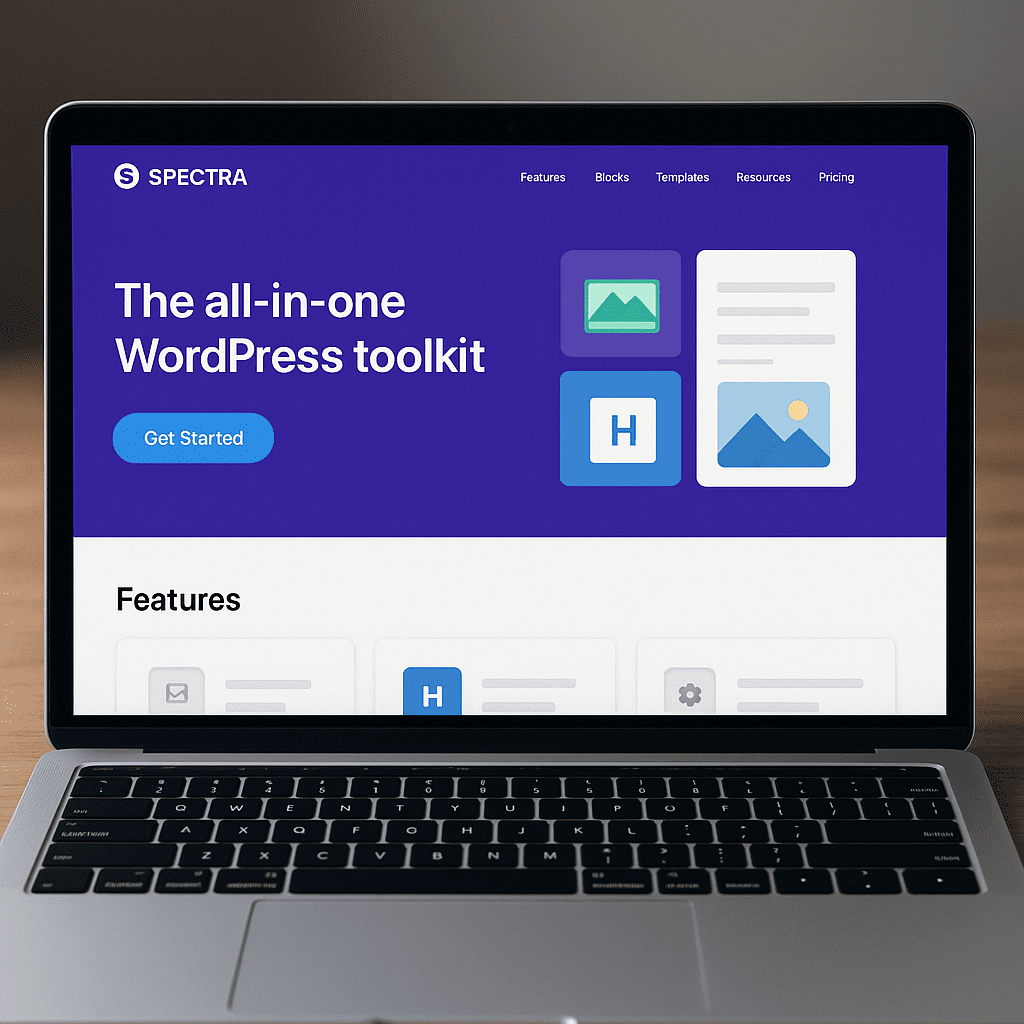
Spectra (Formerly Ultimate Addons for Gutenberg)
Spectra, formerly known as Ultimate Addons for Gutenberg, is a feature-rich extension that enhances the native WordPress block editor with a carefully curated set of tools for design, layout, and content creation. It bridges the gap between basic publishing and polished page-building, without detouring into heavy, code-laden ecosystems. Built by Brainstorm Force, the team behind the popular Astra theme, Spectra focuses on clean output, thoughtful defaults, and steady performance so editors can build pages that look professional, load quickly, and remain easy to maintain.
What Spectra Is and Why It Matters
At its core, Spectra expands the capabilities of the block editor by adding additional blocks, design presets, patterns, and quality-of-life features that make assembling modern layouts faster. Where the native editor provides a strong foundation, Spectra supplies the finishing kit: streamlined layout containers, advanced typography controls, conversion-focused components, and pre-built design sections that help non-designers achieve consistent results.
The rebrand from Ultimate Addons for Gutenberg to Spectra reflects a broader vision: it is not just a bundle of extras, but a cohesive set of tools aligned with WordPress’s own roadmap. Instead of inventing a separate page-building paradigm, Spectra stays inside the editor you already use. The practical payoff is twofold: content authors do not have to learn an entirely different interface, and developers retain control over markup, styling, and performance characteristics that align with WordPress best practices.
Compatibility has been central to Spectra’s growth. It works with most modern themes, supports classic theme workflows, and aligns with block themes and the Site Editor. If you already work with Astra, you’ll find streamlined defaults and patterns that mesh neatly with your theme settings, but Spectra is designed to play well regardless of your stack. By focusing on native principles, it tries to minimize lock-in and reduce the risk of future migration headaches.
Key Blocks and Capabilities
Spectra’s value shows up in the day-to-day elements you add to a page. While the exact catalog evolves, the plugin traditionally covers several categories that teams use repeatedly.
Layout and Structure
- Container and column controls that rely on modern CSS (flexbox or grid) to produce reliable, responsive layouts without relying on bulky frameworks.
- Spacing, alignment, and sizing options surfaced in clear controls so you can adjust gaps, padding, and margins without editing CSS.
- Visibility settings that let you hide or show elements on specific devices to keep the experience tidy across breakpoints.
Typography and Content Framing
- Advanced heading and text blocks that add fine-grained control over font sizes, weights, and letter spacing, as well as balance across devices.
- Info boxes, icon lists, and separators for scanning and visual hierarchy, helping readers navigate content quickly.
- Callouts, notices, and collapsible sections for highlighting key information without overwhelming the reader.
Media and Interactivity
- Galleries, carousels, and featured image layouts that avoid unnecessary scripts and rely on the editor’s media system.
- Tabs, accordions, and toggles built with accessible markup and keyboard navigation in mind.
- Animation options designed to be tasteful and performant, with controls to avoid excessive motion.
Conversion and Marketing Blocks
- Buttons and call-to-action sections with hover states and alignment options to keep your actions consistent and on-brand.
- Testimonials, team, and logo grids that bring social proof and credibility to landing pages.
- Pricing tables and feature comparisons for services and product pages, optimized for mobile readability.
Blog and Archive Enhancements
- Post grids and carousels that surface your latest or featured content with control over meta, excerpt length, and layout density.
- Author and taxonomy displays to enrich category, tag, or custom archive pages without requiring elaborate templates.
Quality-of-Life Features
- Design presets and global controls that help you establish a consistent look-and-feel across blocks without repetitive tweaking.
- Reusable patterns and wireframes so editors can drop in well-designed sections and replace the placeholder content in seconds.
- Copy-and-paste styles between blocks, reducing the friction of achieving visual consistency on large pages.
Crucially, Spectra strives to ship clean HTML and load only what a page uses. For large sites, this approach reduces the weight of unused assets and helps preserve performance budgets without sacrificing design flexibility.
How Spectra Affects SEO in Practice
While no plugin can guarantee higher rankings, Spectra supports an environment where search optimization efforts can succeed. Several features speak directly to discoverability and user experience—the twin pillars that modern search engines reward.
Schema-Ready Content Blocks
Spectra includes structured-content blocks like FAQs and How-To steps that can output appropriate schema markup. When used according to search engine guidelines, these can help your pages become eligible for rich results (e.g., FAQ accordions). Eligibility is not guaranteed—and misuse of schema can lead to reduced visibility—but having schema in the right format streamlines a task that teams otherwise have to hand-code or manage via multiple plugins.
Table of Contents and On-Page Navigation
A Table of Contents block improves scan-ability and creates jump links that keep users oriented inside long articles. Readers locate answers faster, dwell time improves, and bounce rates may soften—signals that correlate with overall content quality and better UX. Google does not reward a TOC by itself; it rewards clarity. Spectra’s TOC helps you present that clarity with minimal friction.
Clean Markup and Asset Loading
From an SEO perspective, clean markup—and resisting unnecessary JavaScript—reduces bloat that can hurt LCP, CLS, and INP (Core Web Vitals metrics). Spectra aims to load styles and scripts conditionally, block by block, so your homepage does not haul in the overhead of components it never renders. Pair this with smart caching and image optimization and you have a technical foundation that supports content quality rather than distracting from it.
Performance and Core Web Vitals
Spectra’s native alignment with the block editor helps maintain speed by keeping dependencies light. Because it extends core concepts rather than replacing them, Spectra typically avoids the overhead of parallel rendering systems common to third-party page builders. That means fewer reflows, less scripting, and simpler lifecycle events during page load. The result is a better shot at passing Core Web Vitals without resorting to aggressive deferrals that can undermine interactivity.
Works Alongside SEO Plugins
Most teams pair Spectra with a dedicated SEO plugin like Yoast, Rank Math, or The SEO Framework for metadata, sitemaps, and advanced indexing control. Spectra does not replace those tools; it helps you present content that those plugins can annotate and search engines can understand. Think of Spectra as providing semantic scaffolding, while your SEO plugin manages indexing, canonicalization, and SERP presentation.
Design System Thinking, Global Styles, and Editorial Workflow
One of Spectra’s quiet strengths is how it encourages design system thinking inside the editor. Instead of custom-coding a grid system or inventing a bespoke set of components, you align to Spectra’s blocks and patterns and let global controls define consistency. Editors can assemble pages with guardrails, and designers can set boundaries through presets and theme.json or Customizer variables.
Global Controls and Reusability
- Global color palettes and typography scale across blocks so you maintain brand consistency without manual overrides on every section.
- Block-level style presets let you define frequently used variants—like a CTA with a particular background and spacing—and reuse them throughout the site.
- Patterns and starter sections help non-designers deliver pages that look intentional, even under deadlines.
Editor Experience and Accessibility
Good tools get out of your way. Spectra’s controls for spacing, borders, and typography sit where editors expect them. For interactive blocks like tabs, accordions, and TOC, attention to semantics and keyboard navigation supports basic accessibility. While no plugin can guarantee WCAG conformance, Spectra’s emphasis on clean markup eases the path to accessible outcomes when combined with an accessible theme and content practices.
Forms and Lead Capture
Spectra’s form block covers typical contact and lead capture needs, with support for basic spam protection (such as honeypot and optional reCAPTCHA) and integrations through WordPress or third-party services. For teams with mature marketing stacks, it coexists with specialized form tools; for smaller sites, it removes the need for a separate plugin just to publish a simple contact form.
Spectra vs. Other Approaches
Comparing Spectra to full-fledged page builders like Elementor or Beaver Builder is a study in trade-offs. Page builders offer abundant visual controls and pre-styled widgets, often at the cost of heavier assets and an alternative editing experience. Spectra takes a different route: it extends the editor you already have. The benefit is a simpler stack, less risk of vendor lock-in, and better alignment with future WordPress capabilities. The cost is that you rely on core editor paradigms—so if you want elaborate visual effects out of the box, you may need to compose them from smaller primitives rather than drag in a monolithic widget.
Within the block ecosystem, Spectra sits among peers such as Kadence Blocks, Stackable, and GenerateBlocks. Each has its design philosophy: some prioritize minimalism and utility-first layout primitives, others ship flashier presets and animations. Spectra tends to balance pragmatic blocks with a strong emphasis on footprint control and real-world editorial needs. Teams invested in the Astra theme will appreciate the cohesion, but you can succeed with Spectra on other themes just as well.
Performance Characteristics and Best Practices
Even a performance-oriented plugin depends on choices you make in design and content. To keep pages fast, use Spectra’s tools with a light touch:
- Use the container and column blocks to build layouts that adapt naturally; avoid nesting too deeply, which can complicate DOM structure.
- Leverage responsive visibility rules to hide nonessential embellishments on small screens, keeping content density manageable.
- Choose image sizes appropriate to the layout and rely on WordPress’s native responsive images to avoid oversized assets.
- Resist unnecessary animations; focus on movement that communicates state or draws attention to a single priority action.
- Bundle styles with global controls and presets, then reuse patterns instead of rebuilding sections repeatedly.
- Test with Lighthouse and PageSpeed Insights to spot regressions in LCP, CLS, and INP as content grows.
Spectra’s philosophy—load only what you use, keep markup lean—pairs naturally with caching plugins and a CDN. Together they reinforce a fast, stable baseline that underpins both UX and search visibility.
Integration With Themes and the Site Editor
Because Spectra extends core blocks rather than replacing them, it translates smoothly into modern theme workflows. If you use Astra, you get pre-aligned spacing, typography, and layout defaults that make Spectra blocks feel native. With block themes and the Site Editor, Spectra patterns slip into templates and template parts, letting you craft headers, footers, and content sections consistently. If you prefer classic themes, Spectra continues to operate normally inside the post editor—it does not require full-site editing to be useful.
Importantly, Spectra reduces the chance of the long-term lock-in many site owners fear. Since it builds atop Gutenberg principles and outputs standard HTML, moving away from the plugin later typically leaves you with sensible markup rather than shortcodes or proprietary syntax. While certain design flourishes may rely on Spectra’s styling, the underlying content remains portable.
Security, Stability, and Maintenance
Given the plugin’s broad install base and active development, Spectra receives frequent updates and compatibility checks across WordPress versions. That cadence matters: block editor APIs evolve rapidly, and a lagging plugin can break editorial flows or introduce regressions. Brainstorm Force’s history maintaining production-grade products (notably the Astra theme) is a practical reassurance for teams that value predictable updates.
As with any plugin, you should keep Spectra updated, test changes in staging for mission-critical sites, and audit your stack for overlapping functionality. If your SEO plugin already injects certain schema types and you also deploy schema-enabled blocks, coordinate settings to avoid duplication.
Who Should Use Spectra
Spectra is a strong fit for small to mid-sized teams who want better layouts and polish without adopting a heavyweight page builder. Agencies that standardize on the block editor will appreciate its performance-minded approach and the speed it brings to production. Editors who create long-form content benefit from the TOC and structured content blocks. And if you are building a brand or marketing site that values agility—spinning up landing pages quickly, keeping copy editable by non-technical staff—Spectra offers a sane set of tools that stay within WordPress norms.
There are scenarios where another path may suit you better. If your design language depends on exotic animation timelines, 3D transforms, or highly customized interactions, a specialized builder or custom theme development might be warranted. Likewise, if your site inherits a complex legacy of custom fields and templates, aligning everything to block paradigms can take planning. That said, Spectra’s incremental approach makes it easier to adopt block workflows section by section, rather than a single disruptive rebuild.
Free vs. Pro and Support Ecosystem
The free version available from WordPress.org covers the essentials—enough for many sites to ship and grow. Spectra Pro adds additional blocks, more presets, advanced conditions, and conveniences aimed at power users and agencies. The specifics shift over time, but the pattern is consistent: the free core remains capable, the premium tier accelerates workflows and unlocks advanced use cases. Documentation, tutorials, and an engaged user community help shorten the learning curve, and commercial support is available for paid customers.
Practical Setup Tips
- Start with a design baseline: define your color palette and typography scale at the theme level before diving into block-by-block adjustments.
- Adopt Spectra’s patterns: build a library of hero sections, feature rows, CTAs, and pricing tables that your editors can reuse.
- Audit plugins: if Spectra covers functionality you previously installed through niche plugins (e.g., simple table of contents), remove the duplicates to avoid conflicts.
- Enforce editorial guardrails: document which blocks and patterns your team should use for specific scenarios to prevent design drift.
- Measure: set a baseline with Lighthouse, then re-test after adding major sections or third-party embeds; adjust if you see regressions.
Opinion: Strengths, Trade-Offs, and Verdict
Spectra’s greatest strengths are restraint and alignment. It enhances the editor without subverting it, it adds capability without weight, and it respects the idea that content should be durable regardless of the tools used to style it. For organizations wary of lock-in or inflated asset pipelines, this philosophy is refreshing.
The trade-offs are honest ones. Achieving highly ornamental designs may take more composition and forethought than dragging in a single mega-widget. Editors accustomed to visual builders might briefly miss the comfort of WYSIWYG layers and global effects. But the payoff is long-term maintainability, better technical health, and a smoother path through WordPress’s evolution.
In short, Spectra is a mature, well-supported block suite that prioritizes editor ergonomics and blocks-first architecture. It meaningfully improves templates and layout composition, encourages responsive thinking, and supports the conditions in which search optimization succeeds. For teams invested in WordPress as a sustainable platform—not just a quick publishing tool—it is a strong recommendation.
Frequently Asked Practical Questions
Is Spectra enough to replace a page builder?
For many marketing sites, blogs, and documentation hubs, yes. Spectra covers the majority of layouts and interactions those sites need, all within the native editor. If your design depends on advanced motion design, intricate sliders, or complex dynamic queries, you might supplement Spectra with custom code or specialized plugins.
Will Spectra slow down my site?
Spectra is designed with performance in mind and typically loads only what a page uses. As with any tool, it can be misused—deeply nested layouts, oversized images, or too many animations add weight. Follow best practices and test changes to keep your site fast.
Does Spectra improve rankings by itself?
No plugin directly raises rankings. Spectra supports a technically clean, fast site and provides structured content blocks that can help eligibility for rich results. Pair those with high-quality content, internal linking, and a solid SEO plugin to shape outcomes over time.
Is Spectra future-proof with WordPress updates?
Spectra follows the block editor’s evolution closely. Because it builds atop core editor concepts, it tends to ride upgrades more smoothly than tools that replace the editor. Still, keep a staging environment to test major updates before pushing to production.
Final Thoughts
Spectra earns its place in professional WordPress stacks by elevating the block editor with thoughtfully engineered components. It is a pragmatic choice for teams that value speed, maintainability, and long-term alignment with WordPress itself. By keeping to native paradigms, offering structured content options for search engines, and refining everyday editing tasks, Spectra helps you ship pages that are both beautiful and durable—pages that serve readers first, and algorithms second. If your priority is a resilient, content-first workflow, Spectra is an excellent companion to the modern editor and a credible foundation for building at scale with Gutenberg.