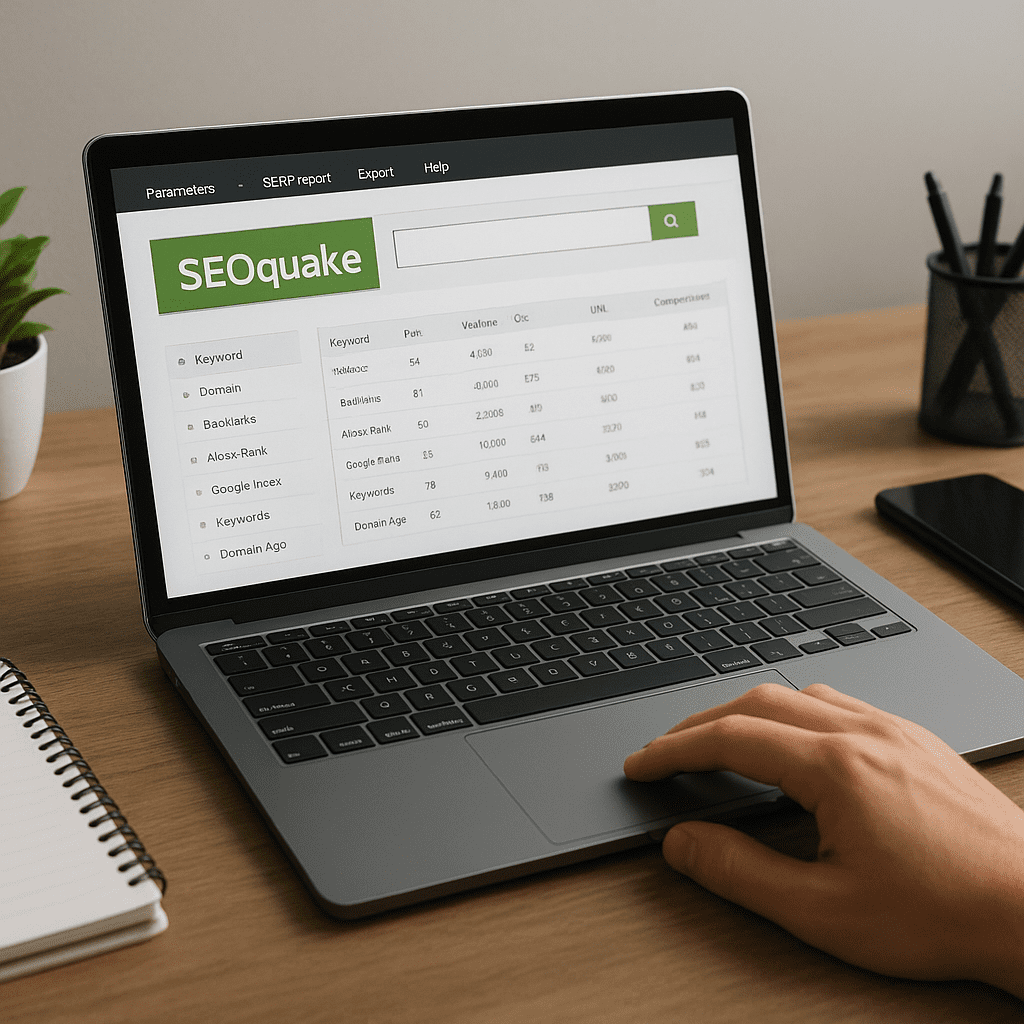
SEOquake
Among free browser extensions for marketers, SEOquake stands out as a compact, practical companion that puts essential search metrics next to every page you visit and every search result you scan. Instead of forcing you to open a full platform for every quick check, it layers contextual data, exposes technical roadblocks, and accelerates competitive reconnaissance right where you work: your browser. This article takes a comprehensive look at what SEOquake is, how it is used, where it excels, where it falls short, and how to integrate it into a durable SEO process.
What SEOquake Is and Who It’s For
SEOquake is a free browser extension from the team behind Semrush that augments webpages and search results with instant SEO measurements. It’s available for Chrome, Firefox, and other Chromium-based browsers, and it runs locally—no server setup required. The extension displays compact site and page metrics in a toolbar, provides an “on-page” diagnostics panel, overlays metrics on organic results, and allows fast exports to spreadsheets. It is purpose-built for:
- SEO generalists who need to triage site health and opportunity quickly.
- Content strategists assessing titles, headings, and topical focus at speed.
- Technical SEOs performing spot checks on internal linking, directives, and markup.
- Digital PR and outreach teams pre-qualifying potential partners and publishers.
- Agencies creating quick, visual snapshots for client conversations and competitor reviews.
Because it sits directly in your browser, SEOquake encourages high-frequency, low-friction checks throughout the day. You can confirm whether a URL is indexable, scan headings on a draft article, evaluate a competitor’s SERP footprint, or capture a CSV of search results before a meeting—all without leaving your tab.
Core Capabilities at a Glance
Toolbar overlay and page panel
The extension renders a compact bar with page-level metrics and a button to open a detailed panel. The panel organizes information about titles, descriptions, headings, meta directives, internal and external links, and basic technical checks. For many teams, this becomes the first look during QA before publishing new content.
Search results overlay
On any search engine results page, SEOquake displays metrics for each result row. This makes it easy to compare relative site strength, estimate traffic potential, see ranking URL paths at scale, and export a structured list for further analysis.
On-page diagnostics
The built-in diagnostics view highlights common issues: missing titles or descriptions, duplicates, unusual title length, improper heading hierarchy, mixed content, directives that might block indexing, and other quick wins. It’s not a replacement for a full crawler, but it is a dependable first-pass checker that solves a lot of daily decisions in seconds.
Keyword density report
SEOquake can produce a density report showing term frequencies across the page body, headings, and links. Used cautiously, this helps you detect accidental keyword cannibalization, over-optimization, or underrepresentation of key entities. It is best used as a lens rather than a target to chase.
Link examination
The extension gathers internal and external links with their attributes. You can filter and export links, quickly spot broken patterns, and review anchor text profiles at the page level. For larger scale link audits you’ll still use a crawler, but for spot checks and editorial QA, the speed is excellent.
Export and comparison utilities
SEOquake’s CSV export from SERPs is a small feature with outsized value: it turns an ephemeral, paginated search results list into a portable dataset. You can sort by path structure, group by domain, and annotate in your spreadsheet. The compare feature lets you review several pages or domains side by side to identify patterns and outliers.
How SEOquake Helps Day-to-Day SEO
To understand whether SEOquake “helps SEO,” focus on moments when fast, local insight changes a decision. Consider these time-savers that accumulate into substantial impact:
- Publishing QA: Verify titles, descriptions, canonical tags, and robots directives at the moment of publication—no waiting for a scheduled crawl.
- Competitor reconnaissance: Scan the top results and capture them with a CSV export for a quick opportunity map during a strategy session.
- Content refreshes: Load an underperforming article, inspect headings, measure term coverage, and locate internal link gaps.
- Link prospecting: Visit publishers, check basic engagement and authority signals, and record candidates faster than switching tools.
- Incident triage: A sudden traffic dip? Open affected URLs and check for unexpected directives, canonical drift, or layout shifts in headings.
SEOquake is not a ranking engine, but it assists the iterative practice of SEO—the daily, incremental, evidence-based choices that improve pages, site structure, and content alignment over time.
Deeper Look at the On-Page Diagnostics
When you click into the diagnostic panel, you’ll find structured checks divided into content, technical, and usability considerations. Typical items include:
- Title presence and length, and whether it appears unique.
- Meta description presence and length.
- Heading structure and potential duplication.
- Canonical tag presence and self-reference consistency.
- Robots meta directives and robots.txt interactions.
- Whether links are followed or blocked and where they point.
- Basic mobile viewport checks.
These checks are actionable in the hands of editors and engineers alike. Editors can quickly perfect page intent signals, while developers see immediate confirmation that templates emit correct tags—without waiting for a full site crawl to complete or a platform login to load.
SERP Overlay and Competitive Insight
SEOquake’s SERP overlay is a quiet superpower for content strategy. By peering at the visible layout of the results—snippets, sitelinks, FAQ remnants, intent shifts—you can form hypotheses about the type, format, and depth of content that wins. The overlay helps you:
- Detect intent patterns: informational vs. transactional, commercial investigation vs. local.
- Spot recurring content formats among winners: guides, comparisons, tools, templates.
- Evaluate the domain diversity and whether a topic is dominated by a few properties.
- Export results to CSV for clustering, tagging, and planning.
Because this happens inside the search results you actually see, the overlay keeps your brainstorming grounded in the same reality your audience experiences.
Practical Workflows You Can Reuse
1) Publishing QA in five minutes
- Open the draft page in your staging or live environment.
- Run the on-page diagnostics and prioritize missing or malformed basics (title, description, headings).
- Open the link list; verify key internal links exist and use descriptive anchors.
- Generate the density view to catch accidental repetition or gaps of your primary entities.
- Re-run checks after edits to confirm all signals are aligned.
2) Fast competitor mapping for a topic
- Search your main keyword and a few variants.
- Use the overlay to skim which domains repeat across queries.
- Export to CSV and group rows by domain and path structure.
- Mark the content formats that appear to rank repeatedly.
- Translate patterns into your outline: section structure, examples, visual elements.
3) Link opportunity pre-qualification
- Open candidate sites from your outreach list.
- Check link attributes quickly; confirm editorial sections exist and are active.
- Use the link and heading views to understand content depth and update recency.
- Record observations directly in your CRM or spreadsheet alongside the URL.
4) Migration spot checks
- Before flipping DNS, collect current top URLs via SERP exports for important queries.
- After launch, open representative pages and confirm canonical targets, titles, and directives survived template changes.
- Scan internal links to verify major hubs still receive links from key leaf pages.
Strengths That Make SEOquake a Keeper
- Zero-friction setup: Install and use immediately without paid seats or logins for basic features.
- Contextual speed: Surface the right data in the moment you need it—while browsing or searching.
- Lightweight QA: A fast companion for editorial and technical sign-off.
- Clean exports: CSV from SERPs turns messy lists into usable datasets for strategy and reporting.
- Team-friendly: Works for editors, writers, SEOs, and account managers without deep training.
Limitations to Understand and Work Around
- Shallow crawl depth: It analyzes one page at a time; large-scale site audits still require crawlers.
- Metric variability: Some metrics are estimates or third-party aggregates; treat them as directional.
- Over-reliance risk: It’s a helper, not a substitute for analytics, server logs, or full technical audits.
- Changing SERP features: Search layouts evolve; always validate with live results and your own tests.
- Privacy and governance: Don’t reveal confidential URLs during live demos or exports; sanitize before sharing.
Tips, Settings, and Customization
To get the most out of the extension, tailor it to your habits and environment:
- Toggle metrics you actually use; a lean overlay loads faster and reduces visual noise.
- Set the region and language to reflect your target market for SERP review.
- Pin the toolbar so diagnostics are one click away on any page.
- Use keyboard shortcuts to open the density or link views while scanning content.
- Establish internal QA criteria: for example, title length bounds, heading rules, and canonical expectations.
How It Fits with the Rest of Your Stack
Think of SEOquake as the scout at the edge of your stack. It complements specialized tools instead of competing with them:
- With a crawler: Validate page templates before a long crawl, then use the crawler to confirm at scale.
- With analytics: Form hypotheses from overlays and diagnostics, then verify outcomes in your analytics and search console.
- With writing tools: Have copywriters run a quick page check to catch structural issues before the SEO review step.
- With link tools: Pre-qualify opportunities in-browser, then score and track them in your backlink platform.
Feature Highlights Worth Knowing
- Quick canonical verification: Instant confirmation prevents subtle duplication issues.
- Nofollow highlighting: Toggle to reveal link attributes across editorial pages for a fast feel of linking policies.
- Density by section: Separate counts for headings vs. body copy help detect disproportionate emphasis.
- Lightweight link scrape: Export page links to seed crawls or manual reviews.
- Snapshot sharing: CSV exports from search results give teammates a common starting point without screenshots.
Does SEOquake Improve Rankings?
No browser extension directly changes rankings. What SEOquake does is reduce the friction between you and better decisions. By surfacing problems early—like mismatched titles and queries, orphaned pages, or misguided canonicalization—it helps teams deploy corrective actions faster. Over weeks and months, fewer oversights and faster iteration translate to healthier crawling, clearer signals, and more competitive content.
Balanced Opinion: Where It Shines, Where It Doesn’t
There’s an admirable pragmatism in SEOquake’s design. It doesn’t try to be all things; it accelerates common workflows that every SEO touches daily. The overlay and CSV export for search results are habit-forming because they slot naturally into brainstorming and planning. The on-page checks catch a large percentage of avoidable mistakes before they become expensive.
On the flip side, the tool won’t replace a comprehensive audit, a full backlink index, or your analytics. Some site-wide questions—crawl budget allocation, systemic rendering issues, or log-derived insights—live well outside the scope of a browser extension. As long as you recognize that boundary, SEOquake remains a reliable accelerant rather than a crutch.
Guided Examples for Common Scenarios
Refreshing an underperforming article
- Open the article and run diagnostics: are title and headings aligned with the searcher’s task?
- Open the density report: identify missing supporting entities and semantically related topics.
- Check internal links: ensure the article sits in a cluster with hub pages and adjacent explainers.
- Compare top competitors via SERP export: what structural elements do they share that you lack?
Building a content cluster outline
- Search the head term and related queries; export top results for each.
- Map recurring subtopics and intent variations; group by content format.
- Draft a hub-and-spoke structure, verifying that each spoke targets distinct intents.
- Use on-page checks during writing to keep titles, headings, and links consistent.
Pre-launch template validation
- Load a sample of templates: category, product, blog, and landing pages.
- Confirm presence and correctness of canonical tags, title logic, and meta directives.
- Inspect internal navigation links and breadcrumb behavior.
- Repeat on mobile view; confirm viewport and meta tags behave as expected.
Common Misconceptions
- “It’s only for technical SEOs.” In practice, editors and PMs find immediate value during content planning and QA.
- “The density number is a target.” Density reveals patterns; chasing a number often degrades readability and intent match.
- “If the page looks fine in the browser, Google sees it the same way.” Diagnostics help reveal directives and tags the user can’t see but search engines rely on.
- “One metric can crown a winner.” Treat overlay metrics as directional; triangulate with your analytics, search console, and testing.
Recommendations for Team Adoption
- Create a short SOP that defines your baseline checks before a page goes live.
- Train editors to validate titles, descriptions, and headings with the diagnostics view.
- Teach account managers to export SERPs for meeting prep and opportunity mapping.
- Encourage engineers to use it during template development to verify tag output early.
Security, Privacy, and Etiquette
When exporting search results or inspecting third-party pages, remember basic hygiene: avoid sharing private or embargoed URLs, sanitize exports before distributing to clients, and respect robots directives and site policies. The extension does not replace your legal and compliance guardrails.
Final Take
If your work touches SEO frequently, installing SEOquake is a low-effort decision with compounding benefits. The extension won’t conduct a full audit for you and it won’t promise rankings, but it will reveal issues early, illuminate competitive patterns directly in the SERP, and streamline the steps between observation and action. In a field where speed of learning compounds, tools that shave minutes from everyday checks are strategic advantages. Pair SEOquake’s fast, local insights with your crawler, analytics, and editorial process, and you’ll find it quietly upgrading your workflow every single day.
Glossary of Useful Concepts in Context
- on-page: Elements and signals present directly on a webpage—titles, headings, copy, internal links, and technical tags—that influence how a page is understood and ranked.
- metadata: Descriptive tags such as title and meta description that summarize page content for search engines and users.
- backlinks: Links from other websites pointing to your pages, signaling authority and relevance.
- nofollow: A link attribute suggesting that search engines should not pass ranking credit through that link.
- indexation: The process by which search engines add your pages to their searchable database; directives and technical setup influence whether and how pages are indexed.
- benchmark: A reference point for performance or quality; in SEO, comparing your pages against competitors’ patterns and standards.
- SERP: The search engine results page—a dynamic environment where user intent reveals itself via the mix of results and features.