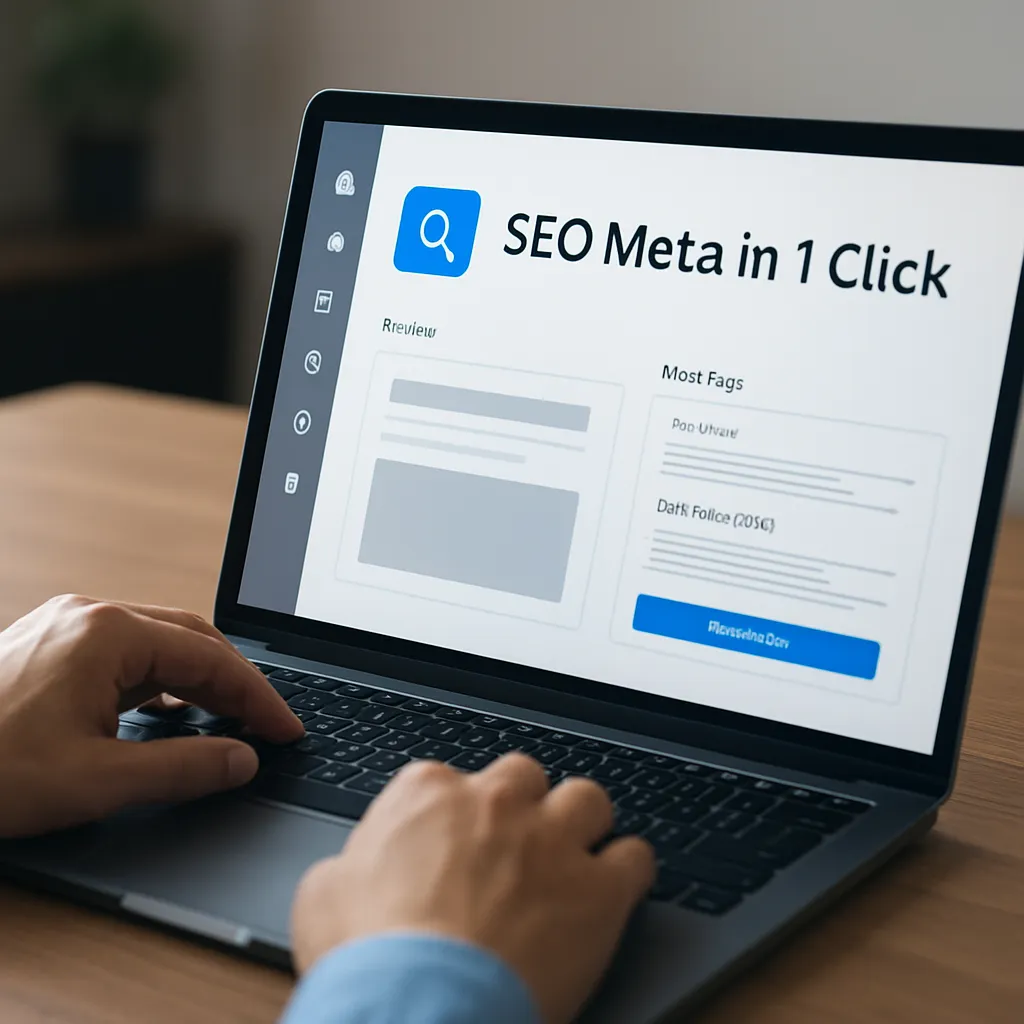
SEO Meta in 1 Click
SEO Meta in 1 Click is a compact browser extension that exposes the most important on-page elements of any URL in a single, organized overlay. Instead of opening View Source, digging into DevTools, or pasting a page into a checker, you click the icon and instantly see titles, descriptions, headings, directives, links, images, social tags, and more. For SEOs, copywriters, editors, and product teams, this saves minutes per page and prevents costly oversights that can quietly erode search performance. The tool does not promise rankings magic; it promises clarity. By revealing the page the way a crawler might, it reduces guesswork and speeds up decisions. Below you’ll find a practical tour through what it is, how it helps, where it falls short, and why it has become a staple in many optimization workflows.
What exactly is SEO Meta in 1 Click?
At its core, SEO Meta in 1 Click is a free extension for Chrome and most Chromium-based browsers (such as Edge, Brave, Opera). Once installed, it adds a small icon to your toolbar. Clicking it on any web page opens a panel that lists crucial elements extracted directly from the HTML and response headers. You see the page title and meta description with their lengths, the URL, canonical and alternate links, robots directives, headings from H1 through H6, image counts and alt attributes, social media tags, and common technical signals that influence discovery and ranking.
What makes it useful is the way it condenses dozens of routine checks. Instead of switching between multiple tabs and tools, you stay in the page context. The extension is also read-only: it does not change the page, inject content, or attempt optimizations on your behalf. It simply reports the facts in front of you, making it ideal for quick audits, QA, and editorial reviews. If you collaborate with engineers, it helps you communicate precisely which tags are missing or misconfigured without requiring a deep dive into source code.
Importantly, it complements—rather than replaces—other tools. A crawler can analyze thousands of URLs and produce trend-level insights. Analytics tools can show engagement and conversions. Logs can reveal how bots behave. SEO Meta in 1 Click focuses on the single-page view: it answers the question, “What does this page present to a search engine and to platforms that rely on tags?” That tight focus is its strength.
What the extension reveals and why it matters
Meta title, description, and core identity
The top section highlights the title tag and meta description, often with character counts. These are the most visible snippets in search. You can quickly detect truncation risk, duplication, or a mismatch between the title and the on-page H1. The panel also shows the URL, language hints, and sometimes the viewport meta tag for mobile readiness. Having these in one place helps you build consistency between naming, messaging, and intent. If you manage a site with multiple authors, a fast check here can prevent thin or templated copy from slipping into production unnoticed. In many content management setups, production templates override author fields; being able to verify this downstream, live on the page, is invaluable.
Robots directives and canonicalization
Two small lines can have the biggest impact: meta robots and link rel=”canonical”. SEO Meta in 1 Click surfaces both. If you see a “noindex” you didn’t expect, you can diagnose it before traffic tanks. If rel=”canonical” points away from the URL you’re viewing, you immediately know this page defers primary equity to another address. In faceted navigation, pagination, and duplicate-content scenarios, canonical is a key steering signal. With one glance, you can decide whether consolidation is working as intended or if you’ve created self-competition. The extension also exposes x-robots-tag headers when present, which is critical when directives are set at the server level rather than in HTML. It’s a simple sanity check with outsized consequences.
Headings and content structure
The headings tab enumerates H1 through H6 in order of appearance. Clear hierarchy is not just for SEO; it’s for readers and screen readers. A single, descriptive H1 aligned to the title, followed by logical H2/H3 subsections, helps algorithms interpret topical coverage and users scan the page. When you find multiple H1s, empty headings, or headings used purely for styling, you catch both clarity and maintainability issues. While the extension cannot judge writing quality, it gives you immediate visibility into structure, making it easier to coach authors and enforce editorial standards that support clarity and accessibility.
Links, internal architecture, and discoverability
Internal links distribute relevance and guide bots. The extension lists links and their attributes (nofollow, noreferrer, sponsored, etc.), sometimes grouped by internal versus external. You can spot broken patterns, such as adding nofollow to navigational items, or sending users (and crawlers) into parameter noise. The net effect is improved crawlability and healthier indexation. Seeing the anchor text in context also reveals when templated anchors (“Learn more,” “Click here”) dominate, diluting semantic signals that could guide engines. For large sites, this quick view is like a flashlight: not a full map, but perfect for finding the next step you should take.
Images and alternative text
Images are assets for both users and algorithms. The tool enumerates images and surfaces alt attributes, sizes, and occasionally file types. Missing or redundant alts signal maintainability issues, and oversized images slow performance. For publishers, product teams, and newsrooms, routine checks here prevent slow pages and missed opportunities in image search. Even when you use a modern CMS, templates or automatisms can strip or duplicate alts; verifying live output protects against regressions. It also accelerates editorial QA: you can verify that visuals are labeled accurately without hand-inspecting the DOM.
Social tags and rich sharing
Many platforms pull snippets via Open Graph and Twitter Card tags. SEO Meta in 1 Click surfaces og:title, og:description, og:image, and card data so you can confirm how your content will appear when shared. While this has indirect SEO effects, it directly influences CTR from social and messaging apps. The number of times a brand scrambles because the wrong image shows up in a share preview is not small; catching this preemptively avoids embarrassment and maintains consistency across channels. It also encourages cross-team alignment: marketing teams can confirm their requirements are respected without asking developers for a special preview environment.
Internationalization and language hints
If your site serves multiple locales or languages, hreflang is essential. The extension lists hreflang annotations and x-default when present, enabling quick checks for mismatched codes, self-referential tags, or missing reciprocals. Combine this with canonical checks to see if language variants consolidate correctly. International SEO often fails on small implementation details; having immediate visibility makes it feasible to QA every key template before rollout and spot regressions after deployments. You can also verify that changes in translation management systems propagate to the front end as expected.
Technical signals, status, and performance context
Some builds of the tool show HTTP status codes, meta viewport, and potential indexing hints. While it’s not a full performance profiler, incorporating a mental model of speed matters: search engines increasingly weigh user experience, and signals like Core Web Vitals tie into layout and resource loading. The extension won’t run a Lab or Field test, but it complements those efforts: you see elements that impact above-the-fold paint (hero images, large headings) and can quickly spot anti-patterns like oversized background images or render-blocking tags. Combine it with Lighthouse for deeper diagnostics.
Structured data and enhanced results
The structured data section reveals JSON-LD, Microdata, or RDFa blocks. If you implement product, article, FAQ, event, or organization schemas, you can confirm types and properties at a glance. This is the first step before validating in a testing tool. Because schema is often generated by plugins or stitched into templates, small mistakes happen—missing required properties, wrong data types, or multiple conflicting blocks. Seeing all snippets in one place gives you a quick read on scope and conflicts. Rich results in SERPs depend on robust structured data, and a quick surface-level check saves a round-trip with developers.
Does SEO Meta in 1 Click actually help SEO?
Directly, no extension can move rankings; changes to code, content, and links do that. Indirectly, this tool helps in three measurable ways. First, it reduces time to diagnosis. Instead of filing vague tickets, you specify “canonical points to X but page should self-canonicalize,” or “meta robots noindex set unexpectedly on collection templates.” That specificity gets fixes shipped faster. Second, it increases coverage. Teams use it to spot missing meta descriptions, duplicate titles, and broken hreflang long before crawlers alert them. Third, it improves quality assurance. Pre-launch checks using a compact overlay catch regressions left by template updates or plugin changes. Small, repeated gains add up to healthier pages and more reliable discovery.
There are limits. The tool shows what’s on one URL, not trends across a site. It cannot simulate a rendering engine’s dynamic behavior beyond what’s in the final DOM at click time. It doesn’t test redirects across a site map, check server logs, or tell you how competitors perform in aggregate. Use it as a microscope, not a telescope. Pair it with a crawler, a ranking tracker, an analytics suite, and log analysis for the full picture. But as microscopes go, it’s a good one—fast, clear, and always at hand.
Installation, setup, and a repeatable workflow
Getting started is straightforward: add the extension from your browser’s web store, pin the icon, and visit any page you manage or want to review. From there, develop a consistent routine so your checks become muscle memory. A simple five-minute circuit can prevent hours of cleanup later.
- Open the panel and confirm title and meta description align with search intent and the page’s primary H1.
- Verify rel=”canonical” is accurate (self-referential for canonical pages; pointing to the right parent for duplicates or filtered views).
- Check meta robots and x-robots-tag headers for unexpected noindex, nofollow, or noarchive directives.
- Scan headings (H1–H3 at least) for clarity, uniqueness, and logical progression.
- Review internal links: are the key pages linked with descriptive anchors? Are there accidental “nofollow” attributes on navigational links?
- Glance at images: confirm meaningful alt text for critical visuals and a sane file size for rapid rendering.
- Confirm social cards: og:title, og:description, og:image render as intended for sharing.
- For multilingual pages, verify hreflang pairs and x-default.
- Review structured data blocks and note any duplication or missing required properties.
- Cross-check the XML sitemap (outside the extension) to ensure this page is included when appropriate.
Over time, you’ll refine this checklist per template type. For instance, product pages might require price, availability, and SKU structured data, while editorial pieces might emphasize author, datePublished, and headline consistency. The extension gives you the raw visibility to enforce these patterns quickly and consistently.
Three practical scenarios where it shines
E-commerce product pages
Product templates often spawn duplicates: color variants, regional inventory, filtered collections. Within minutes you can verify whether variants canonicalize to a parent SKU, whether pagination or filters leak into indexable pages, and whether product schema includes price, availability, and review count. Check that primary product images have alt text that reflects the product name and key attributes. Confirm that the H1 matches the PDP name and that title tags are not over-templated (“Buy Product X | Best Price | Free Shipping” repeated ad nauseam). Small fixes—like clearer H2s for features and FAQs—help both users and search engines interpret the page fully.
News, blog, and editorial
Timing matters in publishing. With the extension, you can confirm that the headline and title cohere, avoid duplicating the site name in every title, and ensure dates and authorship appear in schema. Social previews are crucial: an outdated image can hurt shareability even if the story is timely. You can also scan headings to confirm a narrative arc: H2s that reflect the story’s beats help scanners and algorithms alike. When updating evergreen content, double-check rel=”canonical” to avoid pointing back to an earlier version unintentionally. If your CMS injects lazy-loaded images, verify alt text still makes it through rendered output.
Local service and lead generation
Local pages frequently fail on consistency. The extension helps ensure the business name, address, phone number, and opening hours are reflected correctly in both visible content and schema. Confirm that the primary service area pages are interlinked and not orphaned, and that no accidental noindex directives exist on location templates. Social tags matter here as well, because local shares often propagate in community groups. A clean, descriptive og:image with branding can improve click-through while keeping messaging coherent across channels.
How it compares to other quick-audit tools
Several extensions compete in this “single-page audit” niche. SEOquake offers a robust toolbar with SERP overlays; the Detailed SEO Extension provides a polished interface and extras like rendered HTML views; MozBar incorporates on-page checks with link metrics for subscribers. SEO Meta in 1 Click keeps things lean and focused on clarity. It avoids heavy UI chrome, performs quickly, and reads directly from the page. That simplicity is especially useful in client environments or locked-down enterprise devices where you want low footprint and predictable behavior.
Where alternatives may go further—such as exporting data, integrating third-party metrics, or highlighting rendered versus source DOM differences—this tool sticks to the essentials. Teams often install more than one extension: use SEO Meta in 1 Click for speed, then open another tool when you need link metrics, markup diffing, or advanced export. The ideal setup depends on your role: technical SEOs might prefer deep render analysis, while content teams benefit most from a clear, fast overlay during drafting and review.
Tips, habits, and power-user moves
– Pin the icon and assign a keyboard shortcut in your browser so opening the panel becomes automatic as you QA pages.
– Pair the extension with a simple spreadsheet checklist for each template type. During a sprint or content push, speed matters; your future self will thank you for a repeatable routine.
– Use it to verify staging builds before launch. Even if staging is noindexed globally, the underlying tags should reflect launch intent: correct titles, canonical targets, schema presence, and social cards. Catching divergences early avoids emergency hotfixes.
– Cross-reference findings with Lighthouse and a network tab view. If the extension shows correct tags but the network waterfall reveals blocking scripts and massive images, you have a UX problem that can affect engagement and indirectly harm SEO. Balance content and performance: don’t treat them as separate streams.
– Adopt a content-handoff ritual: before a post or product goes live, the editor clicks the icon and checks five elements—title, H1, description, canonical, social image. This tiny ceremony pays dividends in consistency and reduces rework.
Data handling, privacy, and safety considerations
Because SEO Meta in 1 Click reads data present in the page you’re viewing, it typically doesn’t need expansive permissions beyond access to the current tab. It doesn’t need your analytics credentials, doesn’t crawl your site, and doesn’t send summaries to external servers under normal operation. That makes it appropriate for regulated environments where tooling must be low-risk. Still, standard extension hygiene applies: install from the official store, keep it updated, and periodically review permissions. If your company uses a managed browser policy, involve IT to whitelist the extension.
On performance, the extension is lightweight and runs on demand. It parses the DOM when you click, so it shouldn’t degrade browsing speed. Nevertheless, in heavy pages with complex scripts, give it a second to gather headings and links. If you work primarily with SPAs or dynamic rendering, open the panel after the page has fully loaded to ensure the tool reads the final state rather than a partially hydrated DOM.
Common pitfalls the tool helps avoid
– Accidentally deploying a sitewide noindex due to a misapplied template condition.
– Pointing canonical tags to staging or parameterized URLs after a release.
– Shipping duplicate titles and descriptions across tens of pages due to CMS defaults.
– Breaking social previews with missing or outdated og:image references.
– Creating multiple H1s or empty headings that confuse both readers and parsers.
– Implementing incomplete schema that fails eligibility checks for rich results.
Each of these issues is small in isolation, but they erode trust and performance. The extension is a backstop against such leaks, raising a flag at the page level before they scale into systemic problems.
A balanced opinion and who will get the most value
SEO Meta in 1 Click earns its place not because it is flashy, but because it is dependable. It opens instantly, tells you what’s on the page, and gets out of your way. Content strategists use it to sanity-check messaging and headings. Technical SEOs use it to validate directives, canonicalization, and schema. Product managers and QA use it to confirm that a new template emits the intended tags. Even designers benefit: rapidly scanning headings and image alts encourages more usable, inclusive patterns.
The extension will not replace crawlers, rank trackers, analytics, or log analysis; it is a complement. Treat it as the first step in every on-page review, a ritual that nudges teams toward clarity. Pair its findings with broader diagnostics, and you have a tight loop from observation to action. For organizations that value speed and precision in their publishing pipeline, this small tool delivers outsized returns in fewer mistakes, clearer communication, and ultimately, more resilient organic performance.
Final thoughts: making the most of a small but mighty tool
The reason SEO Meta in 1 Click persists in so many toolkits is simple: it reinforces good habits. It keeps attention on elements that matter—title, description, headings, directives, links, images, social previews, and schema—without ceremony or bloat. It invites teams to verify, not assume. Used consistently, it promotes a discipline of shipping pages that are coherent, well-structured, and discoverable. Combine it with broader processes—content research, link architecture, technical hygiene—and you get compound gains. A click to reveal metadata, a glance at canonical, a check on robots, a note on crawlability and indexation, confirmation of structured data, proof of Open Graph readiness, awareness of Core Web Vitals implications, attention to accessibility, and a final look at the sitemap—it’s a short routine that makes a long-term difference.