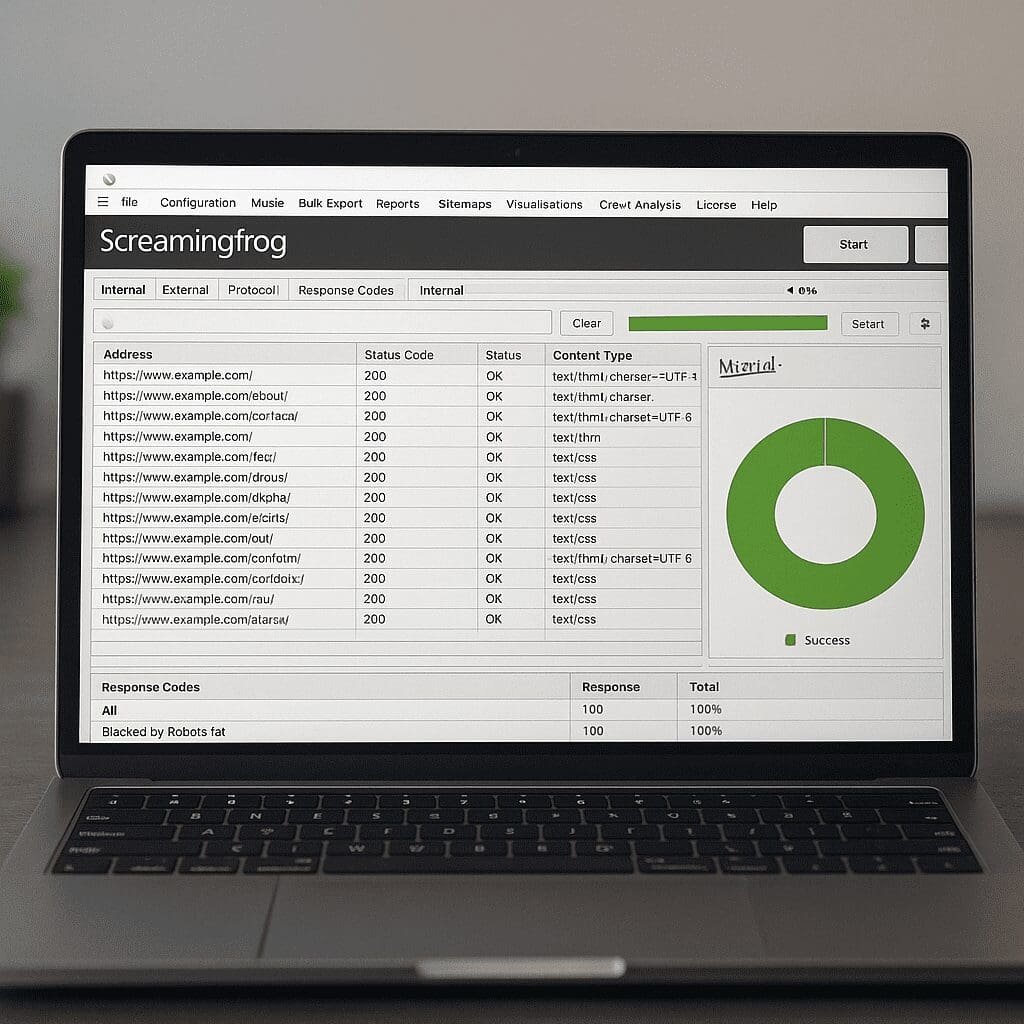
Screaming Frog SEO Spider
Screaming Frog SEO Spider is a desktop website crawler used by agencies, in‑house teams, and developers to turn a site’s structure into actionable data. It inspects URLs the way a search engine might, collecting information about response codes, titles and meta descriptions, headers, canonicals, directives, scripts, images, internal links, and much more. For small websites it can be run ad hoc, and for large properties it scales with configuration, automation, and scheduled runs. More than a simple checker, it functions as a flexible analysis platform that connects to analytics and performance APIs, exports clean datasets, and supports custom extraction so you can answer almost any technical or content question with evidence. If you rely on SEO for growth, this tool is often the fastest route from hunch to proof.
What the Screaming Frog SEO Spider actually is
At its core, the SEO Spider is a desktop application that behaves like a bot. You point it at a domain, subdomain, or list of URLs, and it systematically requests pages, obeying rules you define. It runs on Windows, macOS, and Linux, and offers two modes: a free edition that crawls up to a set limit of URLs, and a paid license that unlocks unlimited crawling, scheduling, API integrations, and advanced reports. Because it’s local software, you maintain control over the machine’s resources, network configuration, and data security, which is an advantage in regulated environments or when auditing sensitive staging sites behind authentication.
The interface divides results into intuitive tabs—Internal, External, Response Codes, Page Titles, Meta Description, H1, H2, Images, Directives, Canonicals, Hreflang, and others—each with filters to isolate issues and exports to capture them. Under the hood, the application can render pages with or without JavaScript, follow robots rules, limit or expand the crawl to patterns you care about, and enrich raw crawl data with API sources such as analytics and performance metrics. It’s a crawler first, but its strength lies in how it translates that crawl into insight.
How it crawls and why that matters
When you start a crawl, the spider fetches the starting URL, extracts links, and follows them according to scope rules. It can emulate a search engine bot’s user‑agent or a custom one, respect or ignore robots.txt, throttle speed to protect servers, and handle cookies, authentication, proxies, and custom headers. Two storage modes—memory or database—let you optimize for speed or scale. Database storage allows very large crawls on modest hardware by writing to disk and re‑opening projects later without rerunning the crawl.
JavaScript rendering is a pivotal setting. Many modern frameworks load critical content client‑side. With rendering enabled, the spider uses a headless browser to execute scripts, capture dynamic content and links, and compare raw HTML to rendered output. This reveals gaps between what developers intend and what bots actually see. The tool also supports a List Mode for checking arbitrary URLs (handy for migrations or one‑off checks) and a “crawl analysis” step that computes internal link scores, orphaned URLs, and other derived signals once fetching is complete.
Beyond full‑site spidering, you can build laser‑focused crawls using include/exclude patterns, URL parameters, and path‑based segmentation. That way you can, for example, audit only product category pages, or only pages that contain a certain template marker in the HTML, and get results in minutes rather than hours.
Core features that drive results
Status codes and redirect intelligence
The first job of any crawler is to flag broken and misdirected links. The spider surfaces 4xx and 5xx responses across internal and external links, highlights redirect hops and loops, and provides “redirect chains” reports to consolidate multiple 301s into a single, efficient hop. This reduces latency and preserves link equity, especially vital in complex site migrations and legacy architectures.
Titles, metas, headers, and on‑page basics
It audits titles and meta descriptions for length, duplication, and emptiness, evaluates H1/H2 usage, and spots missing or duplicate headings. Pixel‑width calculations reflect how titles may truncate in search results, and bulk exports let you hand developers precise lists with URL, current value, and recommended fixes. It also tallies word count and detects thin content across templates or sections.
Canonical and directive validation
Canonical links tell engines which URL should consolidate signals; the spider tests if canonicals are self‑referencing, absolute, consistent with redirects, and not pointing to non‑200 pages or different protocols/hosts. It simultaneously checks meta robots and X‑Robots‑Tag directives for noindex, nofollow, and noarchive—and whether they conflict with canonicals. Few issues tank discoverability faster than broken crawling rules or contradictory signals, so bringing these to light is one of the tool’s highest‑value uses.
Hreflang and international SEO checks
International sites often suffer from incorrect language/region annotations. The Hreflang report identifies missing return links, invalid language codes, conflicting canonicals, and chains that point to non‑canonical URLs. These issues cause search engines to show the wrong locale or duplicate listings. With a clear matrix of language pairs, you can fix systemic errors and re‑establish relevance per market.
Structured data, schema, and validation
The spider detects JSON‑LD, Microdata, and RDFa and flags syntactic and semantic issues using schema definitions. You can extract specific fields—like product price, availability, or review rating—via CSSPath, XPath, or regex, then compare them to what your templates are supposed to output. This is invaluable during template rollouts where a single variable name can break thousands of rich results.
Images and media optimization
Images without alt text, files that exceed sensible size thresholds, and unnecessary formats are easy to find. The spider lists dimensions, file sizes, and where images are used, so you can prioritize compressions and lazy‑loading. That’s not just accessibility; it supports performance budgets and conversion on image‑heavy pages.
Internal links and architecture
You can map click depth, identify orphaned pages by combining crawl data with sitemaps and analytics sources, and compute a rough “link score” that approximates how internal equity flows. This makes it straightforward to reduce depth for key pages, consolidate stray content, and improve crawl paths to parts of the site that matter commercially.
Duplicate and near‑duplicate detection
The spider classifies exact duplicates and computes near‑duplicate similarity to catch thin or overlapping pages caused by faceted navigation, CMS quirks, or template reuse. Pair these reports with canonical recommendations to consolidate signals, reduce crawl waste, and improve topical focus across sections.
Visualizations
Force‑directed crawl diagrams, directory trees, and crawl path reports turn raw graphs into pictures stakeholders understand. You can segment by subfolder, template, or language and export visuals for roadmaps and executive updates.
Automation, scheduling, and exports
Licensed users can schedule crawls, auto‑export filtered issues to CSV/Excel, and compare crawls over time to see regressions. Configuration files capture your settings so you can run standardized audits across multiple sites and team members. This is critical for agencies that need reproducible processes and reliable before/after evidence.
Does it help with SEO outcomes?
Yes—when used with a plan. The spider won’t write content or build links, but it dramatically shortens the path to finding and prioritizing technical fixes that impact crawling, rendering, and ranking. Teams often realize early wins by repairing broken internal links, eliminating redirect chains, fixing canonical inconsistencies, adding missing titles and descriptions, and resolving soft‑404 templates. On larger sites, it supports strategic improvements: pruning zombie pages, consolidating near duplicates, improving pagination logic, and stabilizing international annotations.
Because it can integrate with analytics and performance data, you can tie fixes to measurable results: index coverage improvements, crawl stats, average load times, and conversion rates. It is especially strong as a regression‑prevention guardrail—schedule a weekly crawl, compare against last week, and alert developers when something breaks before search engines notice.
Feature deep‑dives with practical examples
JavaScript rendering in practice
Consider a product detail page where description and reviews load client‑side. With rendering off, the crawler sees a shell and concludes the page is thin; with rendering on, it captures all content, internal links within tabs, and schema inserted by the front‑end. By comparing the “raw” and “rendered” tabs, you can pinpoint precisely which modules are invisible to bots, and decide whether to server‑render or pre‑render critical areas.
Canonicalization and parameter handling
Faceted URLs often multiply indexable pages with minimal differences. To avoid cannibalization, you might enforce canonical tags to a clean URL, add parameter blocking in robots.txt, and limit internal linking to canonical paths. The spider validates each step: it reveals facets still receiving internal links, finds pages where the canonical points to a redirected URL, and shows whether meta robots directives match policy. That feedback loop turns policy into reality.
Hreflang sanity checks
For a multilingual store, you can start with a bundle of seed URLs for each locale and run a small crawl in List Mode. The tool validates the hreflang cluster for reciprocity and alignment with canonicals. Export the “errors only” report, pass it to developers, and re‑run until the report is clean. Rolling this into deployment checklists prevents recurring internationalization bugs.
Structured data monitoring
After releasing a new product schema template, schedule a nightly crawl of the product directory. Extract price and availability via CSSPath and compare against your PIM feed. If the template outputs “in stock” when the feed says “out of stock,” you catch it before it damages user trust and search result accuracy.
Integrations and data enrichment
API integrations extend the crawler beyond pure HTML analysis. Connecting analytics lets you import sessions, conversions, or pageviews into the crawl so you can prioritize high‑impact fixes. Pulling performance data via the PageSpeed Insights API overlays lab measurements like Lighthouse metrics and field data where available. Link metrics providers can be connected to enrich URLs with authority or link counts, helping you judge whether a page with errors is also one with equity to protect. These integrations are configurable per project so you can keep crawls lean or data‑rich depending on your purpose.
Common workflows and playbooks
Pre‑ and post‑launch migration checks
Before a redesign or platform shift, crawl the old site and export a clean URL inventory with status codes, canonicals, and inlinks. Map each to its new destination, and use List Mode to verify that your redirect rules resolve in a single hop and return 200. After launch, run a full crawl and generate a “redirect chains” and “404 inlinks” report to catch stragglers. Monitor changes in index coverage and crawl errors through analytics integrations and iterate quickly.
E‑commerce faceted navigation control
Define include/exclude patterns to isolate filter URLs. Check whether filters generate indexable pages, whether they receive internal links, and whether canonicals collapse to base categories. Use the internal link report to remove links to thin filtered combinations that create crawl bloat and dilute relevance.
Content pruning and consolidation
Identify pages with minimal word count, thin titles, and few inlinks. Combine this with engagement metrics from analytics to propose consolidations that preserve value while reducing noise. Verify that the survivors receive stronger internal links and that retired URLs redirect with intent.
Design system and template QA
When rolling out a new header/footer or component library, capture a site sample segmented by template. Verify that headings are properly nested, structural markup remains intact, and that accessibility attributes (like alt text and ARIA roles) were not lost. A single crawl often exposes systemic template regressions that manual spot‑checks miss.
Strengths and limitations
Strengths include speed on small to medium sites, extreme configurability, deep on‑page and architectural insights, and clean exports. The ability to render, extract custom data, and visualize structure makes it a Swiss Army knife for technical marketers. The paid version’s scheduling and comparison features transform one‑off audits into continuous monitoring, which is where most organizations gain compounding value.
Limitations are the flip side of power. There is a learning curve, especially around scoping complex sites, handling parameters, and reading conflicting signals between directives and canonicals. On very large properties, desktop hardware can become a bottleneck; database storage helps, but cloud crawlers may be better for always‑on crawling at massive scale. Finally, the tool points to problems; it won’t fix them. Collaboration with developers, content teams, and product owners is essential to turn findings into outcomes.
Comparisons with other crawlers
Compared to cloud platforms, Screaming Frog offers immediate hands‑on control, no data hosting questions, and lower ongoing cost for teams that prefer running their own audits. It excels in rapid troubleshooting, pre‑deployment checks, and deep dives where you need to iterate configurations quickly. Cloud solutions add advantages in multi‑site monitoring at scale, centralization, and automated alerting. Many mature teams use both: Frog for precision work and cloud crawlers for continuous oversight.
Practical tips to get more from the tool
- Define goals first. Decide if you’re validating templates, chasing 404s, or modeling internal links; this dictates scope, settings, and exports.
- Use segmentation. Label URLs by directory, template marker, or language to interpret patterns, not just individual issues.
- Tune speed responsibly. Increase concurrent threads on staging; throttle on production. Watch server response times.
- Render selectively. Turn on rendering for sections that need it, not necessarily the whole site, to save time and resources.
- Make custom extractions. Pull schema fields, meta robots combinations, Open Graph, or canonical clusters to answer specific questions.
- Compare crawls. Keep a baseline and detect regressions after releases. Export diffs to make change logs tangible.
- Leverage list mode. Validate redirect maps, test a backlog of 301s, or recheck a sample after fixes without re‑crawling everything.
- Export issues in developer‑friendly formats. Include URL, current value, expected value, and priority so tickets are unambiguous.
- Check sitemaps. Generate and validate XML sitemaps aligned with canonicals and indexation policy, not just “all pages.”
- Document configs. Save configuration files per site so audits are reproducible and transferable across the team.
Security, privacy, and collaboration considerations
Because the crawler runs locally, you can audit staging environments or password‑protected areas without sending data to third‑party servers. It supports basic and form authentication, custom request headers, and proxy routing, which is helpful for geo‑testing or working behind corporate firewalls. For collaboration, project files and exports are easy to share; pairing them with a shared drive or version control gives teams traceability over time.
Performance and Page Experience alignment
The spider itself doesn’t run lab performance audits by default, but with the performance API integration you can annotate crawl data with metrics like LCP, CLS, and TBT. That allows you to correlate performance with templates, directory structures, or specific components flagged in the crawl. Fixing broken links and redirects reduces server load and improves latency; compressing images and removing unused resources supports a faster, more resilient site. The combined effect is improved user experience and a platform on which content and product efforts can thrive.
Evidence‑based opinions from the field
In practice, Screaming Frog is one of the few tools that both strategists and engineers enjoy. Strategists appreciate its clarity: you can show a list of misconfigured canonicals with affected URLs and inlinks, not just a score. Engineers appreciate its specificity: it reveals exactly which template or header directive caused a problem. The visualization features bridge communication gaps, and the ability to test on staging empowers teams to prevent issues instead of chasing them after they hit production. If there is a caveat, it’s that the tool rewards curiosity and rigor. Those who take time to master configuration, filters, and exports extract outsized value; those who treat it like a button that prints a report miss its power.
Who benefits most
Mid‑ to large‑site owners with dynamic frameworks, international footprints, or complex catalogs see immediate ROI. Agencies auditing diverse tech stacks value the repeatable workflows and fast iteration. Content teams benefit from clean inventories, duplicate detection, and on‑page checks that guide optimization sprints. Product managers overseeing redesigns or platform changes rely on it as a safety net to catch regressions. Even small businesses can get mileage by running occasional crawls to fix basics and keep the house in order.
Bottom line: does it earn its place in the toolkit?
For teams serious about technical hygiene and sustainable growth, the Screaming Frog SEO Spider is hard to replace. It turns nebulous questions—Which pages are indexable? Where do redirects chain? Are hreflang clusters consistent?—into precise, prioritized task lists. It complements strategy and content rather than substituting for them, but that’s the point: a healthy foundation multiplies the impact of every campaign layered on top. With a measured time investment to learn its capabilities and bake it into release cycles, the spider repays its cost many times over.
Glossary highlights in context
As you explore the tool, keep a few anchor concepts in mind. A site’s technical surface determines how well engines discover, render, and evaluate content. Screaming Frog’s job is to remove blind spots and quantify that surface. Whether you are refining audit processes, debugging JavaScript templates, enforcing canonicalization, stabilizing hreflang, safeguarding indexing, prioritizing PageSpeed improvements, planning a site migration, or defending high‑value pages with precious backlinks, it helps you ask better questions—and then answer them with data.