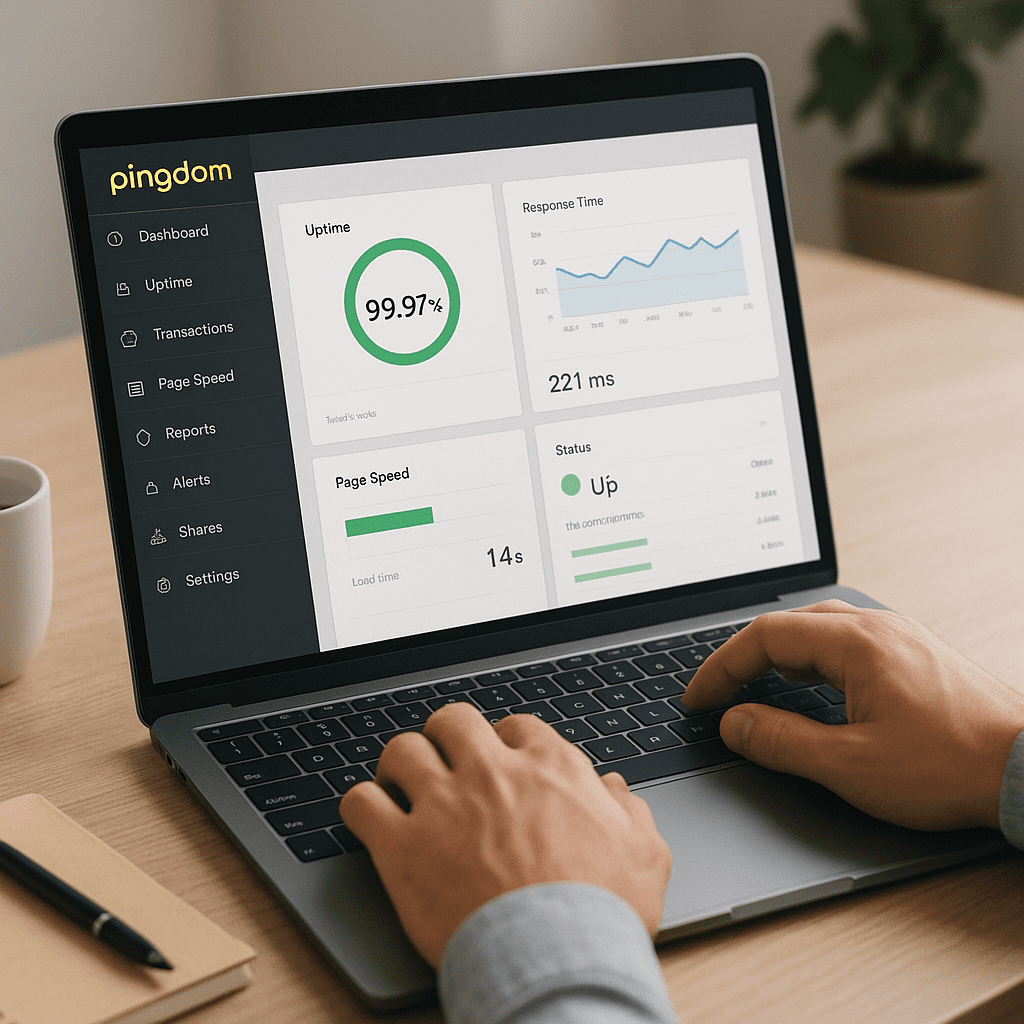
Pingdom Tools
Pingdom Tools sits at the intersection of web engineering and search marketing, offering a practical lens on how fast, reliable, and globally accessible your site really is. While not a traditional keyword or backlink platform, it strengthens the technical foundation that makes search strategies work: pages that load swiftly, servers that stay up, and journeys that don’t break. This article explores how Pingdom Tools fits into an SEO toolkit, what it does well, where it falls short, and how to use it to systematically improve site outcomes tied to traffic, conversions, and rankings.
What Pingdom Tools Actually Is
Pingdom is best understood as a performance and availability suite. Historically known for its free Website Speed Test, it has evolved under the SolarWinds umbrella into a broader platform that includes synthetic speed tests, uptime checks, real-user monitoring (RUM), and transaction monitoring for complex user flows. The value proposition is simple: if your site loads quickly and stays online, users are happier, search engines can crawl consistently, and rankings have one fewer obstacle to overcome.
Core Components
- Website Speed Test: A synthetic test that fetches your page from a selected location and shows a waterfall timeline, page size, request count, and timing breakdowns (DNS, connect, SSL, wait, receive).
- Uptime Monitoring: Ongoing checks that notify you when your site, API, or service is down. This prevents prolonged outages that could harm indexing and user trust. Think of it as automated monitoring with alerting.
- Real User Monitoring (RUM): Script-based instrumentation that captures real-world load experiences across actual visitors—valuable for trending and correlating with business metrics.
- Transaction Monitoring: Synthetic scripts that “click through” critical paths like add-to-cart or checkout, flagging regressions before customers feel them.
Free vs. Paid Capabilities
Historically, the free speed test provided a quick snapshot from a limited set of locations. Paid plans extend test locations, monitoring frequency, data retention, alerting, and advanced features such as RUM and scripted transactions. For teams treating performance as a first-class KPI, the paid solution integrates more naturally into incident response and release pipelines.
How Pingdom Tools Influences SEO Outcomes
Pingdom Tools does not research keywords or analyze content relevance. Its impact on SEO is technical: it helps create fast, stable, crawlable experiences that search engines and users prefer. Google has long signaled that speed and user experience matter. Today, site speed interacts with engagement metrics, crawl efficiency, and Core Web Vitals to shape competitive advantage.
Speed, Engagement, and Conversions
When pages load faster, bounce rates tend to fall, session depth rises, and conversions increase. This improves the behavioral signals that often correlate with better search performance. Pingdom’s speed test exposes where time is spent—DNS, TCP, TLS, server processing, content download—so you can shave seconds by fixing slow back-ends, heavy front-ends, or both. The goal is holistic performance, not just a better grade.
Indexability and Crawl Efficiency
Search engine crawlers have finite budgets. Unnecessary redirects, slow responses, or frequent 5xx errors waste that budget. Uptime checks reduce the risk of extended outages; synthetic tests reveal slow routes or endpoints. When servers respond swiftly and predictably, crawlers can fetch more pages, more often, leading to fresher indexes and better coverage.
Core Web Vitals and Field Reality
Google evaluates Core Web Vitals—metrics like Largest Contentful Paint (LCP), Cumulative Layout Shift (CLS), and Interaction to Next Paint (INP). Pingdom’s synthetic test does not directly compute these metrics. However, its breakdowns map to their root causes: large hero images inflate LCP; late-loading ads and fonts cause CLS; heavy scripts and long tasks degrade INP. RUM can approximate field-level experiences and highlight real-world slowdowns you won’t see in a single lab run. Use Pingdom alongside Lighthouse or PageSpeed Insights to triangulate lab and field perspectives.
Understanding the Metrics Pingdom Surfaces
To turn results into wins, it helps to decode the data. Many web teams run tests but stop short of analysis. Pingdom’s interface encourages curiosity—clicking into the waterfall reveals how each resource behaved and how the browser scheduled work.
Timing Phases and Bottlenecks
- DNS, Connect, SSL: High numbers here suggest slow DNS providers, lack of connection reuse, or costly TLS handshakes. HTTP/2 or HTTP/3 can mitigate connection overhead.
- Wait (a.k.a. server time): Often labeled as the “wait” or initial server response. This is closely related to TTFB. If it’s high, investigate back-end processing, database queries, or underprovisioned infrastructure.
- Receive: Large content sizes extend this phase. It’s where image compression, code splitting, and minification pay off.
Page Size and Request Count
Pingdom lists total page size and number of HTTP requests. Reducing either usually improves speed. Strategies include bundling and tree-shaking scripts, compressing images, leveraging brotli/gzip, and deferring non-critical resources.
Content and Domain Breakdowns
The test highlights how many resources come from your domain vs. third parties. It also breaks down by content type (scripts, styles, images, fonts). This identifies specific vendors or assets that dominate cost, which is crucial for pruning unnecessary third-party scripts or switching providers.
From Report to Result: A Practical Workflow
Turning Pingdom data into genuine improvements requires a methodical approach. This workflow is suitable for marketers, developers, and site owners alike.
1) Establish a Baseline
- Test key templates (homepage, top category, top article, product page, checkout step).
- Run several tests from target geographies to average out network variability.
- Record page weight, request count, and timing breakdowns. Note cached vs uncached behaviors where relevant.
2) Diagnose with the Waterfall
- Spot blocking scripts and stylesheets that delay first render. Consider async/defer and critical CSS extraction.
- Identify slow third-party tags (analytics, ads, widgets) and test their impact by temporarily removing them in a staging environment.
- Look for redirect chains, duplicated scripts, or multiple font variants that inflate cost.
3) Optimize the Back End
- Speed up database queries, enable response compression, and tune server caching layers. Strong server-side caching can reduce TTFB dramatically.
- Introduce a CDN for static assets and edge caching for HTML where appropriate.
- Adopt HTTP/2 or HTTP/3 to improve multiplexing and reduce head-of-line blocking.
4) Optimize the Front End
- Compress and resize images with next-gen formats (AVIF/WebP). Lazy-load offscreen media.
- Preload hero images and above-the-fold fonts (subset fonts for faster delivery).
- Minimize bundle size via code splitting and tree shaking; avoid shipping unused polyfills.
5) Re-test, Compare, and Iterate
- Re-run the same Pingdom tests from the same locations and compare waterfall timings and total load time.
- Validate user experience with RUM and complement with Lighthouse diagnostics and PageSpeed Insights.
- Automate weekly or per-release checks and log results to catch regressions early.
Where Pingdom Shines vs. Where It Doesn’t
Strengths
- Clear waterfall visualizations that make root-cause analysis accessible to non-specialists.
- Always-on uptime checks and alerting that are easy to set up and tie into incident workflows.
- Transaction monitoring to safeguard revenue-critical paths (login, checkout, lead forms).
- RUM for field data and longitudinal trend analysis across browsers, devices, and geographies.
Limitations
- Does not directly compute Core Web Vitals; requires pairing with Lighthouse/PageSpeed Insights for CWV-specific auditing.
- Mobile emulation and device-level nuance are not as deep as lab tools dedicated to CWV.
- Synthetic tests represent a single run from a given location; results can vary and must be averaged or complemented with RUM.
- “Performance grades” can oversimplify, leading teams to chase a letter score instead of business impact.
Pingdom vs. Other Performance Tools
- Lighthouse/PageSpeed Insights: Best for CWV scoring, audits, and mobile emulation. Pingdom is stronger for continuous checks and waterfall-first debugging.
- WebPageTest: Deep diagnostics, filmstrips, and scripting for advanced users. Pingdom offers simpler setup and integrated monitoring/alerting.
- GTmetrix: Similar to Pingdom’s historical speed tests with Lighthouse integrations. Pingdom stands out with mature uptime and transaction monitors.
The ideal stack pairs Pingdom for reliability and ongoing visibility with Lighthouse or WebPageTest for audit depth. Together, they cover lab, field, and operational guardrails.
SEO Use Cases and Playbooks
International Sites
Run tests from your key markets to confirm latency and edge coverage. A well-configured CDN plus local caching and DNS tuning can dramatically cut time-to-first-byte and boost first render speed for international users.
eCommerce
Use transaction monitoring to ensure add-to-cart and checkout flows remain stable. Track back-end latency during peak campaigns and adjust capacity proactively. Optimize LCP by prioritizing hero media and reducing render-blocking CSS/JS.
Publishing and Content Hubs
Large image assets and ad scripts are common bottlenecks. Use Pingdom to reveal delayed ad slots, heavy third-party widgets, and layout shifts caused by late-load elements that harm CLS and perceived quality.
SaaS and Web Apps
Instrument RUM to capture real user delays across routes and browsers. Correlate slow endpoints with API metrics. Build performance budgets into CI/CD and alert if bundles or CSS exceed thresholds.
Interpreting Uptime and Alerts Through an SEO Lens
Outages erode trust and revenue, but they also cause crawling issues and indexing volatility. A site that intermittently returns 5xx responses can lose rankings and struggle to recover. Pingdom’s uptime monitors detect downtime quickly, triggering alerts via email, SMS, or integrations. Use maintenance windows, multi-step checks, and root-cause notes to keep postmortems tight and SLAs credible. Treat uptime as a first-class SEO safeguard.
Actionable Fixes Inspired by Pingdom Reports
- Reduce initial HTML weight with server-side rendering and fragment caching.
- Eliminate render-blocking CSS by inlining critical path CSS and deferring the rest.
- Defer non-critical JS, remove dead code, and postpone analytics or heatmaps until after first interaction.
- Adopt image CDNs for automatic resizing and next-gen formats per device.
- Consolidate third-party tags or replace heavy vendors with lighter alternatives.
- Enable brotli, tune cache-control headers, and validate ETags/Last-Modified behavior.
- Use resource hints (preload, preconnect) for priority assets and critical origins.
Operationalizing Performance: From One-Off Tests to Culture
One test won’t change outcomes. Make results visible and routine. Set performance budgets for page size, third-party count, and LCP surrogates like hero image timing. Integrate Pingdom checks into release pipelines, fail builds that exceed budgets, and trend the data monthly. Pair this with a “golden route” transaction monitor for revenue-critical paths and RUM for field assurance. Over time, the compounding effect of small wins becomes measurable uplift in engagement and search visibility.
Common Pitfalls to Avoid
- Chasing a perfect grade: Focus on user-visible speed, not vanity scores.
- Testing only once: Run multiple tests and use multiple locations for a realistic average.
- Ignoring mobile: Even without deep device emulation, measure on constrained conditions and optimize for mid-tier devices.
- Overlooking third-party bloat: Audit and prune tags regularly; vendor costs change over time.
- Skipping field verification: Validate synthetic findings with RUM and CWV-focused tools.
Pricing, Setup, and Team Fit
Pingdom offers paid plans with tiered features covering uptime, RUM, transaction monitors, and advanced alerting. Setup is straightforward: point uptime checks at endpoints, add the RUM snippet, and define transactions via a script or recorder. Marketers appreciate the readability of reports; developers value the actionable breakdowns; SREs like the alerting and incident integrations. That combination makes Pingdom a shared source of truth across roles.
Balanced Opinion: Is Pingdom “SEO Software”?
Strictly speaking, Pingdom is not keyword or content software. It is technical infrastructure for reliability and speed—the groundwork on which SEO results depend. In that role, Pingdom is excellent. The uptime monitoring is robust, the synthetic waterfall remains one of the clearest views into request-level behavior, and RUM captures the field reality you need for prioritization. On the other hand, teams focused solely on Core Web Vitals will still need Lighthouse or PageSpeed Insights, and advanced auditors may supplement with WebPageTest for deeper filmstrips and scripting nuance.
In short: Pingdom is a strong, practical ally for search teams who recognize that optimization is not a one-time audit but an operational discipline. Use it to keep regressions in check, quantify improvements, and maintain site health during growth.
A Simple Starter Plan
- Identify three critical templates and one revenue path; add uptime and transaction monitors for each.
- Run weekly synthetic speed tests from two priority regions; log page weight, request count, and key timing deltas.
- Instrument RUM across the site; segment by device type and geography.
- Set budgets: max 200KB critical CSS/JS, max 70 requests on key templates, zero blocking scripts before first render.
- Review reports biweekly; create tickets for any regressions beyond thresholds.
Advanced Techniques for Ambitious Teams
- Edge Rendering and Caching: Use modern edge frameworks and compute to deliver HTML close to users, reducing server wait and improving TTFB-like timings.
- Script Governance: Centralize third-party tag approvals; monitor their cost in Pingdom and prune quarterly.
- Font Strategy: Subset fonts, use font-display: optional or swap, and self-host to minimize late shifts and blocking.
- Media Optimization: Automate responsive images, AVIF/WebP transcoding, and low-quality image placeholders for instant perceived load.
- HTTP/2 Push Alternatives: Prefer preload with proper priorities over deprecated push; validate priority hints in waterfall behavior.
Realistic Expectations and Measurement
Expect improvements to stack over time. The first passes—image compression and obvious blocking fixes—deliver quick wins. Deeper architectural changes—framework-level code splitting, edge caching, database tuning—take longer but pay dividends for scalability. Measure before-and-after in Pingdom, validate field impact with RUM and CWV tools, and connect improvements to conversion rate and organic traffic where possible. This tighter loop turns “technical tweaks” into ROI narratives leadership can back.
Final Thoughts
If your SEO strategy includes content quality, topical authority, and link equity, it should also include speed and reliability. Pingdom Tools focuses on the latter two. With clear visualizations, continuous checks, and a pragmatic feature set, it helps teams discover what’s slow or fragile, fix it, and keep it fixed. Pair it with CWV-centric audits and a culture of iterative improvement, and you’ll have a resilient technical base that supports ranking, engagement, and revenue—no matter how your content and campaigns evolve.