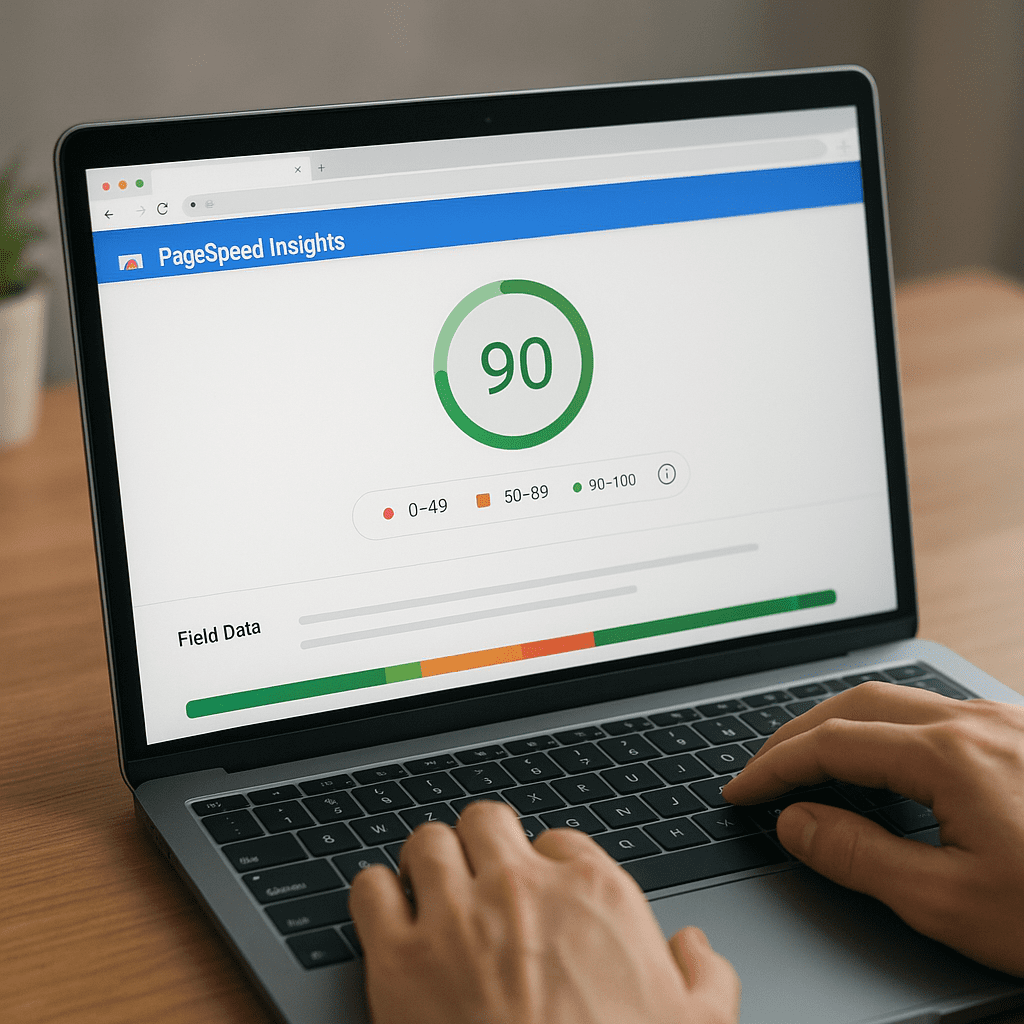
PageSpeed Insights
PageSpeed Insights is more than a quick website score; it is a window into how real users experience your site’s performance and speed, and how those experiences ripple through SEO, conversions, and brand perception. By blending field data from real Chrome users with lab diagnostics from Lighthouse, it bridges strategy and implementation, helping teams prioritize the improvements that move the needle. Used thoughtfully, it can highlight both structural bottlenecks and easy wins, guiding optimization efforts that enhance usability and accessibility while aligning with Google’s mobile-first worldview. This article explains what the tool measures, how to read the reports, where its limits lie, and how it influences indexability and organic visibility—especially via LCP and CLS, two of the Core Web Vitals that directly mirror user-perceived quality.
What PageSpeed Insights Actually Measures
PageSpeed Insights (PSI) combines two kinds of data: field data from the Chrome User Experience Report (CrUX), and lab data generated by Lighthouse in a controlled environment. Field data reflects how real users experienced a page during the last rolling 28-day window, across devices, networks, and regions. Lab data simulates a page load on a mid-tier mobile device with throttled CPU and network conditions to surface bottlenecks in a consistent, reproducible way. Together, these datasets provide both the why and the how: field data shows whether your page is fast for actual users; lab data shows what to fix.
PSI reports performance through Core Web Vitals and additional Lighthouse metrics. Today, the Core Web Vitals set includes Largest Contentful Paint (LCP), Cumulative Layout Shift (CLS), and Interaction to Next Paint (INP), which replaced First Input Delay (FID) as a stability and responsiveness measure. PSI also displays metrics such as First Contentful Paint (FCP), Speed Index, Time to Interactive (TTI), and Total Blocking Time (TBT). These metrics are aggregated into a 0–100 Lighthouse score using weighted components. That score is a directional indicator, not a KPI in itself; the thresholds for “good” user experience are defined by the Core Web Vitals pass/fail boundaries rather than by the composite score.
The interface highlights Opportunities and Diagnostics—actionable items like serving images in next-gen formats, reducing unused JavaScript, avoiding enormous network payloads, eliminating render-blocking resources, deferring offscreen images, preconnecting to critical origins, and reducing main-thread work. Each item includes estimated savings. While those estimates are modeled rather than absolute, they help prioritize work across product, design, and engineering.
Why PSI Matters for Marketers and Engineers
For marketers, PSI translates a complex technical domain into clear, business-friendly outcomes: faster pages lead to improved engagement and conversion, reduced bounce rates, and stronger organic visibility. For engineers, PSI supplies a repeatable diagnostic harness that captures performance regressions early, nudges code toward best practices, and fosters a performance culture aligned with user-centric KPIs.
PSI’s hybrid view is particularly valuable when teams disagree about whether issues are “real.” Field data can end those debates by showing genuine user distributions for LCP, CLS, and INP across the 75th percentile. Meanwhile, lab data brings clarity when field data is sparse (e.g., low-traffic pages) or when experiments need to be validated before release.
How PageSpeed Insights Influences SEO
Page experience is a confirmed input in Google’s ranking systems, with Core Web Vitals representing the most concrete, externally visible part of that input. If a page consistently performs poorly for real users, the likelihood of it being outranked by equivalent content with better UX rises. However, PSI results and Lighthouse scores are not direct ranking factors by themselves; rather, they reflect the conditions that influence real user experience signals.
Where PSI most meaningfully helps search performance is through its impact on on-site behavior and crawl efficiency. Faster, stable pages can increase dwell time and reduce pogo-sticking, which align with quality signals even if they are not direct ranking features. Furthermore, leaner, well-structured pages can improve crawling and rendering throughput, allowing bots to discover updates sooner and maintain fresh indexing. PSI’s best-practice guidance—like code splitting, caching, and eliminating render-blocking resources—decreases main-thread contention, which can improve how JavaScript-heavy sites render in Googlebot’s evergreen Chromium environment. All of this supports reliable discovery, rendering, and indexing, which are foundational to organic growth.
Bottom line: PSI improves the user experience that search engines want to reward. Treat its outcomes as compounding benefits—better UX leads to better engagement, which supports better signals for ranking systems, while technical improvements foster efficient crawling and more dependable rendering.
Reading the Report Without Misreading the Score
Field data vs. lab data
Field data reveals real-world conditions: device variety, last-mile networks, geography, ad stacks, cookie banners, and personalization can all affect LCP and INP. Lab tests, by contrast, isolate the page and run a deterministic journey under throttled conditions. If lab metrics look good but field metrics look poor, suspect third-party scripts, geo/region-specific payloads, or slow origins in certain markets. If the opposite happens, your page may be optimized for common production scenarios, but contains code paths (like rare modals or route transitions) that slow down in simulated conditions.
Core Web Vitals thresholds
- LCP: good at 2.5s or under; needs improvement between >2.5s and 4.0s; poor above 4.0s.
- CLS: good under 0.1; needs improvement between >0.1 and 0.25; poor above 0.25.
- INP: good at 200ms or under; needs improvement between >200ms and 500ms; poor above 500ms.
Hitting these thresholds at the 75th percentile in field data is the target. Focus your roadmap on improvements that shift the distribution, not only the averages.
Opportunities vs. Diagnostics
Opportunities often represent directly measurable savings (e.g., kilobytes or milliseconds) and are quick wins. Diagnostics highlight structural improvements (e.g., reduce main-thread work, minimize critical request depth) that may take longer but unlock durable gains and future resilience. Both should be tracked in your performance backlog with owners and due dates.
From Insights to Fixes: A Practical Workflow
1) Identify the LCP element and remove its blockers
- Server-accelerate the LCP resource: edge caching, HTTP/2 or HTTP/3, persistent connections, and compressed, optimized assets.
- Inline critical CSS for above-the-fold content and defer non-critical CSS with media attributes or loadCSS patterns.
- Preload the LCP resource (hero image or block-level text font) with proper as= hints to avoid re-fetches or priority inversions.
- Choose efficient image formats (AVIF/WebP), responsive sizes (srcset/sizes), and decoding=”async”.
- Avoid client-side hydration delays for critical content—consider partial hydration, islands architecture, or server components.
2) Tame JavaScript to improve INP and TBT
- Code-split routes and components; lazy-load non-critical bundles and admin features.
- Eliminate unused code via tree-shaking and pruning of legacy polyfills.
- Defer third-party scripts, load them async, and consider server-side tagging to reduce main-thread work.
- Break up long tasks into smaller chunks using requestIdleCallback or scheduler primitives so inputs can respond promptly.
- Memoize heavy computations and virtualize long lists.
3) Stabilize layout to prevent CLS
- Reserve space for images and ads with width/height or aspect-ratio; avoid late-injected DOM without dimensions.
- Load custom fonts with font-display: swap or optional, and avoid FOIT; prefer variable fonts when appropriate.
- Defer non-critical UI elements until after layout settles, or inject them into reserved containers.
4) Optimize the network path
- Use a global CDN with smart caching and image optimization at the edge.
- Leverage preconnect and dns-prefetch for critical origins; avoid overusing preload, which can crowd the priority queue.
- Compress text with Brotli, set long-lived cache-control for static assets, and manage ETags consistently.
- Reduce chattiness by bundling requests where sensible and enabling HTTP/2 push alternatives like 103 Early Hints.
5) Maintain a performance budget
- Set budgets for JS, CSS, images, and third-party requests; enforce via CI (Lighthouse CI, PSI API) and PR checks.
- Track Core Web Vitals in real user monitoring (RUM) to validate improvements beyond the lab.
Special Considerations for Different Site Types
Ecommerce and marketplaces
These properties often juggle heavy images, personalization, analytics, and tag managers. Treat image delivery as a first-class capability (responsive, next-gen formats, smart quality) and gate third-party scripts. For product detail pages, prioritize LCP stability and defer recommendation widgets below the fold. For checkout, prioritize INP and avoid long tasks during input.
News and media
Ads and A/B testing frameworks are major sources of layout shift and input delay. Reserve ad slots, throttle experiments to critical paths, and consider server-side ad auctions. Preconnect to ad domains only when proven necessary and isolate scripts with web workers where possible.
Single-page applications
Hydration costs are a frequent bottleneck. Consider server-side rendering with partial or selective hydration. Move non-critical components to client-only boundaries. Monitor route transitions separately in your RUM solution, as navigation performance post-initial-load may differ from the first view PSI measures.
Common Pitfalls and How to Avoid Them
- Chasing a perfect 100/100: The Lighthouse score is a heuristic. Focus on passing Core Web Vitals at the 75th percentile in the field.
- Testing only one URL: Critical templates vary (home, category, product, article, login). Make a representative test set.
- Ignoring regional variance: A site that’s fast in one geography can be slow elsewhere due to edge distance or peering.
- Over-optimizing lab metrics: Ensure improvements hold under real user conditions, device diversity, and third-party stacks.
- Breaking analytics or UX: Performance improvements must preserve business logic—coordinate with stakeholders.
- Confusing cause and effect: A score drop might stem from a traffic mix change in CrUX (e.g., more low-end devices), not a code regression.
PSI in Your Toolchain
Integrations and automation
PSI offers an API you can call from CI to guard against regressions. Pair it with Lighthouse CI and performance budgets to block merges that exceed size or timing thresholds. For ongoing visibility, complement PSI with Search Console’s Core Web Vitals report and a RUM platform (e.g., Chrome UX API, open-source or commercial) so you can segment by device, country, and page template.
Complementary tools
- Chrome DevTools Performance and Coverage tabs: deep dives into long tasks, layout thrashing, and unused bytes.
- WebPageTest: multi-step journeys, filmstrips, and broader network insights, including CDN and TLS handshakes.
- Server observability: TTFB, origin latency, cache hit ratios; necessary to trace PSI regressions back to infrastructure.
What PSI Gets Right—and Where It Falls Short
Strengths
- User-centric: Anchored in real user distributions via CrUX, not just synthetic tests.
- Actionable: Lists concrete fixes with estimated savings that help prioritize engineering work.
- Comparable: Consistent test harness lets teams see delta over time and across templates.
- Aligned with search: Emphasizes the metrics most relevant to visibility and engagement.
Limitations
- Variability: Field data can change with seasonality, campaigns, or audience shifts—interpret trends, not snapshots.
- Scope: PSI analyzes single URLs; site-wide conclusions require broader sampling and site-level dashboards.
- Context: It cannot fully account for business constraints, brand fonts, legal widgets, or critical ad commitments.
- Scoring opacity: Weightings evolve; rely on explicit Vital thresholds for durable goals.
PSI and the Business Case for Speed
The economic argument for performance has matured. Faster pages elevate conversion, improve session depth, and lower customer acquisition costs. For content sites, speed boosts scroll depth and ad viewability while reducing layout shifts that cause accidental clicks and user frustration. For SaaS and apps, responsiveness correlates with activation and retention. PSI helps quantify and visualize these improvements for stakeholders by turning invisible milliseconds into visible opportunities.
To maximize ROI, frame performance work as part of product quality, not a one-off initiative. Treat LCP/INP/CLS as service-level objectives. Tie performance budgets to OKRs. Celebrate wins in revenue and engagement terms, not just in timing diagrams. Establish ownership: assign a performance champion, embed checks into CI, and review PSI trends alongside analytics dashboards in weekly rituals.
Advanced Techniques Worth Considering
- Edge SSR and caching: Render critical pages at the edge to collapse TTFB, precompute common variants, and progressively stream HTML.
- Islands architecture: Ship less JavaScript to the client by hydrating only interactive fragments.
- Resource priorities: Experiment with rel=preload, fetchpriority, and fetch hints to ensure the LCP element loads first.
- Font strategies: Use font subsetting, unicode-range, and modern formats; deploy a font loading strategy that prevents late shifts.
- Image CDNs: Dynamic resizing, smart quality, and AVIF/WebP negotiation per device and network conditions.
- Third-party governance: Maintain an allowlist; audit tags quarterly; sandbox where possible; lazy-load below-the-fold vendors.
- RUM sampling: Instrument INP interactions (clicks, taps, keypresses) to pinpoint handlers that block paint.
Interpreting PSI Trends Over Time
Track medians and the 75th percentile for Core Web Vitals to understand risk to the “good” threshold. Segment by template and campaign to avoid conflating effects. When you release a performance fix, annotate dashboards and monitor field metrics for 2–4 weeks due to the rolling window. For major product changes, run A/B tests with performance instrumentation to capture trade-offs between richer UI and responsiveness.
If trends degrade without obvious deployments, investigate traffic composition and infrastructure shifts (e.g., increased mobile share, changes in CDN routing, or third-party updates). PSI can point to the symptoms (longer LCP, worse INP), while your observability stack explains the root cause (cache misses, blocking scripts, or server CPU saturation).
PSI for Teams: Roles and Responsibilities
- Product managers: Prioritize improvements that impact Vital thresholds and user journeys with revenue impact.
- Developers: Own bundle hygiene, critical rendering path, and long-task elimination; pair with QA on regressions.
- Designers: Consider skeleton UIs, progressive disclosure, and layout stability in component libraries.
- Marketers: Audit third-party tags, validate landing page speed, and align campaigns with fast templates.
- Ops/SRE: Ensure CDN coverage, edge caching, and origin health; monitor TTFB and error budgets.
Case-Style Scenarios
Scenario 1: High LCP on product pages
PSI flags a large hero image and render-blocking CSS. After introducing responsive images, AVIF, and inlining critical CSS with deferred non-critical styles, LCP improves from 3.3s to 2.2s for mobile users, pushing the 75th percentile into the “good” range. Organic sessions grow modestly, but the real win is conversion rate lift from fewer early abandons.
Scenario 2: Poor INP on a SPA
Long tasks during hydration and heavy route-level bundles are the culprit. Code-splitting, islands for below-the-fold widgets, and offloading expensive work to Web Workers reduce INP from 280ms to 160ms at p75. Engagement metrics improve as carousels and filters respond promptly.
Scenario 3: CLS spikes on article pages
Late ad injections and web font swaps cause shift. Reserving ad slots, using font-display: optional for secondary fonts, and placing consent UI in reserved containers brings CLS below 0.1. Complaints about “jumping pages” drop, and viewability rates increase.
Opinion: A Balanced Verdict on PageSpeed Insights
PageSpeed Insights succeeds because it aligns testing with human perception. By elevating LCP, INP, and CLS, it channels teams toward improvements users actually feel. It is fast to run, free, and reasonably prescriptive, which lowers the barrier for both startups and enterprises. Its biggest strength—tying diagnostics to real user distributions—also demands thoughtful interpretation; the field is noisy, and a single score cannot capture every nuance of design, business constraints, or regional infrastructure.
Used as a compass rather than an absolute judge, PSI is excellent. It clarifies what matters, prioritizes fixes with credible impact, and keeps product strategy honest about the costs of heavy UI and third-party bloat. Integrated into CI and complemented by RUM, observability, and thoughtful experimentation, it becomes a quiet force multiplier for teams that care about speed and quality. If you want organic growth that lasts, build a culture where shipping is inseparable from measuring—and let PSI be one of the instruments that keeps your site truly fast.