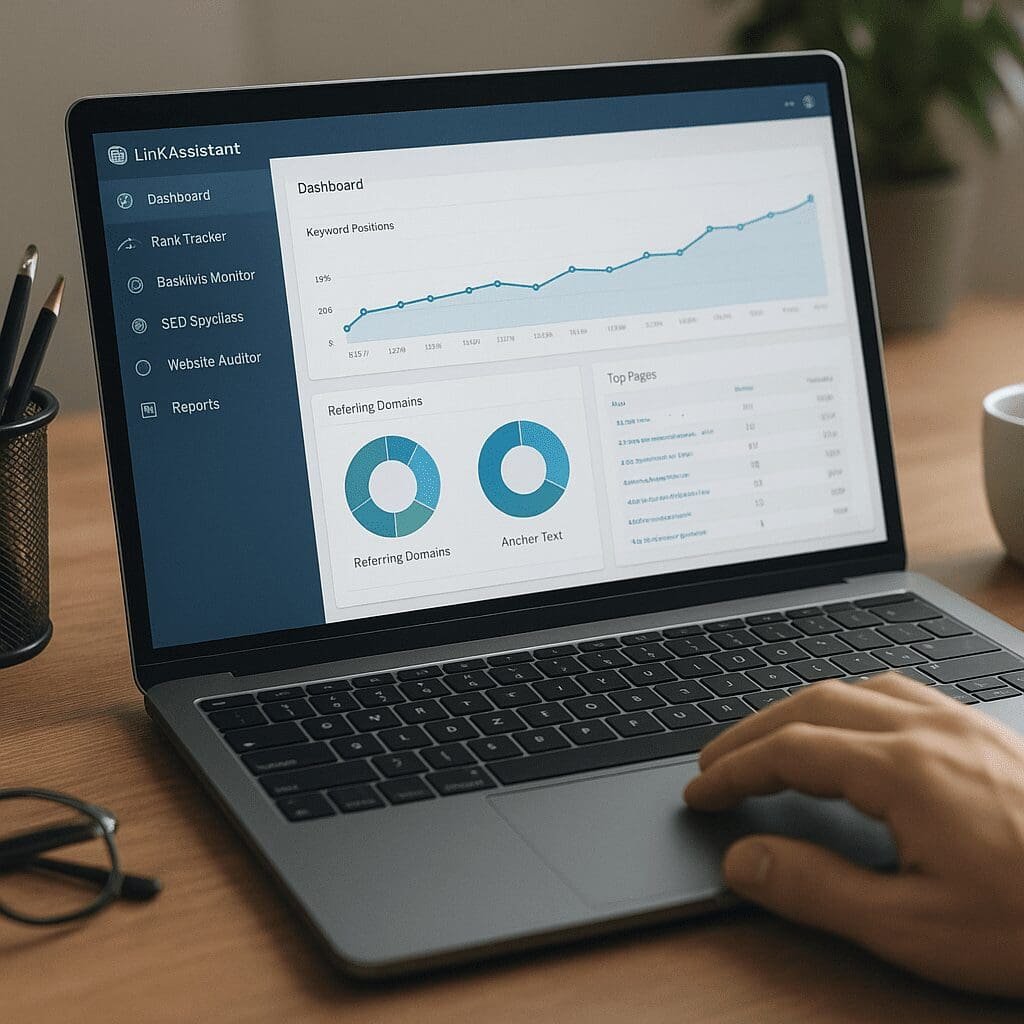
LinkAssistant
Link building remains one of the most misunderstood and yet most durable levers for organic growth. Against that backdrop, LinkAssistant stands out as a specialized application designed to help marketers discover link opportunities, contact site owners, and monitor placements at scale. As part of the well-known SEO PowerSuite toolkit, it brings the flexibility of a desktop app to tasks that often sprawl across spreadsheets, email inboxes, and multiple browser tabs. This article examines what LinkAssistant does, where it excels, where it falls short, and how to decide whether it deserves a place in your toolkit.
What LinkAssistant Is and How It Works
LinkAssistant is a dedicated link-building and relationship-management application focused on helping users find prospects, manage correspondence, and keep a clean record of current and past placements. It centralizes common workflows—searching the web for relevant websites, pulling contact data, sending messages, and tracking whether target pages link back to you—so practitioners can shift from ad hoc efforts to a repeatable process. Unlike many cloud-based tools, LinkAssistant runs on Windows, macOS, and Linux, which makes it attractive to professionals who prefer local software for performance, data control, or cost reasons.
At its core, the tool enables dozens of “footprints” or search methods. You can run broad topical queries, look for bloggers who accept guest contributions, identify resource pages, or mine directories and citation sources. You can also import custom lists from other sources, which is especially helpful if you already keep competitor link exports or maintain curated lists. Once you have a list of candidates, LinkAssistant attempts to pull on-page details—website titles, descriptions, link types—and discover contact details like emails or contact form URLs so that outreach can move forward quickly.
The app supports integrated emailing with templates, merge fields, and status tracking. That makes it possible to keep individual inboxes tidy while still delivering a personalized campaign at scale. A verification feature checks whether a link is live, what type it is, and whether it includes the intended anchor text or sits behind a redirect. This monitoring reduces the time wasted on manual checks and catches changes early, like links that vanish after a redesign.
Because LinkAssistant is part of a broader suite, it can share data with companion tools, especially when you want to audit backlinks you already have or uncover competitors’ strongest referrers. That ecosystem connection is not mandatory, but it can streamline research. Agencies often appreciate the ability to consolidate reporting across multiple projects, while freelancers benefit from the freedom to run unlimited projects without per-seat charges typical of some SaaS alternatives.
Key Capabilities You Will Actually Use
Prospecting at Scale
Effective link acquisition starts with good discovery. LinkAssistant’s prospecting engine lets you combine keywords with patterns (for example, “write for us,” “resources,” “links,” “sponsors,” or “partners”) to surface pages likely to accept or cite external sources. It also supports importing CSV files, so you can blend the tool’s results with external lists from PR databases or competitive link crawls. Deduplication reduces clutter when the same domain appears via different search paths.
Contact Discovery and Organization
Once prospects are collected, the app combs pages for email addresses, author names, and social profiles, then stores them alongside each opportunity. You can segment prospects by tags, ratings, topical categories, or stages in your pipeline (queued, contacted, replied, won, lost). That simple organizational layer saves you from hunting across multiple sheets or trying to remember who said yes to a testimonial swap back in April.
Templated, Personalized Outreach
Inside the email module, you can compose messages with custom fields. Rather than sending generic blasts, LinkAssistant enables the insertion of page titles, first names, or context-specific notes. Personalization at scale is the line between a pitch that gets read and one that goes to spam. The app logs sent messages, replies (if you pipe them through the app or sync), and follow-ups due, so relationships don’t fall through the cracks while you juggle campaigns.
Link Verification and Monitoring
LinkAssistant can check whether a link exists on a target URL, whether it is followed or nofollowed, whether the anchor text matches, and whether the link sits within a canonicalized or redirected page. Scheduling checks ensures you catch if a link disappears after a site refresh or is transformed into an image without alt text. That vigilance is crucial for preserving the value you have already earned—and for spotting compliance issues if a partner places a sponsored link without disclosure.
Reporting and Record-Keeping
Robust reporting helps teams prove progress to stakeholders. LinkAssistant can summarize how many prospects were contacted, response rates, placements earned over time, and the categories of sources acquired. Exportable, branded reports (especially when used with the broader suite) help agencies document work to clients, reducing friction during renewals and reviews.
Does LinkAssistant Actually Help with SEO?
Short answer: it can. The long answer is more nuanced. LinkAssistant is a force multiplier for the manual side of link building: prospecting, vetting, contacting, and tracking. If you use it to identify relevant, trustworthy placements and pursue them with value-forward pitches, it supports outcomes that search engines reward. If you use it to blast low-quality directories or pay-for-play blogs, it can just as easily accelerate mistakes and increase risk. Tools don’t make strategy; they magnify it.
Modern link acquisition is not about volume alone. It requires solid editorial alignment, credible content assets, and a narrative that makes another site want to cite or collaborate with you. LinkAssistant cannot write your pitch or manufacture your reputation, but it gives you a procedural backbone so that the right actions happen consistently: finding the right sites, collecting the right contacts, sending the right messages, and recording the right outcomes. That’s where compounding benefits come from—consistency over months, not a single burst of activity.
A second-order benefit is focus. The ability to filter by topic, language, domain metrics, or relationship stage prevents teams from chasing marginal opportunities just to hit a weekly quota. Over time, archived conversations and retained notes form a living CRM for link relationships, which beats rediscovering the same prospects every quarter. You begin to see patterns: which types of content attract coverage, which categories of sites reply fastest, which email angles resonate. With those insights, performance improves even if your budget does not.
It is also worth acknowledging the limitations of any correlation between links and rankings. While authoritative links remain a strong signal for discovery and credibility, link profiles are evaluated alongside hundreds of other signals. LinkAssistant contributes most when plugged into a holistic system: solid technical foundations, targeted content, strong internal linking, and an on-site experience that converts visitors into customers.
A Practical Workflow: From Idea to Live Placement
To show how LinkAssistant supports everyday work, consider a practical flow used by many teams:
- Define the asset and angle: decide which content or product page needs coverage and why another site would care (data, tools, guides, research, partnerships).
- Seed discovery: enter a set of topical keywords and footprints relevant to the audience you want to reach (resource lists, professional associations, nonprofit partners, industry blogs).
- Import secondary sources: add competitor link lists or PR mentions to widen the pool, then deduplicate to keep the list clean.
- Vet for fit: filter by topical match, traffic indicators, editorial standards, and past link behavior. Remove thin or off-topic domains.
- Collect contacts: pull emails and social profiles; visit sites to confirm editor names and submission guidelines; add short notes for personalization.
- Draft templates: write a base email with merge fields and alternate intros; prepare a short follow-up; attach brand assets if relevant.
- Send in batches: schedule initial sends and stagger follow-ups; use tags to track cohorts by angle or asset.
- Monitor responses: reply quickly, negotiate placement details, provide alt text and anchor guidance where appropriate, and note any sponsorship policies.
- Verify links: once live, run verification to capture the URL, link attribute, and anchor used; set reminders to recheck in 30, 60, and 90 days.
- Report and learn: review win rates by list type, subject line, and pitch angle. Feed insights back into the next round of discovery.
This mundane but disciplined loop is where LinkAssistant shines: it reduces cognitive friction at every step, especially when repeated across multiple client projects or product lines.
Strengths You Can Count On
Several traits make LinkAssistant attractive in crowded tooling stacks. First, the desktop model provides durable performance without tying you to monthly per-seat costs that balloon as your team grows. Second, it lets you handle large, messy lists with robust filtering and tagging without browser slowdowns. Third, its verification system is simple and reliable, a quiet timesaver often overlooked when teams evaluate flashy prospecting features alone.
Teams also appreciate its flexible email templating and the way it consolidates contacts, notes, and communication history. If you run recurring campaigns—like quarterly resource updates or annual scholarship/outreach cycles—the historical record becomes an asset. Moreover, because it is not a hosted platform, you have latitude to configure proxies and throttle requests when scraping the web, which can reduce blocks during intensive prospecting sessions.
Limitations and How to Work Around Them
No tool is perfect, and LinkAssistant has trade-offs to understand upfront. The desktop model means your machine does the lifting. Heavy scraping can trigger captchas or temporary blocks if you run too aggressively; using conservative settings, proxies, and a patient schedule mitigates this but won’t eliminate it. Deliverability is another consideration: while the app sends emails, you still need to configure sending domains, warm up inboxes, authenticate (SPF, DKIM, DMARC), and manage sending volume. The tool cannot fix a poor domain reputation or sloppy list hygiene.
Compared to specialized outreach CRMs, LinkAssistant’s team collaboration and multi-user sequencing are more basic. If you require deep pipeline analytics, multichannel touchpoints (email plus social plus phone), or role-based permissions across large teams, you may outgrow its collaboration layer. Finally, some competitors offer richer, real-time web indices, whereas LinkAssistant leans on live querying and your imports; this is usually fine for curated outreach but less suited to blind, high-volume prospecting.
How It Compares to Alternatives
Marketers often stack LinkAssistant against outreach-focused CRMs like Pitchbox, BuzzStream, or Respona, and against all-in-one suites with link features like Ahrefs or Semrush. In broad strokes:
- Pitchbox, BuzzStream, and similar CRMs excel at multi-step sequences, team permissions, and polished collaboration. They are SaaS-first and often more expensive per seat, but they reduce friction for agencies that run complex, concurrent campaigns.
- Ahrefs and Semrush offer deep backlink indices and competitive link intersect features. They are unbeatable for discovery and analysis, but they are not purpose-built outreach workflows; many teams still export data to a separate system for relationship management.
- LinkAssistant provides strong prospecting, contact management, and monitoring in a cost-effective, desktop-first package. It suits practitioners who want control over lists, flexible querying, and a straightforward outreach engine without paying for heavy collaboration layers.
In practice, a hybrid is common: use a large web index for competitive inspiration and a specialized tool like LinkAssistant to run the pipeline and maintain the relationship ledger.
Best Practices for Safe, Effective Link Building
To extract real value from LinkAssistant while avoiding pitfalls, align your process with sustainable practices:
- Pursue thematic alignment: focus on sites whose audience overlaps with yours and where your content genuinely adds value.
- Vet editorial standards: look for clear authorship, real readership, and sensible outbound link policies; avoid obvious link farms.
- Offer value, not just requests: bring original data, expert quotes, or tools that simplify a publisher’s job.
- Right-size outreach: personalize every message with specific references to the target page or audience; avoid generic scripts.
- Set anchor expectations: suggest descriptive anchors that fit context, and accept reasonable edits from editors to preserve editorial integrity.
- Track outcomes and iterate: review which messages and assets convert, then double down where response rates are healthy.
- Stay compliant: disclose sponsorships where required, and avoid manipulative patterns that could trigger manual actions.
A conservative, quality-first approach earns durable placements that support trust signals while protecting your domain from unnecessary risk.
Who Benefits Most from LinkAssistant
LinkAssistant tends to resonate with three groups. Freelancers appreciate the manageable cost and the ability to run unlimited projects across clients without SaaS overages. Small to mid-sized agencies gain a reliable backbone for repeatable outreach campaigns, paired with reporting that satisfies clients. In-house teams, especially in B2B and content-heavy niches, leverage it to amplify digital PR initiatives, resource outreach, and partner programs without handing the entire process to an external vendor.
Local businesses with citation and partnership opportunities also find value, using the tool to standardize lists of chambers of commerce, industry associations, and regional blogs. For them, the win is not volume but precision: getting cited in the places that actual customers trust, and maintaining those relationships over time.
Pricing, Investment, and ROI Considerations
As part of a larger suite, LinkAssistant is available in a free tier with functional limits and in paid tiers oriented toward professional and enterprise use. The paid tiers provide expanded export options, more robust reporting, and workflow conveniences that matter when you operate at scale. Because the software is licensed rather than purely subscription-based, many teams find the total cost of ownership more predictable compared to per-seat SaaS tools that can double or triple costs as staff grows.
When evaluating ROI, look beyond immediate placements to the process improvements: time saved on verification, fewer lost conversations, better segmentation, and clearer insights into what types of pitches work. A single high-authority placement that drives referral traffic and strengthens thematic relevance can offset months of licensing. The key is to run a steady cadence and to measure outcomes against realistic benchmarks for your niche.
Power-User Tips and Lesser-Known Features
- Custom footprints: build query combinations tailored to your vertical (e.g., regulatory bodies, standards organizations, conference speakers) to surface unique opportunities competitors miss.
- Segmentation habits: tag prospects by intent (guest post, resource, broken link, partnership) and create template variants mapped to each intent for faster iteration.
- Throttled crawling: schedule prospecting sessions during off-peak hours and use throttling to reduce blocks while collecting larger lists.
- Follow-up discipline: create a two- or three-touch cadence with clear value adds in each follow-up, and stop after a polite final message to protect domain health.
- Verification schedules: set recurring checks for your most valuable placements to catch changes quickly and request corrections while relationships are warm.
- Consolidated notes: store editorial preferences and pitch angles per domain so the next outreach to that site builds on prior conversations.
Balanced Opinion: Where LinkAssistant Shines—and Where It Doesn’t
LinkAssistant is not a magic button for rankings. It is a pragmatic, well-structured assistant for the unglamorous work of outreach and relationship tracking. Its strength lies in helping disciplined marketers do more of the right work with less friction: quality prospecting, informed vetting, personalized communication, and consistent monitoring. If you need enterprise-grade collaboration, native multichannel sequences, or deep, always-on web indices, you may combine it with other tools. If you want a stable, affordable backbone for link acquisition campaigns—from blogger relations to resource inclusions—it offers excellent value.
The bottom line is alignment: when paired with a thoughtful strategy, LinkAssistant can boost your operational efficiency and elevate the caliber of placements you earn. When used carelessly, it will simply make it faster to do the wrong things. For teams that commit to editorial fit, relationship building, and evidence-based iteration, it is a dependable partner.
Glossary: Concepts That Matter Most in LinkAssistant Workflows
- SEO: The broader discipline of optimizing sites so search engines can discover, understand, and rank content effectively.
- backlinks: External links from other sites to yours; signals of trust, discovery, and citation when earned naturally.
- outreach: The process of contacting site owners and editors to pitch content, partnerships, or inclusion on relevant pages.
- prospecting: The research phase where you build lists of potential sites that could reasonably reference or collaborate with you.
- relevance: The topical alignment between your content and the site/page linking to it; a key quality dimension.
- authority: A composite notion of a site’s credibility, informed by its link profile, reputation, and audience.
- anchors: The clickable text of a link; should be descriptive and natural within editorial context.
- nofollow: A link attribute that tells crawlers not to pass along ranking signals; still valuable for traffic and brand visibility.
- personalization: Tailoring each message to the recipient’s context to improve response rates and relationship quality.
- automation: Using software to handle repetitive tasks—searching, deduping, verifying—while keeping human judgment for quality control.
Final Take
LinkAssistant brings order to the messy world of link acquisition. It helps you identify credible opportunities, keep communication organized, and verify results without juggling a dozen disconnected tools. Used thoughtfully, it underpins a sustainable program—one that favors relationships, editorial fit, and measurable outcomes over quick wins. Pair it with valuable content and a disciplined outreach rhythm, and you will have a reliable engine for earning the citations that matter.