Hemingway App
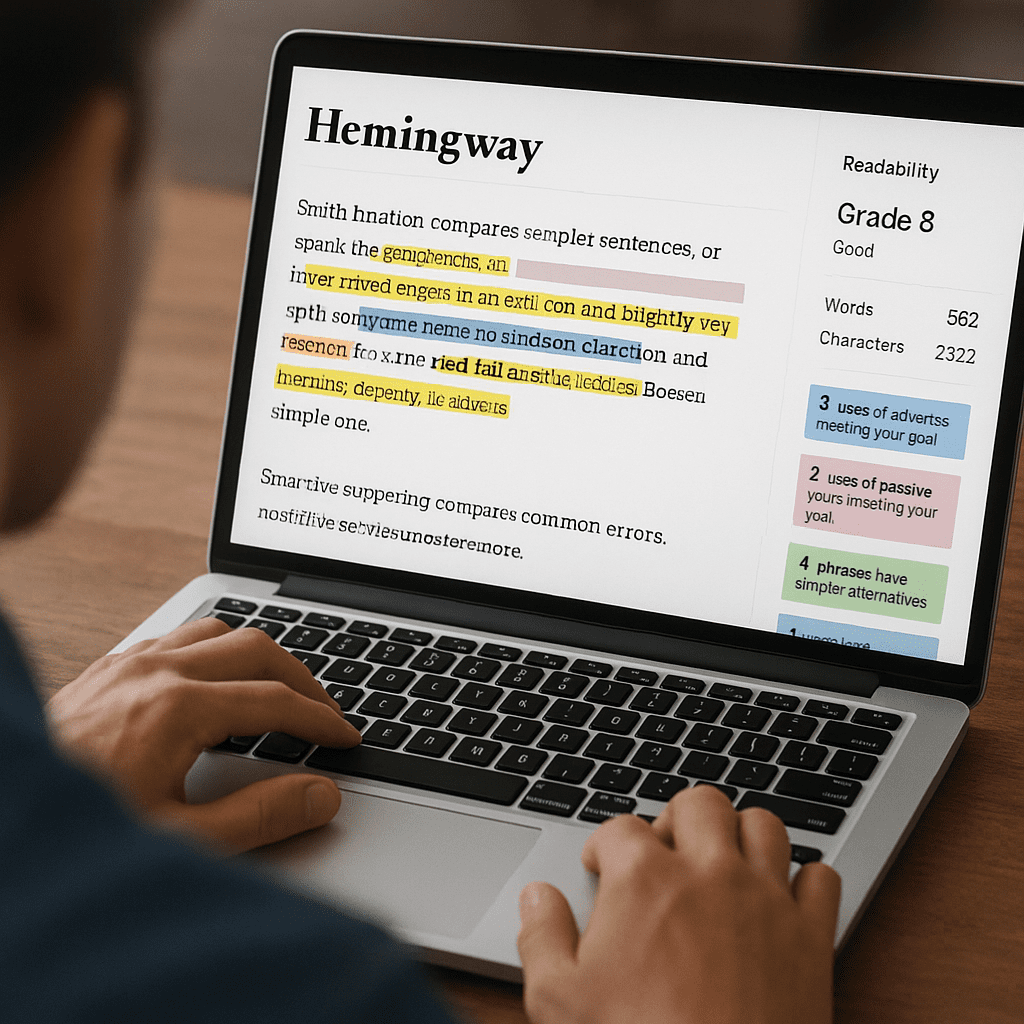
Hemingway App is a focused writing editor built to make prose bold and clear. It grades how easy your text is to read, highlights problem spots, and nudges you toward crisp sentences. While it is not a full-bore search optimization suite, its emphasis on SEO-friendly fundamentals—plain language, scannability, and strong information flow—makes it a valuable companion for content teams. Writers rely on it to strip away clutter so that ideas travel faster, readers stay longer, and calls to action land cleanly. The result is improved readability and clarity—two qualities that matter to both human visitors and search engines that reward content which serves users well.
What Hemingway App Actually Does
At its core, Hemingway App is a readability editor. The web version is free in-browser, and a desktop app adds offline work and export features. The software scans text and color-codes common friction points that make prose harder to process. It is purposefully opinionated: instead of diagnosing every type of writing flaw, it focuses on a handful of high-impact signals known to affect comprehension.
- Readability grade: It computes a grade level using a formula similar to established readability indices. Lower grades mean a wider segment of readers can grasp your message quickly. The goal is not to write for children, but to present complex ideas in straightforward language.
- Sentence difficulty: It highlights hard-to-read and very hard-to-read sentences. These tend to be long, nested, or packed with abstractions.
- Passive voice: It flags passive constructions that can obscure subjects and weaken action. Active voice typically improves energy and accountability.
- Adverbs: It counts adverbs and prompts you to reconsider them. Overuse can signal hedging or vague description.
- Complex phrases: It suggests simpler alternatives for certain words or phrases. The editor encourages economy and punch.
- Formatting quick wins: It shows word count and offers headers, bold, italics, links, and basic lists, keeping authors in an environment that emphasizes substance over decoration.
Hemingway’s narrow focus is intentional. It doesn’t try to be a grammar encyclopedia or an AI ghostwriter. Instead, it acts like a second pair of eyes that underlines friction and dares you to cut, split, and sharpen.
How Readability Intersects with Organic Search
Search engines aim to serve the best answer to a query in the easiest form to consume. Clear writing accelerates comprehension and reduces friction that causes early exits. While no editor guarantees rankings, Hemingway supports signals that overlap with behavioral metrics often associated with better engagement and higher conversion rates:
- Lower bounce probability: Readers who instantly understand your value proposition are more likely to continue.
- Time on page and scroll depth: Short, active sentences and scannable structure help users progress through long articles.
- Featured snippets potential: Plain explanations, tight definitions, and lists aligned with query intent play well in snippet extraction.
- Mobile friendliness: Compressed sentences and lean paragraphs translate well to small screens and reduce cognitive load in fast-moving contexts.
- International audiences: Plain English shortens the distance for non-native speakers and improves confidence.
Note that readability complements, but does not replace, the core pillars of search optimization: intent research, topical coverage, internal links, structured data, performance, and authority. Hemingway does not analyze keywords, entities, or SERP competition. Use it as a clarity engine inside a broader strategy, not as a ranking engine.
Primary Use Cases Where Hemingway Shines
- Top-of-funnel blog posts: Articles meant to educate and attract benefit from tight introductions and straightforward explanations.
- Product pages and landing pages: Clear benefits, trimmed fluff, and precise verbs prevent visitors from stalling before clicking.
- Documentation and FAQs: Users in a problem-solving mindset crave direct, skimmable steps and unambiguous terms.
- Meta descriptions and titles: Concision and punch help you fit value into small spaces without losing meaning.
- Outreach and link-building emails: Simpler pitches reduce misinterpretation and increase response rates.
- UX microcopy: Labels, buttons, and tooltips become more intuitive when written with economy.
These are the arenas where fat and fog cost the most. When a page’s main job is to guide or persuade, every extra cognitive step is a lost chance.
Where Hemingway Falls Short
- No keyword intelligence: It won’t propose primary keywords, semantic variants, or questions to answer.
- Limited grammar depth: It highlights a narrow set of issues; writers still need a full grammar check elsewhere.
- No enterprise collaboration: It lacks native versioning, team comments, or content briefs unless paired with other tools.
- Style nuance: Strictly following the highlights can flatten voice and remove useful shades of meaning.
- Context blindness: Sometimes a passive construction is appropriate; sometimes an adverb is the best word. Judgment trumps color codes.
In short, Hemingway is a scalpel for clarity, not a Swiss Army knife for content operations.
A Practical Editorial Workflow That Includes Hemingway
Teams find the tool most valuable when it is slotted into a deliberate process—after research and drafting but before final formatting and publication. This is where workflow discipline matters.
- Start with intent: Build a brief with query intent, target readers, subtopics, and internal link targets.
- Draft for meaning: Write the first pass without worrying about color-coded warnings. Focus on structure and completeness.
- Run Hemingway passes: Address hard-to-read sentences first. Split long sentences, remove dead weight, and replace foggy phrases.
- Restore voice: Reinsert a few intentional idioms or cadences that match brand personality.
- Check coverage with a semantic tool: Compare your draft against competing pages to ensure you answer all core questions.
- Polish grammar: Run a grammar tool to catch issues Hemingway doesn’t address.
- Add SEO finishing: Internal links, schema markup where relevant, optimized headings, alt text, and performance checks.
- Final pass on scannability: Ensure preview text, summary boxes, and calls to action stand out.
This sequence preserves completeness while still harnessing the sharp edits Hemingway encourages.
Setting Realistic Grade Targets
People often ask which reading grade earns the best results. There is no universal number. Consider your topic, brand voice, and reader expectations. News sites often write between grades 6–8. Technical documentation might aim for 8–10 while substituting jargon only when necessary. For technical marketing, translate terms of art into everyday language, then optionally reintroduce precise terminology in definitions or glossaries. The grade metric is guidance, not a scoreboard.
Hemingway’s Highlights, Interpreted with Judgment
- Hard-to-read sentences: Split, reorder, or switch to concrete nouns and verbs. Ask: what is the plainest way to say the same thing?
- Very hard-to-read sentences: Break them decisively. One long sentence often becomes two or three shorter lines that track a single idea each.
- Passive voice: Keep when the actor is unknown, irrelevant, or when the recipient of action must be foregrounded. Otherwise, shift to active.
- Adverbs: Replace with vivid verbs when possible. Keep adverbs that convey necessary nuance in legal, medical, or safety contexts.
- Complex phrases: Choose commonsense phrasing unless your audience expects formal or domain-specific language.
Edit with intent. Hemingway sparks the question—could this be simpler?—and you decide when to say yes.
Scannability and Page Architecture
Writing tools often ignore page design, but readers don’t. Hemingway encourages lean sentences that align with chunked content. Pair that with subheadings, summary bullets, and short paragraphs to form a crisp structure. Consider a flow where each section begins with a one-sentence thesis, then a few supporting details, and ends with a takeaway or next step. On mobile, this rhythm helps users move without feeling lost.
When Plain Language Is a Strategic Choice
Plain language is not the enemy of expertise. Many knowledge-heavy topics benefit from a double-layer approach: keep page-level prose approachable while preserving formal definitions in expandable sections, footnotes, or dedicated glossaries. This protects precision without burdening general readers. Hemingway’s pressure toward simplicity reminds you to decide consciously where to place complexity rather than letting it sprawl across every sentence.
Accessibility and Global Audiences
Readable copy aids users with cognitive load limitations, attention challenges, and low-bandwidth contexts. It also helps non-native speakers and translation systems render your message correctly. In accessibility programs, teams often pair plain language guidelines with consistent headings and descriptive link text. Hemingway supports this direction by making the prose itself lighter. Improving accessibility is not only a compliance step—it also broadens your audience reach and reduces support costs when users can self-serve successfully.
Hemingway Versus Alternatives
- Yoast’s readability checks: Integrated in some CMSs, handy for quick guidance on transition words and sentence length. Similar in spirit but tied to a publishing workflow.
- Grammarly or ProWritingAid: More comprehensive grammar, tone, and style suggestions. Broader scope, heavier UI, and sometimes noisier suggestions.
- SEO content editors (Clearscope, Surfer, Frase): Focus on topical coverage, competitive benchmarks, and term frequencies. Pair well with Hemingway for both breadth and clarity.
- Large language model assistants: Useful for drafts and rewrites, but require strict editorial oversight and fact-checking. Hemingway can then tighten the output.
Many teams combine tools: research with an SEO editor, draft in a word processor, refine clarity in Hemingway, then finalize in the CMS with on-page SEO checks.
Opinion: Why Hemingway Works in Practice
Hemingway succeeds because it enforces a discipline most writers intend to follow but often skip when deadlines press: saying the most in the fewest words that still carry full meaning. Its color-map creates a game-like loop—fix a red sentence, see the page grade fall, feel momentum. That loop builds a culture of editorial rigor inside teams. In my experience, the greatest gains come not from smashing every adverb but from splitting dense sentences and anchoring each paragraph to a single idea. This alone reduces reader fatigue and improves task completion.
Potential Pitfalls and How to Avoid Them
- Over-optimization for grade: Chasing a low grade can flatten voice and remove necessary precision. Stop when clarity meets intent.
- Unquestioned bias against passive voice: Some genres demand it (e.g., scientific reporting). Use with purpose rather than treating it as a blanket error.
- Ignoring information scent: Clarity at the sentence level cannot rescue a page that fails to match query intent. Validate your outline before polishing lines.
- One-tool dependency: Pair Hemingway with tools for grammar, search intent, and analytics. Each solves a different problem.
Before-and-After Pattern (Without Sacrificing Voice)
Consider a typical dense sentence about a feature release. The initial version crams benefits, caveats, and timelines into one breath. A stronger version splits the message: what changed, why it matters, and how to use it. After the split, place a simple call to action. You preserve substance while lowering cognitive load. This is the kind of edit Hemingway encourages—one idea per sentence, logical progression across sentences, a clear end-state for the reader.
Measuring Impact: What to Track After Simplifying
- Engagement metrics: Scroll depth, time on page, and interaction with in-page elements.
- Behavior flow: Do more users proceed to related pages or product areas after reading?
- Conversion proxies: Email sign-ups, demo requests, add-to-cart clicks, or support deflection.
- Organic performance: Positions for target queries, especially for definitions and how-to segments.
- Support tickets: Fewer clarifying questions signal that documentation is landing.
Run A/B tests where possible. Split newsletter leads or landing page traffic and compare outcomes. When changes are confounded by seasonality or promotions, collect several cycles of data before making a judgment.
Team Adoption and Editorial Governance
To scale the benefit beyond a few writers, codify expectations:
- Guideline document: Spell out typical grade targets by content type, allowed terms of art, and examples of acceptable passive voice.
- Acceptance checklist: Require a Hemingway pass before peer review. This prevents reviewers from spending time on avoidable tangles.
- Exception log: Let authors justify deviations when fidelity to meaning demands it. Treat the log as a learning resource.
- Training sessions: Run live edits on real content. Show how to split sentences and reframe abstractions into actions.
Governance should empower judgment, not impose numeric worship. Over time, writers internalize the habits, and reliance on the tool decreases.
Technical Notes and File Handling
The desktop app supports writing offline and exporting to formats like Markdown and HTML. That makes it easy to carry clean markup into a CMS. Many teams draft elsewhere and paste into Hemingway for a pass, then copy the edits back. If your pages require complex HTML components, do the clarity edit at the sentence level first, then assemble the layout in your CMS with blocks and components.
Privacy, Security, and Compliance Considerations
As with any web-based editor, confirm your organization’s policy before pasting confidential drafts into a browser tool. If you handle sensitive material, prefer the desktop app or privacy-vetted environments. Regardless of the tool, remember that search performance depends on accuracy and trust; clean prose cannot rescue factually weak content.
Hemingway for Specialized Content: Technical and Regulated Fields
Technical and regulated writing often resists simplification for good reason. Yet even in these fields, clarity helps. Pair precise terms with plain-language explanations. Add definitions near first use, and use consistent terminology. If compliance requires specific phrasing, keep it intact but clarify around it. The goal is not to dilute meaning but to scaffold it so non-experts can follow while experts still respect the detail.
Linking Strategy and Clarity
Internal and external links benefit from clean anchor text. Replace vague anchors with descriptive labels that tell readers what comes next. Hemingway does not check link strategy, but by encouraging lean, direct phrasing, it indirectly improves anchor quality. That, in turn, strengthens information scent and helps crawlers map relationships between related pieces of content.
Voice Search, AI Overviews, and the Rise of Conversational Queries
As search experiences shift toward conversational answers and AI-generated overviews, well-structured, plainly written content remains an asset. Short definitions, explicit steps, and compact summaries are easier to turn into snippets and citations. Hemingway’s bias toward direct statements aligns with this trend. Pair that with schema where applicable to maximize machine readability without sacrificing human flow.
Common Myths About Hemingway
- Myth: It wants you to write like Ernest Hemingway. Reality: It prioritizes clarity, not imitation. Your voice can remain lyrical or technical; the tool simply exposes friction.
- Myth: Lower grade is always better. Reality: Appropriate grade is audience- and purpose-dependent.
- Myth: It replaces editors. Reality: It speeds editors by resolving predictable issues upfront, freeing them to focus on logic, narrative, and fact-checking.
- Myth: It is an SEO tool. Reality: It supports search outcomes indirectly through quality and usability.
Practical Tips That Pay Off Fast
- Front-load value: Open sections with the takeaway; avoid throat-clearing.
- One idea per sentence: If you feel the urge to chain clauses, split.
- Concrete over abstract: Show actions, not vague states.
- Trim hedges: Words like really, very, and quite often add little.
- Prefer verbs: Noun-heavy constructions slow the reader. Verbs move.
- Use examples: When a concept feels slippery, add a short, concrete case.
- Short paragraphs: On mobile, four lines can feel long; consider two to three.
Running these tips through a Hemingway pass makes them even easier to apply: the colors show exactly where friction accumulates.
Cost, Support, and Stability
Hemingway has earned a reputation for simplicity and stability rather than rapid feature churn. The free web editor suits occasional use; the desktop version adds offline work and export control for professionals. Teams that need collaboration, review workflows, or content briefs should supplement it with other software—project management tools, grammar checkers, and SEO platforms. This modular approach keeps each tool focused and prevents lock-in.
Verdict: A Focused Tool That Punches Above Its Weight
If your goal is to create pages that people can absorb and act on, Hemingway App earns its place in the stack. It will not research topics, pick keywords, or write for you. But it will challenge the two habits that quietly sabotage performance: long, tangled sentences and vague phrasing. Used with judgment, it makes content sharper, faster, and easier to ship. Pair it with robust research and on-page optimization, and you get a compound effect—clean prose that satisfies intent and supports sustained organic gains.