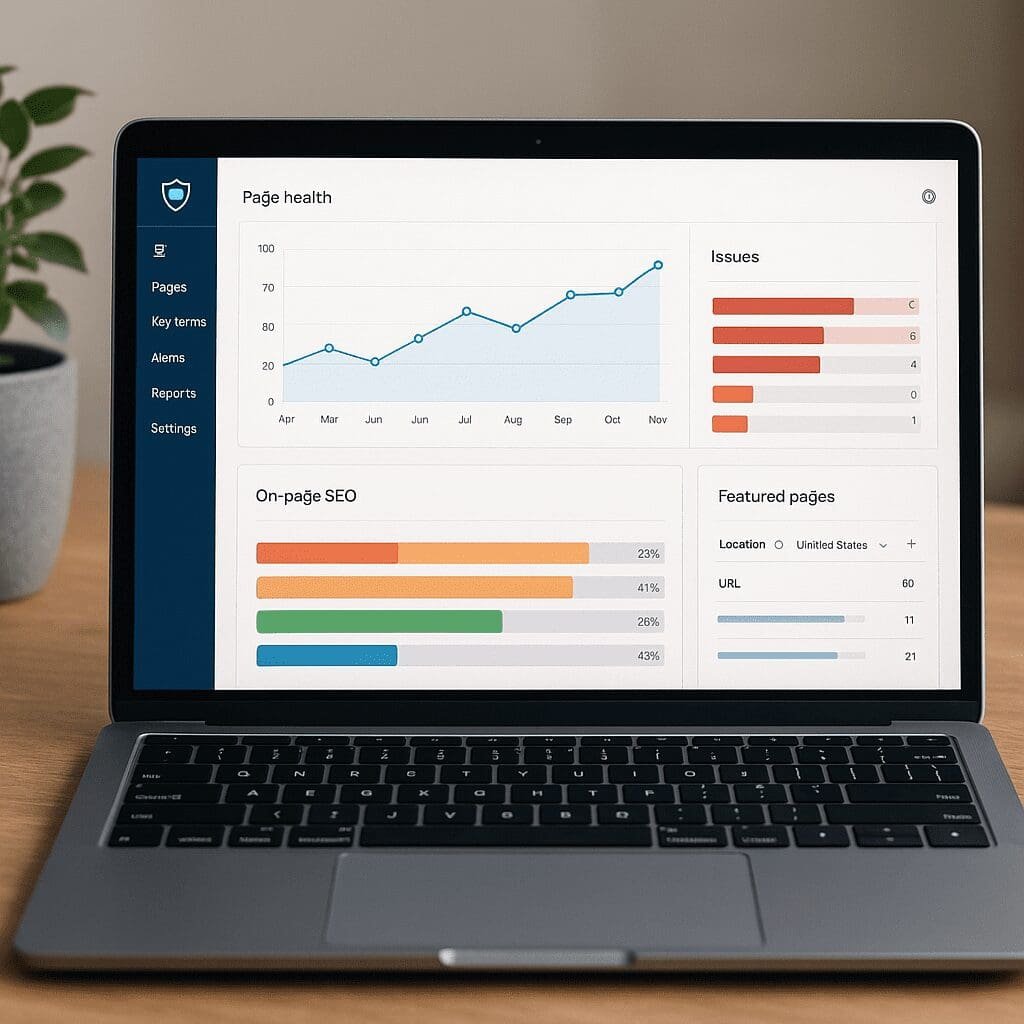
ContentKing / Content.ai
ContentKing / Content.ai has been on the short list of tools that technical marketers reach for when they can’t afford to miss important website changes. At its core, ContentKing is a real-time auditing and change-tracking platform built to keep websites healthy between releases, migrations, and daily content updates. Rather than waiting for a weekly crawl to finish or a monthly report to arrive, it continuously inspects pages and their metadata, compares state over time, and notifies you when something that could influence SEO performance shifts. That positioning matters because most losses in organic traffic aren’t caused by competitors’ brilliance; they’re triggered by accidental regressions—templates deployed without noindex safeguards, canonical misfires, broken redirects, or small tweaks that snowball. This article explains what the software does, where it excels, where it doesn’t, and how teams practically use it to translate technical vigilance into organic growth.
What ContentKing Is (and What It Isn’t)
ContentKing is best described as a continuous website scanner with a memory. It crawls your site, watches for changes, and keeps a historical trail of what changed on which URL and when. In contrast to traditional crawlers that run on demand and then go silent, ContentKing is always running, enabling early detection of regressions. The “/ Content.ai” in the title reflects broader market interest in AI-assisted content operations; however, ContentKing itself is fundamentally a real-time quality-control layer for on-site elements rather than a generative content engine. It has become a staple for teams that need fast feedback between engineering, content, and SEO stakeholders and want a record of changes that can be tied back to specific releases or content edits.
If you’re evaluating it alongside analytics suites, rank trackers, or backlink databases, keep scope in mind. ContentKing does not attempt to replace full analytics, rank tracking, or log-file analysis platforms. Its value proposition is different: it prevents avoidable losses by surfacing problems quickly and documenting the change history that led to them.
How the Always-On Approach Works
Most audits tell you what’s wrong right now. ContentKing tells you what just changed—and whether that change introduced risk. That difference is crucial on large, fast-moving sites. The platform runs continuous monitoring and adaptive crawling to prioritize important templates and frequently updated sections, and it stores previous versions of key page attributes to generate a timeline of edits. When thresholds are crossed (e.g., important pages lose indexability, template-level titles change format, structured data disappears), the system can send targeted alerts so the right person learns about it in minutes rather than days.
Granularity matters here. A batch audit may flag “20,000 pages missing canonical tags.” That’s useful once. But the question that drives remediation is: which deployment caused the spike, and which exact URLs were affected first? Continuous auditing creates the forensic trail—change diffs, timestamps, and impacted templates—that helps engineers reproduce and fix the root cause quickly. The result is lower mean time to detection and lower mean time to recovery for issues that can blunt organic visibility.
Core Capabilities That Matter in Practice
1) Real-Time Change Tracking and History
ContentKing tracks titles, meta descriptions, headings, robots directives, status codes, canonical references, internal links, sitemaps, and more. When a key attribute changes, you get a before/after snapshot, which doubles as documentation during post-mortems and stakeholder updates. This “time machine” is one of the main reasons teams keep the tool running even after major migrations are complete—because it prevents drift from creeping back in.
2) Indexation Health and Crawlability Checks
Indexability, discoverability, and crawl efficiency are the lifeblood of organic reach. ContentKing evaluates indexability at the page level (meta robots, X‑Robots-Tag headers, HTTP status codes), flags redirects and broken links, and surfaces sitemap-to-site mismatches that commonly lead to thin or stale coverage. While the tool doesn’t claim to be a full log analyzer, its continuous optics make it easier to catch inadvertent disallow rules, mistaken noindex deployments, and orphaning patterns before they impact indexation at scale.
3) Metadata and Internationalization
Technical correctness of metadata is table stakes for mature sites. The platform detects empty or duplicate titles/descriptions, screens for overlong or too-short fields, and validates canonical directives to reduce self-competition and dilution. It also checks internationalization elements, including canonical coherence and hreflang markup, so multilingual sites can avoid common pitfalls like broken language clusters or misaligned region codes.
4) Template- and Segment-Level Insights
Few sites behave uniformly; category pages differ from product pages, help center articles differ from blog posts. ContentKing allows segmentation by URL patterns, templates, or custom rules, helping you isolate issues and prioritize fixes where the business impact is highest. Combined with trendlines and change logs, segmentation turns a firehose of data into targeted work queues.
5) Notifications and Collaboration
Speed matters, but so does relevance. You can route notifications by site area or issue type so developers only see what they can fix, and content teams only see editorial risks. Slack and similar channels are common, but email or task-manager handoffs work too. This workflow reduces friction and helps ensure that urgent issues aren’t buried in generic inboxes.
6) Rendering and Modern Stack Support
Modern websites depend on JavaScript, dynamic routing, and component libraries. ContentKing’s renderer can capture much of what a typical user agent would see, giving you visibility into metadata and content that appear post-load. While no synthetic crawler perfectly mirrors every edge case, rendering support closes a large gap that classic HTML-only crawlers often miss.
7) Integrations and Data Access
ContentKing is most useful when it plugs into your existing collaboration fabric. Teams typically connect it to messaging, ticketing, and project management tools, export data for dashboards, and set webhooks for alert-driven automations. Rich integrations are vital if you want to transform detection into action without context switching.
Where Continuous Auditing Helps Most
E‑commerce with Fast-Moving Catalogs
Product availability, pricing, and categorization change frequently. It’s easy for rules on indexability or canonicalization to drift—especially during peak seasons. ContentKing’s always-on checks reduce the odds that a redirected category or templating tweak quietly removes thousands of SKUs from your discoverable footprint.
News and Content Publishers
Editorial velocity is the asset; it’s also the risk. A misconfigured template can propagate across hundreds of new articles before a periodic audit notices. Real-time alerts ensure editors learn about headline truncation, missing structured data, or sudden internal linking regressions while the story is still fresh.
Global and Multilingual Sites
International websites often struggle with URL consistency, language-region targeting, and cross-domain coordination. Validating hreflang and canonical relationships continuously catches mistakes that might otherwise isolate a locale or cause duplication across international variants.
Agencies and Multi-Site Portfolios
For agencies, the advantage is scale. One dashboard can cover dozens of clients and prioritize action by risk and business impact. The change history provides an objective record for client communication: what changed, what you fixed, and how quickly.
What It Won’t Do for You
It’s important to keep expectations aligned with the tool’s design:
- It is not a rank tracker, keyword research suite, or backlink index. Pair it with complementary tools for off-site and SERP insights.
- It is not a full server log analysis platform. If you need precise bot behavior and crawl budget modeling from logs, use a dedicated log analyzer.
- It is not a full performance lab. It can surface high-level signals, but Lighthouse/CWV analysis and RUM are better handled by performance-focused tools.
- It does not replace QA in staging. Continuous production monitoring is a safety net, not a substitute for pre-release testing.
Set-Up and Best Practices
To get real value, configure it deliberately rather than relying on defaults.
- Scope domains and subdomains precisely; include all canonical hostnames and critical microsites.
- Coordinate with engineering to allowlist the crawler and align rate limits with your infrastructure.
- Seed the crawler with sitemaps, high-value hub pages, and patterns that reflect your information architecture.
- Create segments by template or directory to align with ownership (e.g., /blog/, /products/, /support/).
- Configure alerting thresholds and routes so only actionable changes trigger notifications for each team.
- Define issue severity based on business impact; not every title tweak is urgent, but a robots or canonical regression is.
- Document “known good” patterns for metadata, structured data, and internal linking; treat deviations as signals.
- Schedule periodic reviews of the change log to validate that recurring issues have upstream fixes, not just patches.
- Use the API or exports to feed BI dashboards and tie issue detection to ticket creation automatically—lightweight automation that prevents drift from reappearing.
Comparisons and Differentiators
How does ContentKing / Content.ai fit into a modern stack?
- Versus desktop crawlers: Tools like Screaming Frog and Sitebulb excel at deep, one-off audits and custom analyses on your machine. ContentKing trades some of that bespoke depth for continuous coverage, collaboration, and alerting.
- Versus enterprise crawlers: Platforms such as Botify or OnCrawl integrate deeply with log files and big data pipelines. ContentKing’s differentiator is speed-to-signal and simplicity: it’s easier to stand up and designed for real-time impact visibility, not just big crawls.
- Versus all-in-one suites: Site audit modules inside broader SEO suites are often scheduled, not continuous. ContentKing’s 24/7 stance makes it complementary—pairs nicely with rank tracking, content research, and link intelligence rather than replacing them.
Strengths, Limitations, and The Bottom-Line Value
Strengths
- Fast time to value: minutes to insights after setup, not weeks.
- Change intelligence: the history and diffs are a powerful diagnostic and communication asset.
- Collaboration-first: notifications, ownership mapping, and seamless handoffs reduce friction between SEO, content, and engineering.
- International guardrails: continuous checks around canonical and hreflang patterns address common expansion pitfalls.
- Template awareness: segmenting by page type aligns technical signals with how teams actually work.
Limitations
- Scope: it’s not meant to be your rank tracker, link index, or log processor.
- Noise risk: if you don’t tune thresholds and routing, early setups can over-notify.
- Edge-case rendering: like any synthetic crawler, complex client-side rendering can still require manual verification.
- Cost scaling: very large, frequently changing sites should plan budgets around page volume and feature needs to ensure sustainable coverage.
Performance, Reliability, and Data Stewardship
From an operational standpoint, teams care about three things: speed of detection, fidelity of signals, and predictable load. ContentKing’s adaptive crawl tries to balance coverage with politeness, and throttle controls help you avoid strain on origin servers or CDNs. Because the platform processes page content and metadata, you should also evaluate data handling from a compliance perspective: confirm data processing agreements, retention policies, and access controls that align with your legal requirements and internal risk posture. While the platform is not collecting PII by design, enterprise governance demands due diligence on vendor security and data boundaries.
Pricing and Packaging Considerations
Pricing typically scales by number of pages, frequency, and advanced features such as alerting sophistication, rendering, or API access. Portfolio owners often negotiate for multi-domain coverage, while single-site operators choose a tier that matches their URL footprint and release cadence. Trials are useful for calibrating thresholds and proving impact quickly—especially during a period of active development or a content push when the system is likely to catch meaningful issues in the first days.
Who Benefits the Most
- Product-led organizations with weekly or daily releases: Every deployment is a probability of regression; continuous checks reduce risk.
- Sites with complex templates or localization: The more variation, the higher the value of a watchful guardrail.
- Agencies managing many sites: Centralized oversight and reporting help prioritize scarce technical resources.
- Teams formalizing SEO operations: If you’re moving from “best effort” to process-driven SEO, the change log and alerting become the backbone of accountability.
Real-World Scenarios ContentKing Helps Prevent
- Robots.txt deploy blocks entire /blog/ path; the system flags sudden indexability loss within minutes.
- Template pushes remove meta titles from article pages; title presence and length checks trigger targeted notices to editorial leads.
- Canonical tags on paginated categories start pointing to page 1 incorrectly; canonical diffs highlight the change and affected page range.
- Localized pages lose language attributes; internationalization checks surface broken clusters and misaligned alternates.
- A redirect chain turns into a loop after a sitewide move; status-code changes and redirect mapping reveal the cycle quickly.
Workflow Tips to Turn Detection into Resolution
Tools don’t create outcomes—workflows do. Assign ownership by segment: engineering owns status codes and robots directives; content owns metadata quality; SEO owns information architecture and guardrails. Map alert severities to SLAs, and wire high-severity channels to on-call responders. Couple findings to a ticketing system that captures the change diff and affected URL list automatically. Review weekly for recurring patterns and turn them into unit tests or pre-deploy checks. Over time, the platform’s history becomes a living playbook of “how we broke this before and how we fixed it,” which is invaluable when team members rotate or vendors change.
How It Compares for AI-First Content Operations
While ContentKing is not a content-generation platform, it sits comfortably beside AI-assisted editorial workflows. As teams ship more content faster, risk increases: duplicated headlines, thin tag pages, inconsistent internal links, or overzealous noindex strategies applied by automated scripts. Continuous auditing functions as the safety layer that keeps AI-driven velocity from eroding technical quality. If your roadmap includes machine-generated or machine-augmented pages, ensure you pair that with automated checks for metadata, internal linking, and discoverability—the exact domains where ContentKing is strongest.
Scalability and Portfolio Management
For organizations managing multiple brands or regions, the platform’s multi-site overview provides “portfolio triage”—which sites are trending in the wrong direction, which have the most severe open issues, and where to deploy limited engineering hours. This is where operational scalability matters. Standardized segments and issue severities across properties help roll up consistent reporting to leadership without losing local context.
Measuring ROI: From Guardrails to Growth
Directly attributing revenue to a monitoring platform can be tricky, but there are pragmatic proxies that resonate with executives:
- Reduced duration of critical issues: measure mean time to detection and mean time to recovery before and after adoption.
- Fewer incidents per quarter: track regression categories and the cadence at which they recur.
- Stable index coverage during releases: monitor coverage patterns in your search console data around deploy windows.
- Lower firefighting burden: quantify hours saved by early detection and clearer ownership handoffs.
The strategic payoff is not just “fixing problems faster,” but preventing losses that would otherwise compound. Protecting core category pages from accidental noindex status for even a few days can easily justify the investment on medium to large properties.
Opinion: When ContentKing / Content.ai Is a Smart Buy
If your website rarely changes and your team ships monthly updates, a scheduled crawler may be enough. But if your organization moves quickly—multiple releases per week, frequent template updates, international footprint, or high editorial velocity—then real-time oversight is more than a convenience; it’s risk management. ContentKing’s core strengths lie in its ability to catch mistakes early, document what changed, and route the right fix to the right owner without delay. Paired with a solid analytics stack and complementary rank/link tools, it forms a pragmatic, high-leverage layer in the modern SEO toolkit.
The headline is simple: when “silent regressions” are one of the biggest drivers of organic underperformance, a system built to see and surface those regressions continuously becomes a competitive advantage. That’s the value story behind ContentKing / Content.ai—focus not just on what’s wrong, but on what just changed and why it matters.