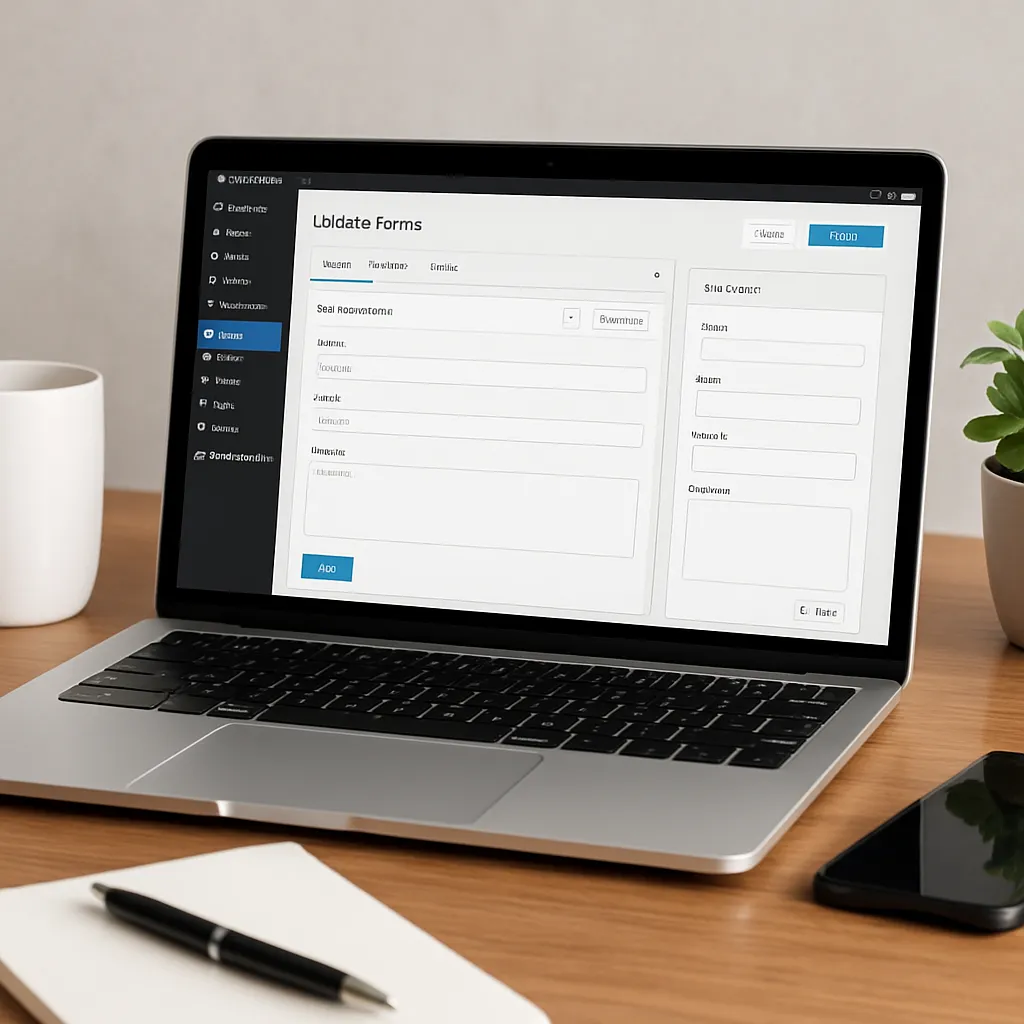
Caldera Forms
Caldera Forms occupies a memorable place in the WordPress ecosystem as a visual, drag‑and‑drop form builder that allowed site owners to create anything from simple contact forms to complex, conditional, multi‑step workflows without writing code. While it has been sunset and is no longer actively developed with new features, many sites still run Caldera Forms successfully, and the plugin’s design ideas continue to influence how modern form tools approach layout, calculations, and extensibility. This article looks at what made Caldera Forms distinctive, how it is used, what impact it can have on site health and SEO, noteworthy strengths and caveats, and practical guidance for operating or migrating a Caldera‑powered site.
What Caldera Forms Is and Where It Came From
Caldera Forms was built to make form creation approachable and powerful at the same time. Its visual grid‑based builder let users drag fields into rows and columns, quickly producing clean multi‑column layouts that matched a site’s design. Beyond the layout, Caldera Forms introduced a collection of “processors” to handle what happens when a form is submitted—save the entry, send notifications, trigger webhooks, redirect to a confirmation page, or hand data to a payment gateway or email marketing list. This processors approach made it easy to chain together post‑submit actions without custom code.
Over time, the plugin accumulated an extensive library of field types (from simple text inputs and file uploads to advanced calculation and conditional fields) and add‑ons for payments and marketing. Eventually the project was acquired by the team behind another major form builder, and Caldera Forms entered a sunset phase. In practical terms, that means existing installs typically remain operable, with security maintenance provided for a period, but new features and major forward‑looking changes have stopped. For site owners, the immediate implication is to keep current backups, test updates on staging, and plan a migration path if you rely on advanced add‑ons that may not see long‑term maintenance.
Core Building Blocks: Fields, Logic, and the Visual Layout System
The Caldera Forms builder stood out for its emphasis on layout. Instead of relying solely on CSS to position inputs, the grid system let you compose forms visually. That made it easy to achieve compact, two‑column name and email blocks, side‑by‑side pricing fields, or multi‑step wizards with progress indicators. Developers appreciated that the generated markup could be styled predictably, while non‑technical users could ship polished forms quickly.
Fields and Validation
Caldera Forms shipped with a broad suite of input types: single‑line and paragraph text, email, URL, number, dropdowns, radio buttons, checkboxes, date/time pickers, hidden fields, file uploads, and calculation fields. Validation rules—required fields, pattern constraints, length limits, and type checks—could be toggled per field. Helpful touches such as placeholder text, default values, and per‑field descriptions improved clarity and reduced submission errors.
Conditional Logic and Calculations
Conditional logic was one of Caldera Forms’ marquee features. You could show or hide fields based on earlier answers, dynamically branch to different pages, and even adjust notifications or processors depending on user choices. Calculation fields let you implement instant quotes, price totals, or scoring systems by referencing other fields and applying arithmetic. Those two features together unlocked surprisingly complex workflows: mortgage pre‑qualification, service intake triage, donation forms with dynamic amounts, or B2B quote builders.
Multi‑Step Forms and Progress
Splitting long forms into multiple pages frequently improves completion rates. Caldera Forms supported page breaks and progress indicators, making it easy to guide users through structured steps. Behind the scenes, partial data could be carried between pages, validated incrementally, and included in final notifications and database entries.
Notifications, Processors, and Routing
Upon submission, Caldera Forms could send emails to admins, route messages to different departments based on user selections, notify the submitter with an auto‑response, save entries to the database for later export, and redirect to a custom thank‑you page. Processors provided a modular way to attach additional actions, including webhooks for custom integrations or CRM handoffs. For larger teams, conditional routing kept inboxes sane—sales got sales leads, support got troubleshooting requests, and HR got job applications without manual triage.
File Uploads and Media Handling
File uploads supported multiple file types with size limits, useful for resumes, RFP attachments, or creative briefs. Administrators could choose where files were stored, how they were named, and whether the files were publicly accessible or gated. As with any form plugin, best practice is to restrict types and enable server‑side checks to avoid handling risky files.
Integrations and Extensibility
Caldera Forms connected to many third‑party services through add‑ons and the processors ecosystem. Popular connections included email marketing platforms, CRMs, and payment gateways. Even without a dedicated add‑on, webhooks or Zapier could bridge a form to external workflows, such as creating a ticket in a helpdesk or logging a lead in a sales pipeline tool. For developers, hooks and filters allowed custom validation, conditional logic extensions, and bespoke processors.
Because the plugin is in a sunset phase, it is prudent to verify that mission‑critical add‑ons are still receiving updates and are compatible with your WordPress, PHP, and theme versions. Where needed, map out an equivalent integration in an actively maintained plugin, or plan to replace a specialized processor with a webhook that hands data to an automation platform.
This highlights one of the plugin’s core strengths: flexibility. Whether you needed a minimal contact form or a multi‑page intake with payments and CRM synchronization, Caldera Forms could be adapted—often without code—to match the complexity of the workflow.
Does a Form Plugin Help with SEO?
Strictly speaking, a form plugin does not boost rankings on its own. Search engines do not reward a site merely because it uses a particular form builder. However, forms can influence several secondary factors that correlate with organic outcomes. Good contact, demo, and quote forms reduce friction, help visitors accomplish tasks quickly, and improve overall user experience—factors that are adjacent to engagement signals and conversions. Well‑structured pages that load quickly and are easy to use also tend to perform better in organic discovery and retention.
Where Caldera Forms can indirectly contribute is through site quality and tracking discipline. Fast asset loading, minimal JavaScript conflicts, and clean markup support better performance. Accessible labels, keyboard navigation, and error messaging improve accessibility, which benefits all users and reduces abandonment. When form submissions trigger analytics events, teams can see which organic landing pages produce the most leads and invest in content that demonstrably converts.
A few practical SEO‑adjacent tips for Caldera‑powered pages:
- Use a dedicated thank‑you page with a clear message and relevant next steps. This creates a URL you can use for goal tracking in analytics and for remarketing audiences.
- Load form assets only on pages where the form appears to avoid slowing unrelated pages. Some themes and performance plugins can conditionally dequeue scripts and styles.
- Ensure your anti‑spam protections do not block legitimate crawlers from necessary resources, and that JavaScript errors do not prevent a page from rendering core content.
- Mark up contact information in your footer or contact page with appropriate semantic HTML; the form itself does not create structured data, but the surrounding content can.
Security, Privacy, and Data Responsibility
Any form is a potential vector for abuse, so hardening matters. Caldera Forms included honeypot fields and support for CAPTCHA solutions to deter bots. Beyond that, responsible site owners implement rate limiting, server‑side file validation, and SMTP delivery with authentication to prevent spoofing. Keep WordPress core, your theme, and security plugins up to date, and minimize the stack of overlapping form‑related add‑ons that may broaden the attack surface. Because the plugin is in sunset, it is doubly important to patch promptly if a security release is issued.
On the privacy front, Caldera Forms made it straightforward to add consent checkboxes, and to display links to your privacy policy. You control data retention: how long to keep entries, where attachments are stored, and who can access submissions in the dashboard. For regulated contexts, build processes for honoring data access and deletion requests. This is about security and about compliance; both are essential for trust as well as legal obligations.
Accessibility, Usability, and Inclusive Design
Accessible forms help everyone. Ensure each input has an associated label, error messages are announced clearly, and focus states are visible. Avoid using color alone to convey meaning; include icons or text. Test keyboard‑only navigation and screen reader behavior to confirm users can move through steps and understand validation feedback. Caldera Forms outputs reasonably semantic HTML, but your theme and custom CSS decide the final result. Investing in accessibility reduces friction and can meaningfully increase completed submissions.
Analytics, Conversion Tracking, and Process Automation
To connect marketing with outcomes, wire your forms to analytics. Fire events on successful submission (for example, via the thank‑you page URL or a JavaScript callback), and track source/medium parameters with hidden fields that store UTM tags. This lets you analyze which organic keywords, landing pages, or referrers produce the most leads. Then adjust content and calls‑to‑action accordingly to improve conversion rates.
From an operational standpoint, use webhooks or native connectors to push entries into CRMs, helpdesks, or email platforms. Even with a sunset plugin, a webhook plus a no‑code tool can keep critical workflows humming and add light automation without bespoke development. Just be sure to handle retries, map required fields carefully, and log failures so that missed leads are visible and recoverable.
Real‑World Use Cases
- Service Intake and Qualification: Conditional logic routes complex requests to the right team, captures attachments, and displays next‑step instructions based on user type.
- Quote Calculators: Calculation fields estimate pricing from selected options. Multi‑step layouts keep forms less intimidating while capturing all essentials.
- Event Registration: Multi‑page flows collect attendee data, apply coupon logic, and trigger tailored confirmation emails per ticket type.
- Support Requests: Smart routing sends urgent issues to on‑call staff, while lower‑priority tickets go to a helpdesk queue via webhook.
- Job Applications: File uploads, required fields, and eligibility questions produce structured submissions HR can triage quickly.
Pros, Cons, and an Opinionated Take
What set Caldera Forms apart was its layout‑first builder, robust conditional logic, and approachable processors model. In its prime, it delivered excellent integration breadth, especially for marketing teams that needed to connect forms to CRMs and email tools without writing code. For developers, it struck a sensible balance: enough hooks and filters to customize behavior, but a UI that business users could manage independently day‑to‑day.
The main drawback today is longevity. A sunset plugin introduces operational risk over the long term. Compatibility with future WordPress and PHP releases is not guaranteed, and premium add‑ons from third parties may become unmaintained. If your revenue‑critical workflows depend on Caldera Forms, you should plan a migration, or at minimum audit the stack and create contingency plans. That said, if your site uses a stable subset of features—basic contact forms, moderate conditional logic, and standard notifications—Caldera Forms can continue to serve reliably while you schedule a careful transition.
Performance and Scalability Considerations
Form plugins can be deceptively heavy when enqueuing scripts and styles on every page. Audit your theme to ensure form assets load only where needed. Minimize field counts, disable unused modules, and avoid nesting too many conditional rules on a single page. For high‑traffic sites, export and archive old entries so your database remains lean. Real‑world scalability means sustained stability under load: cache non‑form pages aggressively, and consider offloading email delivery to a transactional provider so your web server is not stalled sending notifications.
Small details improve performance: compress images users upload, apply sensible file size limits, and lazy‑load non‑essential scripts. Test your forms on mobile networks to verify that multi‑step flows feel responsive even on slower connections.
Developer Notes: Theming, Hooks, and Customization
While non‑developers can accomplish a lot in the UI, developers can refine the experience further: customize templates to match a design system, add pre‑submit validation with JavaScript, and extend processors to interact with internal APIs. Use hooks to enrich entries with contextual data (e.g., the logged‑in user’s account ID) or to modify notification routing on the fly. Keep customizations in a child theme or a site‑specific plugin to avoid losing changes during updates.
Remember that future compatibility is the chief constraint. If you are planning net‑new bespoke features, evaluate building them on an actively maintained form framework to reduce technical debt. Caldera Forms can remain the stable backbone for existing flows while you prototype replacements in parallel.
Compliance and Responsible Data Handling
Legal requirements around data collection are only getting stricter. Add explicit consent checkboxes with clear language, and link to your privacy policy near the submit button. Set retention policies for entries and determine which roles can view or export submissions. Document a process for deleting or exporting user data upon request. Even when your forms are simple, treating privacy as a first‑class concern pays dividends in trust and reduces risk. This is where compliance meets user respect and brand reputation.
Migration and the Road Ahead
Many site owners will eventually migrate from Caldera Forms to another actively maintained builder. A measured approach works best:
- Inventory every existing form: fields, logic, processors, add‑ons, and where it appears on the site.
- Identify a target platform (e.g., a maintained form plugin) with equivalent features and integrations.
- Rebuild the most critical forms first in a staging environment, test edge cases, and verify analytics and notifications.
- Plan cutovers during low‑traffic windows, and keep Caldera Forms as a fallback until the new flows are proven.
- Export historical entries to CSV or a data warehouse for compliance and reporting continuity.
Migrations are an opportunity to simplify. You may discover redundant fields, outdated routing, or integrations that can be replaced with a single webhook to an orchestration tool. Keep users front and center: preserve visual cues, button text, and confirmation copy so there is no surprise when the new form goes live.
Maintenance Checklist for Existing Caldera Installations
- Back up your site and database regularly, and export recent form entries on a schedule.
- Test submissions monthly to confirm notifications arrive, attachments work, and processors fire as expected.
- Review spam defenses: honeypot, CAPTCHA, and rate limiting; adjust thresholds if legitimate users are blocked.
- Audit who has access to entries in the WordPress dashboard and remove stale accounts.
- Verify SMTP or transactional email settings to improve deliverability and reduce bounces.
- Keep a log of changes to forms so you can correlate dips in leads to specific edits.
Interesting Details You Might Not Know
- The processors model encouraged modular thinking: treat “submit” not as a single event but as a pipeline of actions that can be reordered or made conditional.
- The grid‑based builder reduced the need for custom CSS for common two‑ and three‑column arrangements, helpful for teams without in‑house front‑end capacity.
- Calculation and conditional fields enabled surveys, scorers, and quote tools that feel app‑like—all from within WordPress.
- Because forms touch email, files, and databases, Caldera pushed many site owners to learn about deliverability, storage practices, and basic security hygiene—skills that carry over to any platform.
Who Should Still Consider It—and Who Should Move On
If your site already runs Caldera Forms for straightforward tasks and you have not hit compatibility snags, you can continue to operate with care: keep backups, test regularly, and pin versions to known‑good states. If, however, you are launching new complex workflows, depend on niche add‑ons, or require guaranteed long‑term vendor support, it is wise to adopt a platform with an active roadmap. The calculus is pragmatic: weigh the cost of migration once against ongoing operational risk.
Final Thoughts
Caldera Forms helped thousands of WordPress sites gather leads, power quotes, accept files, and orchestrate post‑submit actions with minimal friction. While its active development has ended, the lessons remain relevant: prioritize flexibility in design, guard security and privacy, measure real outcomes through analytics and conversion tracking, and favor integrations that reduce manual busywork through light automation. Above all, treat your forms as living interfaces—optimize for clarity and speed, respect user time and data, and keep an eye on long‑term maintainability so your stack grows with your business rather than holding it back.
When approached this way, a form is not just an inbox feeder; it is a strategic touchpoint that supports discovery through healthy site performance, opens doors to users through accessibility, connects your tools through integration, and scales with demand through mindful scalability. Caldera Forms proved that a thoughtful builder can bring all of that within reach—today, the key is choosing a path that preserves those strengths while ensuring your foundation remains future‑ready.