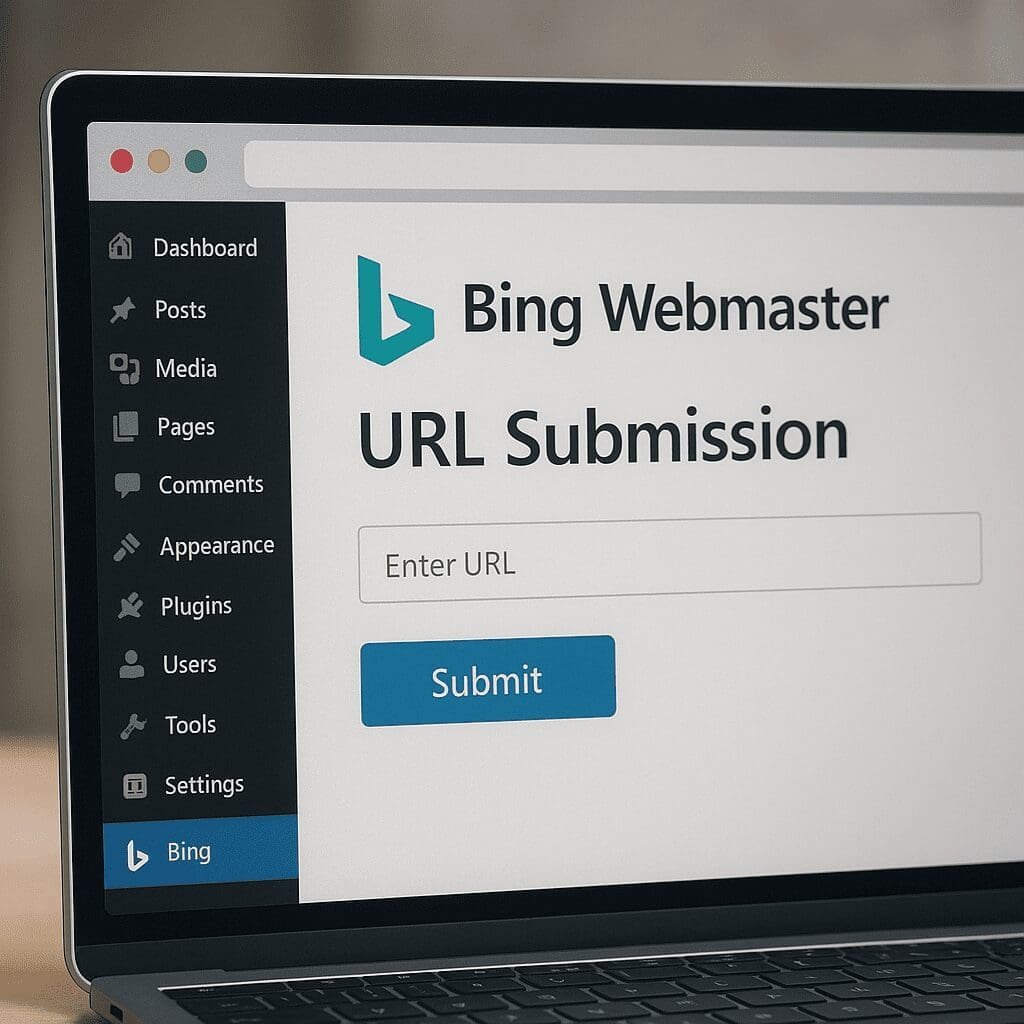
Bing Webmaster URL Submission
Bing Webmaster URL Submission for WordPress is a small, purpose-built plugin that connects your site to Bing’s URL Submission API so new and updated pages are discovered and crawled faster. It automates a tedious job many site owners still do by hand—pasting fresh URLs into Bing Webmaster Tools—so you can focus on content and let the plugin notify Bing every time something meaningful changes. For sites that depend on speed and freshness, from newsrooms to product catalogs, this plugin can reduce the time between publishing and search visibility, improving content discoverability without adding workflow friction.
What the Bing Webmaster URL Submission Plugin Actually Does
At its core, the plugin is a thin integration layer between WordPress and the Bing URL Submission API. When you publish or update content, it sends the canonical URL to Bing with your API key and a timestamp. Bing then prioritizes crawling the submitted address, often much sooner than it would if it had to find the change via a sitemap or normal recrawl cadence. Practically, this means:
- New posts and pages get pushed to Bing rather than waiting for periodic discovery.
- Edited content—like headline tweaks, price changes, or new product attributes—can be re-crawled promptly.
- You can optionally submit specific URLs manually from the WordPress admin if you must escalate something immediately.
The plugin is developed by the Bing team and is available through the official WordPress plugin repository. It usually ships with sensible defaults—auto-submit enabled, a simple settings screen for your API key, a basic log of recent submissions, and options to include custom post types. The action is lightweight: it triggers on publish or update hooks and sends a compact POST request with the URL and credentials. There’s no ongoing crawl; it’s an on-demand nudge to Bing to look at a specific resource.
How It Works Under the Hood
When you hit Publish or Update, WordPress fires events that the plugin listens to. It collects the canonical permalink, validates that the content is public, and queues a background request to the Bing endpoint. The call is non-blocking: the save operation in your editor doesn’t wait for Bing to reply, which keeps the editing experience snappy. If the API returns a transient error (for example, a temporary rate limit), the plugin can retry later using WordPress’s scheduling system. This keeps submissions reliable even across traffic spikes and editorial rushes.
From Bing’s perspective, the submission is a hint with high priority. It doesn’t guarantee immediate indexing, but it moves the URL ahead in the crawl queue. The speed benefit is most visible when:
- Your site publishes time-sensitive content (breaking news, sales, job postings, inventory changes).
- You have a small site that Bing doesn’t visit frequently on its own.
- You are rebuilding or migrating a site and need rapid validation that pages are reachable.
The plugin complements, rather than replaces, your regular sitemaps. Sitemaps remain the backbone of large-scale discovery, particularly for deep catalogs and seasonal archives; the URL submission plugin is the surgical instrument for the URLs that matter now. Together, sitemaps and push-notifications help Bingbot allocate its crawl activity more efficiently.
Installation and Configuration: A Practical Walkthrough
1) Install the Plugin
- In WordPress, go to Plugins → Add New.
- Search for “Bing URL Submission” or “Bing Webmaster URL Submission” by Microsoft/Bing.
- Install and activate.
2) Get an API Key from Bing Webmaster Tools
- Sign in to Bing Webmaster Tools and verify your site if you haven’t already.
- Navigate to the URL Submission section to generate an API key for your property.
- Copy the key—this authenticates your WordPress site’s requests.
3) Enter the Key and Review Defaults
- In WordPress, open the plugin settings and paste the API key.
- Confirm that “Auto-submit on publish/update” is enabled.
- Decide whether to submit custom post types (e.g., products, portfolio items).
- Check the log after your next publish to confirm successful submission.
4) Optional: Fine-Tune What Gets Submitted
- Exclude drafts, private content, and noindex pages.
- Avoid submitting thin or duplicate content and filtered URLs with parameters.
- Limit submissions on trivial edits (e.g., typographical fixes) if your volume is high.
For multi-environment setups, disable the plugin on staging or password-protected environments—either by not activating it there, or by adding a simple conditional that prevents submissions when the site is not public.
What It Means for SEO: Benefits, Limits, and Expectations
The most important point: URL submission helps with crawl and discovery speed; it does not directly alter ranking signals. Faster discovery and fresher index entries can indirectly support SEO performance—news can be timely, products can show current availability, and updated guides can reflect the latest information—but the plugin does not replace content quality, link equity, technical correctness, or user experience.
Where the plugin shines:
- Time-to-index improvements: New URLs often appear in Bing’s index sooner.
- Freshness: Updates can be reflected more quickly in search snippets and features.
- Crawl efficiency: By telling Bing exactly which URLs changed, you reduce wasted crawling on static pages.
- Reliability: Editors don’t need to remember to paste URLs into Webmaster Tools after publishing.
What the plugin won’t do:
- Guarantee visibility for low-quality or off-topic content.
- Override site-level issues like slow performance, broken schemas, or blocked resources.
- Increase authority the way high-quality links or brand signals do.
Think of it as a discipline tool for the freshness side of search, particularly on Bing. If your audience includes Windows users, Edge users, or regions where Bing’s market share is meaningful, the incremental visibility can be well worth the few minutes of setup.
Features and Practical Capabilities
- Automatic submissions on publish and update events, including select custom post types.
- Manual submission tool within the WordPress admin for high-priority URLs.
- Submission logs with timestamps and response codes for troubleshooting.
- Basic rate handling and retries on temporary failures.
- Compatibility with sitemaps and popular caching/performance plugins.
Many site owners ask about deletion or URL changes. While you can submit updated URLs promptly, removals rely on proper redirects or 404/410 responses and sitemaps reflecting removals. The plugin does not “de-index” pages; it signals new or updated ones. For discontinued URLs, use accurate status codes and keep sitemaps tidy.
IndexNow vs. Bing URL Submission vs. Sitemaps
It helps to separate three concepts:
- Bing URL Submission: A direct, authenticated channel to Bing to push individual URLs.
- IndexNow: A broader push protocol supported by Bing and other search engines where a single ping can notify multiple participants. Some WordPress sites use a dedicated IndexNow plugin (also by Microsoft Bing) or CDN integrations.
- Sitemaps: A passive, standards-based inventory that search engines periodically fetch.
Which to use?
- Small to mid-size sites: Bing URL Submission is easy to set up, reliable, and lightweight. Consider adding IndexNow if you want multi-engine coverage with push.
- Large catalogs: Keep sitemaps meticulously structured for baseline discovery and use push methods for high-priority deltas (new listings, price changes, time-sensitive updates).
- News and fast-moving verticals: Push methods (Bing URL Submission and/or IndexNow) are especially useful to shorten the freshness window.
Note: While Bing actively supports IndexNow, other engines’ support varies; always check current documentation for the latest coverage before assuming multi-engine propagation.
Performance, Security, and Reliability Considerations
The plugin sends small HTTP requests and should not meaningfully affect page rendering or editor speed. Still, smart engineering helps:
- Non-blocking requests: Ensure the plugin is configured to fire in the background.
- Timeouts: Reasonable HTTP timeouts prevent slow external calls from stalling PHP workers.
- Retries with backoff: Avoid hammering the API if rate-limited; rely on scheduled retries.
- Logging: Keep submission logs long enough to diagnose issues, but prune to avoid bloating your database.
Security-wise, the API key is sensitive. Store it only in trusted environments, restrict admin access, and rotate the key if it leaks. If you manage configuration via code, consider placing credentials as constants in wp-config rather than in the database. For teams, document the process so key rotation doesn’t break automation across environments.
Best Practices for Clean Signals
- Submit canonical URLs only. If you use alternate URLs or tracking parameters, always submit the canonical version to avoid mixed signals.
- Respect canonicalization: Ensure rel=canonical tags point to the same URL you submit.
- Exclude noindex pages, thin archives, faceted navigations, and temporary previews.
- Guard staging: Disable submissions outside production to prevent polluting the index with non-public content.
- Coordinate with redirects: Submit the final destination, not a URL that immediately 301s elsewhere.
- Limit noisy updates: Don’t trigger submissions for cosmetic changes if you publish at very high volume.
- Keep sitemaps pristine: They remain foundational for coverage; the plugin is an accelerator, not a replacement.
- Monitor health: Use Bing Webmaster Tools to spot crawl anomalies or spikes in errors after deployments.
Measuring the Impact
Use Bing Webmaster Tools to close the loop:
- URL inspection: Verify that submitted URLs are crawlable, canonical, and indexed.
- Index coverage: Watch the ratio of submitted-to-indexed pages over time.
- Crawl stats: Check whether Bingbot activity becomes more aligned with your publishing schedule.
- Performance reports: Look for faster appearance of new URLs and earlier impressions for fresh content.
Operationally, track time-to-index by sampling newly published URLs and checking when they first appear in Bing. For transactional sites, correlate faster updates with fewer support tickets about stale information (incorrect prices, out-of-stock items still ranking, etc.). For publishers, monitor how often scoops appear in Bing within minutes instead of hours.
Use Cases Where It Truly Shines
- News and magazines: Speed-to-visibility matters for breaking reports and rapidly evolving stories.
- Ecommerce and marketplaces: Inventory changes, price drops, and new SKUs benefit from quick recrawl.
- Events and ticketing: Date/time-sensitive pages need timely updates in search.
- Job boards and classifieds: Expiring and rotating listings are a perfect fit for push-based discovery.
- Local businesses: Announcements, holiday hours, and service updates can refresh quicker.
- Small blogs: Sites that Bing visits infrequently gain a nudge to be seen sooner.
Common Questions and Clear Answers
Does it help with Google? The plugin targets Bing specifically via the Bing Submission API. It doesn’t submit to Google. If you want broader push coverage, evaluate IndexNow, which can notify multiple participating engines in a single ping.
Are there rate limits? Yes, there are limits and recommended pacing for submissions; they’re generous for typical WordPress sites. The plugin’s retry behavior handles temporary throttling. Check the latest Bing documentation for exact limits.
Will using the plugin cause penalties? No. Submitting URLs is an approved mechanism. However, submitting low-quality, duplicate, or non-canonical URLs can dilute signals—be selective and accurate.
Does it replace sitemaps? No. Keep your sitemaps and index sitemaps in place. The plugin is best viewed as a real-time companion to sitemaps.
Does it work with WooCommerce or custom post types? Yes, as long as URLs are public and you configure the plugin to include those post types, it will submit them on creation or update.
Editorial and Technical Opinions: Is It Worth Installing?
For most WordPress sites, the Bing Webmaster URL Submission plugin is a “set-it-and-forget-it” enhancement that pays off in reduced latency between publishing and visibility on Bing. The cost is near-zero: install, paste an API key, confirm logs, and move on. The upside is tangible whenever freshness matters or when a site lacks strong crawl cadence. It will not magically improve content quality or authority, but as an operational layer in a modern publishing stack, it’s sensible and mature.
My practical view is simple: if your audience includes a noteworthy slice of Bing searchers, or if you publish anything time-sensitive, install it. If your site is extremely stable and updates rarely, the benefit is smaller but still positive—when you do publish, you’ll see faster pickup. For agencies and SEOs, bundling this plugin in your standard WordPress blueprint is smart hygiene alongside sitemaps, analytics, and on-page optimization.
Advanced Notes for Power Users
- Queues and batching: High-volume publishers can synchronize editorial events with a queue that batches submissions at short intervals to reduce chatter while staying fresh.
- Event filtering: Developers can hook into save_post and transition_post_status to submit only when content transitions to a public state, or when specific taxonomies change.
- International sites: Ensure hreflang and canonical tags are correct. Submit the canonical per locale; avoid submitting alternates meant for other regions.
- Headless setups: If you publish via APIs, make sure your deployment triggers the submission hook or calls the plugin’s internal submission function programmatically.
- Error monitoring: Surface submission failures in a Slack or email alert to avoid silent misconfigurations after credentials rotate.
Troubleshooting Checklist
- Submission log empty: Confirm the plugin is active in production and auto-submit is enabled.
- 401/403 errors: Verify the API key, site verification status in Bing Webmaster Tools, and that the key matches the property.
- 429 responses: You’re rate-limited. Reduce submission frequency or let the retry schedule smooth out spikes.
- Indexed content not updating: Check caching layers, confirm that the page actually changed, and ensure canonical tags still point to the submitted URL.
- Unexpected URLs being submitted: Exclude post types or statuses that shouldn’t be public, and avoid parameterized URLs.
Complementary Practices That Amplify Results
- Clean technical foundations: Valid HTML, fast pages, mobile readiness, and well-implemented API-driven features like lazy loading and prefetching.
- Clarity of meaning: Accurate schemas and structured elements (titles, headings, schema.org) to help search engines interpret updates.
- Content governance: Editorial guidelines that avoid publishing placeholders and thin stubs the plugin would push unnecessarily.
- Monitoring: Regularly inspect key URLs with Bing’s tools to ensure that updates propagate as expected.
Final Take
The Bing Webmaster URL Submission plugin is a pragmatic, low-friction way to make WordPress and Bing collaborate better. It shortens the feedback loop between hitting Publish and getting crawled by Bing, improves the freshness of search listings, and enhances discoverability without ceremony. It won’t change your ranking by itself, but it will help Bing see your changes faster—and that’s often the edge that moves results in competitive niches. For teams that value operational precision in search, it’s an easy win worth adopting alongside sitemaps and other foundational practices.
In short: install it, connect your API key, keep sitemaps tidy, submit only canonical and high-value URLs, and watch your time-to-index shrink. Combined with quality content, healthy link profiles, and robust technical hygiene, this small plugin can play an outsized role in how efficiently Bing discovers and surfaces your work in search.