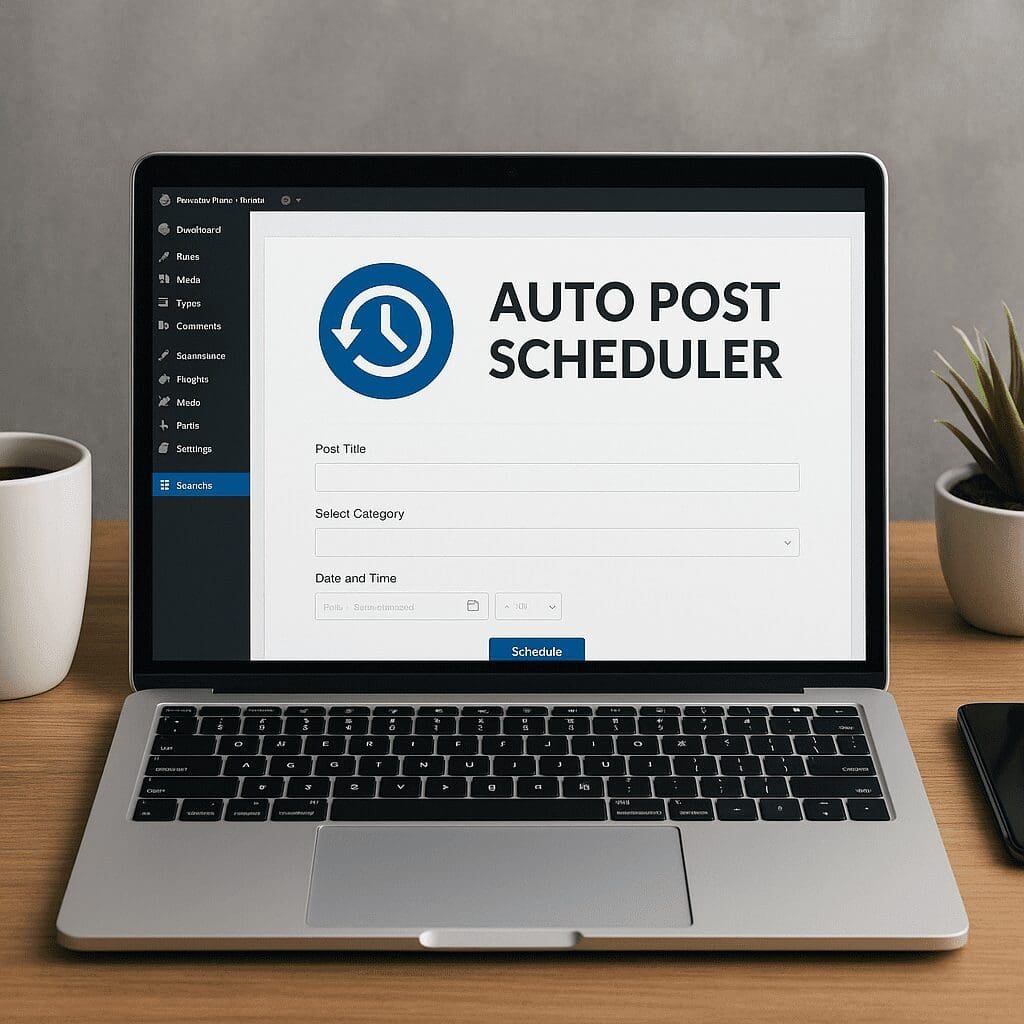
Auto Post Scheduler
Auto Post Scheduler is a small but powerful WordPress plugin that takes the repetitive strain out of planning when content goes live. Instead of hovering over the Publish button or juggling calendar reminders, you set your rules once and let the site pace itself. For editors, marketers, and solo bloggers alike, it becomes the silent metronome that keeps the publication rhythm steady—whether you’re feeding a news stream, reviving older pieces, or coordinating with a broader content strategy that spans newsletters and social media.
What Auto Post Scheduler Does and Who It Helps
At its core, Auto Post Scheduler automates the process of publishing content at defined intervals. You can prepare drafts in batches, then let the plugin drip them onto the site so audiences experience a predictable flow. This is particularly helpful if you work in sprints, accept contributions from multiple authors, or manage content releases across time zones.
Beyond simple time-based release, many site owners use Auto Post Scheduler to resurface older posts strategically. That might mean bumping the publish date to make a seasonal tutorial visible at the right moment or keeping the homepage dynamic during quieter editorial weeks. While the plugin doesn’t write or edit content, it brings a layer of automation to the cadence that would otherwise require constant manual effort.
Who benefits most:
- Solo publishers who prefer creating in batches rather than daily check-ins
- Small editorial teams that need predictable output without complex newsroom software
- Affiliate and comparison sites that refresh product guides and feature roundups on a cycle
- Education and nonprofit sites that republish evergreen guides timed to academic or campaign calendars
- Multilingual sites that coordinate staggered releases across languages
Key Capabilities and How to Configure Them
While details vary by version and theme/plugin stack, the common setup pattern looks like this:
- Select which post statuses the scheduler should scan—commonly Draft or Pending—so the plugin only pulls from content that’s ready or awaiting approval.
- Define the interval between posts. Some prefer a strict daily release, others choose a window (for example, publish every 10–18 hours) so timing looks less robotic.
- Set a start and end time window to avoid overnight releases or to align with audience peaks in specific geographies.
- Include or exclude by category or tag, ensuring the scheduler respects your editorial boundaries and doesn’t accidentally push non-public updates.
- Limit to specific post types if you use custom types for resources, portfolio items, or products.
- Optionally rotate older content by updating post dates for pieces that deserve a second spotlight, with care taken to maintain URL structure and avoid duplicate feeds.
- Choose timezone behavior and check your site’s clock to avoid misaligned publication times after daylight saving changes.
Before enabling continuous release, do a dry run. Queue three or four non-critical posts, set a very short interval on a staging site, and watch the logs or admin notices. Confirm that your cache purges on publish, that social integrations trigger once (not multiple times), and that email subscribers aren’t spammed with repeat alerts for minor updates.
Does Auto Post Scheduler Help with SEO?
Used well, a scheduler can influence findability in indirect but meaningful ways. A consistent release rhythm helps users know when to return, and it can support signals that search engines interpret as healthy site maintenance. Consider these angles:
- scheduling and predictability can improve editorial discipline, which tends to produce complete, interlinked content libraries over time.
- Controlled consistency supports audience engagement metrics—readers stay longer and return more frequently when new material arrives on a rhythm they learn to trust.
- Regular updates often contribute to perceived content freshness, which can matter for topics where information changes quickly.
- Steady release can improve crawlability by keeping sitemaps and feeds active, encouraging bots to revisit at a cadence aligned to your publishing output.
However, scheduling is not a magic switch for rankings. Publishing more often won’t compensate for thin content, weak topical authority, or poor internal linking. Moreover, excessive republishing of unchanged posts can look noisy, potentially irritating subscribers and causing feed-based integrations to flood timelines. Be judicious—update content substantively before repromoting it and make sure you’re surfacing pieces that truly add value.
Best practices to align with search performance:
- Refresh before republish: add new sections, update screenshots, cite new data, and adjust the headline to reflect the improved scope.
- Watch canonical and noindex rules if you use variant URLs or multiple archives to prevent duplication issues.
- Preserve stable URLs whenever possible; if your permalink includes dates, republishing can change them—plan redirects or choose a non-date structure.
- Ensure internal links reflect the refreshed editorial hierarchy so newly prominent guides are easy to navigate to and from.
- Measure changes with Search Console impressions/clicks and annotate your analytics when a significant scheduling change goes live.
Editorial Workflows That Shine with Auto Post Scheduler
To get the most from automation, pair the plugin with intentional workflows:
- Weekly batch: editors draft and review on Thursdays, queue on Fridays, and let the scheduler drip posts throughout the next week at peak audience times.
- Evergreen rotation: timeless tutorials are audited quarterly; improved versions are queued to reappear at the start of each quarter when interest spikes.
- Seasonal programming: set summer travel content to re-release in late spring; winter maintenance guides to republish in autumn.
- Language staggering: the primary language publishes on Monday and the translated version on Wednesday to spread load and promotion effort.
- Product updates: change logs and feature explainers queue behind major releases so coverage arrives in a steady stream instead of a single burst.
These patterns prevent “content dumps” that overwhelm readers and dilute attention. A rhythm also helps social managers plan threads, newsletters slot in links with context, and your team avoids last-minute rushes that lead to mistakes.
Performance, Reliability, and Hosting Considerations
Auto Post Scheduler relies on WordPress’s task system to fire at the right moment. On many sites, that means the internal scheduler (WP-Cron) triggers when a visitor loads a page. If your site has low traffic or if bots are heavily throttled, scheduled tasks can drift. Solutions include:
- Enable a real system cron job on your server to ping wp-cron.php at fixed intervals.
- Use uptime monitors to check that the site responds during expected publish windows.
- Configure cache purges and CDN invalidation on publish so the new article is visible quickly.
- Keep an eye on error logs after plugin or theme updates—publish hooks might change, and integrations can silently fail.
Database health matters as well. When many drafts are queued, large queries may slow the admin area. Archive or delete abandoned drafts, and consider indexing custom fields if your selection rules depend on them. On multisite, test on one sub-site first, then roll out global settings carefully to avoid floods of duplicate content.
Compatibility: Editors, Post Types, and Multilingual
Auto Post Scheduler works alongside both the block editor and the classic editor because it operates at the publish layer rather than the writing interface. It typically cooperates with custom post types—just ensure the post type supports the publish status and, if needed, set capabilities so only the right roles trigger scheduling.
For multilingual setups, the key is how translations are linked. Queue each language’s post only after the translation is complete to avoid publishing partially localised content. For SEO plugins, verify that metadata is copied and that per-language sitemaps reflect the final release order. If you rely on dynamic content like related posts blocks, schedule a quick revisit after publish to confirm the relationships updated as expected.
How It Plays with Other Plugins
Because the scheduler triggers regular WordPress publish actions, it usually works fine with:
- Caching and performance plugins that listen for publish events to purge caches
- Social auto-posters that share to networks when a post transitions to published
- Newsletter integrations that pull from RSS feeds or specific categories
- Analytics and heatmap scripts that start tracking when the page becomes public
Potential friction points:
- Maintenance mode or coming soon plugins may block cron execution or hide newly published posts from public view.
- Security plugins that throttle backend requests could interfere with timed tasks if not whitelisted.
- Redirection or permalink managers can produce unexpected URLs if republishing alters date-based structures.
- Feed and push notification tools might double-notify if you republish instead of update—test carefully.
Categories, Tags, and Targeting
The most precise scheduling setups use taxonomies. Build queues around topical pillars, then set the scheduler to pull from those buckets at different cadences. For instance, publish a tutorial every Tuesday and a case study on Fridays. If your scheduler supports inclusion/exclusion by taxonomy, you can structure your site so editorial intent is encoded into these labels and the automation simply obeys them.
To keep control, combine roles and workflow states: authors draft, editors push to Pending, and the scheduler only scans Pending to ensure nothing goes live without approval. This preserves quality while still taking hands off the clock.
Ethics, Transparency, and Brand Voice
Automation is powerful, but readers appreciate authenticity. If you’re reviving an older piece, consider a small note at the top indicating it was updated, especially for news or how-to content that changes with time. Be cautious about volume: a sudden barrage of auto-published posts can look spammy, particularly on niche sites. Respect legal and platform policies when scheduled content discusses regulated topics, includes affiliate links, or targets audiences in specific regions.
How It Compares to Alternatives
Native WordPress scheduling is perfectly fine for individual posts. The difference with Auto Post Scheduler is scale and hands-off operation: it pulls from a pool and maintains rhythm. Some editorial calendar plugins visualize the month and allow drag-and-drop, while Auto Post Scheduler focuses on rules and intervals. Social scheduling tools are complementary; they distribute links after the content is live but don’t determine when publication happens. If your primary need is visual planning and team assignment, an editorial calendar might be a better hub with the scheduler acting as the execution engine underneath.
Pros, Cons, and a Balanced Opinion
Strengths:
- Saves time by removing manual publish steps once rules are set
- Supports a professional cadence even for small teams
- Encourages deliberate batching and reduces “publish now” pressure
- Pairs well with newsletter and social workflows for predictable promotion
Trade-offs:
- Can mask underlying content gaps—automation won’t fix weak topics
- Republishing without meaningful updates risks reader fatigue
- Relies on the health of cron and hosting configuration to be punctual
- Requires careful coordination with caching and notification systems
Verdict: For many WordPress sites, Auto Post Scheduler is a pragmatic utility that quietly elevates operations. It’s not flashy, but it removes friction and enforces a tempo that benefits both teams and audiences. Tie it to editorial standards, measure the outcomes, and it pays for itself in reduced stress and steadier growth. In short, it’s useful for process improvement—not a direct SEO booster, but a reliable enabler of quality publishing habits.
Practical Tips and Troubleshooting
- Time windows: If posts appear at odd hours, check the site’s timezone setting and compare it to your host’s clock.
- Missed publish: Low traffic may delay internal cron; add a real cron job or use a ping service.
- Duplicates: Make sure only one automation tool controls publishing to avoid double releases.
- Cache delay: Purge page, archive, and CDN caches on publish so visitors see the post immediately.
- RSS noise: If you republish old posts, subscribers might get repeat notifications—consider a “last updated” approach instead of changing the published date.
- Roles and capabilities: Limit scheduling settings to editors/admins and keep authors focused on drafting.
- Backups: Before enabling large queues or mass date changes, take a database backup for easy rollback.
- Annotations: Mark the date you changed cadence so you can correlate traffic and engagement patterns later in reports.
Measurement: Proving the Value
It’s easy to feel productive after automating, but the proof is in performance. Set explicit goals—steadier session counts on weekdays, higher return visitor rates, more newsletter signups, or improved average position for your content clusters. Use Search Console for query-level visibility and annotate changes in your traffic dashboards. Over a few weeks, a steady cadence often stabilizes your charts and makes anomalies easier to spot. Tie republished content to clear wins: improved rankings for updated guides, longer dwell time on reworked tutorials, and an uptick in internal link traversal.
A Smart Way to Handle Evergreen Content
Some articles never go out of style, they just need periodic care. Create an evergreen library—tutorials, glossaries, buyer’s guides—and schedule them for revisits. Each cycle, add new references, expand FAQs, and modernize visuals. When you do surface them again, you aren’t gaming the timeline; you’re genuinely improving audience value. Over time, this practice compounds, turning a handful of pillar posts into durable traffic engines.
Security, Privacy, and Governance
Because scheduling moves content from private to public states, confirm that user roles are appropriate and that audit trails (post revisions, logs) are retained. If your org must review content legally or for brand compliance, reserve the right statuses so the scheduler only touches items that passed checks. For privacy, if posts include personal data or screenshots of customer interfaces, ensure updates are scrubbed before republishing. Automation should reduce human effort, not oversight.
Implementation Checklist
- Decide cadence and time windows based on audience behavior and resource capacity
- Finalize content standards for updates before republishing older items
- Configure categories/tags for queue segmentation and targeting
- Connect cache/CDN purge on publish and verify with a staging test
- Set up a real cron job if your site traffic is sporadic
- Protect settings behind editor/admin roles and document the workflow
- Start with a small queue and monitor logs, feeds, and social triggers
- Annotate your reporting tools the day you switch on scheduling
Frequently Overlooked Details
- Time drift after daylight saving changes or hosting migrations
- Archive pages (category/date) not updating in cached environments
- Image CDNs holding onto old hero graphics when a post is refreshed
- Old social previews (Open Graph/Twitter cards) requiring re-scraping
- Newly published posts missing internal links because related posts cache wasn’t rebuilt
Final Thoughts
Auto Post Scheduler doesn’t create ideas or polish paragraphs—that’s still the craft of your team. But it keeps your timing impeccable and your pipeline obedient to rules you define. In that sense, it’s both simple and transformative: you move from reactive publishing to intentional pacing. Combine it with thoughtful upgrading of your top posts, careful use of categories and tags for queue control, and a light operational layer for checks and balances. The result is a site that feels alive every week, without the stress of last-minute pushes or the randomness that confuses both readers and search engines.
Treat the plugin as a muscle for operational excellence. Set it up, test integrations, iterate on cadence, and measure with clarity. With the right guardrails, the payoff is durable: steadier engagement, better planning, cleaner handoffs between writing and promotion, and a publishing rhythm that reflects your brand at its most confident.