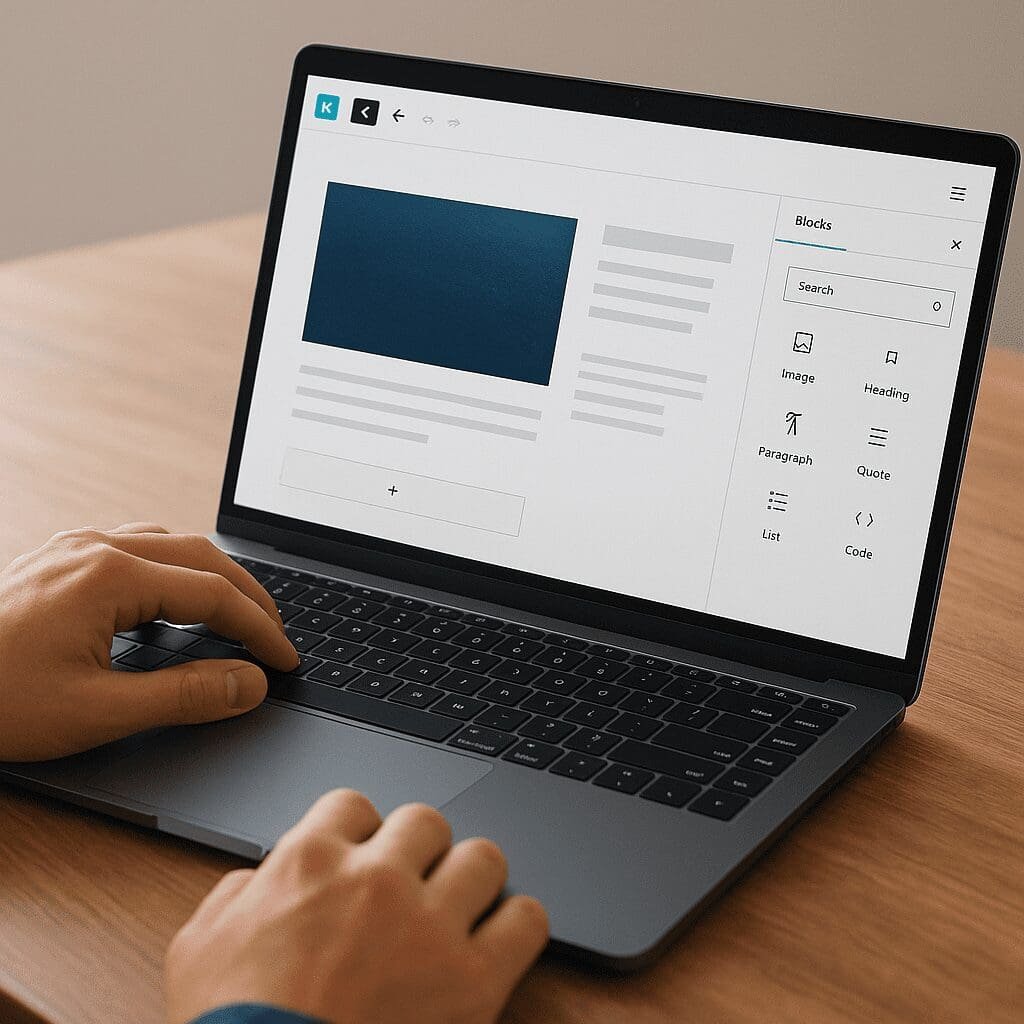
Gutenberg Blocks by Kadence
Kadence Blocks extends the native WordPress block editor with a modern, design-focused toolkit that makes page building fast, flexible, and future-proof. Instead of relying on heavy page builders or fragile shortcodes, it enhances Gutenberg with carefully engineered components that output clean HTML and lean CSS. The result is a site you can shape with precision while keeping your content portable, your pages fast, and your editorial workflow intuitive. Whether you’re launching a polished blog, a conversion-focused landing page, or an e‑commerce storefront, Kadence Blocks is a pragmatic way to enhance Gutenberg without fighting against WordPress core.
What Kadence Blocks Adds to Gutenberg
At its core, Kadence Blocks is a collection of advanced content elements, layout tools, and design utilities that complement what WordPress already provides. It elevates the editor with granular spacing controls, fine typography settings, responsive visibility, and a thoughtful approach to how assets load on the front end. You gain the freedom to design sophisticated layouts inside Gutenberg while still producing fast pages.
Key ideas behind the plugin include on-demand styling (load only what you use), semantic markup for a11y and search engines, and a UX that feels native to the block editor. It also integrates with global styles and color palettes, so you can work consistently across pages.
Signature Blocks and What They’re For
Layout and Structure
- Row/Layout block: Build sections with columns, control widths precisely, and manage vertical/horizontal alignment. Supports background images, gradients, video backgrounds, overlays, and shape dividers. It’s the backbone for clean, section-based designs.
- Advanced Columns: Go beyond the core Columns block with gutters, column ordering on mobile, equal heights, and independent padding/margins per device.
- Container and spacing utilities: Add Spacer/Divider and measure exact gaps without custom CSS. Fluid controls help maintain rhythm across breakpoints.
Typography and Content
- Advanced Heading: Assign HTML levels and stylistic variants independently, set responsive sizes, and apply letter spacing, text shadows, and highlight styles.
- Tabs and Accordion: Organize dense information with ARIA-aware, keyboard-friendly components. Ideal for FAQs, product specs, and knowledge bases.
- Table of Contents: Generate anchors from headings automatically. Readers get fast navigation; search engines see a well-structured page outline.
- List, Info Box, Icon, and Notice/Alert: Communicate scannable information that’s clean and accessible.
Media and Conversion
- Advanced Gallery and Image blocks: Control columns, masonry/justified layouts, captions, lightbox options, and lazy-loading. Designed to balance visual impact with performance.
- Buttons: Design reusable button styles with precise hover states, shadows, and typography. Useful for consistent CTAs across a site.
- Form: Build contact and opt‑in forms directly in Gutenberg, with field validation, conditional displays (in Pro), spam protection, and integrations with popular email services.
- Posts/Query blocks: Showcase recent articles, featured content, or custom post types with custom cards, meta toggles, and pagination.
Design Control Without the Bloat
The editing experience stays familiar: settings reside in the sidebar, controls are grouped logically, and you can often copy/paste styles between blocks. Global color palettes and typography tokens help ensure the same visual language throughout your site. While core Gutenberg has improved its layout tools, Kadence provides finer control and more predictable results, especially when dealing with complex sections or brand-specific typography scales.
Because every block outputs clean HTML and scopes its styles, you avoid the problems of shortcode lock-in and the overhead that comes with more monolithic page builders. The philosophy is refreshing: empower creators without sacrificing performance or maintainability.
Patterns and the Design Library
Kadence offers a curated library of block patterns and predesigned sections you can import with a click. These patterns act as flexible starting points: swap images, adjust typography, and reflow columns while preserving overall composition. They’re especially helpful for quickly prototyping landing pages, assembling feature sections, and keeping non-designers within brand guardrails. Combined with reusable blocks and synced patterns in WordPress, teams can scale consistent layouts across dozens or hundreds of pages.
Responsiveness Done Right
Mobile, tablet, and desktop controls are first-class citizens. Nearly every spacing, alignment, and sizing setting can be tuned per breakpoint. You can reorder columns, hide or reveal content by device, and fine-tune typography line lengths for readability. The goal is predictable responsiveness without needing custom media queries. And because the plugin avoids unnecessary scripts, mobile pages don’t pay a tax for features you’re not using.
Accessibility Considerations
Accessible sites are better for users and more resilient in changing SEO climates. Kadence Blocks aims for sane defaults: components like Tabs and Accordion implement appropriate roles, states, and keyboard navigation, while headings and lists encourage semantic structure. Color controls respect contrast requirements if you design responsibly. Though no tool can guarantee perfect accessibility out of the box, Kadence steers you toward best practices and makes it straightforward to ship inclusive interfaces.
How Kadence Blocks Helps With SEO
Kadence Blocks does not promise automatic rankings; however, it supports the technical foundations that search engines reward. Pages render as lean HTML rather than shortcode soup, your layout and headings remain intelligible to crawlers, and CSS/JS payloads stay minimal. Image blocks support responsive sizes and lazy loading to reduce Largest Contentful Paint, while stable layouts guard against layout shifts. The Table of Contents block encourages a clear outline, and blocks like Posts provide structured excerpts and readable metadata.
It’s worth noting that Kadence Blocks does not inject structured data schema automatically for every use case. For rich results, pair Kadence with a dedicated SEO or schema plugin. The real advantage here is that the plugin’s output is predictable and semantic, so SEO tools can read and enhance it reliably.
Performance Characteristics
The plugin’s ethos is lightweight first. Styles are loaded on demand per block, and many design effects rely on modern CSS rather than JavaScript. You’ll find fewer render-blocking resources and no unnecessary libraries. The Form block’s antispam features, optional local font loading via WordPress, and attention to asset sizes all contribute to a Core Web Vitals-friendly stack. Practically, this translates into higher Lighthouse scores, quicker time-to-interactive on mobile, and a smoother editing experience even on content-heavy pages.
Dynamic Content and Pro Enhancements
The free version covers most day-to-day needs. Kadence Blocks Pro adds specialized blocks and workflow accelerators for complex sites. One standout is dynamic content bindings: map block fields to custom fields from solutions like Advanced Custom Fields or Meta Box. That capability lets you build flexible templates—think team directories, event listings, or product specs—without writing templates in PHP. Pro also includes advanced galleries, sliders/carousels, modals, and additional motion/visibility effects that, used sparingly, can elevate key sections without overwhelming the page.
Marketing teams appreciate the Form block’s expanded actions in Pro (e.g., integrations with providers like MailerLite, Mailchimp, ConvertKit, and more), plus conditional logic for fields and confirmations. When combined with WordPress roles and visibility settings, you can show targeted content to logged-in users, customers, or subscribers.
Ecosystem Fit: Theme, WooCommerce, and FSE
Kadence Blocks pairs naturally with the Kadence Theme, sharing global palettes, typography scales, and spacing presets. But it also plays well with other block themes and classic themes, so you aren’t locked in. WooCommerce sites benefit from solid layout tools for product pages and content marketing—hero sections, feature grids, and comparison tables can all be built in Gutenberg without custom templates. If you embrace Full Site Editing, Kadence Blocks enhances your pattern-driven workflows while respecting core site styles and the Style Book.
Editorial Workflow and Collaboration
For teams, the small details matter: consistent button styles, reusable testimonials, and unified feature lists lower editorial friction. Designers can craft patterns and hand them to writers, who then produce pages with minimal risk of brand drift. Because Kadence Blocks feels like Gutenberg rather than a parallel builder, training time is short and your content remains future-friendly. Hand-off to developers is also smoother: they get readable markup, sane classes, and fewer surprises when implementing custom themes or extending blocks.
Practical Tips for Using Kadence Blocks
- Start from patterns: Import a section close to your goal, then adjust copy, images, and spacing. It’s faster and more consistent than building from scratch.
- Lean on global styles: Define your brand colors and type scale once, then reuse them in blocks. This prevents one-off tweaks and keeps design debt low.
- Avoid deep nesting: Three or more layers of containers can complicate mobile layouts and increase DOM size. Consolidate sections when possible.
- Audit spacing rhythm: Establish consistent vertical spacing (e.g., multiples of 4 or 8). Use Spacer/Divider blocks sparingly; prefer block-level padding and margin controls.
- Watch Core Web Vitals: Optimize hero images, defer or remove third-party scripts, and test on a real phone. Kadence helps, but site speed is holistic.
- Be selective with motion: Use animations and sliders for emphasis, not decoration. Subtle microinteractions beat constant motion.
- Combine with an SEO plugin: Manage metadata, XML sitemaps, and structured data through a dedicated tool—Kadence’s clean output makes this easy.
- Respect content hierarchy: Use the Advanced Heading block to style without breaking semantic levels. Keep H1 reserved for the page title.
Use Cases That Shine
- Long-form content hubs: TOC, readable typography, callouts, and footnotes built from reusable patterns create delightful reading experiences.
- Marketing landing pages: Hero sections with background video or gradients, trust badges, testimonials, feature grids, and forms—all editable by marketers.
- Documentation and knowledge bases: Tabs/Accordion for dense topics, TOC for navigation, and Info Boxes for warnings and tips.
- Portfolio and case studies: Advanced Gallery with lightbox, side-by-side storytelling layouts, and metrics highlights.
- WooCommerce content marketing: Buying guides, comparison sections, and seasonal landing pages composed directly in Gutenberg.
Opinion: Strengths, Trade‑offs, and Who It’s For
Kadence Blocks sits in a sweet spot between power and simplicity. It provides more design latitude than core Gutenberg without the bloat and lock-in of legacy builders. The learning curve is gentle: if you know the block editor, you’ll feel at home within hours. Design systems enthusiasts will appreciate tokenized colors and typography; editors will appreciate patterns and on-page editing; developers will appreciate clean markup and hooks for extension.
Trade-offs exist. With lots of options, inexperienced users can over-style pages or nest too many containers, leading to maintenance overhead. Some features overlap with other block libraries or theme capabilities, so mixing too many tools can cause style conflicts. Finally, while the free version is generous, advanced sites often want Pro, which adds cost—balanced by time saved and reduced need for custom development.
In short, Kadence Blocks is an excellent choice for teams who want modern Gutenberg workflows, strong design control, and dependable SEO foundations without switching to a heavyweight builder. It’s especially compelling when paired with a block theme and an editorial culture that values reusable, systemized design.
Getting Started Quickly
- Install and activate Kadence Blocks from the WordPress plugin repository.
- Define global colors and typography in your theme or Site Editor; align Kadence block settings with those tokens.
- Create a test page and import a few patterns from the Design Library to establish your visual direction.
- Assemble sections with the Row/Layout block; confirm mobile behavior by toggling device previews in the editor.
- Add conversions with the Form block; connect to your email provider and enable reCAPTCHA/honeypot.
- Measure performance using Lighthouse and PageSpeed Insights; compress large media and defer nonessential scripts.
- Save winning sections as reusable blocks or synced patterns for repeatable use across the site.
Under the Hood: Why It Feels Fast
Several engineering decisions make Kadence Blocks feel snappy. Configuration is stored as block attributes, which render directly into HTML and scoped CSS. The plugin avoids monolithic bundles and opts for granular, per-block assets. Many visual effects are pure CSS, which browsers optimize well. For fonts, you can leverage WordPress’s native handling or load locally to reduce third-party requests. Combined, these choices yield small payloads, fewer render-blockers, and a smoother editing and browsing experience.
Customization Without Chaos
Design systems thrive on guardrails. Kadence helps by centralizing stylistic choices—color palettes, button styles, heading scales—so that contributors can assemble pages quickly without going off-brand. When customization is required, controls are there: borders, radii, shadows, overlays, gradients, and filters. More advanced sites can extend blocks with custom CSS classes or inject CSS variables. As a result, you get true customization freedom without sacrificing coherence.
Migrating In and Out
Because content is stored as Gutenberg blocks, it remains readable without the plugin and portable across themes. If you disable Kadence Blocks, your pages won’t vanish into opaque shortcodes; you might lose specific styling or advanced layouts, but the content endures. That portability de-risks adoption and future redesigns, especially for agencies managing many clients with evolving needs.
Common Questions
- Will it slow down my site? Typically no, provided you use media responsibly and avoid over-nesting. The plugin is engineered for efficient loading and minimal front-end overhead.
- Is it compatible with caching/CDNs? Yes. It plays well with popular caching plugins and CDNs; just clear cache after significant style changes.
- Does it work with classic themes? Yes, though block themes unlock the most cohesive styling experience through global styles.
- Can I use it alongside other block libraries? Yes, but be cautious about overlapping styles and duplicated blocks. Standardize on one main library when possible.
Competitive Landscape
Kadence Blocks competes with other Gutenberg block suites such as GenerateBlocks, Stackable, and Spectra. GenerateBlocks is minimalistic and developer-centric; Stackable leans into visual flair and a rich design UI; Spectra integrates tightly with certain themes. Kadence carves out a balanced path: strong layout and typography controls, a solid Form block, excellent patterns, and editor-native UX—all aligned with performance-first principles. If your team values speed, polish, and a familiar workflow, Kadence is often the best fit.
Conclusion
Kadence Blocks unlocks Gutenberg’s potential by giving creators precise tools to craft modern pages inside WordPress core. It respects web fundamentals, from blocks and semantic HTML to performance, responsiveness, and accessibility. It complements SEO efforts rather than complicating them, keeps content portable, and scales gracefully from a single landing page to a full design system. For many sites, it’s the missing layer that turns the block editor into a capable, professional page builder—without the trade-offs that typically come with one.