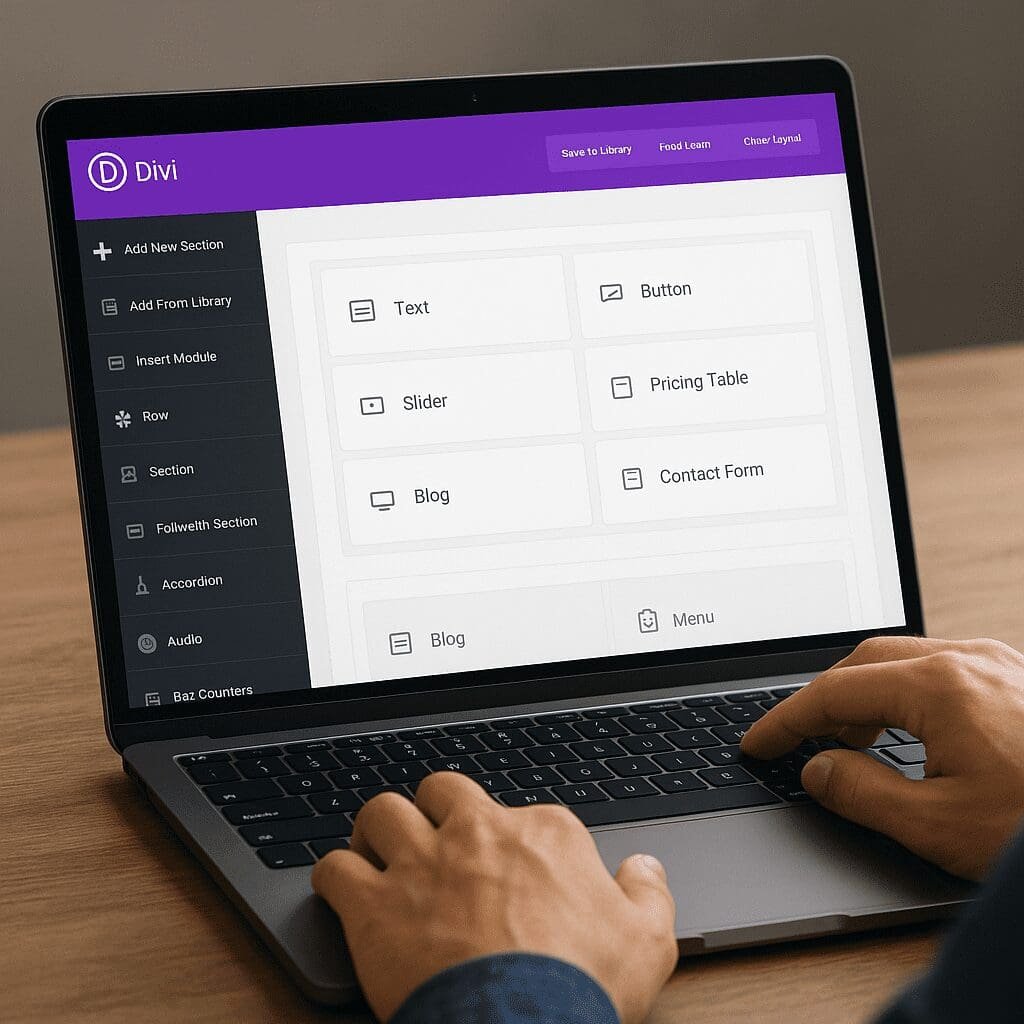
Divi Builder
The Divi Builder is a mature, drag‑and‑drop design system that empowers site owners and agencies to craft polished websites inside WordPress without touching code—while still leaving plenty of room for developers to extend it. At its best, Divi surfaces a visual workflow that keeps you close to your content, encourages responsive thinking from the start, and accelerates launches with reusable templates. Questions around performance, accessibility, and SEO inevitably follow any page builder; Divi addresses many of them with modern features, smart asset loading, and a growing ecosystem that now includes tight WooCommerce integration and built‑in conversion tools. Paired with on‑page optimization and good publishing habits, it can be an efficient foundation for design, marketing, and long‑term maintainability.
What Divi Builder Is, and How It Fits Your Stack
Divi Builder is a premium page builder created by Elegant Themes. It exists as both a theme (Divi Theme) and a standalone plugin that works with many third‑party themes. In practice, most users either adopt the all‑in‑one Divi Theme for maximum compatibility, or install the plugin alongside a lean, well‑coded theme they already love. The editor runs on the front end, letting you build and modify pages while seeing results in real time. You can toggle wireframe mode, dive into granular design controls, and jump between desktop, tablet, and phone views.
Unlike barebones block editors, Divi ships with dozens of modules—text, images, sliders, tabs, accordions, galleries, forms, price tables, calls‑to‑action, social follow icons, and more. Each module supports extensive styling controls, motion effects, and conditional visibility. The Theme Builder extends these modules to site‑wide templates: headers, footers, blog archives, 404s, category pages, and single post types. That means layout and branding can be consistent everywhere, not just on select landing pages.
Divi’s licensing is unusual in a good way: one subscription covers unlimited sites, with a yearly plan or a lifetime one‑time fee. For freelancers and agencies managing many installs, that pricing can be compelling compared to per‑site models. The ecosystem includes a marketplace of child themes, layout packs, and add‑on modules, making it easy to adopt proven design systems or to speed up production with drag‑and‑drop building blocks.
Core Capabilities That Make Divi Productive
Front‑End Editing That Mirrors the Final Page
Divi’s editor treats the page as the canvas. Click any text to edit inline. Drag modules into new positions. Resize columns by dragging handles. Duplicate blocks in a click. Copy and paste styles between elements or across pages. The experience reduces cognitive load: you see what you change right away, without hopping between backend forms and preview windows.
Sections, Rows, Columns, and Modules
Layouts use a predictable hierarchy: Sections are the outer containers; Rows define horizontal groups and columns; Modules are the content units. You can nest rows with specialty sections, stack columns at breakpoints, and save any configuration for reuse. That consistency keeps complex pages navigable, even on large builds with many contributors.
Global Presets, Tokens, and the Library
Global presets let you define default styles for modules (buttons, headings, blurbs) across the site. Change a preset once, update everywhere. Coupled with global colors and the find‑and‑replace styling tool, Divi supports “design tokens” workflows that make brand refreshes painless. The Library stores frequently used sections and layouts, and you can sync them globally so a single edit cascades to all instances.
Theme Builder and Dynamic Content
Divi’s Theme Builder fills the gap between page design and site structure. Create a global header with a menu module, logo, and announcement bar; assign it to all pages except landing pages. Design a blog post template pulling dynamic fields—title, author, date, featured image, categories—so writers only worry about content. For custom post types, map dynamic fields from Advanced Custom Fields (ACF) or the native WordPress metadata, then build listings and single templates without custom PHP.
Motion, Transforms, and Conditional Display
Hover states, scroll effects, sticky positions, and transforms add polish without custom code. Divi also includes conditional logic: show or hide modules by login state, device, post attributes, or user roles. Combined with role‑based access, this enables user‑aware layouts, gated content, or per‑segment navigation.
Workflow and Team Efficiency
Divi includes small, time‑saving affordances that add up. Multiselect modules to adjust spacing in bulk. Use quick actions (hit the command palette) to jump to settings or create new elements without digging through menus. Right‑click context menus enable duplicate, lock, disable on devices, copy/paste styles, and convert to global. Keyboard shortcuts speed edits; the wireframe view exposes structure for complex sections. For teams, role editor controls who can modify what, while portability features export/import layouts and Theme Builder templates between sites.
Does Divi Help with SEO?
SEO rests on technical health, content relevance, and authority. No page builder alone can guarantee rankings, but Divi provides the structure to build crawlable, fast pages with clean semantic headings and internal linking. Here’s a pragmatic view:
- On‑page controls: Divi lets you define h1–h6 headings, alt text, link titles, and structured layouts. Use semantic sections and avoid turning every heading into a stylized paragraph. Pair Divi with an SEO plugin (Rank Math, Yoast) for titles, meta descriptions, breadcrumbs, sitemaps, and schema.
- Content velocity and freshness: Because Divi makes layout work quick, your team can ship more landing pages, test offers, and maintain content freshness—factors that indirectly improve organic visibility.
- Internal linking and UX: Modules like related posts, post navigation, and category archives encourage healthy internal link graphs. Clear navigation and scannable layouts increase dwell time and reduce pogo‑sticking.
- Clean markup and shortcodes: Divi uses shortcodes to store layouts in the database. On front‑end render, it outputs HTML that is readable by search engines. The “lock‑in” is a maintenance consideration (see pitfalls), but in itself does not prevent ranking.
- Core Web Vitals: Divi’s performance updates introduced critical CSS, dynamic module loading, and reduced render‑blocking assets—all helpful for LCP, CLS, and FID. Vitals scores still depend on images, fonts, hosting, and how you compose pages.
Bottom line: Divi can absolutely serve an SEO‑friendly site when you write strong content, use semantic headings, compress media, and keep scripts lean. It neither magically boosts rankings nor inherently harms them—your implementation, hosting, and editorial quality do most of the work.
Performance: Speed, Assets, and Core Web Vitals
Speed skepticism around page builders is warranted, but Divi has made measurable strides. The modern builder loads only the CSS and JS required by the modules used on a page. It can generate static CSS for faster delivery, defer styles not needed for initial render, and inline critical CSS. The asset pipeline also deduplicates styles to reduce payload size.
For best results:
- Use system fonts or a limited font set. Self‑host fonts to avoid extra DNS lookups. Preload critical fonts for above‑the‑fold content.
- Compress and resize images; serve modern formats (WebP/AVIF). Use the built‑in lazy loading and define explicit width/height to avoid layout shift.
- Audit third‑party scripts (chats, analytics, ads). Load them after user interaction or defer where possible to prevent main‑thread blocking.
- Enable server‑level or plugin caching; consider a CDN close to your audience. On high‑traffic sites, pair with PHP OPcache and HTTP/2 or HTTP/3 for multiplexed asset delivery.
- Minimize nesting and overuse of heavy modules. For simple content blocks, stick to text and image modules rather than complex composites.
When tuned, Divi sites can pass Core Web Vitals on modern hosting. Heavy animations, massive hero videos, and unoptimized galleries remain the usual culprits, regardless of builder choice.
Accessibility: Building for Everyone
Accessibility is partly tooling and largely process. Divi supports alt attributes, ARIA labels on many modules, keyboard navigability for menus, and skip‑to‑content links in themed headers. Landmarks can be structured in Theme Builder templates, and color contrast guidance is easier to enforce with global presets. That said, no builder can guarantee AA/AAA compliance out‑of‑the‑box because violations often come from content choices—color pairings, link ambiguity, inaccessible PDFs, or missing transcripts.
Recommended practices:
- Use semantic headings in order; avoid skipping from h2 to h4 for styling convenience.
- Ensure focus states are visible and not suppressed by custom styles. Test keyboard navigation thoroughly.
- Provide alt text that describes function (for UI images) or content (for editorial images). Mark decorative images appropriately.
- Verify color contrast of text over backgrounds using WCAG 2.2 guidance. Rely on global colors to scale compliance.
- Test with screen readers (NVDA, VoiceOver) and automated scanners (axe, WAVE) as part of QA.
WooCommerce and E‑Commerce Templates
Divi integrates deeply with WooCommerce. You can design product, category, cart, and checkout templates using Theme Builder and Woo‑specific modules. This unlocks branded product pages—custom galleries, sticky CTAs, trust badges, tabbed content—and consistent promotional patterns across the catalog. Archive templates let you control card layout, filters, and pagination design. For CRO, use sticky add‑to‑cart, urgency counters (sparingly), FAQs, and social proof within the same design system.
On performance‑sensitive shops, keep product pages lean: compress product images, defer non‑essential scripts (reviews, recommendations) below the fold, and test checkout flows frequently. If you need advanced merchandising or headless commerce, Divi can still serve the marketing pages while a dedicated checkout handles transactions.
Built‑In Conversion Tools: Split Testing and Personalization
Divi Leads adds native split testing to any module or section. Choose a goal (clicks, form submissions, sales via WooCommerce events), create variations of headlines, buttons, or hero layouts, and let the system distribute traffic. The reporting panel shows conversion rate deltas and significance. While not as feature‑rich as specialized experimentation platforms, it’s enough for iterative optimization on SMB sites without adding more third‑party scripts.
Combined with conditional display and role‑based content, you can personalize hero messages for returning users, highlight different CTAs for logged‑in members, or suppress blocks for mobile users where space is at a premium.
Use Cases: Who Thrives with Divi
- Agencies that standardize on a single toolchain to deliver many sites quickly, leveraging presets, library items, and an unlimited‑site license.
- Freelancers who want to hand off editing control to clients without teaching CSS, but still keep a path open for code‑level customization.
- Marketing teams that ship landing pages, run campaigns, and A/B test messaging—all without waiting on scarce engineering time.
- Course creators and membership sites that need gated content, dashboards, and member‑aware navigation in a unified design.
- Nonprofits or local businesses that prioritize maintainability and content clarity over bleeding‑edge interactions.
Developer Experience and Extensibility
Divi isn’t just for non‑coders. Developers can enqueue custom CSS/JS, register child themes, create custom modules via Divi’s API, and hook into WordPress actions/filters. Granular settings panels include fields for CSS IDs and classes, so you can target elements precisely. You can limit the builder to certain post types, sanitize outputs, or integrate third‑party services. For version control, export Theme Builder templates as JSON and commit them alongside your theme; on deployment, import to synchronize environments. When needed, you can bypass Divi for specific templates using PHP in a child theme—best of both worlds.
Security, Updates, and Maintenance
Elegant Themes pushes frequent updates that cover new features, performance refinements, and security patches. The safe mode helps troubleshoot conflicts by temporarily disabling non‑essential features. Since Divi is widely deployed, vulnerabilities are taken seriously and patched quickly; still, standard hardening practices apply: minimal plugins, least‑privilege users, WAF/CDN shielding, and regular backups. Before major updates, test on a staging site—especially if you rely on custom modules or deep WooCommerce integration.
Pricing and Value
Divi’s pricing is straightforward: yearly access or a lifetime license, both covering unlimited websites. For agencies, the lifetime plan often pays for itself after just a few client builds. The bundle includes the Extra theme, Bloom (email opt‑ins), and Monarch (social sharing), which can reduce paid plugin sprawl. If your workflow needs advanced forms, niche animation libraries, or headless architectures, you’ll still budget for specialized tools—but for many use cases, Divi’s suite is more than adequate.
Limitations and Common Pitfalls
- Shortcode lock‑in: Because Divi stores layouts as shortcodes, switching away later requires cleanup. Mitigate by keeping evergreen content in native blocks where possible and limiting builder use to areas where design control matters most.
- DOM complexity: Deeply nested sections and modules can bloat the DOM, impacting performance and accessibility. Favor simpler structures and avoid stacking effects unnecessarily.
- Design sameness: Relying too heavily on prebuilt layout packs can make sites feel templated. Customize presets, type scales, and spacing to express your brand.
- Over‑styling: It’s easy to add shadows, gradients, and animations everywhere. Use restraint and test motion preferences; prioritize clarity over flair.
- Plugin conflicts: As with any WordPress stack, test interactions with caching/optimization plugins, especially those that aggregate or defer scripts.
How Divi Compares to Other Builders
Compared with user interface patterns of popular builders, Divi emphasizes a fully immersive front‑end editing experience. Elementor offers an extensive third‑party ecosystem and a panel‑based UI that some find faster for precise control. Beaver Builder is known for stability and developer friendliness, with a relatively lean output. Gutenberg (the native block editor) has made major strides in full‑site editing; it’s lightweight and standards‑aligned, but still evolving in UX maturity and module depth. Divi’s differentiators are the Theme Builder, unlimited licensing, a large library of modules and layouts, and robust styling tools. Its tradeoffs include shortcode storage and, in some cases, heavier DOM output than a carefully crafted block‑theme approach.
Best Practices Checklist for a High‑Quality Divi Site
- Define design tokens first: colors, type scale, spacing, border radii. Implement as global presets before building pages.
- Structure content semantically: one h1 per page, hierarchical headings, descriptive link text, and alt attributes.
- Optimize media at source: compress images, clip video durations, use poster frames, and defer autoplay.
- Limit third‑party scripts: bundle tag managers, load after interaction where possible, and audit monthly.
- Use Theme Builder for consistency: global headers/footers and post templates reduce drifts and errors.
- Test accessibility monthly: keyboard, screen reader, color contrast, and motion preference checks.
- Measure Core Web Vitals: Lighthouse, PageSpeed Insights, and RUM from analytics to catch regressions.
- Document roles and editing guidelines: protect global items, lock modules, and train content editors.
- Stage before deploy: run updates and experiments in a staging environment to avoid production surprises.
- Backups and monitoring: daily off‑site backups, uptime monitors, and alerting on error spikes.
Editorial and Design Experience: Day‑to‑Day Use
Editors appreciate inline text editing, quick duplication of sections, and saved layout snippets for repeatable patterns (feature rows, testimonials, FAQs). Designers like global spacing scales and the ability to preview breakpoints, tune gutter widths, and standardize buttons. Developers value the ability to layer custom classes and target them in a single stylesheet, reducing per‑module overrides. All three roles benefit from the library and portability tools, which make refactoring and cross‑site reuse practical.
Real‑World Opinions: Strengths and Tradeoffs
After years of production use, a consensus has emerged. Divi is dependable for marketing websites, small‑to‑mid e‑commerce shops, and content hubs with editorial teams. It’s approachable for non‑technical users and rich enough for ambitious layouts. The counterpoints: the shortcode model raises migration costs, it’s possible to overbuild pages that feel heavy, and the all‑in‑one approach can tempt teams to solve every problem inside the builder rather than using leaner, purpose‑built code. On balance, for teams that value speed‑to‑market, editable branding, and an integrated toolkit, Divi remains a strong choice.
Future Direction and Ecosystem
Divi’s roadmap focuses on modernizing the engine, improving editor responsiveness, and tightening the asset pipeline. The marketplace continues to expand with niche modules (advanced sliders, carousels, timelines), pre‑tested child themes for verticals (law, SaaS, health), and workflow add‑ons (global search/replace, multi‑site management). As WordPress core evolves full‑site editing and advances block patterns, expect Divi to deepen compatibility while maintaining its hallmark front‑end editing experience.
Who Should Choose Divi Builder—and Who Shouldn’t
Choose Divi if you want a unified design system that non‑developers can own, if you need to ship many sites for clients under a predictable license, or if your team values built‑in conversion tools over a patchwork of plugins. It’s a smart fit for service businesses, agencies, educators, and resource‑conscious startups.
Consider alternatives if you’re pursuing extreme performance budgets with minimal JavaScript, building highly bespoke web apps, or you already run a block‑theme workflow with custom patterns and a component library. In those cases, native blocks or a lighter builder may align better with your goals.
Conclusion
Divi Builder pairs speed of creation with enough depth to support complex, brand‑consistent websites. With disciplined use—semantic structure, lean media, cautious animations, and regular audits—you can deliver fast, accessible, search‑friendly experiences. Agencies benefit from reusable systems and unlimited licensing; marketers gain autonomy with testing and personalized layouts; developers retain escape hatches into code. Like any powerful tool, it rewards good habits and thoughtful architecture. Apply those, and Divi will carry a site far beyond its launch day with room to grow.