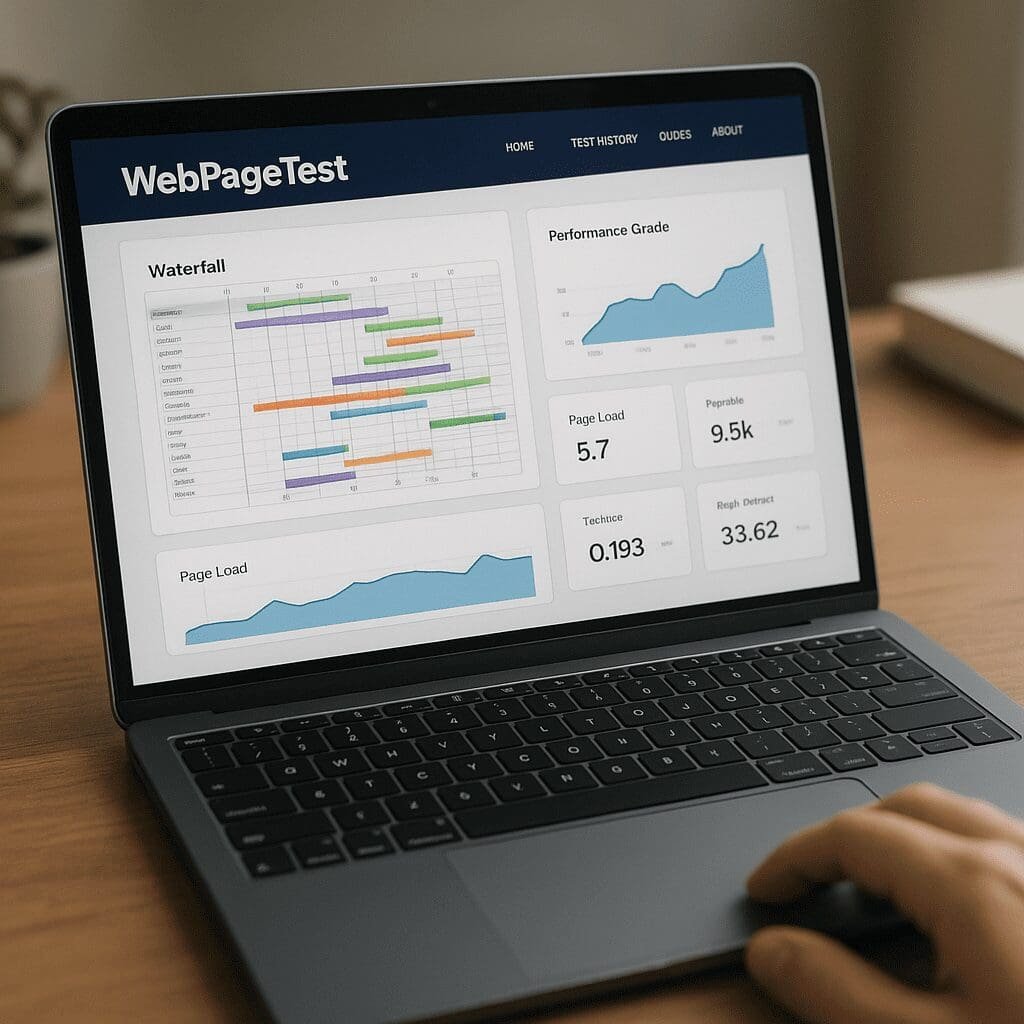
WebPageTest
Few tools have shaped the way marketers and developers discuss web speed quite like WebPageTest. Built as a lab-based testing platform that runs real browsers under controlled conditions, it gives an unusually transparent window into how a page loads, where time is lost, and which fixes will create the biggest lift. From the vantage point of search marketing, WebPageTest sits at the intersection of engineering and outcomes: it is detailed enough for engineers to debug, and prescriptive enough for SEOs to prioritize fixes that affect visibility, engagement, and revenue. If you want to understand site performance beyond a simple score and translate that understanding into measurable SEO improvements, this is one of the most effective places to start.
What WebPageTest Is, Who Uses It, and Why It Matters
WebPageTest is a synthetic testing platform originally created by Patrick Meenan and now maintained by Catchpoint. Synthetic means tests run from controlled locations and devices, not from real user traffic. That control is the point: you choose the test agent, network profile, and number of runs, and then compare results apples-to-apples over time. The service spins up real Chrome, Edge, or Firefox instances on desktop and mobile, captures detailed request-level timings, and generates a domain, content, and priorities breakdown alongside filmstrips and videos of the load process. For anyone working across product, engineering, analytics, and marketing, the transparency is invaluable.
Beyond common load milestones like Start Render, First Contentful Paint, and Fully Loaded, WebPageTest reports metrics that map tightly to business outcomes and search performance. Chief among them are Google’s Core Web Vitals and complementary timing details such as server response, network negotiation, and render-blocking activity. The tool weaves these into a rich set of artifacts: waterfalls, request headers, connection reuse markers, request priority ladders, and visual completeness curves. This depth makes it an excellent learning environment even for non-specialists; with a little guidance, anyone can trace a slow page back to the specific assets, configurations, or code paths at fault.
Typical users include technical SEOs who need hard evidence for prioritization, developers tasked with fixing regressions, SRE and platform teams validating CDNs and TLS, and product managers weighing tradeoffs between features and speed. WebPageTest supports one-off checks, ongoing monitoring, and rigorous A/B comparisons. It also offers an API and private test agents for organizations that need to integrate performance gates into CI/CD pipelines or run tests within locked-down networks.
How WebPageTest Helps Search: From Metrics to Movable Levers
Google’s ranking systems include page experience signals and use field data from the Chrome User Experience Report when available. Lab data, which is what WebPageTest generates, is not a substitute for field data, but it is the best way to reproduce issues, understand causality, and predict how a fix will move the needle before you ship. For SEOs, that means fewer blind spots and clearer business cases. When you see a poor Largest Contentful Paint in field data, you can use WebPageTest to determine whether slow server responses, render-blocking CSS, image weight, or client-side rendering work is to blame. You can also validate whether a supposed fix actually improves the critical path by checking priorities, preload effectiveness, and visual milestones in a controlled run.
Performance affects search in multiple ways. First, there is alignment with Core Web Vitals thresholds; passing them helps avoid friction with ranking systems and improves experience for users who arrive from search. Second, crawl efficiency improves when servers respond quickly and static assets are cacheable, which can indirectly help large sites get new and updated content discovered faster. Third, fast pages reduce pogo-sticking and abandonment, which in turn bolsters behavioral signals tied to engagement and conversion. WebPageTest shines because it bridges the gap between an abstract score and the concrete levers that make pages feel fast.
Some of the most SEO-relevant lenses in WebPageTest include:
- Time to first byte, TLS negotiation, and initial HTML weight, which expose origin or CDN bottlenecks before any rendering begins. Improving TTFB often unlocks everything downstream.
- Render-blocking requests surfaced in the waterfall, with resource priority annotations that show when CSS or synchronous JS delays first paint and text rendering.
- Image sequences and element timings that illuminate why a hero image or heading takes so long to appear, often the culprit behind poor LCP.
- Layout instability snapshots and cumulative shifts, crucial for diagnosing CLS regressions caused by late-loading ads, web fonts, or carousel components.
- Main-thread activity and long tasks, which connect sluggish responsiveness to interactivity issues and help trace expensive bundles and third-party scripts.
Inside the Interface: What to Look At and Why
The canonical workflow starts with choosing a location and device. For global sites, test from regions that mirror your audience. For mobile, pick profiles like 4G or constrained 3G to simulate real bottlenecks. Run at least three to five test iterations to tame variability, and use the median run for diagnosis. Then explore the following tabs and sections:
- Summary and Visual Progress: Quantifies how quickly the page becomes visually useful and when it reaches a stable state. The filmstrip makes it obvious if users stare at a blank screen or see content early.
- Details: The workhorse view. Each row in the waterfall shows DNS, TCP, TLS, request, wait, and response phases. You can spot head-of-line blocking, connection coalescing problems, and resources that are downloaded but unused.
- Content Breakdown: Groups requests by type and shows bytes by category. It’s a fast way to see whether images dominate or whether JavaScript is inflating main-thread time.
- Domains and Requests: Identifies which hosts drive latency, request counts, and cache misses. Third-party domains often stand out here.
- Headers and Response Details: Reveals caching directives, compression, content types, and CDNs in use. Tiny misconfigurations here can undo global speed efforts.
- Core Web Vitals and Lighthouse: Surfaced to align with Google’s framing while preserving WebPageTest’s lower-level detail. It helps stakeholders connect fixes to familiar benchmarks.
- Opportunities and Experiments: Offers what-if simulations, such as compressing images or delaying third-party tags. These guide a practical optimization roadmap.
Reading the Waterfall Like a Pro
The waterfall encodes cause and effect. A page that feels slow nearly always has an identifiable pattern lurking here:
- Long initial gaps: If DNS, TCP, or TLS bars are lengthy before the first byte arrives, look at DNS provider latency, lack of connection reuse, or the CDN’s edge presence. Connection coalescing issues with HTTP/2 can also strand requests.
- Early critical CSS and JS: CSS requests high in the head block rendering. Consolidate critical CSS, inline above-the-fold styles, and defer nonessential styles. Convert synchronous JS to async or defer unless it truly must run early.
- Image sequencing: If the hero image appears late, you likely need an explicit preload, smaller responsive variants, or modern formats. Check whether the browser deprioritized that image because of layout hints or missing fetchpriority attributes.
- Request bursts: Mass parallelization can look healthy but actually overwhelm the main thread or network. Balance priorities with preload, preconnect, and caching; coalesce fonts and ensure they do not wait behind third-party JS.
- Blocking third parties: Ads, analytics, and social widgets that inject synchronous scripts often elongate the critical path. Use async patterns, partition third-party work off the main thread, or load them after the first render milestone.
Each bar’s phases matter. For example, if a CSS file’s wait time dwarfs its download time, the bottleneck sits at the origin or CDN. If download time dominates, compression or size is the fix. If a connection is repeatedly renegotiated, HTTP/2 multiplexing or TLS session resumption may not be working, or requests are on different hostnames that prevent reuse.
From Diagnosis to Action: Fixes That Move Rankings and Revenue
WebPageTest is not only about identifying problems; it helps you prioritize changes that affect both experience and search. Treat the report as an ordered list of levers:
- Server and network: Reduce diagnostics noise by eliminating avoidable latency first. Place a CDN close to users, enable Brotli, tune TLS, and implement keep-alive and HTTP/2 or HTTP/3 where supported. Validate edge caching for HTML when allowed, and ensure assets have long cache lifetimes with sensible revalidation semantics.
- Initial HTML: Optimize the backend to reduce processing time and database round trips. For dynamic sites, partial caching, query batching, and application profiling are low-hanging fruit.
- Critical rendering path: Inline critical CSS for above-the-fold content, defer the rest, and remove unused CSS. Break apart large JS bundles, defer hydration for non-critical components, and avoid render-blocking third-party tags.
- Images: Switch to AVIF or WebP where supported, deliver responsive sizes with srcset and sizes, lazy-load non-critical media, and set fetchpriority=high on the primary hero image if it is the LCP element.
- Fonts: Subset and self-host, declare font-display to avoid invisible text, and eliminate render delays with preconnect and preload for the primary font files.
- Third parties: Audit tags carefully. If they must stay, load them asynchronously and after meaningful content is on screen. Consider server-side tagging to reduce main-thread overhead.
- Stability and responsiveness: Reserve space for ads and dynamic components to prevent shifts, lock in image and video dimensions, and address main-thread long tasks to improve input responsiveness.
After implementing a batch of changes, rerun the same test profile to quantify gains. Use comparison mode to play filmstrips side-by-side; it is an effective artifact for stakeholder buy-in. Where field data is available, corroborate your lab wins with Search Console and analytics to ensure that sitewide changes translate into real-world improvements.
Features Advanced Users Love
WebPageTest rewards curiosity with depth. A few high-impact features include:
- Scripted journeys: Authenticate, navigate across pages, trigger modals, or interact with SPA routes to capture real user flows and measure step-level timings rather than just a single URL.
- Block and SPOF testing: Temporarily block a domain to simulate third-party outages and see whether your page still renders and which fallbacks are missing.
- Connection and priority views: Inspect HTTP/2 stream priorities to validate that critical resources are not starved by low-value fetches.
- Opportunities and Experiments: Simulate changes like compressing images, deferring scripts, or serving from a CDN, then quantify estimated savings without touching production code.
- API and automation: Integrate tests into CI to guard against regressions. Some teams set budgets on LCP, TTFB, or request counts and fail builds that exceed thresholds.
- Private instances: Run agents inside your network for staging and pre-prod environments, or to test geo-specific content and personalization that public agents cannot access.
WebPageTest vs. Other Tools
Lighthouse and PageSpeed Insights are helpful for broad audits and for aligning with Google’s language, but they treat much of the network and rendering pipeline as a black box. WebPageTest peels that box open, making it easier to identify precisely why a metric is poor. GTmetrix offers convenient summaries and has improved its diagnostic depth, but WebPageTest remains the reference for request-level evidence, scripting, and raw transparency. SpeedCurve builds on WebPageTest data to give teams continuous monitoring, alerting, and budgets; organizations often combine these, using WebPageTest for ad hoc deep dives and SpeedCurve for trend- and alert-driven practice.
The right stack is often a combination: PageSpeed Insights for quick field vs. lab orientation, WebPageTest for thorough causality, and RUM from analytics or a dedicated vendor to validate real-user impact over time. For teams with regulatory or privacy constraints, private WebPageTest instances help keep test data in-house.
Practical Workflow for SEOs and Developers Working Together
Cross-functional collaboration is where WebPageTest shines. A simple but effective routine looks like this:
- Pick a critical template: home, category, product, and blog. Avoid testing only the homepage.
- Define the context: mobile-first, target region(s), and realistic network conditions. Run five iterations to stabilize variability.
- Use the domain and content breakdown to locate oversized categories. Are images the bulk of bytes, or is JavaScript the problem?
- Dive into the waterfall to map the critical path and isolate blockers. Note misordered priorities and missing preloads.
- Capture a filmstrip and a video for executive-friendly before-and-after storytelling.
- Translate findings into a fix list with estimated savings from the Experiments tab.
- Implement changes behind flags, rerun the identical profile, and compare runs. Ship when the median improves and edge cases are covered.
- Validate in field data and continue to monitor via Search Console and a RUM solution.
Common Pitfalls and How to Avoid Them
Even with a precise tool, teams can misinterpret results:
- Chasing scores instead of outcomes: Prioritize improvements that affect user-perceived speed, stability, and interactions before vanity metrics.
- Overfitting to a single profile: If you only test fast networks and desktop, you can ship regressions for mobile or constrained users. Test multiple profiles that reflect your audience.
- Ignoring caching semantics: Perfect lab results can degrade as traffic scales if cache headers are wrong and origins become overloaded.
- Confusing causation and correlation: A good LCP can be achieved through many routes. Follow the chain of requests and main-thread work to ensure you fix root causes, not symptoms.
- Skipping repeat view: The second visit often reveals caching gaps or service worker opportunities that affect returning visitors and crawl efficiency.
Does WebPageTest Improve SEO Directly?
Tools do not rank pages; experiences do. WebPageTest itself does not improve rankings, but it is one of the most effective means to identify and validate changes that do. By exposing misprioritized resources, slow servers, oversized images, unoptimized fonts, and long-running scripts, it guides fixes that improve user experience and the signals modern search systems consider. It also shortens the feedback loop: you can test, iterate, and deploy with high confidence that a change will help rather than harm. In practice, teams that institutionalize WebPageTest reviews during development and release planning tend to avoid costly regressions and maintain healthier vital metrics over time.
A Considered Opinion: Strengths, Limitations, and When to Choose It
WebPageTest’s greatest strength is trustworthiness. It shows its work, from raw request timing to visual frames, and it runs real browsers under conditions you control. The breadth of detail makes it uniquely persuasive for cross-team decisions. The limitations are reasonable and manageable: it is a synthetic tool, so results must be triangulated with real-user data; the interface can overwhelm new users; and tests can queue during peak times unless you use Pro or private agents. For organizations serious about site speed as a product quality and an acquisition lever, those tradeoffs are minor compared to the insight you gain.
In a modern SEO toolkit, WebPageTest earns a permanent slot alongside analytics, Search Console, and content intelligence tools. Use it to prioritize fixes that map cleanly to search and revenue outcomes, validate regressions before they ship, and educate stakeholders with visual proof rather than abstract scores. If you adopt even a light routine—test key templates weekly, review after each release, and benchmark against competitors—you will catch issues early and convert hard-to-justify performance work into a clear growth narrative.
Actionable Checklists You Can Apply Today
Server and Delivery
- Place a CDN near primary markets; enable HTTP/2 or HTTP/3 and confirm multiplexing works via the connection view.
- Compress text with Brotli; ensure TLS certificates and chains are optimized; enable TLS session resumption.
- Trim server-side processing for HTML; cache HTML at the edge when safe; coalesce across subdomains to reduce handshakes.
Rendering and Assets
- Inline critical CSS, defer the rest; preload hero fonts and the hero image; replace synchronous scripts with async or defer.
- Deliver AVIF/WebP with responsive sizes; set fetchpriority on the hero; lazy-load below-the-fold media.
- Split long JavaScript tasks; use code-splitting and hydration strategies to delay non-essential work.
Stability and Interactivity
- Reserve space for ads and embeds; specify width and height for images and video.
- Set font-display to avoid invisible text; self-host and subset fonts; use preconnect to font origins.
- Budget third-party scripts; move them after first render; consider server-side tagging or workers.
Privacy, Compliance, and Team Process
Because WebPageTest collects page content, consider whether tested URLs contain sensitive data. Avoid passing personal identifiers in query strings, use staging environments when appropriate, and prefer private instances if policy demands. From a process standpoint, formalize ownership: give engineering teams targets aligned to Core Web Vitals, and give marketing teams clarity on which changes generate search and conversion value. Attach WebPageTest artifacts to tickets so decisions are anchored in evidence, not opinion.
Beyond the Basics: Making Results Stick
Great results decay without guardrails. Bake WebPageTest into your release pipeline: run a baseline test on critical templates for each build and fail builds that exceed budgets. Track a small set of high-signal metrics—TTFB, LCP, and layout stability—across time, and annotate releases in your analytics to connect changes with impact. Pair these with a weekly competitive scan; WebPageTest’s side-by-side comparisons are compelling and often reveal new opportunities like better image strategies or more aggressive caching by peers.
Final Take
WebPageTest turns hand-waving about speed into a disciplined practice. It shows the real story behind a page’s loading sequence, reveals the hidden costs of third-party scripts, and connects low-level engineering choices with customer experience and search visibility. It is not a silver bullet—no tool is—but it is a sharp, reliable instrument for teams who want to make meaningful, defensible progress on site speed. Use it to uncover bottlenecks, test fixes before you ship, and communicate improvements with clarity. That combination is what moves rankings, keeps users engaged, and sustains growth over the long term.