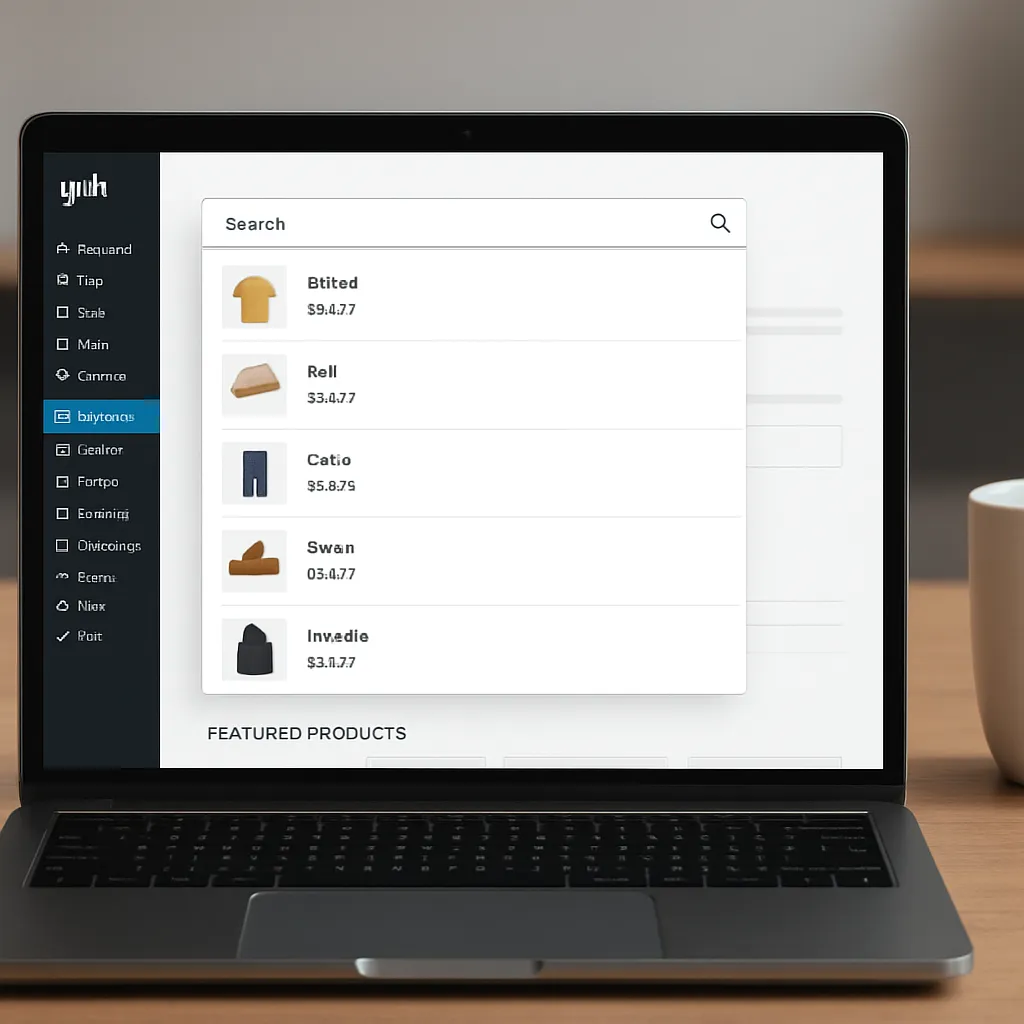
YITH WooCommerce Ajax Search
A fast, accurate search box can make or break an online store. YITH WooCommerce Ajax Search is a purpose-built plugin that transforms the default WooCommerce search into an instant, as-you-type product finder with rich suggestions, better discovery, and a more modern feel. By returning results without a page reload and surfacing key product information in a compact dropdown, it makes product discovery intuitive for first‑time visitors and power users alike, while giving store owners flexible controls to tailor what is searched, how it looks, and how it performs.
What YITH WooCommerce Ajax Search Does and Why It Matters
At its core, YITH WooCommerce Ajax Search listens to the customer’s keystrokes, queries your product catalog via asynchronous requests, and renders a dynamic list of suggested products directly below the search field. This flow creates the perception of speed and immediacy—customers type a few letters, see matches, refine, and click through—all without losing context or waiting for full page refreshes.
The plugin can search product titles and usually supports expanding to content, short descriptions, and SKU. It can be configured to include or exclude product categories, tags, and other taxonomies, helping you steer results toward merchandise you want to emphasize. Thumbnails, prices, badges, and other signals can be displayed in the suggestion layer to guide buying decisions before the user even reaches a dedicated product page.
Compared to the default WooCommerce search, which is functional but limited, YITH WooCommerce Ajax Search provides a more intelligent matching model, often improving perceived relevance. The difference is felt most on stores with larger inventories, where narrowing thousands of SKUs to a handful of promising items within a keystroke or two is a major enhancement to customer flow and store performance.
Key Features and Practical Use Cases
Feature Highlights
- Live, as-you-type results with minimal latency and a refined, theme-friendly dropdown panel.
- Support for searching product titles and, depending on configuration, SKUs, excerpts, and content fields.
- Optional inclusion of categories, tags, attributes, or variations to broaden or narrow the query surface.
- Visual suggestions: product image, price, and other cues to speed recognition and selection.
- Mobile-aware behavior with tap-friendly targets, appropriate spacing, and mindful use of screen real estate.
- Keyboard navigation for power users: arrow keys to move through suggestions and enter to select.
- Theme customization options to control dropdown layout, number of results, and fallback behaviors.
- Works alongside multilingual plugins—so customers can search in their language and get locale-fit results.
- Compatible with WooCommerce product visibility rules (e.g., hide out-of-stock items from suggestions when desired).
- Analytics-friendly: event tracking hooks for measuring searches, clicks, and downstream outcomes.
Where It Shines
- Large catalogs (fashion, automotive parts, electronics) where quick narrowing is essential.
- SKU-driven stores (B2B distributors, spare parts) where buyers know exact codes.
- Seasonal catalogs (gifts, decor) where merchandising the suggestion panel can lift impulse purchases.
- Grocery and FMCG stores where synonyms and common misspellings should still surface the right items.
- Content-commerce hybrids where blog posts or guides can be discoverable alongside products, if configured.
Installation, Setup, and Smart Configuration
Getting started is straightforward: install the plugin, activate it, and place the YITH search widget or shortcode where it adds the most value—typically the header, a prominent hero section, or the top of category pages. Then refine the configuration to match store goals.
Configuration Priorities
- Fields to search: start with titles and SKUs; add content and excerpts if you have well-structured product copy. Avoid over-broad fields if they introduce noise.
- Catalog scope: decide whether to include out-of-stock items, hidden products, or certain categories. For fast-moving inventory, excluding out-of-stock products reduces frustration.
- Result count and ordering: strike a balance—enough items to be helpful, few enough to be scannable. Consider boosting bestsellers or higher-margin products.
- Synonyms and misspellings: build a list for your brand and vertical (e.g., “tee” ↔ “t-shirt,” “HDMI” ↔ “hdmi cable”). This improves UX for non-expert shoppers.
- Design and branding: align colors, typography, and spacing with your theme. Make sure images are sharp yet optimized for load time.
- Multilingual setup: ensure indexes and suggestions reflect the active language; test right-to-left layouts if applicable.
Performance Tuning Essentials
- Database preparation: enable appropriate MySQL/MariaDB full‑text indexing where feasible, and keep your product tables lean. Prune test data.
- Object and page caching: integrate with your site’s cache strategy so that repeated queries are fast while still respecting inventory freshness.
- Thumbnail optimization: serve compressed, correctly sized images for the dropdown. Consider a CDN for static assets.
- Throttling: use sensible debounce intervals so the server is not hit on every keystroke; 150–300 ms is often a sweet spot.
- Server resources: ensure PHP workers and database connections can handle peak loads; search bursts often occur during promotions.
Impact on SEO and Store Growth
Ajax search is primarily an on-site discovery tool; it does not directly create indexable pages for search engines. Most stores should keep internal search results pages set to noindex to avoid thin or duplicate content issues. However, YITH WooCommerce Ajax Search can indirectly help SEO and growth in multiple ways:
- Better navigation signals: when customers quickly find what they want, they view more product pages with intent, improving behavioral indicators that correlate with stronger business outcomes.
- Query intelligence: mining internal searches reveals the language customers use, showing gaps in naming, missed synonyms, and content opportunities. Feed those insights into product titles, meta, and category structure.
- Landing page strategy: high‑volume internal queries can inspire curated category pages or guides. Those pages can be optimized to capture external demand for long‑tail queries.
- Enhanced product detail pages: adding FAQs or specs that align with common searches raises clarity and can improve organic visibility for those terms.
- Structured data: while the dropdown itself is not crawlable, your product templates can leverage robust schema markup, ensuring search engines understand your inventory and reviews.
From a revenue perspective, instant, relevant suggestions typically boost product discovery and reduce abandonment, which nudges more sessions toward conversions. Combined with clear filters and strong images, the search experience becomes a reliable growth lever rather than a mere utility.
Performance, Scalability, and Reliability
As catalogs and traffic grow, the search layer must keep pace. The plugin’s architecture is designed for WooCommerce’s data model, but a few operational principles safeguard scalability:
- Efficient queries: ensure product meta and taxonomy relationships are well-structured; avoid heavy, unindexed wildcards.
- Selective fields: searching too many fields increases latency and can degrade results; choose fields that correlate with buyer intent.
- Edge and CDN: offload images, scripts, and styles; reduce time-to-first-byte for the search UI assets.
- Monitoring: track slow queries and cache hit rates; adjust debounce, result count, and timeouts as needed.
- Graceful degradation: define a fallback for when JavaScript is disabled or when the endpoint is temporarily unavailable.
Design, Usability, and Accessibility Considerations
Good instant search is about more than fast queries; it’s about presenting the right information in a scannable micro‑interface that respects attention and motor patterns. Make the clickable area generous, ensure price and variant info are legible, and reserve badges for signals that truly help decision‑making (e.g., “In Stock,” “Sale”).
- Hierarchy: title first, then a compact thumbnail and price; avoid overwhelming users with too many meta fields.
- Highlighting: subtle term highlighting aids recognition without turning the dropdown into a high-contrast wall.
- Keyboard flows: arrow keys should move consistently; Enter should open the highlighted result; Esc should dismiss.
- Mobile posture: full-width tap targets, tactile spacing, and limited result counts minimize fat‑finger errors.
- Inclusive design: ARIA roles, readable focus outlines, and color contrast help with accessibility and overall clarity.
Free vs. Premium Capabilities
There is a free edition available that covers the essentials and a premium version that unlocks deeper configuration. Typical premium additions include richer control over which data fields are searched, more advanced result templates (showing prices, badges, or add-to-cart buttons in the dropdown), better filtering by taxonomy, and extended customization options. For small stores, the free version might be enough; for larger catalogs or teams wishing to merchandise the suggestion panel strategically, premium features usually pay for themselves quickly.
How It Compares to Alternatives
Against the native WooCommerce search, the YITH approach is an easy win: instant results, better control, and smoother paths through the catalog. Compared to hosted services (e.g., full SaaS search engines), YITH WooCommerce Ajax Search keeps data and logic within WordPress, avoiding external dependencies and recurring per‑query fees. Hosted search can be faster at massive scale or enable advanced linguistic features, but for most WooCommerce stores the YITH plugin offers an excellent cost‑to‑benefit ratio, especially if you tune database indexing and front‑end performance well.
Tips, Tricks, and Advanced Integrations
- Merchandising rules: promote seasonal collections or high‑margin items by fine‑tuning result order or boosting certain taxonomies.
- Synonym upkeep: revisit synonyms monthly. New products and campaigns introduce terms customers adopt quickly.
- Analytics and testing: connect events to your analytics stack to measure search usage, CTR, and downstream revenue. Run A/B tests on placeholder copy, result counts, and panel design.
- 404 rescue: add the search box prominently on 404 pages to re-route lost sessions into useful discovery flows.
- Header behavior: keep the search box visible as users scroll (sticky header) to reduce friction when they change intent mid‑browse.
- Promo tie‑ins: pre-populate the search box with trending queries or campaign hashtags to guide exploration.
Common Pitfalls and How to Avoid Them
- Noisy results: searching too many fields (or including generic blog posts) can dilute precision. Start narrow, expand with care.
- SKU blind spots: ensure SKUs are part of the searchable surface if your buyers often use them.
- Image bloat: enormous thumbnails in the dropdown slow load. Provide appropriately sized images via your media settings or a responsive image solution.
- Cache conflicts: aggressive full‑page caches can sometimes interfere with dynamic suggestions. Align plugin endpoints with your cache rules.
- Theme conflicts: if the dropdown overlaps navigation or modals, adjust z-index, container width, and breakpoints.
- Mobile mis-taps: tighten the result count on smaller viewports and add spacing to reduce accidental clicks.
- Under‑measured performance: without clear KPIs, you won’t know if updates help or harm. Track searches/session, CTR, add-to-cart rate, and revenue from search‑led sessions.
Security and Privacy Notes
Ajax endpoints should be rate‑limited if possible to reduce abuse risk, especially during public promotions that attract bots. Keep the plugin and WooCommerce core updated to patch vulnerabilities promptly. If you collect or enrich search queries with user data, ensure your policies and consent flows are appropriate for your jurisdiction. For most stores, search queries are non‑identifying, but still treat them with care and minimize retention to what’s useful for improvement.
Our Opinion: Strengths, Trade‑offs, and Who Will Benefit Most
YITH WooCommerce Ajax Search stands out for its balance of simplicity and control. It brings instant search into WooCommerce in a way that feels native and supportive of brand aesthetics. The strongest value points are perceived speed, practical controls over relevance, and measurable impact on shopper flow, all without forcing a move to external infrastructure. The main trade‑offs are the need for mindful performance tuning on very large catalogs and occasional UI refinements to harmonize the dropdown with complex themes.
For small and medium stores, it’s often the quickest path to a modern search experience. For larger catalogs, it remains compelling so long as you invest in indexing, caching, and the operational hygiene that any search layer requires. Teams that care about UX polish and revenue impacts will appreciate how search touches every stage of browsing and how incremental improvements ripple into higher conversions. With reasonable configuration and ongoing review of search logs, YITH WooCommerce Ajax Search can be a reliable, high‑leverage upgrade that complements broader SEO and merchandising strategies while reinforcing strong fundamentals like accessibility, scalability, and data‑driven analytics.