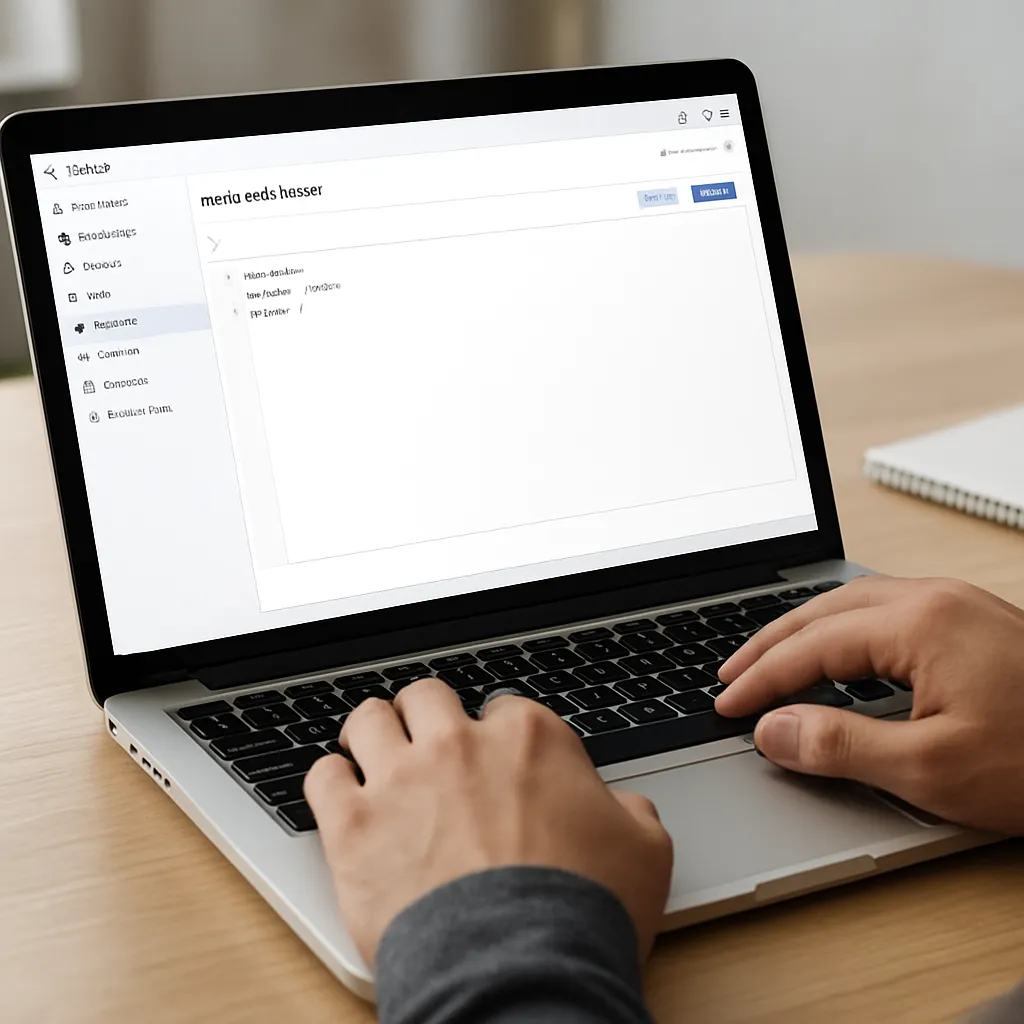
Robots.txt Tester (Google)
Google’s Robots.txt Tester is one of those unassuming utilities that can quietly save a website from serious organic visibility issues. It focuses on a small text file at the root of your domain—robots.txt—yet the decisions encoded there influence how search engines move through your site, what they fetch, and how they allocate resources. Used thoughtfully, the tester prevents accidental traffic losses, optimizes discovery at scale, and helps teams coordinate technical rules with content strategy and infrastructure realities.
What the Google Robots.txt Tester Is and Why It Exists
The Robots.txt Tester is a diagnostic feature historically bundled with Google Search Console (often under Legacy Tools & Reports). Its core job is simple: load a site’s robots directives, parse them exactly as Googlebot would, then simulate whether specific URLs are allowed or blocked for chosen bots. It highlights the matched directive line, warns about syntax errors, and gives webmasters a rapid feedback loop before they deploy changes live.
While various third-party validators exist, Google’s own parser is the most authoritative for understanding how Googlebot interprets your file. That matters because the robots exclusion protocol (REP) is implemented slightly differently across search engines, and subtle parsing differences can lead to surprises. Using the official tool helps you evaluate the precise behavior you’ll get from the crawler that drives most organic traffic for many sites.
Availability note: in recent years, the tester has been labeled “legacy” and its placement or presence in Search Console can change. Even as interfaces evolve, the underlying need remains: validate your directives against Googlebot’s parser behavior before you publish them, and recheck after changes or outages.
How Robots.txt Works in the Context of SEO
Robots.txt is a site-wide advisory file located at the root of a host (for example, https://example.com/robots.txt). It provides path-based rules telling bots where they can and cannot go. Two conceptual pillars matter to SEO: crawling and indexing. Crawling is discovery; indexing is the act of storing and serving pages in search results. Robots.txt controls crawling only—if you block a page there, Googlebot won’t fetch it, but the URL can still appear in results if it’s referenced externally (typically as a “URL is on Google, but restricted by robots.txt” type of listing with limited information). To truly keep a page out of results, you need a robots meta tag or an X-Robots-Tag HTTP header with a directive such as noindex, and crucially, the page must be crawlable so Google can see that directive.
Robots.txt is not a security mechanism. Anything you list as disallowed is public by virtue of being in a publicly accessible text file. If something must be confidential, use authentication or proper access controls, not robots directives.
Finally, robots rules are host-specific: each subdomain (e.g., shop.example.com vs. www.example.com) and each protocol (http vs. https) has its own robots.txt. Large websites often need multiple coordinated files.
Key Features of the Google Robots.txt Tester
Accurate parsing of User-agents and rule matching
The tool lets you choose the crawler identity and test how rules apply. In robots syntax, a User-agent section targets a specific bot (“Googlebot”, “Googlebot-Image”, “AdsBot-Google”, etc.) or all bots (“*”). Google’s parser implements longest-match rule selection: among all matching patterns, the rule that matches the longest portion of the path applies; in a tie, an Allow beats a Disallow. Seeing exactly which rule wins—in context and with line-number highlighting—is the tester’s signature benefit.
Directive validation with Disallow and Allow
You can try URLs and watch the tester indicate “Allowed” or “Blocked,” showing the exact Disallow or Allow line that decided the outcome. This is especially useful when multiple overlapping patterns exist or when you have successive refinements (e.g., a broad disallow for a folder with a specific allow for a single file within it).
Support for wildcards and end-of-line anchors
Google supports basic pattern matching with wildcards. An asterisk (*) matches any sequence of characters, and the dollar sign ($) anchors the pattern to the end of the URL (useful for file-type exclusions). The tester demonstrates how those patterns resolve, reducing trial-and-error and avoiding rules that either overblock or underblock.
Warnings and common syntax checks
Typical warnings include unrecognized directives, malformed lines, unsupported parameters, or accidental Unicode/encoding issues. The tester can also expose when lines are ignored (for instance, when they appear under the wrong user-agent block) or when there’s a stray BOM character at the start of the file.
Live vs. cached file retrieval
Google caches robots.txt aggressively to minimize server load. The tester can reveal differences between what’s currently on your server and what Google has recently fetched. This matters after deployments: you may need to wait for a recrawl of robots.txt or encourage a fetch via standard refresh cadences to get the new rules applied in practice. Robots.txt changes are not instant, and a mismatch between expectation and cache timing is a common source of confusion.
Limitations to understand
- It’s not a live crawl simulator. It doesn’t step through your site’s link graph or evaluate page rendering—just path-based rule application.
- It cannot fix server-level issues. If the robots.txt URL returns the wrong status code (e.g., 403 or 5xx), the tester can reveal it, but you must correct infrastructure or permissions.
- It reflects Google’s parsing, which may differ in details from other engines. Bing and others might treat certain directives differently.
Does Using the Tester Help SEO?
Indirectly, yes—often significantly. The tester itself does not influence rankings, but robots correctness is foundational to sustainable organic growth. Several SEO-critical outcomes depend on accurate rules:
- Crawl budget stewardship: For large sites, eliminating wasteful fetches of parameterized, faceted, or duplicate URLs helps Googlebot focus on your best content. Over time, this yields faster discovery of new or updated pages and fewer stale results.
- Index hygiene: Preventing low-value or thin areas (e.g., search results pages, cart steps) from being crawled can reduce noise. Just remember: robots.txt doesn’t remove already indexed URLs; it only stops further fetching.
- Rendering and quality evaluation: Accidentally blocking critical CSS or JavaScript can tank rendering-based evaluations and degrade how Google understands layout, mobile friendliness, or core content. The tester helps you confirm that assets remain accessible.
- Migration safety: During domain changes, CMS replatforms, or internationalization rollouts, it’s easy to propagate an overly strict rule that blocks entire sections. Testing in advance can avert traffic collapses.
- Media visibility: For images, videos, and feeds, the right allowances ensure discovery while keeping sensitive directories off-limits.
What it won’t do: it won’t improve topical relevance, E-E-A-T, content quality, or link equity. Think of it as a hygiene and infrastructure safeguard that creates the conditions for good content to be discovered efficiently.
What the Tester Catches Before It Hurts You
- Global blocks: A misapplied “Disallow: /” under a wildcard user-agent wipes out crawling. The tester surfaces the effective match immediately.
- Case-sensitive path surprises: On many servers, “/Admin/” and “/admin/” are different. The tester confirms you’re targeting the correct path.
- Pattern overshoot: “Disallow: /tag” unintentionally blocks “/tagline/”. Anchoring with “$” or scoping with slashes solves it; the tester demonstrates the effect.
- Parameter traps: Rules intended for “?sessionid=” may underblock variants like “?sessid=”. Testing sample URLs shows coverage gaps.
- CSS/JS collateral damage: A broad folder disallow that also holds shared assets leads to rendering loss. The tester reveals which resource URLs are blocked.
- Wrong user-agent targeting: Writing rules under “Googlebot-Image” when you meant “Googlebot” (or vice versa) yields unexpected behavior. The tester’s user-agent selector clarifies the outcome.
- Encoding and BOM errors: Invisible characters can break the first line. The tester flags unreadable or ignored lines.
- File-size and caching issues: Google processes only the first ~500 KB of robots.txt. If you exceed that, later rules won’t be read; caching adds delay to updates. The tester warns of such pitfalls.
- Missing protocol/host coverage: A correct file on https://www.example.com doesn’t govern https://example.com or a subdomain. Testing each host variant avoids gaps.
Best-Practice Workflow for Safe Robots Management
- Inventory crawl targets: Identify sections that should be discoverable versus suppressed (e.g., internal search, filters, admin, test sandboxes).
- Translate intent into rules: Start minimal, then tighten. Favor small, precise patterns instead of sweeping bans.
- Test representative URLs: For each rule, use the tester to try multiple real URLs, including edge cases (parameters, mixed case, trailing slashes, file extensions).
- Mind rendering dependencies: Validate that key CSS/JS/image paths remain fetchable. If needed, add granular “Allow” lines within a broader disallow.
- Deploy, then verify: Push the updated file to the root, confirm a 200 OK status, and re-test select URLs. Monitor Search Console for any spike in blocked resources.
- Re-check after site changes: New routes, CDN rewrites, or language subfolders often introduce fresh patterns. Bake robots validation into your release checklist.
- Keep it small and readable: Stay well under the 500 KB limit. Use comments and grouping for maintainability. Fewer, clearer rules reduce risk.
Syntax and Semantics: What Matters to Googlebot
- Location: The file must live at /robots.txt on each host. No redirects are recommended; return it directly with 200 OK.
- Status codes:
- 200: Parsed normally.
- 404/410: Treated as no robots file (crawl allowed by default).
- 401/403: Typically interpreted as disallow-all for safety.
- 5xx/timeouts: Google may temporarily assume disallow-all and retry; repeated failures risk undercrawling.
- Character encoding: UTF-8 is safest; unexpected encodings can garble directives.
- Order and precedence: Longest pattern match wins; in a tie, an Allow overrides a Disallow.
- Supported directives for Google: “User-agent”, “Disallow”, “Allow”, and “Sitemap”. “Crawl-delay” is ignored by Google; some other engines may honor it.
- Not supported the way many assume: “Noindex” in robots.txt is not supported; use page-level or header directives and keep the page crawlable so the signal is seen.
- Comments: Begin with “#”. Keep comments on their own lines to avoid parsing ambiguity.
- File size: Only the first ~500 KB are processed; keep the file compact.
Examples of Sensible Patterns
- Block internal search results while allowing everything else:
- User-agent: *
- Disallow: /search
- Block faceted parameters while allowing the base category:
- User-agent: *
- Disallow: /*?color=
- Disallow: /*&color=
- Allow essential assets in a mostly blocked area:
- User-agent: *
- Disallow: /private/
- Allow: /private/assets/
- Allow: /private/*.css$
- Allow: /private/*.js$
- Block specific file types at the end of URLs:
- User-agent: *
- Disallow: /*.pdf$
- Declare sitemaps for discovery:
- Sitemap: https://www.example.com/sitemap.xml
- Sitemap: https://www.example.com/sitemap-images.xml
Alternatives and Complementary Diagnostics
- Search Console’s URL Inspection tool: For individual URLs, check whether Google can crawl and index, including whether robots.txt is the blocker.
- Server logs: The most honest reflection of crawl behavior. Validate that Googlebot is fetching the URLs you expect, and watch for spikes to unwanted areas.
- curl and headers: Confirm HTTP status codes and X-Robots-Tag directives. Remember that these require the page to be crawlable to be seen.
- Rendering diagnostics: Tools that fetch resources as Googlebot do not replace robots testing, but they surface blocked assets that degrade rendering.
- Bing Webmaster Tools: Provides its own robots testing and crawl control features with slightly different support (e.g., “Crawl-delay”).
Advanced Considerations for Complex Sites
Subdomains, CDNs, and microservices
Each host needs its own file, but routing can get tricky. When CDNs serve multiple apps behind a single domain, ensure the edge returns a coherent robots file. If microservices generate rules dynamically, build a consolidated view and test paths that span services.
Programmatic generation with version control
For very large rule sets, treat robots.txt as code: parameterize templates, generate per-environment variants, run automated tests that feed sample URLs through a local parser, then deploy via CI/CD. Attach the Google tester as a human-in-the-loop confirmation before production release.
Parameter explosions and crawl traps
Faceted navigation and user-generated filters can create near-infinite URL spaces. Use a combination of robots rules, canonical tags (for indexing signals), and internal linking discipline. Robots alone won’t consolidate signals; it merely reduces crawl waste.
Rendering and asset hosting
When assets are on a different host (e.g., static.examplecdn.com), its robots file must allow Googlebot to fetch them. Rendering quality assessments depend on this. Test representative asset URLs in the tester for each asset host.
Internationalization
Language folders (e.g., /en/, /de/) or country subdomains each need coverage. Avoid blanket blocks that inadvertently hide regional content. When using hreflang, ensure alternates are crawlable so signals can be confirmed.
Error budgets and incident response
Because 5xx or authorization errors on robots.txt may cause Google to act as if everything is disallowed, treat the file like a critical uptime dependency. Monitor status codes, size, and content drift. After outages, use the tester plus logs to verify normal crawl resumption.
Opinions: Strengths, Weaknesses, and Where It Fits
Strengths:
- Authoritative parsing for Googlebot. When you need to know how Google reads your rules, this is definitive.
- Immediate, line-specific feedback. You see the winning rule and avoid guesswork.
- Low-friction safeguard. A two-minute test can prevent a two-month recovery from an accidental global block.
Weaknesses or caveats:
- Interface fluidity. Being in legacy sections or shifting UIs can make it feel less central than it deserves.
- Not a crawler. It won’t model site structure, JavaScript routing, or rendering outcomes.
- Engine-specific. Bing, Yandex, and others might interpret corner cases differently.
My take: The Google Robots.txt Tester remains a high-leverage tool relative to the time it takes to use. It doesn’t make content better and won’t fix site speed or architecture, but it reliably keeps self-inflicted wounds at bay. On teams where releases are frequent and infrastructure is complex, institutionalizing a quick tester pass before rollout is a best practice. For small sites, a periodic check—especially after theme or plugin changes—still pays off.
Frequently Asked Questions
Is robots.txt a ranking factor?
No. It’s a gatekeeper for crawling, not a signal for ranking quality. However, efficient crawling accelerates discovery and reduces stale or low-value content exposure, which indirectly supports better outcomes.
How fast do changes take effect?
Not instantly. Google caches robots.txt and refresh intervals vary. Expect anywhere from minutes to a day or more; critical fixes generally propagate fairly quickly, but there’s no guaranteed SLA.
Should I block duplicate content via robots.txt?
Block areas that create crawl waste, but rely on canonical tags, redirects, and internal linking to consolidate signals and manage duplication for indexing. Robots alone doesn’t de-duplicate or consolidate ranking signals.
Can I remove pages from search with robots.txt?
No. To remove content from results, allow crawling and use a robots meta tag or X-Robots-Tag with noindex; or use Search Console’s removal tools as a temporary measure while you fix page-level directives.
Is Crawl-delay supported?
Google ignores “Crawl-delay” in robots.txt. Use Search Console’s crawl rate settings selectively or rely on Google’s adaptive crawling, which responds to your server’s capacity. Other engines may observe Crawl-delay.
What about sitemaps?
Listing your XML sitemap URLs in robots.txt is optional but helpful for discovery. The tester doesn’t validate sitemap XML, but having sitemaps listed in a correct robots file makes onboarding simpler for new environments or subdomains.
A Practical Checklist You Can Reuse
- Confirm /robots.txt returns 200 OK, UTF-8, and is under 500 KB.
- Group rules by purpose and user-agent; keep patterns minimal and explicit.
- Test examples of every rule with the Google Robots.txt Tester (and for each relevant host/subdomain).
- Validate that core rendering assets remain fetchable; add targeted Allows if necessary.
- List sitemap locations; verify they resolve and are current.
- Deploy with change control and monitoring; re-verify after major releases.
- Reassess quarterly or after architectural changes (new CDN, routing, or international expansion).
Closing Perspective
Great SEO is not just about producing compelling content and earning links; it’s equally about removing friction from discovery. A careful, measured use of robots.txt keeps crawlers focused, protects fragile areas of your stack, and avoids costly mistakes that can suppress visibility. The Google Robots.txt Tester occupies a small but essential niche in that effort: it acts as your final line of defense between intention and implementation. Add it to your deployment checklist, and your content—and your engineers—will thank you later.